


Artificial Intelligence and Machine Learning Articles
Finance Manager to Data Analytics: Career Growth, Salary and Seniority
How to Evaluate LLM Outputs in Production Deployments
AI/ML Skills Gap 2026: Why Companies Can't Find Job-Ready Talent
20 AI/ML Interview Questions Recruiters Can Use Without a Tech Background - Best Guide


Get In Touch For Details! Request More Information
Replit Agent 4: Can AI Build Creative Apps?
Jun 24, 2026 4 Min Read 975 Views
(Last Updated)
Developing software requires structure. First, you plan out the concept, then design the user interface, write the code, debug, and finally deploy. Every step relies on the preceding one, and switching tasks slows the team down.
This workflow is functional, but inefficient. Instead of a clear path to the final product, technical overhead, mundane setup tasks, and inter-tool and inter-task communication frequently fragment the flow of creativity.
Replit Agent 4 flips the script. Instead of providing a way for you to guide the development process, Replit Agent 4 takes on the task of guiding the development process. Your role is simply to think up an idea and allow the rest of the system to begin constructing, refining, and executing your program in the background.
TL;DR
- Replit Agent 4 is a system designed to develop apps from an idea with simple natural language inputs.
- It removes the need for setup and coordination between tasks so that developers can focus on what is important: creativity.
- Multiple AI agents are working on parallel components of the application simultaneously.
- You can develop applications, dashboards, and many more using a singular, integrated environment.
- Best suited for prototyping, quick experimentation, and development workflows centered around creativity.
Table of contents
- What is Replit Agent 4?
- So What’s the Point of This Change?
- Replit Agent 4 Core Pillars
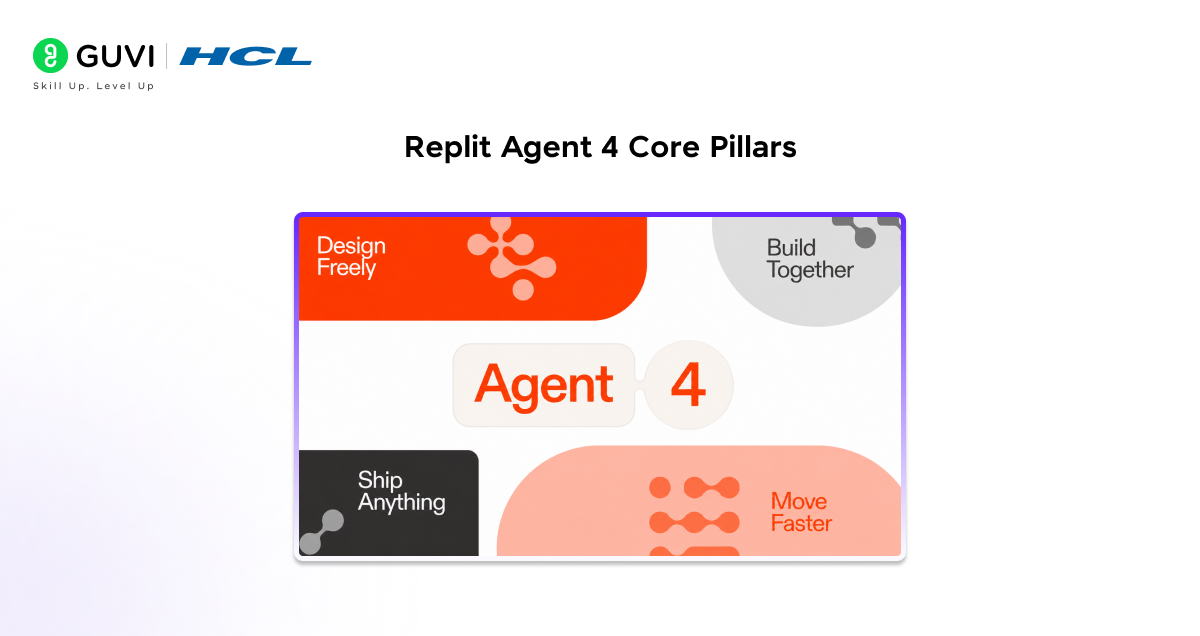
- Design Freely
- Ship Faster
- Ship Anything
- Build Together
- How Agent 4 Enables Creative Development
- Step-by-Step Example: Building a Simple App
- Example: Adding a Feature
- Example: Improving UI
- Real Insight: Coding to Creative Direction
- Where It’s Most Effective
- Limitations to Be Aware Of
- Conclusion
- FAQs
- Can beginners use Replit Agent 4?
- Is Replit Agent 4 replacing developers?
- What can you build with Replit Agent 4?
- Is it suitable for production applications?
- How does it improve creativity?
What is Replit Agent 4?
Replit Agent 4 is an AI development environment capable of turning ideas into applications through the use of natural language.
You can provide your idea in a straightforward sentence, and then the AI will translate it into a functional application, complete with any required logic, user interface design, and back-end connections, with zero configuration on your part.
Replit Agent 4 distinguishes itself from other AI-driven development platforms due to its ability to comprehend the user’s files, dependencies, environment, and overall design context, enabling it to enact complex processes rather than merely offer assistance.
So What’s the Point of This Change?
Traditional development leads to a slow workflow because development and execution are all manual. A simple idea requires a lot of steps and decisions to become a reality.
The Replit Agent 4 will overcome these difficulties by transforming these complex steps into a flowing loop, so while you are brainstorming, the agent builds the system, and you just iterate on that with the agent, without breaking the flow of thought.
The impact is profound: the development workflow becomes more interactive and dynamic. Ideas don’t have to be precisely defined upfront, and you will discover more during iteration, thus greatly enhancing the creative output.
Replit Agent 4 Core Pillars
Design Freely
Design is not an independent phase anymore. With Agent 4, the exploration of layouts, generation of various UIs, and iterations are now integrated into your working application.
You don’t have to switch contexts or rewrite any code to test your designs, and when they are ready to be shipped, they go directly to your production code without any translation required.
Thus creating a feedback loop where design and implementation support and reinforce each other instead of breaking each other.
Ship Faster
With most projects encountering a blockage where tasks are completed in serial, Agent 4 overcomes these blockages by giving you multiple agents that work in parallel.
The frontend, backend, and database tasks are all developed simultaneously. The agent even breaks up large tasks into multiple smaller jobs, which then run and merge into a whole unit without friction.
This significantly reduces any idle time that would have occurred due to sequential task processing and speeds up the entire process.
Ship Anything
Development does not have to end with your application alone. With Agent 4, you can generate outputs of any type within a single project space.
The ability to build web applications and generate dashboards, create accompanying slides for presentation, and also have all these systems interconnected is within reach.
All of this without the need for context-switching, which keeps the workflow flowing.
Build Together
Coordination is one of the biggest hidden areas in development. Agent 4 introduces a task-based workflow where multiple requests can be handled at once.
Instead of managing a linear sequence of steps, you can submit ideas freely while the system organizes and executes them in the best order.
This reduces overhead and allows you to focus on decision-making and creativity rather than process management.
How Agent 4 Enables Creative Development
The limit of development is often restricted by how quickly you can experiment. If the speed is low, then the experimentation rate is low; if the speed is high, then the experimentation rate is high.
The Agent 4 bridges this gap between thought and completion. Instead of having fixed plans to work on, you can experiment with different options, iterate on the ideas, and have a working product.
This enables you to explore. Rather than carefully working on the product, you build on top of the product. In the long run, you have a better product.
Replit Agent 4 shifts development from writing code to making product decisions. The system handles execution in the background, allowing you to focus on what should be built rather than how to build it.
This shift makes the development process feel more creative than technical, turning builders into product thinkers instead of just coders.

Step-by-Step Example: Building a Simple App
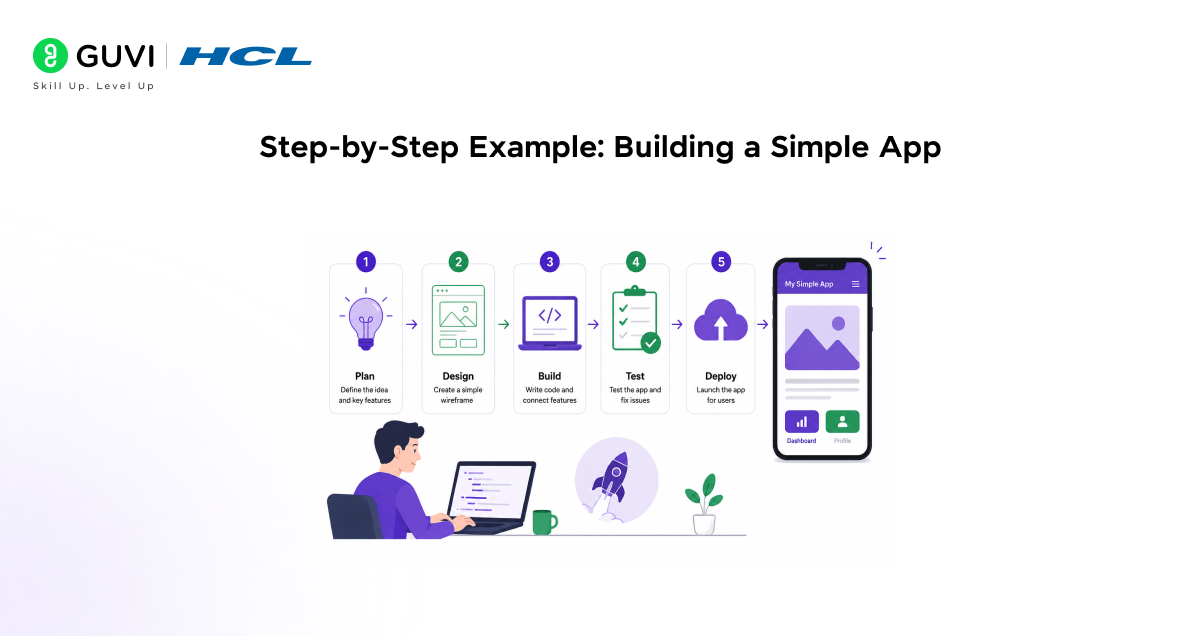
For example, let’s say we are building a habit tracker.
The agent gets the initial prompt:
“Make me a habit tracker with authentication, daily tracking, and progress charts.”
As the Agent structures and provides us with an authentication system, database schema, and the UI, we also continue refining. We ask the system to have cleaner dashboards and different layouts for habit tracking. The system provides us with updated UI and logic, without any hassle.
Example: Adding a Feature
Now you want to add reminders.
You provide a prompt:
“Add daily reminders and notification settings.”
The agent integrates this feature into the existing system. It updates backend logic, modifies the interface, and connects the necessary components.
// Example: Simple reminder logic (conceptual)
function sendReminder(user) {
if (user.hasPendingHabits) {
notify(user.email, “Don’t forget your habits today!”);
}
}
This kind of logic is generated and connected automatically, reducing manual effort.
Example: Improving UI
You decide the interface needs improvement.
You ask:
“Create three modern dashboard designs with better visualization.”
The agent generates multiple UI options. You select one and apply it directly.
<!– Example: Basic dashboard structure –>
<div class=”dashboard”>
<h2>Your Progress</h2>
<canvas id=”habitChart”></canvas>
</div>
These updates are not isolated. They are integrated into the working application.
The system provides us with updated UI and logic, without any hassle, following a vibe coding with Replit workflow, where ideas drive development.
Real Insight: Coding to Creative Direction
The key change of Agent 4 isn’t speed, but a role change. Developers are no longer writing all lines of code, but directing the system to perform the coding. The role is shifted from implementation detail to conceptualization of what to build.
This brings greater access and creativity to development; it gives one the freedom to focus on ideas, user experience, and outcomes rather than the implementation.
Where It’s Most Effective
Agent 4 is especially powerful when speed and experimentation are critical. It excels in creating prototypes, testing new ideas, building internal tools, and teaching development concepts.
Because setup time and execution time are removed, creative projects can iterate faster and more effectively.
For a deeper understanding of how AI-driven development workflows work in practice, you can explore this GenAI ebook as a practical reference.
Limitations to Be Aware Of
Despite the advantages, Agent 4 is not a substitute for all development. Complex systems with stringent requirements may still require extensive manual development and fine-grained customization.
The quality of what’s generated by the Agent relies heavily on clear prompts, which directly impacts how effectively the tool can be used.
To effectively use tools like Replit Agent 4, understanding data workflows, precise query formulation, and how AI interacts with structured datasets is essential for building better and more creative applications. Programs like HCL GUVI’s Artificial Intelligence and Machine Learning Course can help build these skills through hands-on experience.
Conclusion
Replit Agent 4 represents a shift in how software is built. It reduces the technical barriers that slow down development and enables a more fluid, creative process.
Handling the execution in the background allows developers to focus on ideas, experimentation, and outcomes.
The question is no longer whether AI can build apps. It is how far AI can support creativity in building them.
FAQs
1. Can beginners use Replit Agent 4?
Yes, it is designed to be accessible. Beginners can build applications using simple instructions without deep technical knowledge.
2. Is Replit Agent 4 replacing developers?
No, it changes the role of developers. It automates execution but still requires human direction and decision-making.
3. What can you build with Replit Agent 4?
You can build web apps, dashboards, data tools, and other project outputs within a single environment.
4. Is it suitable for production applications?
It works well for prototyping and early-stage development. Larger production systems may require additional refinement.
5. How does it improve creativity?
Reducing setup time allows faster experimentation and iteration, which enhances creative development.
Success Stories

About the Author
Vishalini Devarajan
An Aerospace Engineer turned content writer, I focus on making complex concepts easy to understand through well-structured, reader-friendly blogs. Whether it’s a technical topic or a non-technical one, I love creating content that is clear, engaging, and impactful.
View all posts by Vishalini Devarajan
Connect with me @













Did you enjoy this article?