


Software Development Articles
My Google SDE Interview Experience: From Rejection to Selection [2026 Success Story]
Apple Interview Experience for Software Developers: What to Expect
Decoding Differences between Network OS and Distributed OS
Operating System Examples: Top OS Types, Features, and Uses Explained


Get In Touch For Details! Request More Information
Operating System Concepts: A Comprehensive Guide
Dec 22, 2025 6 Min Read 1052 Views
(Last Updated)
What keeps a computer from turning into a chaotic stream of electric signals every time a program runs? The answer lies in the operating system, a silent coordinator that organizes every movement inside a machine. It forms the bridge between human intent and hardware response, guiding memory use, file storage, task scheduling, and communication between devices. Every action, right from pressing a key to loading a complex application, relies on its steady supervision. Understanding operating system concepts reveals how structure and control work together to create a reliable computing experience.
Continue reading the full blog to explore each core concept and see how the operating system shapes every layer of digital operation.
Table of contents
- What Is an Operating System?
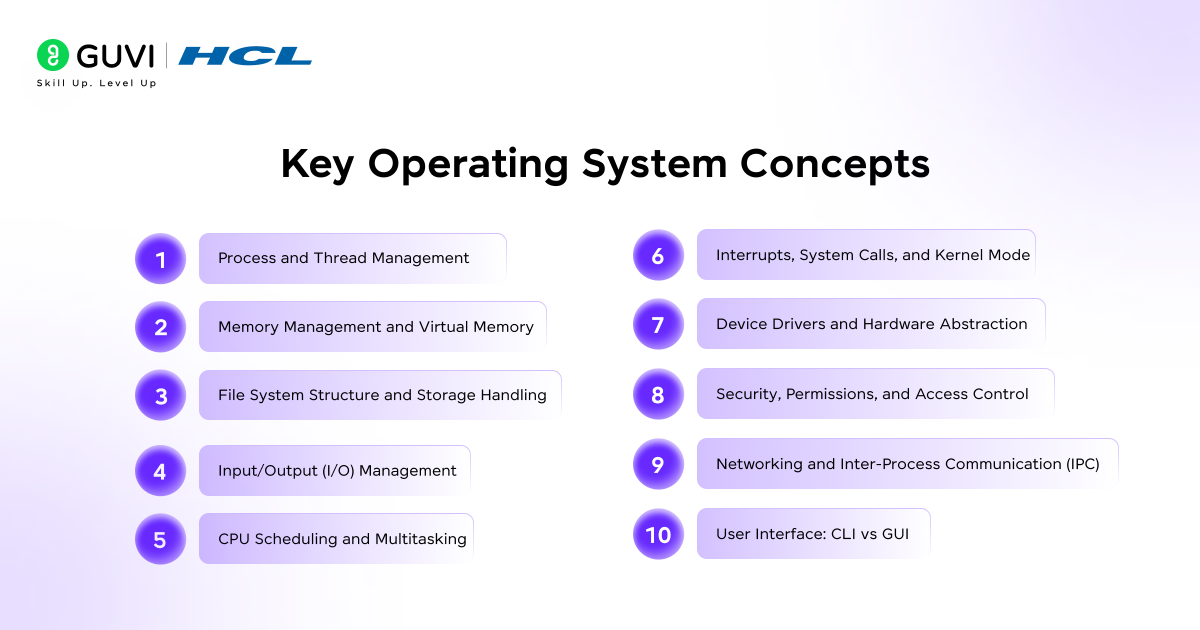
- Key Operating System Concepts Explained
- Process and Thread Management
- Memory Management and Virtual Memory
- File System Structure and Storage Handling
- Input/Output (I/O) Management
- CPU Scheduling and Multitasking
- Interrupts, System Calls, and Kernel Mode
- Device Drivers and Hardware Abstraction
- Security, Permissions, and Access Control
- Networking and Inter-Process Communication (IPC)
- User Interface: CLI vs GUI
- Table: CLI vs GUI in Operating Systems
- Importance of Operating Systems in Modern Computing
- Role of Operating Systems in Optimization and User Interaction
- Conclusion
- FAQs
- What are the core functions of an operating system?
- How does an operating system enhance system performance?
- Why is operating system security important?
- What are the main types of operating systems?
What Is an Operating System?
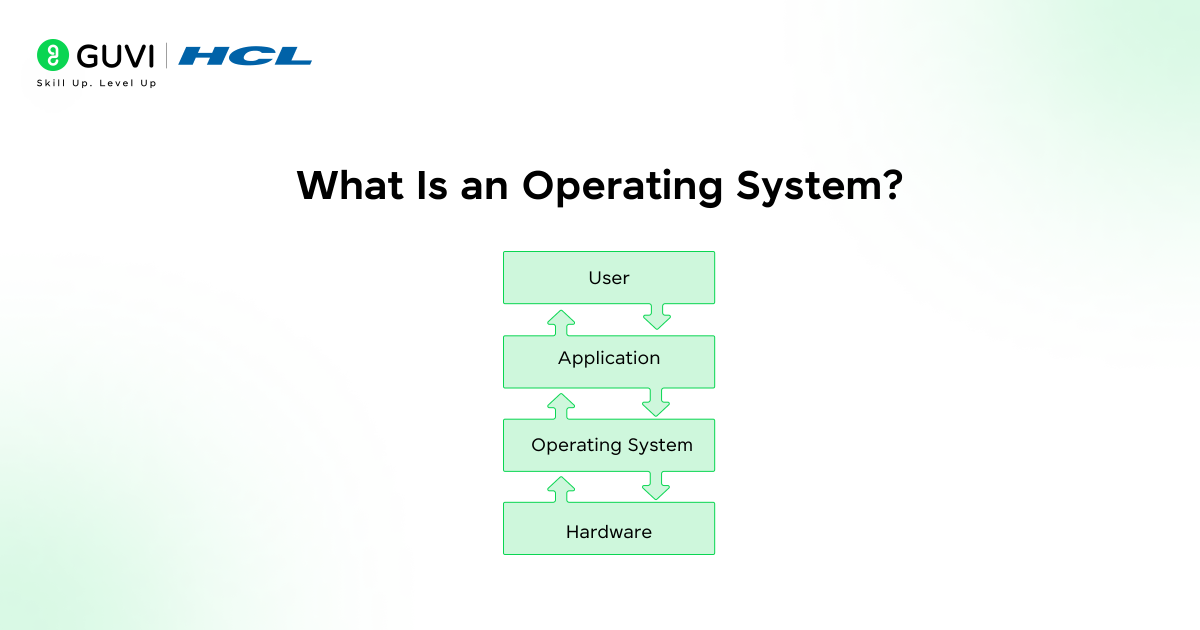
An operating system is the foundational software that coordinates the relationship between computer hardware and the applications a user runs. It allocates memory and manages files. It precisely controls input plus output devices and schedules tasks so programs do not conflict with one another.
Users do not need to understand the electrical signals inside a processor because the operating system presents an organized interface that translates human commands into machine actions. It also maintains security by controlling access to resources and separating processes so one faulty program does not disrupt the whole system. Modern computing would stall without this layer of control because every application depends on the operating system to request hardware time and communicate with other software.
Key Operating System Concepts Explained
1. Process and Thread Management
An operating system treats each running program as a process and may divide parts of that program into threads that share certain resources. Processes operate in separate memory spaces, which preserves stability, while threads inside one process handle smaller tasks that support quicker response. The system decides which task runs, how long it runs, and how resources are shared so multiple programs can function smoothly.
The key components of operating systems that govern this control are listed below:
- Process Lifecycle: A process moves through creation, ready state, running state, waiting state, and termination.
- Thread Coordination: Threads inside one process share memory and files to reduce overhead.
- Context Switching: The processor saves one task state and loads another so several programs appear to run together.
- Process Control Block (PCB): A structured record that holds identifiers, register values, memory details, and scheduling data.
- Concurrency Control: Locks, semaphores, and monitors regulate shared data and prevent conflicting access.
- Process Isolation: Each process receives a protected memory area that blocks interference.
2. Memory Management and Virtual Memory
An operating system allocates memory so each process receives the space it needs without interfering with others. It tracks which sections of RAM are free, which are in use, and which belong to specific programs. Virtual memory expands available space by shifting less active data to secondary storage, which lets large applications run even on limited hardware. The efficiency of this system design depends on quick movement of data between RAM and disk, which maintains stability and speed.
The main elements that shape memory control are outlined below:
- Allocation Methods: Fixed partitions, variable partitions, and paging divide memory into workable sections.
- Virtual Memory Mapping: Page tables translate logical addresses to physical locations.
- Swapping: Entire processes move between RAM and disk to free space for active tasks.
- Paging and Page Faults: Memory loads requested pages on demand and records faults when data is absent from RAM.
- Segmentation: Memory divides according to logical sections, such as code and stack.
- Protection Bits: Flags mark regions as readable or executable to block unauthorized access.

3. File System Structure and Storage Handling
An operating system organizes data on storage devices through a file system that defines how files are named, stored, and secured. It records where each file is located, how much space it occupies, and which user or process may access it. The structure of the file system affects speed and data integrity because it controls both physical placement on disk and logical arrangement seen by the user.
The key elements that shape file storage and access are outlined below:
- Directory Hierarchy: Files are grouped into folders and subfolders to create an ordered path for retrieval.
- File Allocation Methods: Contiguous, linked, and indexed allocation decide how file blocks are placed on disk.
- Metadata Management: Attributes such as size, timestamps, location, and permissions are stored for each file.
- File Access Modes: Read, write, append, and execute modes define how a file may be used.
- Space Management: Free space lists or bitmaps track unused blocks so the system can assign them to new files.
- Journaling and Recovery: Logs record pending changes, which helps restore consistency after crashes.
4. Input/Output (I/O) Management
An operating system coordinates data exchange between hardware devices and active processes. It shields applications from the complexity of device behavior by offering a standard interface that works across keyboards, disks, printers, displays, and other peripherals. I/O management controls how data is requested, queued, transferred, and confirmed, which prevents devices from blocking each other and keeps the system responsive.
The core elements that define this coordination are listed below:
- I/O Buffering: Temporary storage holds data in transit so slow devices do not stall faster components.
- Spooling: Output requests are queued and processed in order, which allows multiple programs to share a device such as a printer.
- Device Queues: Requests wait in structured lists until the device is ready to handle them.
- I/O Scheduling: The system reorders pending operations to reduce delays and improve throughput.
- Direct Memory Access (DMA): Hardware moves data between devices and memory without constant processor involvement.
- I/O Protection: Access rules block unauthorized processes from issuing harmful or conflicting commands.
5. CPU Scheduling and Multitasking
An operating system decides which process or thread uses the processor at any moment, which keeps the system responsive even when many tasks compete for attention. Scheduling policies balance fairness, throughput, and latency so short tasks finish quickly and longer tasks make steady progress. Multitasking creates the impression of parallel activity by switching the CPU among tasks at controlled intervals.
The main methods that shape this decision process are listed below:
- Preemptive Scheduling: The scheduler can pause a running task and assign the CPU to another task.
- Non-Preemptive Scheduling: A task keeps the CPU until it finishes or enters a waiting state.
- Scheduling Algorithms: First-come, first-served, shortest job first, and round robin apply different rules to pick the next task.
- Time Quantum: A fixed slice of processor time is given to each ready task in round robin systems.
- Priority Levels: Tasks receive ranks so urgent work can run before background activity.
- Load Balancing: The scheduler spreads tasks across multiple cores to avoid idle processors.
6. Interrupts, System Calls, and Kernel Mode
An operating system must react to hardware events and user requests without letting one program take full control of the machine. Interrupts alert the processor that a device or event needs immediate attention, which pauses the current task so the system can respond. System calls act as controlled entry points that let applications request services such as file access or memory allocation. Kernel mode provides a privileged level where the operating system can run critical instructions that user programs cannot execute.
The core mechanisms that support this controlled shift of authority are listed below:
- Hardware Interrupts: Signals from devices such as keyboards or network cards request prompt service.
- Software Interrupts: Programs trigger interruptions to request operating system functions.
- Interrupt Vector Table: A mapped list links each interrupt to the correct service routine.
- System Call Interface: A defined set of functions lets applications ask the kernel to perform actions on their behalf.
- User Mode vs Kernel Mode: User mode restricts direct hardware access, and kernel mode grants full control for trusted code.
- Privilege Switching: The processor changes mode through a controlled transition that protects memory and hardware.
7. Device Drivers and Hardware Abstraction
An operating system must communicate with many types of hardware, yet each device follows its own rules and signals. Device drivers act as translators that convert generic operating system commands into instructions a specific device understands. Hardware abstraction offers a consistent layer so applications can work with storage, display units, or input devices without knowing their internal design. This approach lets new hardware fit into the system without rewriting existing software.
The main elements that define this bridge between software and devices are listed below:
- Driver Modules: Separate code units control keyboards, disks, network cards, and other peripherals.
- Abstraction Layer: A unified interface presents devices in a standard format to higher software layers.
- Plug and Play Support: The system detects new hardware and loads the correct driver automatically.
- Driver Stack: Multiple driver layers may cooperate, such as a file system driver working with a disk controller driver.
- Interrupt Handling in Drivers: Drivers register routines that react to device signals through interrupts.
- Driver Security: Permissions and signing rules prevent untrusted drivers from accessing protected areas.
8. Security, Permissions, and Access Control
An operating system protects data and system resources by deciding who can read or execute specific files and processes. It verifies user identities and assigns permission levels. It also blocks actions that break defined rules. Access control policies limit damage from faulty software and reduce exposure to malicious activity. Security becomes effective when every request is checked against the rules before the system allows it.
The main pillars that support this protection are listed below:
- Authentication: Usernames, passwords, tokens, or biometrics confirm identity.
- Authorization: The system checks whether an authenticated user has the required rights for an action.
- Permission Bits: Read, write, and execute flags define allowed operations on files and directories.
- Access Control Lists (ACLs): Detailed records grant or deny rights to specific users or groups.
- User and Group Roles: Accounts are grouped so shared permissions can be applied efficiently.
- Audit Logs: Recorded events help trace policy violations and support forensic review.
9. Networking and Inter-Process Communication (IPC)
An operating system provides channels that let programs exchange data either on the same machine or across a network. Local processes share information through controlled messaging methods, while network services rely on protocols that move data between devices. These communication paths support cooperation among applications, distributed workloads, and client-server models. Reliability and security depend on how the system manages message flow, addresses recipients, and handles errors.
The key methods that support local and network communication are listed below:
- Pipes: A unidirectional channel passes data from one process to another.
- Message Queues: Structured buffers hold messages until the receiving process is ready.
- Shared Memory: Two or more processes access the same memory region for rapid exchange.
- Sockets: Endpoints create bidirectional communication across local or remote networks.
- RPC (Remote Procedure Call): A program invokes a function on another machine as if it were local.
- Protocol Stack: Layered rules, such as TCP and IP, manage addressing and error handling.
10. User Interface: CLI vs GUI
An operating system offers different ways for users to interact with system functions and applications. A command line interface (CLI) relies on typed instructions that provide direct control and precise automation. A graphical user interface (GUI) presents windows, icons, and menus that support visual interaction through pointing devices or touch input. Each style suits different needs because one favors speed through text commands and the other favors ease through visual elements. The core traits that separate these interfaces are listed below:
- Input Method: CLI uses typed commands, and GUI uses clicks or gestures.
- Learning Curve: CLI demands memorized syntax, and GUI relies on visual cues.
- Automation: CLI supports scripts that repeat tasks, and GUI focuses on manual control.
- Resource Use: CLI consumes minimal memory, and the GUI requires more graphics support.
- Error Feedback: CLI prints textual responses, and GUI shows dialog boxes or alerts.
- Customization: CLI allows aliases and scripts, and GUI offers theme and layout options.
Table: CLI vs GUI in Operating Systems
| Factor | CLI (Command Line Interface) | GUI (Graphical User Interface) |
| Input | Text commands entered via keyboard. | Visual actions through icons and menus. |
| Ease of Use | Needs command knowledge. | Simple and intuitive for most users. |
| Speed | Faster for experienced users. | Slightly slower due to visuals. |
| Resource Use | Low memory and CPU demand. | Higher memory and graphics use. |
| Automation | Supports scripting for tasks. | Limited to manual operations. |
| Error Handling | Shows text-based messages. | Displays visual alerts or dialogs. |
| Learning Curve | Steeper; suits advanced users. | Gentler; fits general users. |
| Customization | Flexible through commands. | Adjustable themes and layouts. |
Also, Read: Top 40 Operating System Interview Questions and Answers for 2025 (Basic to Advanced)
Importance of Operating Systems in Modern Computing
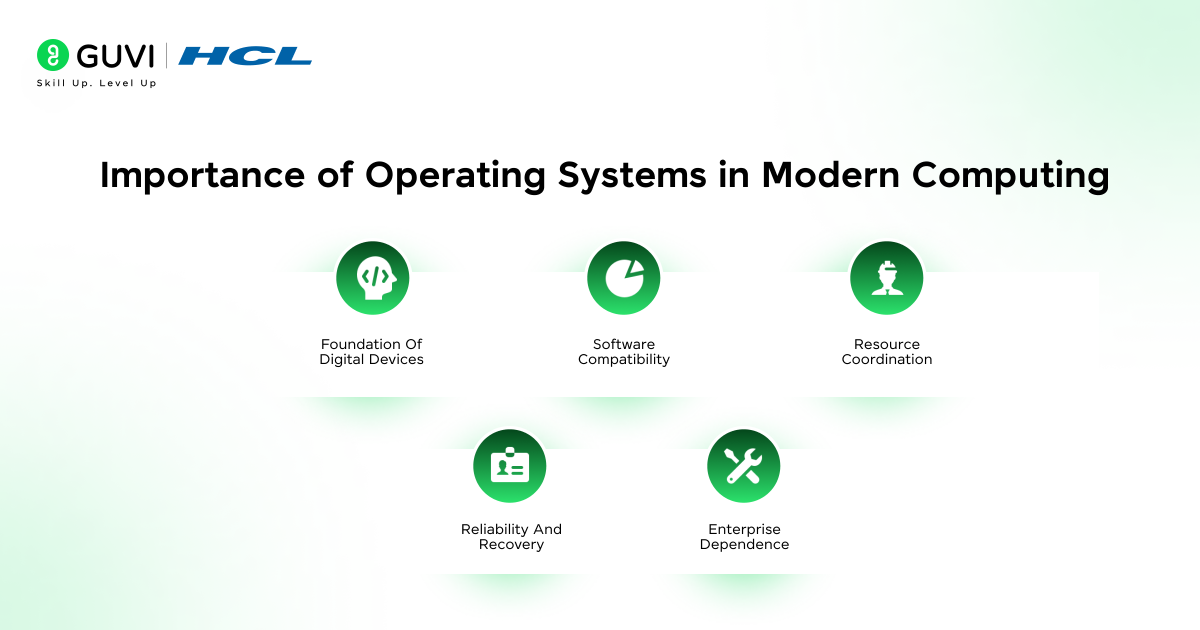
An operating system gives structure to every digital device. The core factors that define this importance are listed below:
- Foundation of Digital Devices: Every smartphone, computer, and server depends on the operating system to coordinate hardware activity.
- Software Compatibility: It provides a stable platform where different applications function without conflict.
- Resource Coordination: The system divides processor time, memory space, and storage access to prevent overload.
- Reliability and Recovery: Built-in safeguards detect faults and restore normal operation after errors.
- Enterprise Dependence: Businesses rely on operating systems to secure databases and maintain workflow continuity.
Role of Operating Systems in Optimization and User Interaction
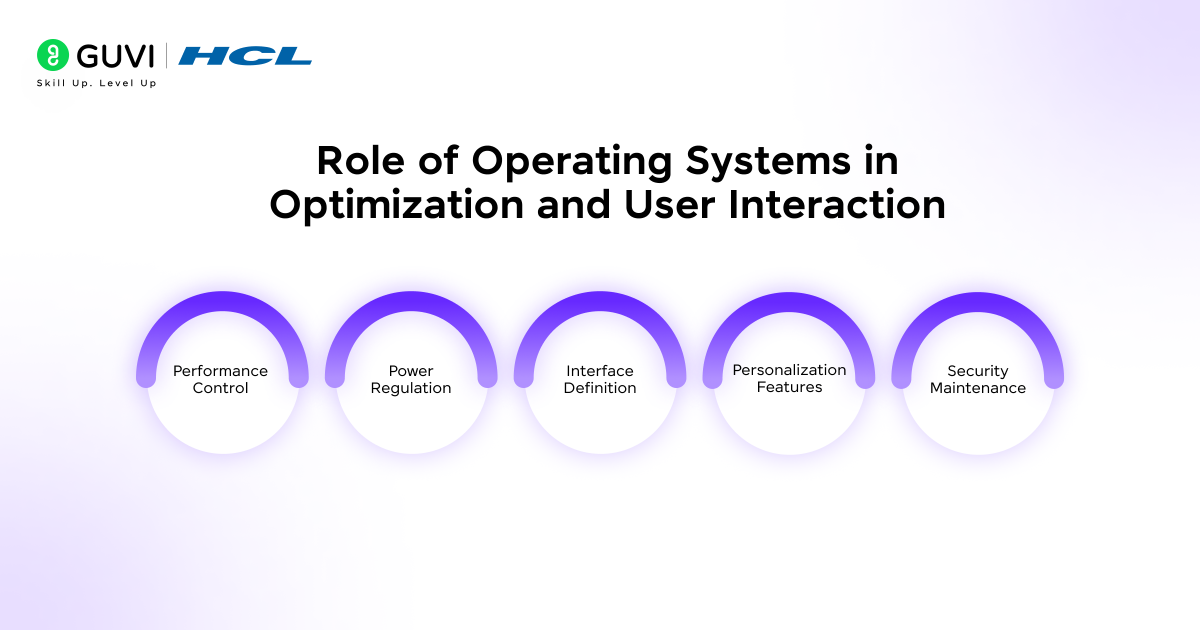
Here are the most vital functions of operating systems in optimization and user interaction:
- Performance Control: Scheduling and caching techniques raise processing efficiency and keep responses steady.
- Power Regulation: Energy-aware modes reduce waste and extend battery life.
- Interface Definition: The operating system decides how commands appear and how feedback reaches the user.
- Personalization Features: Themes and accessibility tools adjust the environment to individual needs.
- Security Maintenance: Permissions and encryption protect files and system operations.
Transform your understanding of how operating systems and AI-driven systems work together! Enroll in our AI Software Development Course, a project-based program with globally recognized certification, 100% placement support, expert mentorship, and real-world AI projects. Learn to design intelligent software solutions that redefine modern computing.
Conclusion
An operating system stands as the silent guardian that directs every signal and data request within a computer. It manages each layer with precision so programs cooperate rather than collide. Process handling, memory control, storage organization, and secure access all work under its command to keep computing steady and efficient. Every click or calculation relies on this invisible structure. Understanding its concepts deepens appreciation for how balance and order sustain the world of digital interaction.
FAQs
1. What are the core functions of an operating system?
An operating system manages memory, processes, files, and connected devices. It allocates resources efficiently and maintains coordination so all applications can run smoothly.
2. How does an operating system enhance system performance?
It improves speed through optimized scheduling, quick memory allocation, and balanced resource distribution. These functions reduce delays and increase overall responsiveness.
3. Why is operating system security important?
Security features protect data and prevent unauthorized actions. Strong permission rules and audits keep systems safe from malware and misuse.
4. What are the main types of operating systems?
The main types of operating systems are batch, time-sharing, distributed, network, real-time, and mobile operating systems. Each type handles tasks differently based on user interaction and response time.
Success Stories

About the Author
Vaishali
I'm a seasoned writer with four years of experience across technical, non-technical, and just about every genre or niche you can imagine. Adaptable and curious, I enjoy exploring new topics and making information engaging and easy to understand. Fueled by a steady stream of tea, I approach each project with creativity, reliability, and genuine enthusiasm for storytelling.
View all posts by Vaishali
Connect with me @













Did you enjoy this article?