


Programming Languages Articles
Why Is Python an Interpreted Language? How Python Executes Code Internally Explained
Why Java & C# Beat the Hype Cycle?


Get In Touch For Details! Request More Information
OOPs Concepts in Java: 4 Basic Concepts Developers Must Know
Mar 11, 2026 6 Min Read 15624 Views
(Last Updated)
Ever wondered why Java is the backbone of so many enterprise applications, Android apps, and backend systems? A big part of the answer comes down to four foundational concepts: the four pillars of Object-Oriented Programming (OOPs).
If you’re preparing for a tech interview or just starting your Java journey, understanding these pillars isn’t optional. It’s the entry ticket.
In this article, you’ll learn exactly what OOPs is, what each of the four pillars means, how they work in real Java code, and why they matter in actual software development. No draggy stuff, just clear explanations, real examples, and code you can run yourself.
TL/DR Summary:
Java’s OOPs is built on four pillars: Encapsulation hides your data and controls access, Inheritance lets classes reuse code from a parent class, Polymorphism allows one method to behave differently based on context, and Abstraction hides complexity and exposes only what’s necessary.
Table of contents
- What is OOPs (Object-Oriented Programming) in Java?
- The 2 Building Blocks: Object and Class
- The 4 OOPs Concepts in Java: Explained with Examples
- Encapsulation: Protecting Your Data
- Inheritance: Don't Repeat Yourself
- Polymorphism: One Interface, Many Forms
- Abstraction: Show What Matters, Hide What Doesn't
- Abstraction vs Encapsulation: The Confusion Cleared
- Conclusion
- FAQs
- What are the 4 pillars of OOPs in Java?
- What is the difference between abstraction and encapsulation in Java?
- What are the types of polymorphism in Java?
- What are the types of inheritance in Java?
- Is Java 100% object-oriented?
What is OOPs (Object-Oriented Programming) in Java?
Direct Answer:
Object-Oriented Programming (OOPs) in Java is a programming paradigm that organizes code around objects and classes rather than functions and logic alone. Java is one of the most widely used OOPs languages in the world, and its entire ecosystem, from Spring Boot to Android, is built on OOPs principles.
OOPs makes your code more modular, reusable, secure, and easier to maintain. Instead of writing one giant block of instructions, you model your program around real-world entities (objects) that have properties (data) and behaviors (methods).
Java isn’t considered 100% object-oriented; it still uses primitive data types like int, char, and boolean that aren’t objects. That’s a classic interview trap!
The 2 Building Blocks: Object and Class
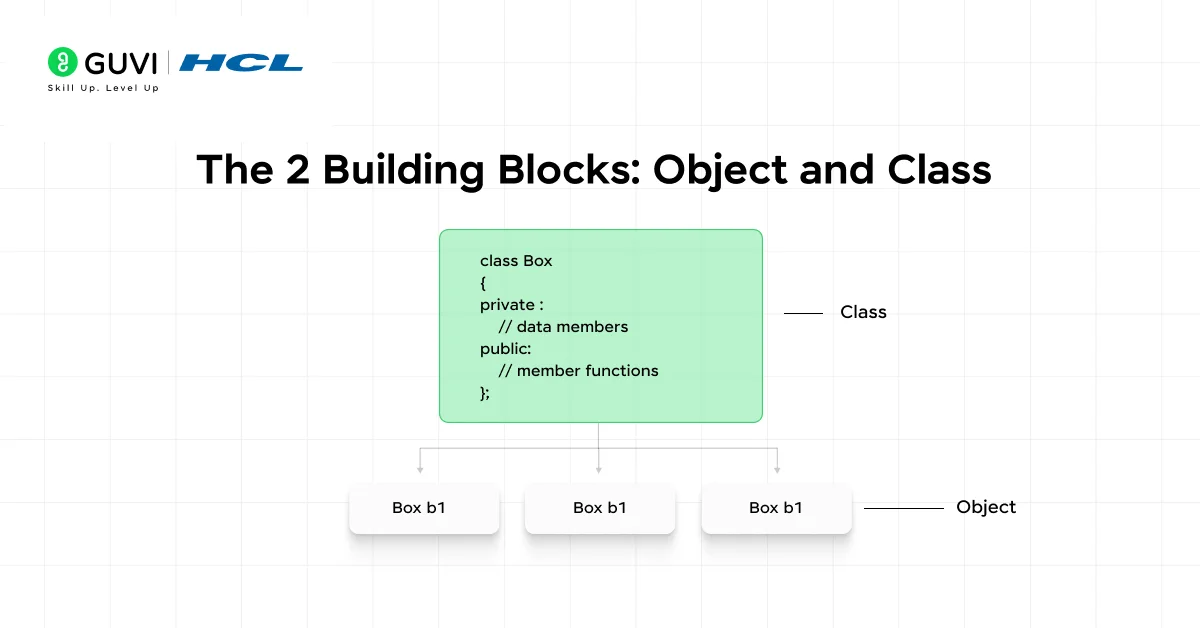
Every OOPs program in Java revolves around two core building blocks (Class and Objects) before the four pillars even come into play.
A Class is a blueprint. It defines what properties and behaviors an object will have, but it doesn’t occupy memory on its own. Think of it like an architectural drawing for a house.
An Object is a real instance of that class, the actual house built from the blueprint. It lives in memory and has actual values.
// Class = Blueprint

class Car {

    String brand;

    int speed;

    void accelerate() {

        System.out.println(brand + " is accelerating at " + speed + " km/h");

    }

}

// Object = Real Instance

public class Main {

    public static void main(String[] args) {

        Car myCar = new Car();       // Creating an object

        myCar.brand = "Toyota";

        myCar.speed = 120;

        myCar.accelerate();          // Output: Toyota is accelerating at 120 km/h

    }

}
Simple enough, right? Now let’s get to the four pillars that make OOPs truly powerful.
If you are planning on learning OOPs through a structured self-paced course, then consider enrolling in HCL GUVI’s Certified Object-Oriented Programming (OOPs) Course, which is perfect for beginners looking to master OOPs fundamentals. It covers key concepts like classes, objects, inheritance, polymorphism, and design patterns.

The 4 OOPs Concepts in Java: Explained with Examples
These four concepts are the heart of every Java interview, every Java project, and every Java framework you’ll ever work with. Let’s break each one down properly.
1. Encapsulation: Protecting Your Data
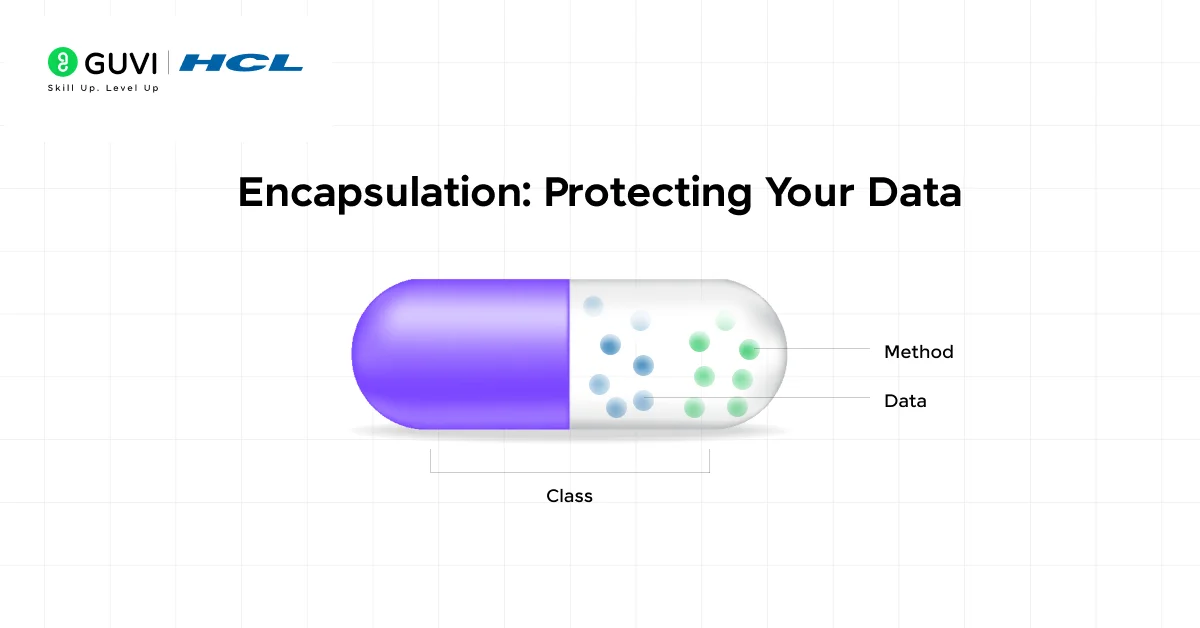
Encapsulation in OOPs is all about keeping your data safe from outside interference. You wrap your data (fields) and the methods that operate on that data inside a class, then restrict direct access using access modifiers. External code can only interact with your data through controlled methods, called getters and setters.
Think of it like your bank account. You can check your balance and withdraw money through the ATM, but you can’t directly reach into the bank’s database and change your balance. The data is encapsulated.
In Java, encapsulation is achieved by:
- Declaring class fields as private
- Providing public getter and setter methods to read and update those fields
class BankAccount {

    private double balance;  // Hidden from outside world

    // Controlled access through getter

    public double getBalance() {

        return balance;

    }

    // Controlled update through setter

    public void deposit(double amount) {

        if (amount > 0) {

            balance += amount;

        }

    }

}

public class Main {

    public static void main(String[] args) {

        BankAccount account = new BankAccount();

        account.deposit(5000);

        System.out.println("Balance: " + account.getBalance()); // Balance: 5000.0

        // account.balance = 99999; ← This would cause a compile error!

    }

}
Why it matters: Encapsulation makes your code easier to maintain, debug, and test. You can change the internal implementation without breaking any code that uses the class.
2. Inheritance: Don’t Repeat Yourself
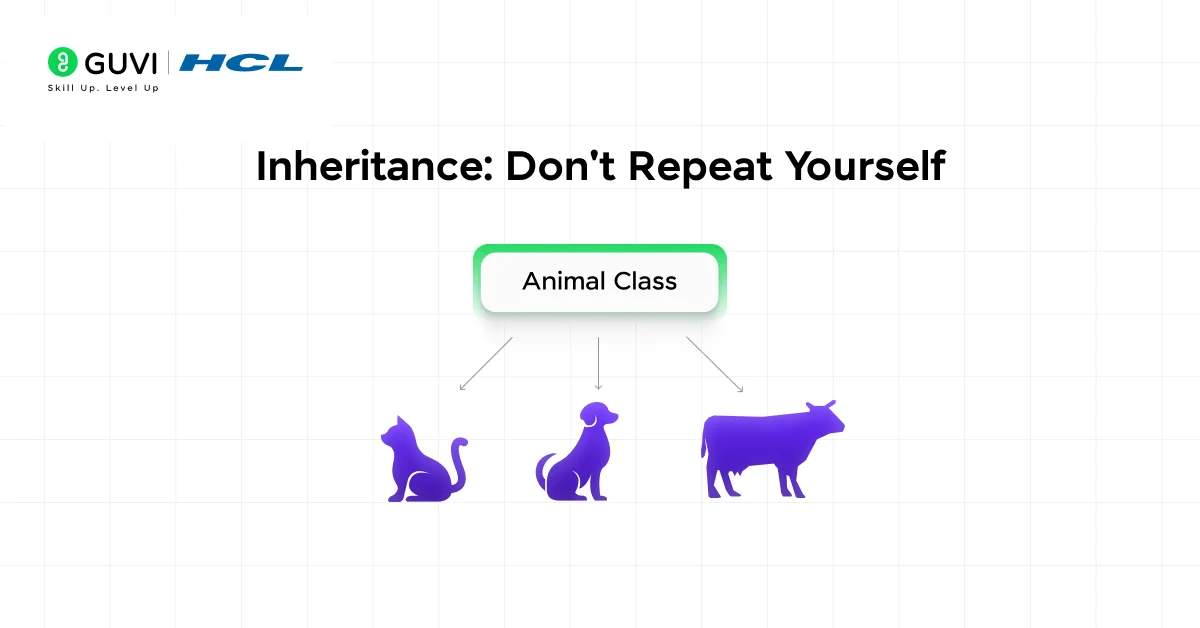
Inheritance allows one class (the child or subclass) to inherit the properties and methods of another class (the parent or superclass). Instead of rewriting the same code, you build on what already exists.
This is the “IS-A” relationship in Java. A Dog IS-A Animal. A Tesla IS-A Car. The child gets everything the parent has, plus it can add its own unique features.
// Parent class

class Animal {

    String name;

    void eat() {

        System.out.println(name + " is eating.");

    }

}

// Child class inheriting from Animal

class Dog extends Animal {

    void bark() {

        System.out.println(name + " says: Woof!");

    }

}

public class Main {

    public static void main(String[] args) {

        Dog dog = new Dog();

        dog.name = "Bruno";

        dog.eat();   // Inherited from Animal → Bruno is eating.

        dog.bark();  // Dog's own method → Bruno says: Woof!

    }

}
Types of Inheritance in Java:
| Type | Description | Supported in Java? |
| Single | One child inherits from one parent | Yes |
| Multilevel | Child → Parent → Grandparent chain | Yes |
| Hierarchical | Multiple children from one parent | Yes |
| Multiple | One child from multiple parents | Not via classes (use interfaces) |
| Hybrid | Combination of the above | Not directly (use interfaces) |
3. Polymorphism: One Interface, Many Forms
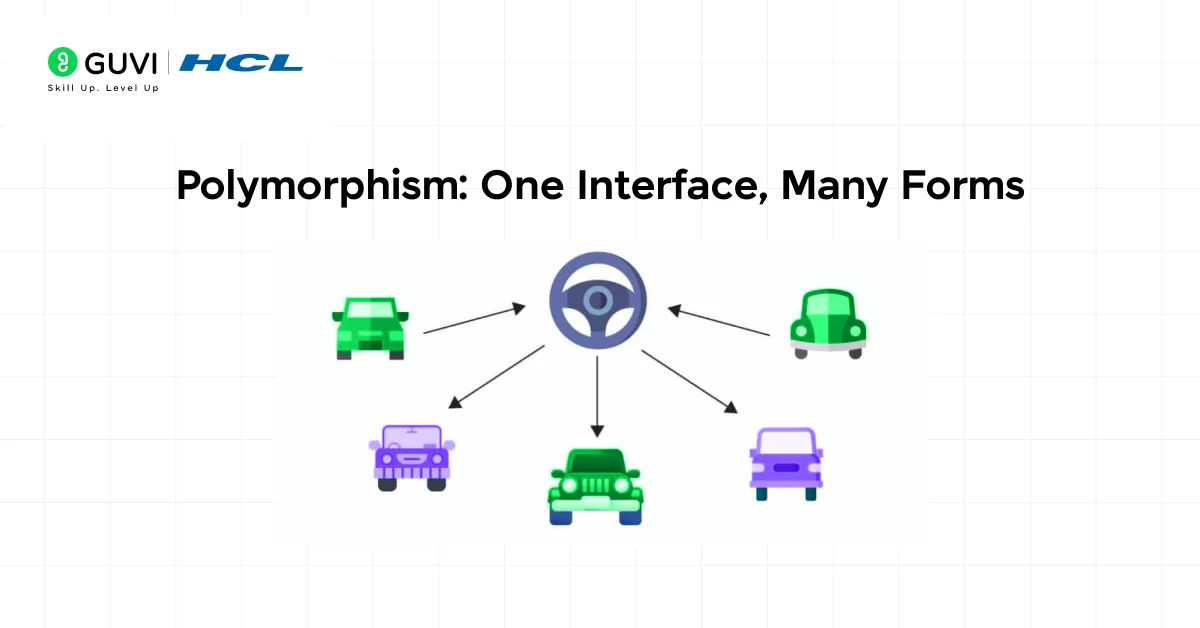
The word “polymorphism” literally means many forms. In Java, it means you can use a single method name to perform different tasks depending on the context. This makes your code flexible, clean, and scalable.
There are two types you need to know:
Compile-time Polymorphism (Method Overloading): The method name is the same, but the parameters differ. Java decides which version to call at compile time.
class Calculator {

    // Same method name, different parameters

    int add(int a, int b) {

        return a + b;

    }

    double add(double a, double b) {

        return a + b;

    }

    int add(int a, int b, int c) {

        return a + b + c;

    }

}

public class Main {

    public static void main(String[] args) {

        Calculator calc = new Calculator();

        System.out.println(calc.add(5, 3));           // 8

        System.out.println(calc.add(5.5, 3.2));       // 8.7

        System.out.println(calc.add(1, 2, 3));        // 6

    }

}
Runtime Polymorphism (Method Overriding): The child class provides a new version of a method already defined in the parent class. Java decides which version to call at runtime.
class Shape {

    void draw() {

        System.out.println("Drawing a shape");

    }

}

class Circle extends Shape {

    @Override

    void draw() {

        System.out.println("Drawing a circle");

    }

}

class Rectangle extends Shape {

    @Override

    void draw() {

        System.out.println("Drawing a rectangle");

    }

}

public class Main {

    public static void main(String[] args) {

        Shape s1 = new Circle();

        Shape s2 = new Rectangle();

        s1.draw();  // Drawing a circle

        s2.draw();  // Drawing a rectangle

    }

}
Overloading vs Overriding: Quick Comparison:
| Feature | Method Overloading | Method Overriding |
| Where | Same class | Parent & Child class |
| Parameters | Must differ | Must be same |
| Return type | Can differ | Must be same (or covariant) |
| Resolved at | Compile time | Runtime |
4. Abstraction: Show What Matters, Hide What Doesn’t
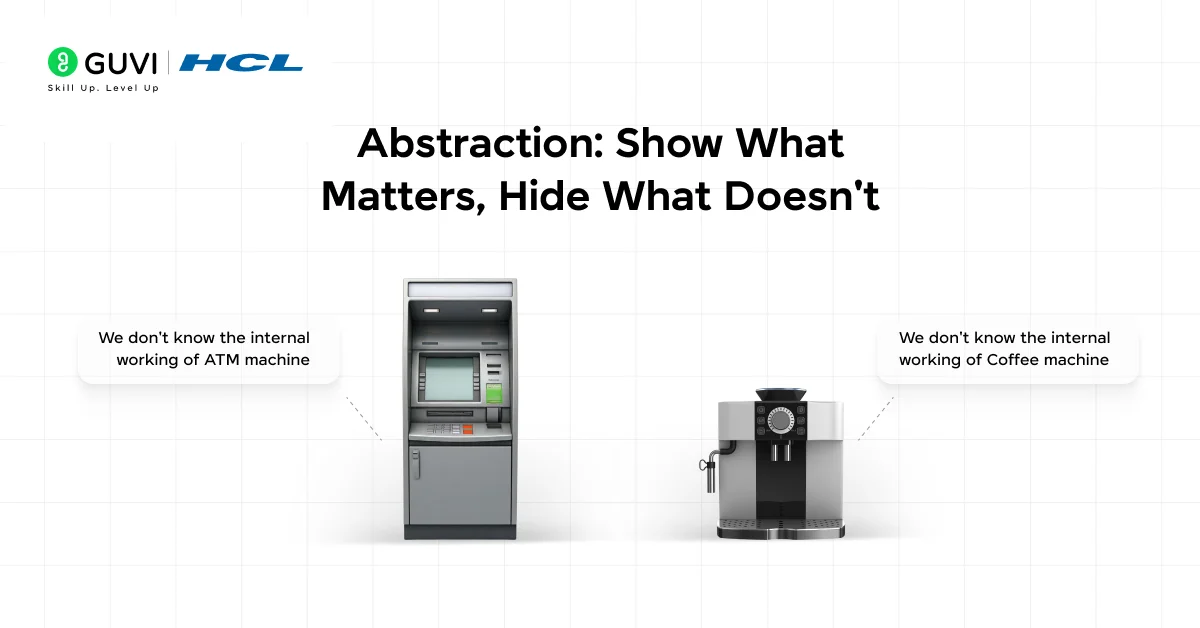
Abstraction is about simplifying complexity. You expose only the essential features of an object and hide the internal implementation details. Users of your class don’t need to know how something works, just that it works.
You use an ATM every day without knowing the internal banking logic, right? That’s abstraction in real life.
In Java, abstraction is achieved through two mechanisms:
- Abstract Classes: Can have both abstract (unimplemented) and concrete (implemented) methods
- Interfaces: Fully abstract by default (all methods are abstract unless marked default or static)
// Abstract class — defines the "what", not the "how"

abstract class Vehicle {

    String brand;

    // Abstract method — no implementation here

    abstract void fuelType();

    // Concrete method — shared implementation

    void startEngine() {

        System.out.println(brand + "'s engine started.");

    }

}

class ElectricCar extends Vehicle {

    @Override

    void fuelType() {

        System.out.println(brand + " runs on electricity.");

    }

}

class PetrolCar extends Vehicle {

    @Override

    void fuelType() {

        System.out.println(brand + " runs on petrol.");

    }

}

public class Main {

    public static void main(String[] args) {

        Vehicle v1 = new ElectricCar();

        v1.brand = "Tesla";

        v1.startEngine();   // Tesla's engine started.

        v1.fuelType();      // Tesla runs on electricity.

    }

}
Abstract Class vs Interface: Know the Difference:
| Feature | Abstract Class | Interface |
| Methods | Abstract + Concrete | Abstract (+ default/static) |
| Variables | Any type | public static final only |
| Inheritance | extends (single) | implements (multiple) |
| Constructor | Can have | Cannot have |
| Use when | Shared base behavior | Define a contract/capability |
Abstraction vs Encapsulation: The Confusion Cleared
This is one of the most commonly asked interview questions, and honestly, it trips up a lot of people. Here’s the clearest way to think about it:
| Abstraction | Encapsulation | |
| Focus | Hiding complexity | Hiding data |
| Goal | Show only what’s relevant | Protect internal state |
| Achieved via | Abstract classes, Interfaces | Private fields, Getters/Setters |
| Real-world | ATM interface hides banking logic | ATM PIN hidden from the screen |
| Level | Design level | Implementation level |
One-liner to remember: Abstraction is about what an object does. Encapsulation is about how it protects what it has.
If you want to take this further and build full Java-based applications from the ground up with mentor guidance, then check out HCL GUVI’s Certified Java Full Stack Developer Course. You’ll go from OOPs fundamentals all the way to deploying real-world projects and in the end you will be getting an industry-grade certification!
Conclusion
In conclusion, OOPs isn’t just a theoretical concept you mug up for interviews and forget. It’s the practical architecture of every Java application built at scale. You now understand what Encapsulation, Inheritance, Polymorphism, and Abstraction really mean: not just in definition, but in actual working code.
The best way to truly lock these in? Build something. Take any small real-world scenario, a library system, a vehicle management app, or a simple banking program, and implement it using all four OOPs pillars. You’ll be surprised how quickly the concepts click.
FAQs
1. What are the 4 pillars of OOPs in Java?
The four pillars are Encapsulation (data hiding through access modifiers), Inheritance (reusing code via parent-child class relationships), Polymorphism (one method, multiple behaviors through overloading and overriding), and Abstraction (hiding complexity through abstract classes and interfaces).
2. What is the difference between abstraction and encapsulation in Java?
Abstraction hides complexity at the design level using abstract classes and interfaces. Encapsulation hides data at the implementation level using private fields and getter/setter methods. Abstraction is about what an object does; encapsulation is about how it protects its data.
3. What are the types of polymorphism in Java?
Java supports two types: compile-time polymorphism (method overloading, same method name, different parameters) and runtime polymorphism (method overriding, child class redefines a parent class method).
4. What are the types of inheritance in Java?
Java supports single, multilevel, and hierarchical inheritance through classes. Multiple and hybrid inheritance are achieved through interfaces, since Java doesn’t allow a class to extend multiple classes.
5. Is Java 100% object-oriented?
No. Java uses primitive data types (int, char, boolean, float, etc.) that are not objects. This makes Java not purely object-oriented. However, Java provides wrapper classes (like Integer, Character) to treat primitives as objects when needed.
Success Stories

About the Author
Lukesh S
A professional content writer who has experience in freelancing and now working as a Technical Content Writer at GUVI. Google Certified Digital Marketer. Have a sound knowledge of SQL, Data Structures and Cloud Computing.
View all posts by Lukesh S
Connect with me @













Did you enjoy this article?