


Software Development Articles
My Google SDE Interview Experience: From Rejection to Selection [2026 Success Story]
Apple Interview Experience for Software Developers: What to Expect
Decoding Differences between Network OS and Distributed OS
Operating System Examples: Top OS Types, Features, and Uses Explained


Get In Touch For Details! Request More Information
Functions of Operating System: A Beginner’s Guide 2025
Jan 09, 2026 5 Min Read 3034 Views
(Last Updated)
Did you know your computer runs over 100 million lines of code daily through its operating system? The functions of operating system act as the backbone of any computer system, serving as a crucial intermediary between you and your device’s hardware.
Your operating system does much more than just boot up your computer. It effectively manages resources, provides a user interface, handles files, ensures security, enables multitasking, and detects errors. From starting up to shutting down, these essential functions maintain stability, efficiency, and security for both system operations and your overall experience.
In this beginner-friendly guide, you’ll discover what operating systems do and why they’re vital. We’ll explore the main functions of operating system components that keep your devices running smoothly. Without an operating system, your smartphones, tablets, and computers would simply be useless collections of hardware. Let’s get right to it!
Table of contents
- What is an Operating System and Why It Matters
- 1) Definition and role of OS
- 2) How OS connects users and hardware
- 3) Types of operating systems
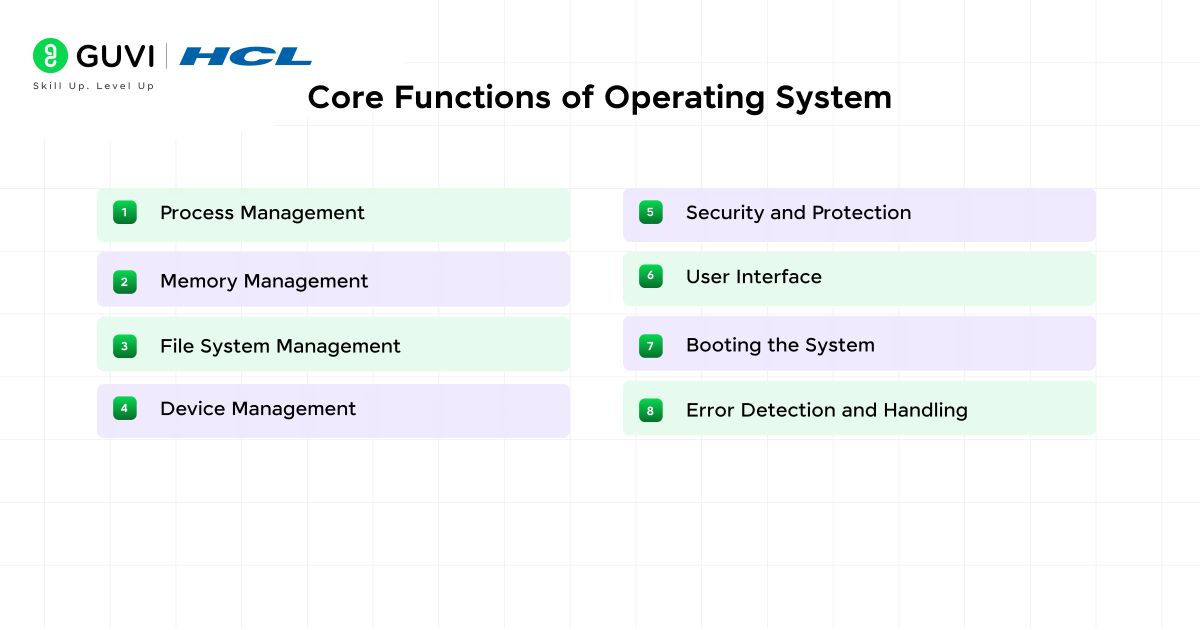
- Core Functions of Operating System Explained
- 1) Process Management
- 2) Memory Management
- 3) File System Management
- 4) Device Management
- 5) Security and Protection
- 6) User Interface
- 7) Booting the System
- 8) Error Detection and Handling
- Supporting Services and Performance Features
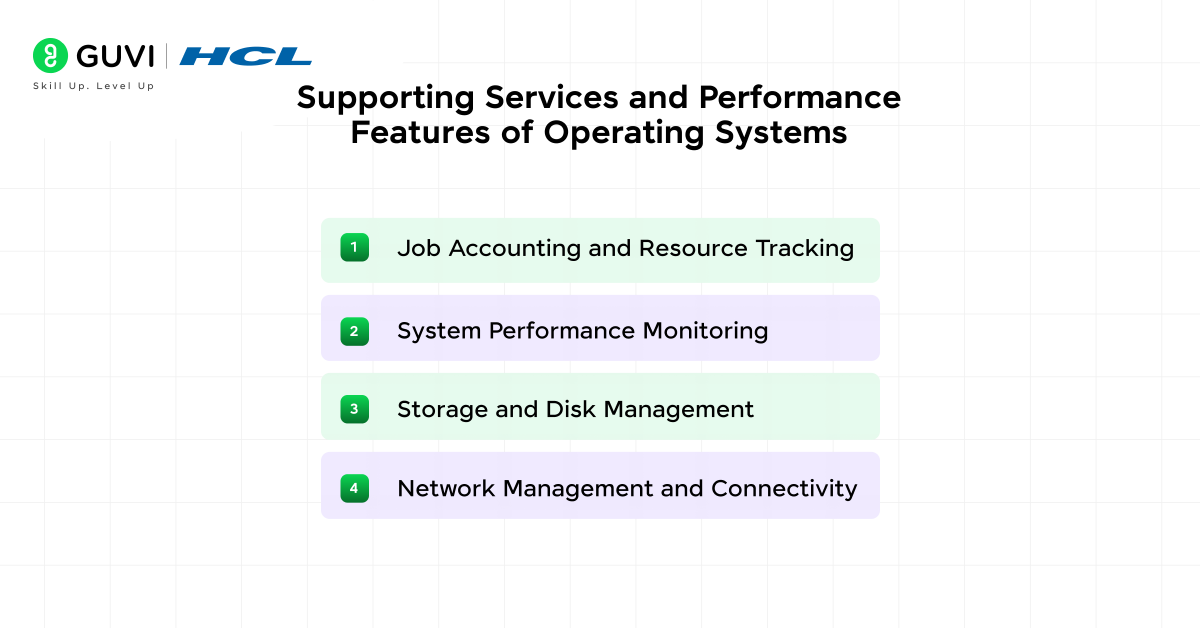
- 1) Job Accounting and Resource Tracking
- 2) System Performance Monitoring
- 3) Storage and Disk Management
- 4) Network Management and Connectivity
- Concluding Thoughts…
- FAQs
- Q1. What are the core functions of an operating system?
- Q2. How does an operating system manage computer resources?
- Q3. What is the difference between a GUI and a CLI in operating systems?
- Q4. How does an operating system handle multiple running programs?
- Q5. What role does an operating system play in computer security?
What is an Operating System and Why It Matters
1) Definition and role of OS
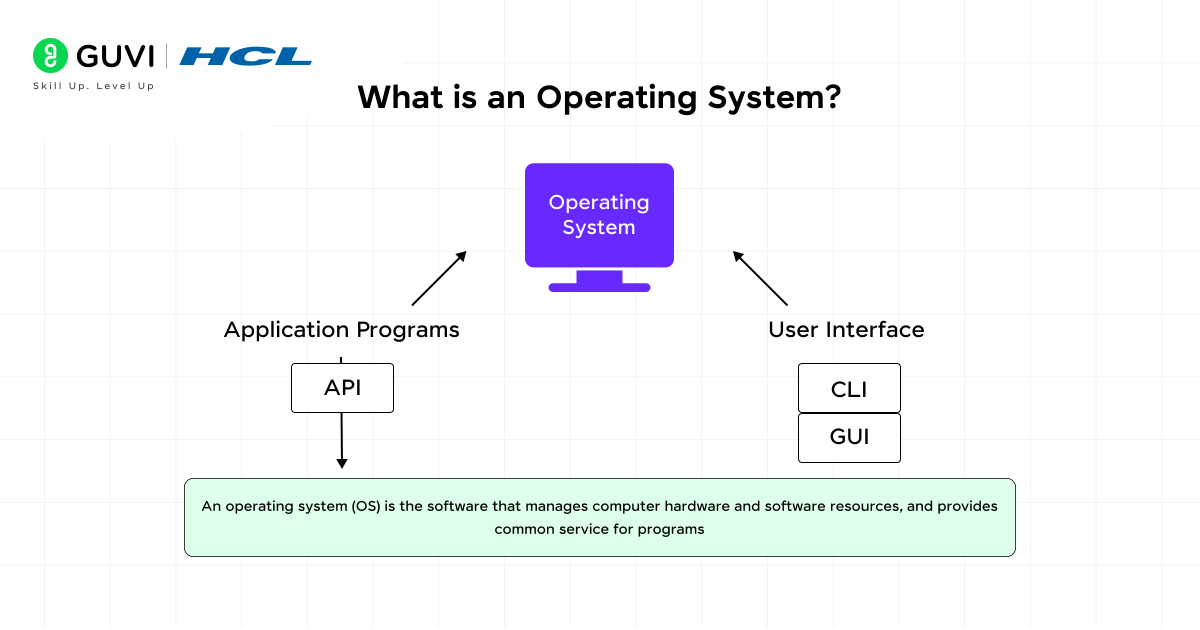
- An operating system (OS) is a collection of software that manages your computer’s hardware and applications by allocating resources like memory, CPU, input/output devices, and file storage.
- First and foremost, it serves as the “master control application” that runs when you turn on your computer, with its core component—the kernel—residing in memory at all times.
- The primary purpose of an operating system is to provide an environment where you can execute programs conveniently and efficiently. Specifically, it coordinates all software and hardware components to ensure your computer behaves in a flexible yet predictable way.
- Furthermore, it handles crucial tasks like process management, memory allocation, and file system control. In essence, without an operating system, your computer would be completely unusable.
2) How OS connects users and hardware
One of the most important functions of an operating system is to serve as an intermediary between you and your computer’s hardware. Instead of requiring you to understand machine language, the OS provides interfaces that make interaction straightforward.
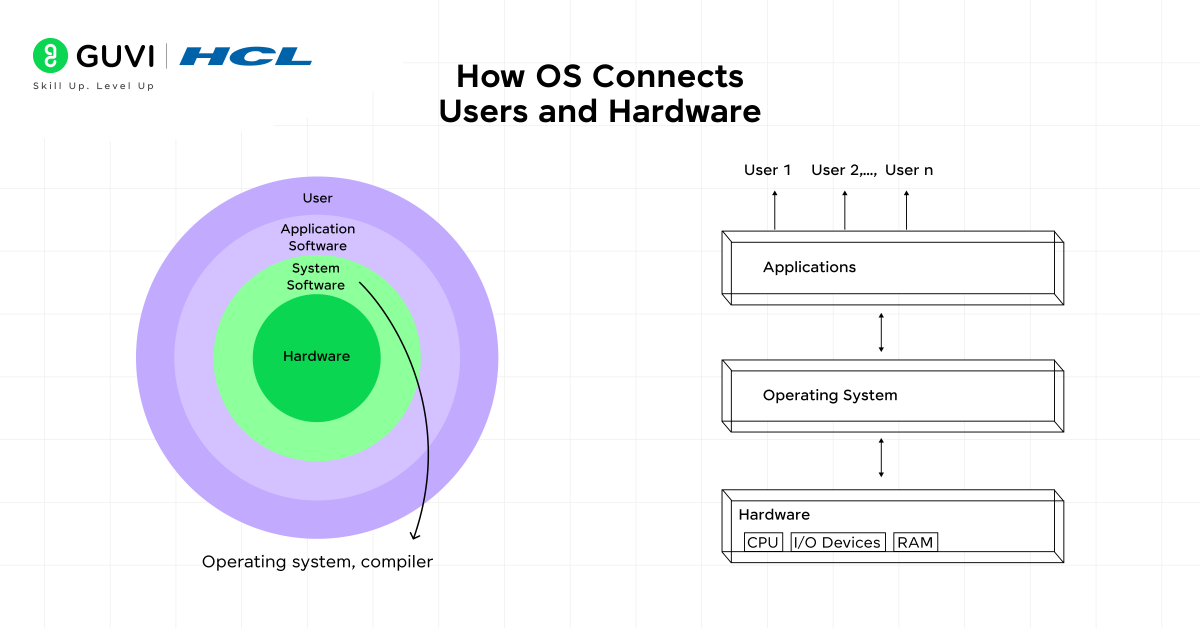
You interact with your operating system through either:
- A Graphical User Interface (GUI) that uses windows, icons, and menus
- A Command-Line Interface (CLI) that accepts typed commands
Behind the scenes, the OS allocates system resources to different applications running simultaneously. When you print a document or save a file, it’s the operating system that processes these actions and communicates with the appropriate hardware components.
Moreover, the OS provides a consistent platform for software development through application programming interfaces (APIs), allowing developers to build programs without needing to understand the underlying hardware details.
3) Types of operating systems
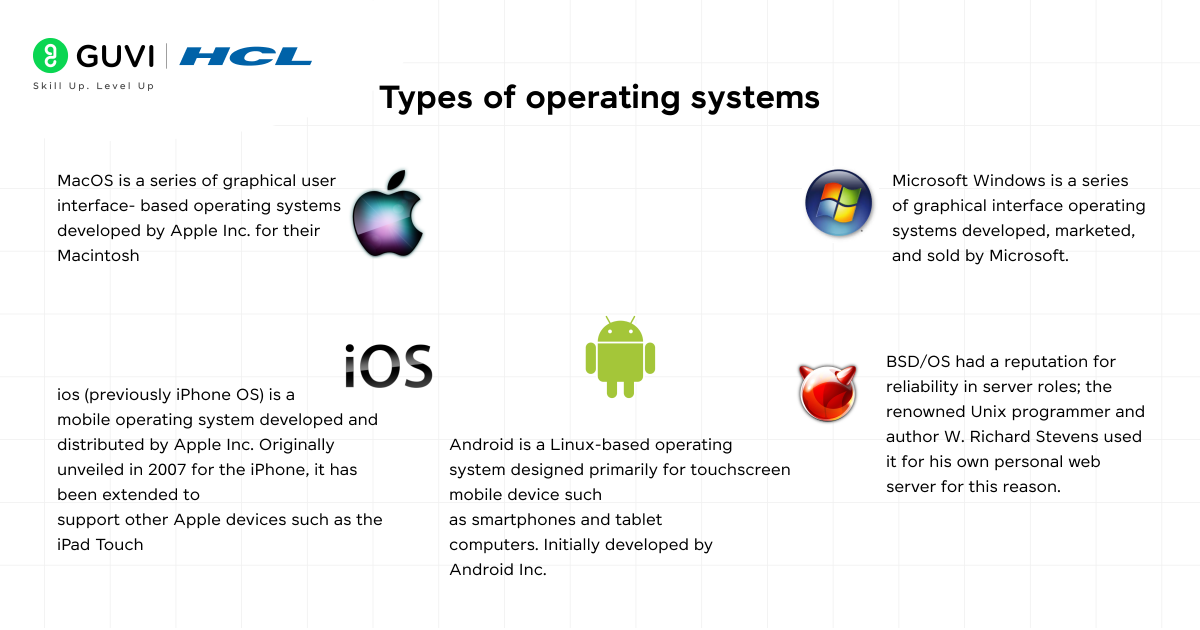
The computing world features several types of operating systems designed for different purposes and devices:
Desktop Operating Systems:
- Windows: Developed by Microsoft, holds 67% market share in desktop, tablet and console OS market
- macOS: Developed by Apple, popular for creative industries
- Linux: Community-driven with numerous distributions, free to use
Mobile Operating Systems:
- Android: Leads with approximately 72.04% market share
- iOS: Holds second position with 27.49% market share
Specialized Operating Systems:
- Real-time OS: Used in time-sensitive applications like medical equipment
- Network OS: Manages network resources across multiple devices
- Distributed OS: Connects autonomous computers through shared networks
- Batch OS: Processes similar jobs in groups without user interaction
Each type offers unique features tailored to specific computing needs, from personal devices to complex industrial systems.

Core Functions of Operating System Explained
The operating system performs several vital functions that make your computer usable. These core functions work together behind the scenes to create a stable computing environment.
1) Process Management
Process management handles the execution of programs on your computer. The operating system controls which process uses the CPU through scheduling algorithms like Round Robin or Priority Scheduling.
Additionally, it handles synchronization between processes using locks and semaphores to prevent race conditions, and manages inter-process communication allowing programs to exchange data via shared memory or message passing making it one of the top functions of operation systems.
2) Memory Management
Your operating system’s memory management function allocates and controls RAM usage. It keeps track of which memory is free or in use, prevents processes from interfering with each other’s memory through protection mechanisms, and implements virtual memory to run programs larger than available physical memory. Without proper memory management, programs would compete for resources and potentially crash.
3) File System Management
File system management organizes and handles data storage. It provides human-readable filenames and directories to simplify access to your files, controls file operations (create, read, write, delete), and manages access permissions to protect your data. File systems also improve performance through caching frequently accessed data.
4) Device Management
The device management function controls all hardware connected to your computer. It loads appropriate device drivers that enable communication between hardware and software, manages the allocation of devices to processes based on priority, and implements techniques like buffering and spooling to match device speeds and improve performance.
5) Security and Protection
Operating systems provide security mechanisms to protect your data and system resources. This includes authentication to verify user identity through passwords, authorization to control resource access, and protection against malware and unauthorized access. These safeguards maintain the confidentiality, integrity, and availability of your data.
6) User Interface
The user interface (UI) allows you to interact with your computer. Operating systems typically offer either a Command-Line Interface (CLI) where you type text commands, or a Graphical User Interface (GUI) with windows, icons, and menus. Modern systems often include touch and voice interfaces for more natural interaction.
7) Booting the System
Booting is the process of starting your computer. Upon powering on, the system runs a bootstrap loader from ROM that loads the operating system into memory. This process includes the Power-On Self-Test (POST) to check hardware components and loading the Master Boot Record (MBR) that contains critical startup information.
8) Error Detection and Handling
The operating system includes mechanisms to detect and manage errors that occur during operation. It monitors for hardware and software failures, provides error messages to help you troubleshoot problems, and implements recovery strategies to maintain system stability.
Operating systems have a fascinating history and play a much bigger role than most people realize:
The First OS Was Born in the 1950s: The earliest operating systems appeared in the 1950s to manage mainframe computers, automating tasks that once required manual setup for every program.
Windows Dominates the Market: As of 2025, Microsoft Windows still holds the largest global desktop OS market share, powering over 67% of systems worldwide.
Linux Runs the Internet: Nearly 96% of the world’s top 1 million servers use Linux-based operating systems, making it the invisible backbone of the web.
These facts remind us that operating systems are not just tools we interact with—they’re the hidden engines powering nearly every digital experience.
Supporting Services and Performance Features
Beyond core functions, operating systems provide essential background services that enhance efficiency and stability.
1) Job Accounting and Resource Tracking
Operating systems meticulously track time and resources used by various tasks and users. This information helps administrators monitor resource usage patterns for individuals or groups. Job accounting operates through resource monitoring, process identification, and event logging. Consequently, it enables better allocation decisions and enforces usage policies.
2) System Performance Monitoring
Performance monitoring tools collect real-time data from hardware components to identify bottlenecks and inefficiencies. For instance, tools like Performance Monitor in Windows collect data from performance counters and trace events.
Similarly, Linux offers utilities such as top and vmstat that provide instant reports on processes, memory, and CPU activity. These insights help establish baseline measurements under typical conditions for future reference.
3) Storage and Disk Management
Disk management organizes and optimizes storage resources. It handles critical tasks like partitioning (dividing physical disks into logical sections), formatting, and allocating disk space. Furthermore, it enables you to create, extend, or shrink volumes as needed. Modern operating systems include utilities that display comprehensive information about drives and partitions.
4) Network Management and Connectivity
Network management ensures efficient data flow between devices. It involves configuring, monitoring, and managing network performance through protocols like SNMP. Primarily, it helps in resource allocation, security enforcement, and issue detection. Network management systems provide centralized control points for administrators to govern security policies and distribute resources effectively.
Unlock the fundamentals of computing and master how an operating system orchestrates hardware, memory, processes and I/O in HCL GUVI’s Professional Certificate in AI Software Development Course — a 9-month, 300+ hour program with real projects and top industry mentors.
Concluding Thoughts…
Operating systems truly serve as the unsung heroes of your digital experience. Throughout this guide, you’ve seen how these complex software systems perform numerous critical functions that make computing possible. Without an operating system, your devices would simply be collections of hardware components with no way to coordinate or communicate.
The next time you interact with your computer, take a moment to consider the incredible complexity that your operating system manages effortlessly. Though technology continues to evolve rapidly, the core functions of operating systems remain largely consistent, albeit with constant refinements and improvements.
Therefore, the foundational knowledge you’ve gained from this guide will remain relevant regardless of which operating system you use or what advances emerge in the future.
FAQs
Q1. What are the core functions of an operating system?
The core functions of an operating system include process management, memory management, file system management, device management, security and protection, user interface provision, system booting, and error detection and handling. These functions work together to create a stable and efficient computing environment.
Q2. How does an operating system manage computer resources?
An operating system manages computer resources by allocating and controlling CPU usage, memory, storage, and connected devices. It uses scheduling algorithms for processes, implements virtual memory, organizes file systems, loads device drivers, and provides security mechanisms to protect resources and data.
Q3. What is the difference between a GUI and a CLI in operating systems?
A Graphical User Interface (GUI) uses visual elements like windows, icons, and menus for user interaction, while a Command-Line Interface (CLI) requires users to type text commands. Most modern operating systems offer both options, with GUIs being more user-friendly and CLIs providing more precise control for advanced users.
Q4. How does an operating system handle multiple running programs?
Operating systems use process management techniques to handle multiple running programs. This includes scheduling algorithms to allocate CPU time, inter-process communication methods for data exchange, and synchronization mechanisms to prevent conflicts. The OS also manages memory allocation to ensure each program has the resources it needs without interfering with others.
Q5. What role does an operating system play in computer security?
An operating system plays a crucial role in computer security by implementing various protective measures. These include user authentication to verify identities, authorization controls to manage resource access, file system permissions to protect data, and mechanisms to defend against malware and unauthorized access. The OS also provides error detection and recovery strategies to maintain system stability and data integrity.
Success Stories

About the Author
Jaishree Tomar
A recent CS Graduate with a quirk for writing and coding, a Data Science and Machine Learning enthusiast trying to pave my own way with tech. I have worked as a freelancer with a UK-based Digital Marketing firm writing various tech blogs, articles, and code snippets. Now, working as a Technical Writer at GUVI writing to my heart’s content!
View all posts by Jaishree Tomar
Connect with me @













Did you enjoy this article?