


Software Development Articles
My Google SDE Interview Experience: From Rejection to Selection [2026 Success Story]
Apple Interview Experience for Software Developers: What to Expect
Decoding Differences between Network OS and Distributed OS
Operating System Examples: Top OS Types, Features, and Uses Explained


Get In Touch For Details! Request More Information
Components of Operating System
Dec 15, 2025 4 Min Read 3330 Views
(Last Updated)
Have you ever wondered how your computer or smartphone manages to run several applications at once — like playing music, browsing the web, and downloading files — all without crashing? The answer lies in the Operating System (OS). It is a powerful system software that manages your device’s hardware and software resources, ensuring that every process and program runs smoothly.
An operating system is much more than just what you see on your screen. Behind its user-friendly interface lies a complex structure made up of different components that handle various tasks such as managing memory, scheduling processes, storing files, and maintaining security.
In this blog, we’ll take a closer look at the major components of an operating system — including the kernel, process management, memory management, file system, device management, input/output management, security, and user interface. Understanding these components will help you see how they work together to keep your device efficient, stable, and responsive.
Table of contents
- What Is an Operating System
- Major Components of an Operating System
- Kernel
- Process Management
- Memory Management
- File Management
- Device Management
- I/O System Management
- Security And Protection System
- User Interface
- Why Understanding OS Components Matters
- Real-World Examples of OS Components
- Conclusion
- FAQs
- What are the main components of an operating system?
- Why is the kernel considered the core of the operating system?
- What is the difference between process management and memory management?
- How does an OS ensure security?
- Which operating system is best for learning OS concepts?
What Is an Operating System
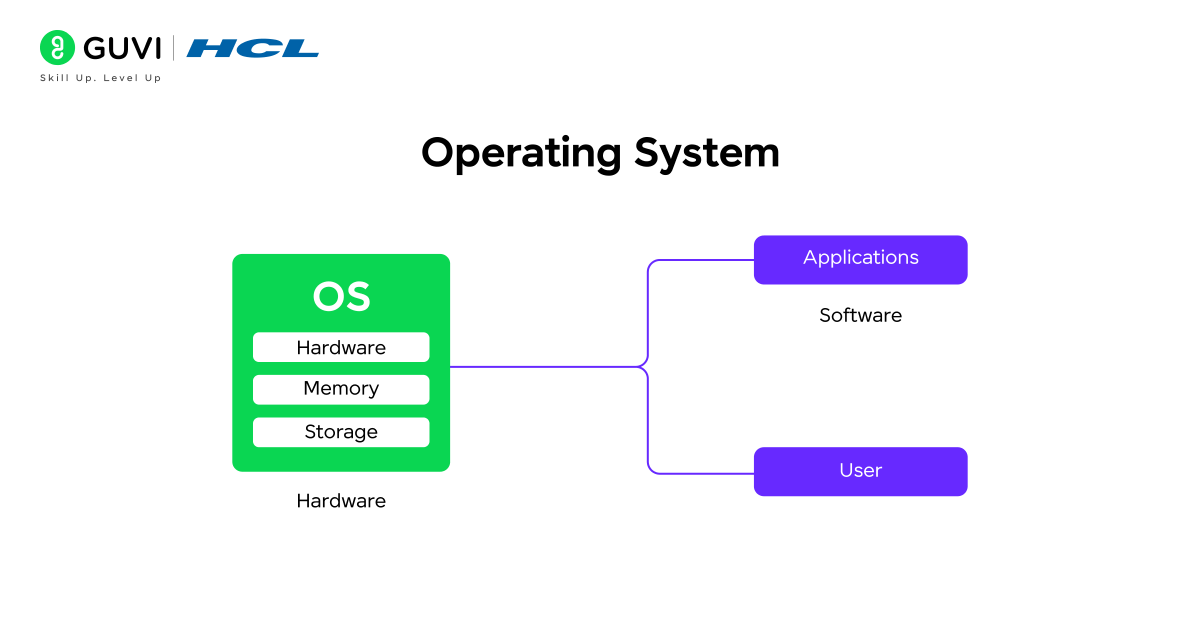
An operating system is system software that manages all the hardware and software parts of a computer. It makes sure everything works together smoothly so that users can easily run programs, open files, and use devices like keyboards, printers, and screens.
In simple words, the operating system acts as a middle layer between the user and the computer hardware. It controls how the CPU, memory, and storage are used while also managing input and output devices.
Without an operating system, your computer or smartphone wouldn’t know how to perform even basic actions like saving a file, launching an app, or connecting to the internet.
Some common examples of operating systems include Windows, macOS, Linux, and Android. Although they look different, all of them share the same main purpose — to manage resources, handle tasks efficiently, and provide a user-friendly environment for running applications.
Major Components of an Operating System
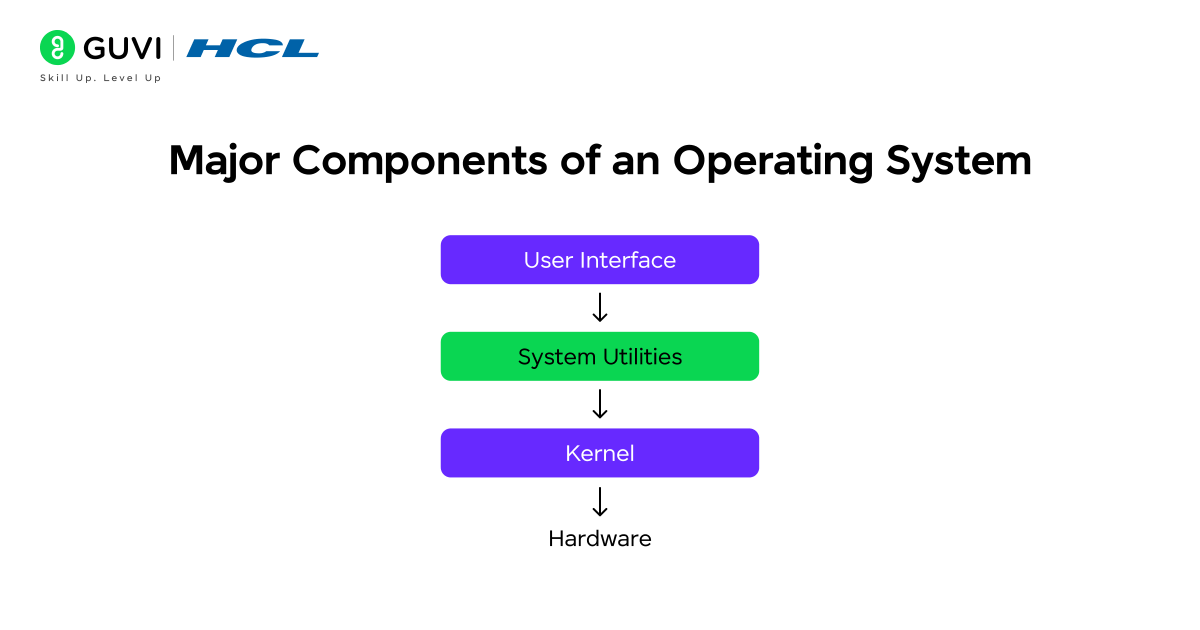
Every operating system, no matter whether it’s Windows, macOS, Linux, or Android, is built from several essential components that work together to make the system function efficiently. These include the Kernel, Process Management, Memory Management, File Management, Device Management, I/O System Management, Security and Protection System, and User Interface.
Each component plays a specific role — from managing hardware and memory to ensuring data security and providing a user-friendly interface. Let’s explore each one in detail to understand how they keep your system running smoothly.
1. Kernel
The kernel is the core part of an operating system — it’s like the system’s control center. It manages the most critical operations such as allocating memory, scheduling tasks, and facilitating communication between software and hardware. Without the kernel, the OS cannot interact with your computer’s components.
Key Functions:
- Controls CPU scheduling and task prioritization
- Allocates and deallocates system memory
- Facilitates interaction between applications and hardware
- Handles system calls from programs
Example: When you open a music player, the kernel decides how much CPU and memory it should use while ensuring that other apps continue running smoothly.

2. Process Management
Every running program or application in your computer is called a process. Process management handles how these processes are created, executed, and terminated, ensuring that multiple programs can run together without causing conflicts.
Key Functions:
- Manages process creation, execution, and termination
- Handles process synchronization and communication
- Prevents deadlocks between competing tasks
- Uses process scheduling algorithms to optimize performance
Example: When you’re downloading a file while watching a video, process management divides CPU time so both tasks run efficiently without freezing.
3. Memory Management
Memory management takes care of how the system’s main memory (RAM) is used. It keeps track of every byte of memory and decides which process gets how much memory space.
Key Functions:
- Allocates and releases memory as needed
- Uses paging and segmentation to optimize performance
- Manages virtual memory for large applications
- Prevents processes from accessing each other’s memory
Example: When you open several browser tabs, the OS assigns separate memory to each one so they don’t interfere with one another.
4. File Management
All your documents, photos, apps, and system files are stored and organized by the file management system. It maintains the structure of directories and ensures secure access to files.
Key Functions:
- Organizes files into directories and subdirectories
- Manages permissions and access control
- Maintains metadata like file name, size, and creation date
- Handles data retrieval and storage operations
Example: When you rename or move a file, the OS’s file management system updates the directory and keeps your data organized.
5. Device Management
Device management ensures smooth coordination between the OS and all connected input/output devices — like keyboards, printers, USB drives, and monitors. It uses device drivers to enable communication between hardware and software.
Key Functions:
- Loads and manages device drivers
- Handles interrupts from devices
- Manages data transfer between hardware and memory
- Tracks status and usage of connected devices
Example: When you connect a Bluetooth headset, the OS automatically detects it and sets it up using device management protocols.
6. I/O System Management
The Input/Output (I/O) system handles the flow of data between the computer’s internal components and external devices. It ensures that data transfers happen efficiently and reliably.
Key Functions:
- Buffers and queues data for I/O operations
- Synchronizes data transfer rates between devices
- Ensures error-free transmission of data
Example: When you print a photo, the OS stores the file temporarily in a buffer before sending it to the printer when it’s ready.
7. Security And Protection System
The security and protection system ensures that your computer remains safe from unauthorized access or harmful software. It manages user permissions, detects threats, and encrypts sensitive information.
Key Functions:
- Manages user authentication and access control
- Encrypts files and confidential data
- Monitors system activities for security threats
- Prevents unauthorized system changes
Example: When your computer asks for admin permission before installing new software, the OS’s security system is verifying user rights to prevent unsafe changes.
8. User Interface
The user interface (UI) is how users interact with the operating system. It can be Graphical (GUI) or Command-Line (CLI) based, depending on the OS type.
Types of Interfaces:
- Command-Line Interface (CLI): Text-based system used in Linux and UNIX
- Graphical User Interface (GUI): Visual system with icons and windows, like in Windows or macOS
Example: When you click icons, drag files, or navigate folders, you’re using the operating system’s graphical interface to communicate with the system.
Why Understanding OS Components Matters
Understanding the components of an operating system is essential because it reveals how computers actually function behind the scenes. When you know how the OS manages memory, processes, and hardware, you gain deeper control over how your programs run and interact with the system.
Key Benefits:
- Efficient Programming and Debugging: Knowing how the OS handles processes and resources helps you write optimized code and fix issues faster.
- Stronger Computing Foundation: It builds the groundwork for learning advanced topics like system design, virtualization, and networking.
- Better Problem-Solving Skills: Understanding system behavior improves logical thinking and analytical abilities.
- Insight into Hardware-Software Interaction: You can clearly see how software commands translate into hardware actions, making system-level learning much easier.
Real-World Examples of OS Components
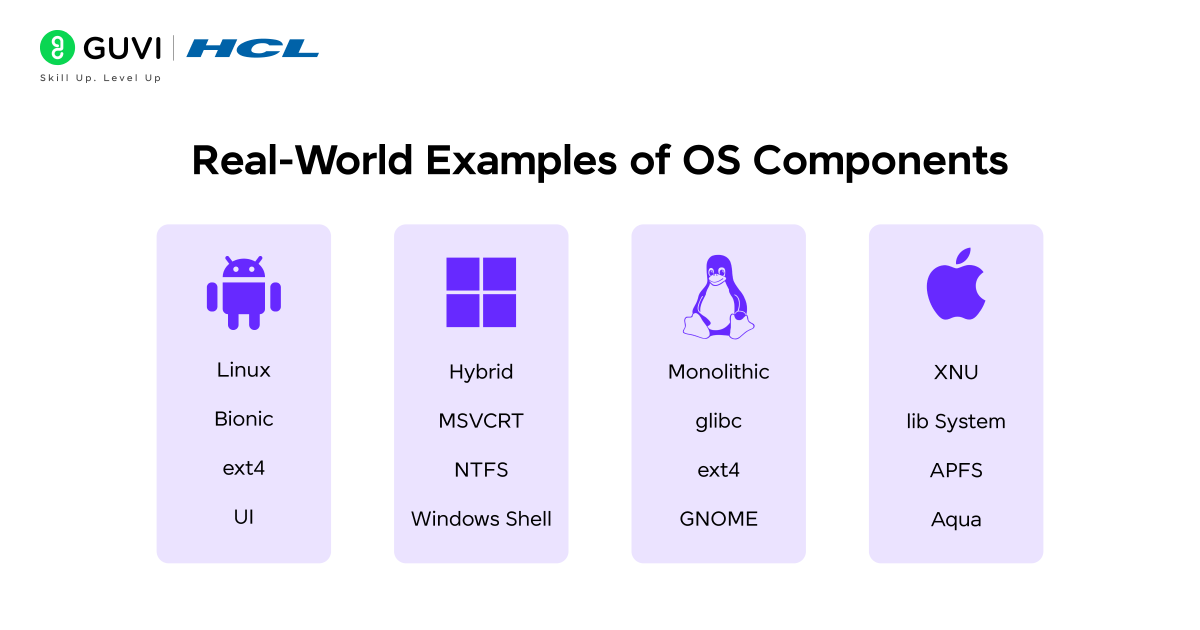
To understand how operating system components function in practice, let’s look at some real-world examples from popular systems we use every day.
- Android OS uses its kernel to manage battery performance, background apps, and communication between software and hardware. This ensures your phone runs smoothly even when multiple apps are open at once.
- Windows OS is known for its strong memory management and process scheduling. It handles multitasking efficiently, allowing users to browse the web, stream videos, and run heavy applications simultaneously without system slowdowns.
- Linux OS offers advanced process management and security control features, making it the preferred choice for servers and developers. Its open-source nature allows customization of the kernel and other components to suit specific needs.
- macOS combines efficient file management with robust security and protection systems, giving users a smooth and secure experience. It manages files, permissions, and background services intelligently to maintain performance and stability.
Even though Android, Windows, Linux, and macOS differ in design and interface, they all share the same core OS components — working together to manage hardware, run applications, and ensure system reliability.
Conclusion
The operating system is the heart of every digital device, coordinating memory, processes, hardware, and user interactions to keep everything running smoothly and securely. Each component — from the kernel to the file system — plays a vital role in ensuring optimal performance.
Understanding these components helps you see how computers truly work behind the scenes. Whether you’re a beginner or an aspiring developer, this knowledge forms the backbone for mastering advanced fields like networking, database management, and software development.
To build a strong foundation in OS and core computer concepts, do check out HCL GUVI’s Computer Fundamentals Course, a beginner-friendly program covering hardware, software, and system operations.
You can also explore HCL GUVI’s IT and Software Courses, a collection of comprehensive programs available in multiple regional languages, helping you master programming, data structures, algorithms, and system design — perfect for aspiring developers.
FAQs
1. What are the main components of an operating system?
The main components include the kernel, process management, memory management, file system, device management, I/O system, security, and user interface.
2. Why is the kernel considered the core of the operating system?
The kernel directly interacts with the hardware and controls essential system functions such as CPU scheduling, memory allocation, and device communication.
3. What is the difference between process management and memory management?
Process management handles the execution of multiple tasks, while memory management ensures each task has enough memory to function efficiently.
4. How does an OS ensure security?
The OS uses authentication, access control, and encryption to prevent unauthorized access and protect system data from malware or breaches.
5. Which operating system is best for learning OS concepts?
Linux is widely recommended because it’s open-source, customizable, and provides direct access to system-level functionalities for learning and experimentation.
Success Stories

About the Author
Jebasta
I translate the language of data into stories that anyone can understand. As a writer with a data science background, I simplify analytics, AI, and decision-making so beginners and enthusiasts can confidently explore the world of data.
View all posts by Jebasta
Connect with me @













Did you enjoy this article?