


Career Articles
How to Create a Professional Resume Using ChatGPT
How I Switched from Web Developer to ML Engineer (A Web Developer's Real Story)
PHP Developer Resume: Writing Guide & Key to Landing Your Dream Job
My Frontend Developer Interview at Google: What Really Happens Behind Closed Doors


Get In Touch For Details! Request More Information
How to Build an ATS-Friendly Resume That Actually Gets You Interviews
Jan 12, 2026 4 Min Read 1628 Views
(Last Updated)
You spend hours perfecting your resume. You highlight every skill, quantify every achievement, and proofread until it’s flawless. You hit ‘submit’ on the job application, confident this time will be different. Then… silence. No callback. No email. Not even a rejection call.
What happened? Your resume was likely rejected within 7 seconds, not by a recruiter, but by a machine.
Welcome to the world of Applicant Tracking Systems (ATS), the invisible gatekeeper standing between you and your dream job.
Over 98% of Fortune 500 companies use ATS to screen applications before a human ever sees them. This software decides who gets an interview and who gets filtered out, often based on factors you didn’t even know mattered.
The frustrating part? You might be the perfect candidate, but if your resume isn’t ATS-optimised, you’ll never get the chance to prove it.
The good news? HCL GUVI’s Free Resume Builder is now live to help you beat ATS filters and get your resume in front of real recruiters effortlessly.
Quick Answer:
An ATS-friendly resume uses simple formatting, standard headings, and the right keywords to pass automated screening systems. Most resumes get rejected by ATS before a recruiter sees them.
Tools like the HCL GUVI Free Resume Builder help optimise your resume and improve your chances of getting interview calls.
Table of contents
- What Is an ATS?
- Why Companies Use ATS?
- Real Consequence After ATS Rejection
- Missing Out on Perfect Jobs
- The Zero Response Scenario
- How Resume Builders Help Solve This Challenge
- What Makes a Resume Builder Actually Work With ATS
- How can you create your Resume with HCL GUVI Resume Builder? (Step by Step)
- Why HCL GUVI Resume Builder?
- Wrapping Up
- Frequently Asked Questions
- Is HCL GUVI Resume Builder free?
- Can I customize my resume for different job applications?
- Will this work for freshers with no experience ?
- Can I use HCL GUVI Resume Builder for non-tech jobs?
What Is an ATS?
ATS stands for Applicant Tracking System. It is a software company’s use to collect and manage job applications.
Think of an ATS like a search engine for resumes. Just as Google ranks websites, ATS ranks resumes. It checks how well your resume matches the job requirements.
Pro tip: Check your Resume ATS Score.
Why Companies Use ATS?
When one job post gets 250 or more applications, recruiters cannot read every resume.
ATS helps in several ways. It scans resumes for keywords, skills, and qualifications. It organises details like contact information, work experience, and education.
It ranks candidates based on how closely they match the job description. Finally, it shows recruiters only the most relevant resumes.
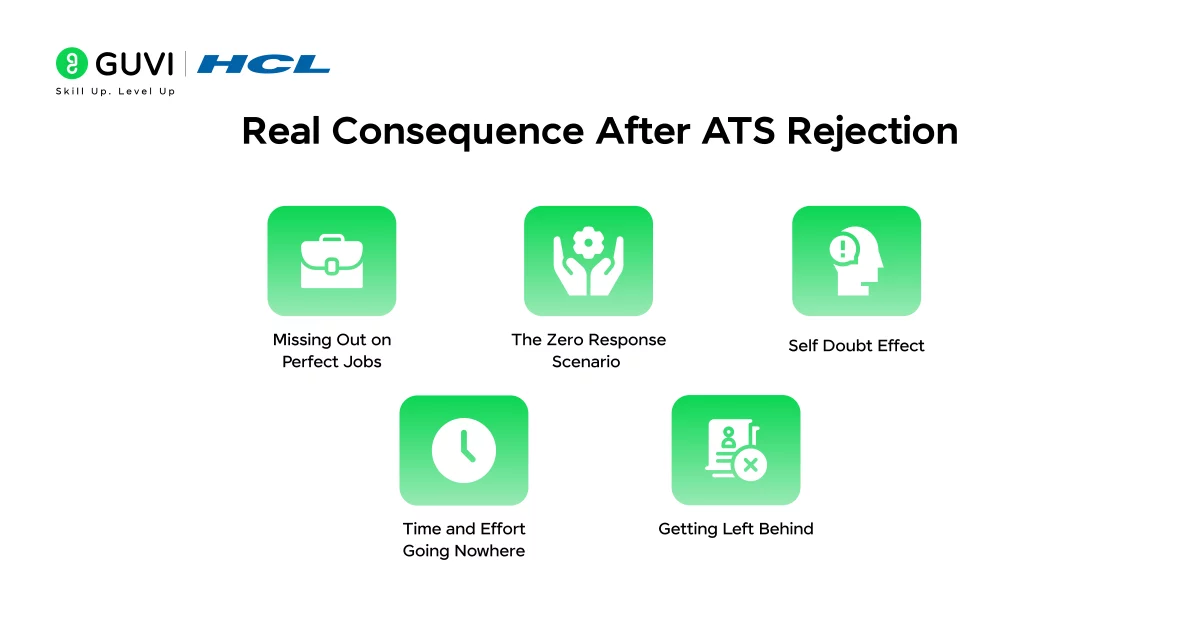
Real Consequence After ATS Rejection
When an ATS system rejects your resume, the effects go far beyond just one missed job opportunity.
Missing Out on Perfect Jobs
Being perfect for a job but never getting a chance to prove it. That’s what happens when an ATS filters out your resume before a recruiter sees it.
You may be qualified, but poor formatting stops the system from recognising your skills. It’s like reaching the interview door and being turned away before you can even speak.
The Zero Response Scenario
You’ve applied to more than 50 companies and carefully written each application, hoping to hear back.
But zero calls. No emails, no calls. The problem isn’t your skills.
It’s that ATS systems that filter out your resume before any recruiter sees it. Your talents stay hidden.
Self-Doubt Effect
After facing repeated rejections, it’s normal to start doubting yourself. You might wonder if you’re not good enough or think about giving up. Maybe it just keeps failing, not your skills.
Time and Effort Going Nowhere
Each job application takes time. You research the company, customise your cover letter, and update your resume. Multiply that by dozens of applications, and it adds up to hours of effort.
Yet an ATS can reject all that work in seconds, before anyone even sees it.
Getting Left Behind
While your resume is stuck in the ATS, other candidates move forward. Some may have less experience or weaker skills. The difference is that their resumes are formatted so that ATS can read them.

How Resume Builders Help Solve This Challenge
Trying to fix ATS problems on your own is like trying to solve a puzzle without seeing the picture on the box.
You face lots of confusing questions with no clear answers. Should your resume have one column or two? Which specific words does the ATS actually look for? Are your section titles written in a way the system recognises?
Will the computer be able to read your file format? How do you create something that both computers and people will like? These questions are tricky, and guessing wrong can cost you job opportunities.
This is exactly where a good resume builder becomes incredibly valuable. Think of it as having an expert guide who knows all the rules and helps you avoid the hidden traps.
What Makes a Resume Builder Actually Work With ATS
Let me explain the key features that make a resume builder truly helpful for beating ATS systems.
Templates That ATS Systems Can Read: The best resume builders offer designs that have been tested with real ATS software. These templates look professional and clean, but more importantly, they avoid all the complex formatting tricks that confuse the parsing software. It’s like using a language that both computers and people can understand fluently.
Help With Finding the Right Keywords: Modern resume builders can suggest specific words and phrases that match your industry and the jobs you’re applying for. These keywords are what ATS systems scan for when deciding if you’re a good match. The builder acts like a knowledgeable friend pointing out exactly what the system wants to see.
Section Titles That Systems Recognise: Instead of getting creative with section names, these tools use standard headings like “Work Experience” and “Education” that ATS software immediately understands. Think of it like using internationally recognized symbols instead of personal shorthand that only you understand.
Formatting That Stays Consistent: The builder automatically handles all the technical details like spacing, alignment, and how information is organised. It prevents you from accidentally using tables, text boxes, or images that break the ATS reading process. Everything stays clean and readable for the automated system.
File Types That Work: When you’re ready to submit, these tools let you save your resume in formats that ATS systems can process accurately, like standard Word documents or properly formatted PDFs. This ensures the system can actually extract and analyse your information.
Step-by-Step Instructions: As you build your resume, you get guidance at each stage. The tool walks you through what to include and how to write it, helping you avoid common mistakes that cause ATS rejection. It’s like having a coach standing beside you throughout the process.
Quick Updates for Different Jobs: When you want to apply for a new position, you can easily adjust your resume to match that specific job without rebuilding everything from scratch. This saves time and helps you customise your application for each opportunity.
The result is a resume that successfully passes through the ATS filters and then impresses the actual human recruiters when they finally get to read it. You’re creating something that works for both audiences, which is exactly what you need to land interviews and move forward in your career.
Meet Ashok, a final-year college student with strong technical skills, good grades, and solid project experience. He confidently applied to top companies, expecting interview calls. But weeks passed with complete silence.
The issue wasn’t his abilities. His resume used a fancy two-column design, graphics, generic content, and was saved as an image-based PDF. As a result, ATS systems couldn’t read it, and recruiters never saw his qualifications.
Ashok rebuilt his resume using the HCL GUVI Resume Builder. He switched to a clean single-column layout, added clear sections like Skills and Projects, used job-specific keywords, and kept the formatting ATS-friendly.
Within weeks, he started receiving interview calls, cleared technical rounds, and landed his dream job.
Ashok’s qualifications never changed. Only his resume format did. If you’re facing similar silence from companies, your skills might be invisible too.
Fix your resume format, and watch opportunities finally appear.
How can you create your Resume with HCL GUVI Resume Builder? (Step by Step)
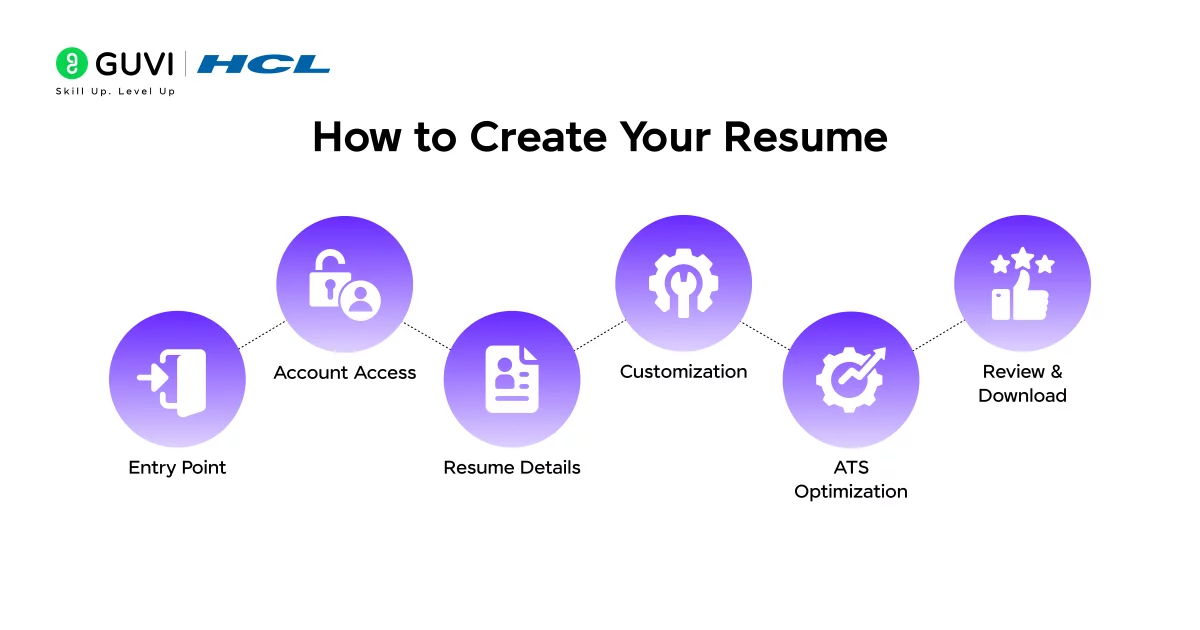
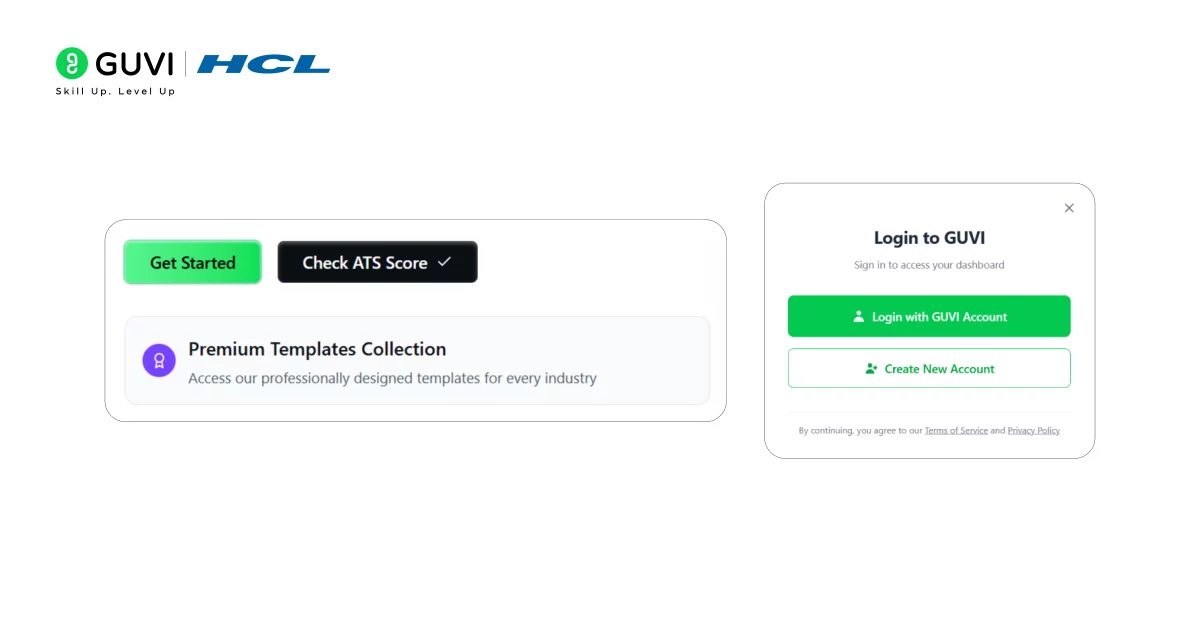
- Go to the HCL GUVI Free Resume Builder page. Click Get started.
- Create or Log In to Your account enter your details like name, contact information, skills, education, and experience in the provided fields.
3. Choose or edit sections so your resume highlights the most relevant information for the job you want.
4. Use the built-in ATS-friendly features and keyword suggestions to make your resume easy for both automated systems and recruiters to read.
5. Review and download your finished resume in a clean, professional format that is ready to share with employers.
That’s it. A simple, step-by-step way to build a clear, job-ready resume with the HCL GUVI Resume Builder, without complex design or formatting.
Why HCL GUVI Resume Builder?
ATS-friendly format: Resumes are easy for automated systems to read
Easy to use: Enter your details and get a professional resume
Job-focused content: Helps include the right keywords from job descriptions
Structured layout: Clear sections like Skills, Projects, and Education
Free and fast: Build and download your resume at no cost
Wrapping Up
You’ve worked really hard to learn new things and build your skills. You’ve put in the effort, and you deserve to have companies notice you.
Don’t let ATS systems stop you from getting the job you want. The HCL GUVI Resume Builder is like having a helpful guide who knows exactly what these systems are looking for. The templates are created by expert professionals. Start making your resume today, and happy job hunting!
Frequently Asked Questions
1. Is HCL GUVI Resume Builder free?
Yes, the resume builder is 100% free. Simply Log In to access all the features for free
2. Can I customize my resume for different job applications?
Yes. You can create multiple versions of your resume and easily edit them to match specific job descriptions.
3. Will this work for freshers with no experience ?
Yes. These templates are designed to help freshers by highlighting education, academic projects, internships, technical skills, and extracurricular activities.
4. Can I use HCL GUVI Resume Builder for non-tech jobs?
Yes, the resume builder is suitable for everyone, regardless of the industry
Success Stories

About the Author
Salini Balasubramaniam
A curious, information-savvy writer loves to turn deep insights into authentic and engaging content that connects. With experience in writing for brands and driving audience engagement, I believe that words can make a powerful difference.
View all posts by Salini Balasubramaniam
Connect with me @
















Did you enjoy this article?