


Artificial Intelligence and Machine Learning Articles
Multi-Turn Conversation Management with Claude API
How to Stream Claude Responses with the API


Get In Touch For Details! Request More Information

Beam Search Algorithm in AI: A Beginner’s Guide to AI
Jul 15, 2026 8 Min Read 455 Views
(Last Updated)
Imagine you are planning a road trip with multiple possible routes. Instead of exploring every single path, you focus on the three most promising routes at each city and ignore the rest. This is exactly how the beam search algorithm works.
Beam search is a smart optimization technique that balances efficiency and accuracy. It explores multiple possibilities simultaneously but limits itself to only the most promising options at each step. This makes it faster than checking every possibility while still finding good solutions.
If you are building AI systems, working with natural language processing, or optimizing search problems, understanding beam search is valuable. It powers everything from machine translation to speech recognition.
This guide explains what beam search is, how it works step by step, and when you should use it instead of other search algorithms.
Table of contents
- Quick TL;DR Summary
- Why Beam Search Exists: Solving the Search Space Problem
- How Beam Search Works: The Technical Process
- Step 1: Initialize with the starting state
- Step 2: Generate all possible next states from each candidate
- Step 3: Score and rank all generated paths
- Step 4: Keep only the top k paths and discard the rest
- Step 5: Repeat until reaching terminal states
- Step 6: Handle early termination and backtracking
- Types of Beam Search Variations You Should Know
- Beam Search in Action: Real-World Applications
- How to Implement Beam Search: Step-by-Step Guide
- Step 1: Define your state representation
- Step 2: Create your scoring function
- Step 3: Set your beam width parameter
- Step 4: Initialize the beam with the start state
- Step 5: Generate successors for all states in the beam
- Step 6: Score all successor states
- Step 7: Sort candidates and keep top k
- Step 8: Check termination conditions and iterate
- Step 9: Handle edge cases and failures
- Choosing the Right Beam Width
- Conclusion
- FAQs
- What is beam width in beam search?
- Is beam search guaranteed to find the optimal solution?
- When should I use beam search instead of greedy search?
- How do I choose the right beam width?
- What types of problems is beam search good for?
Quick TL;DR Summary
- This guide explains beam search, a heuristic search algorithm that finds near-optimal solutions by exploring multiple paths simultaneously while keeping only the best candidates at each step.
- You will learn how beam search improves on breadth-first search by using a beam width parameter to limit the number of paths explored, making it practical for large state spaces.
- The guide covers the technical mechanics of beam search, including how it scores and ranks candidate paths, prunes less promising options, and generates sequences in AI applications.
- Step-by-step examples show you how beam search works in practice, from basic pathfinding to real-world applications like machine translation and speech recognition.
- You will understand the tradeoffs between beam width and performance, when to use beam search versus other algorithms, and how to tune it for your specific use case.
What Is a Beam Search Algorithm?
Beam search is a heuristic search algorithm that explores a graph or tree by expanding only the most promising nodes at each level while restricting the number of nodes retained in memory. Instead of examining every possible path, it keeps a fixed number of the best candidate solutions, known as the beam width, making the search faster and more memory-efficient. Beam search is widely used in natural language processing, machine translation, speech recognition, and AI text generation systems.
It is a modified version of breadth-first search. Instead of keeping all possible paths like breadth-first search, beam search only keeps the top k most promising paths at each step, where k is called the beam width.
Why Beam Search Exists: Solving the Search Space Problem
- Exhaustive search is too slow for real problems
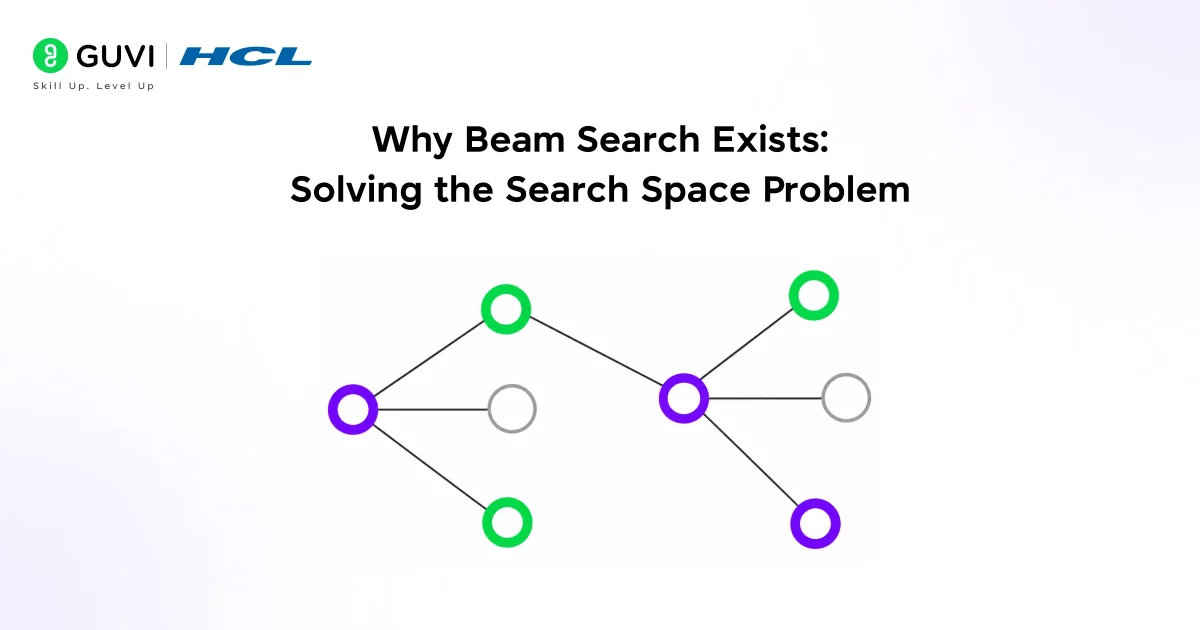
Many AI problems require finding the best sequence of decisions from thousands or millions of possibilities. Checking every option is not practical. If you have 10 decisions to make and each decision has 10 options, that is 10 billion possible paths. Exhaustive search would take far too long for real-time applications.
- Greedy search is too risky
The opposite approach is greedy search, which only keeps the single best option at each step. This is fast but dangerous. The best choice at step 3 might lead to a dead end at step 7. Greedy search cannot recover because it throws away all alternatives. One bad decision ruins the entire solution.
- Beam search balances speed and quality
Beam search keeps multiple good options alive at each step. If you set beam width to 5, you maintain the 5 best paths at every decision point. This gives you backup options if the top choice leads to a poor outcome later. You get much better results than greedy search without the massive cost of checking everything.
- Memory constraints demand pruning
Real applications run on computers with limited memory. You cannot store millions of partial paths. Beam search explicitly limits memory usage by discarding all but the best k paths at each step. This makes it practical for deployment in production systems where resources matter.
- Approximate solutions are often sufficient
Many real-world problems do not require the absolute best solution. A translation that is 95% as good as the perfect translation but computes in one second instead of one hour is more useful. Beam search finds high-quality approximate solutions quickly, which is exactly what practical applications need.
Read More: Top 20 Graph Algorithms You Must Know

How Beam Search Works: The Technical Process
Step 1: Initialize with the starting state
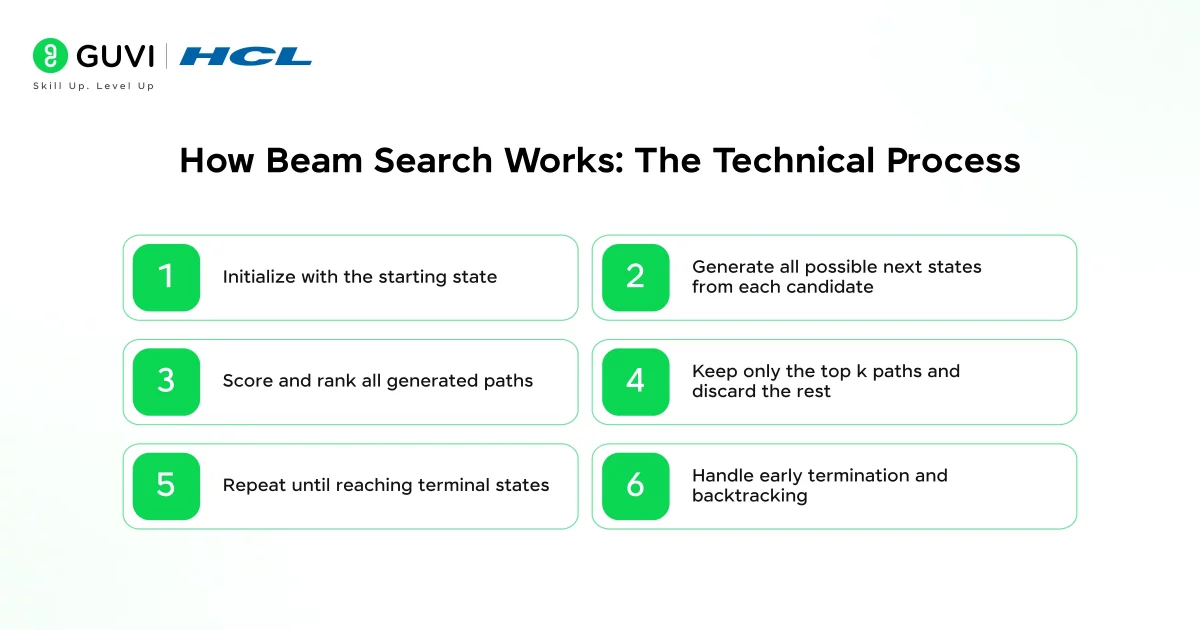
The algorithm begins with a single starting state. This might be the start of a sentence in translation, the beginning of a path in navigation, or the initial configuration of a problem. This starting state goes into a list of active candidates. Beam width k is set based on your accuracy versus speed tradeoff.
Step 2: Generate all possible next states from each candidate
For each candidate in your current list, the algorithm generates every possible next step. If you have 3 candidates and each can branch into 10 next states, you now have 30 possible paths. Each path is scored using a heuristic function that estimates how promising that path is.
Step 3: Score and rank all generated paths
Every possible path gets evaluated. The scoring function depends on your specific problem. In machine translation, it might be the probability of the word sequence. In pathfinding, it might be the estimated distance to the goal. Higher scores mean more promising paths. All paths are ranked from best to worst.
Step 4: Keep only the top k paths and discard the rest
This is the key pruning step. Sort all paths by score and keep only the top k paths, where k is your beam width. If you generated 30 paths but k equals 5, you throw away the bottom 25 paths immediately. Those discarded paths are gone forever. The algorithm will never come back to them.
Step 5: Repeat until reaching terminal states
Use the k paths you kept as the new set of candidates. Go back to step 2 and generate the next level of possibilities. Continue this process until you reach a terminal condition. This might be reaching a goal state, completing a sequence, or hitting a maximum length. The best path among your final candidates is your solution.
Step 6: Handle early termination and backtracking
Some paths might reach terminal states before others. When a path completes, it moves to a finished list but still counts against your beam width until all paths finish. If all k paths reach dead ends, the algorithm can terminate early with no solution or backtrack if implemented with that capability.
Beam search was originally developed in the 1970s for early speech recognition systems, when computers had extremely limited memory and processing power. Exhaustively exploring every possible interpretation of spoken words was computationally impossible, so researchers designed beam search to keep only the most promising hypotheses at each step while discarding less likely paths. This efficient balance between search quality and memory usage proved so effective that beam search remains a core decoding strategy in many modern systems, including speech recognition, machine translation, and large language models.
Types of Beam Search Variations You Should Know
- Standard beam search: Fixed beam width throughout
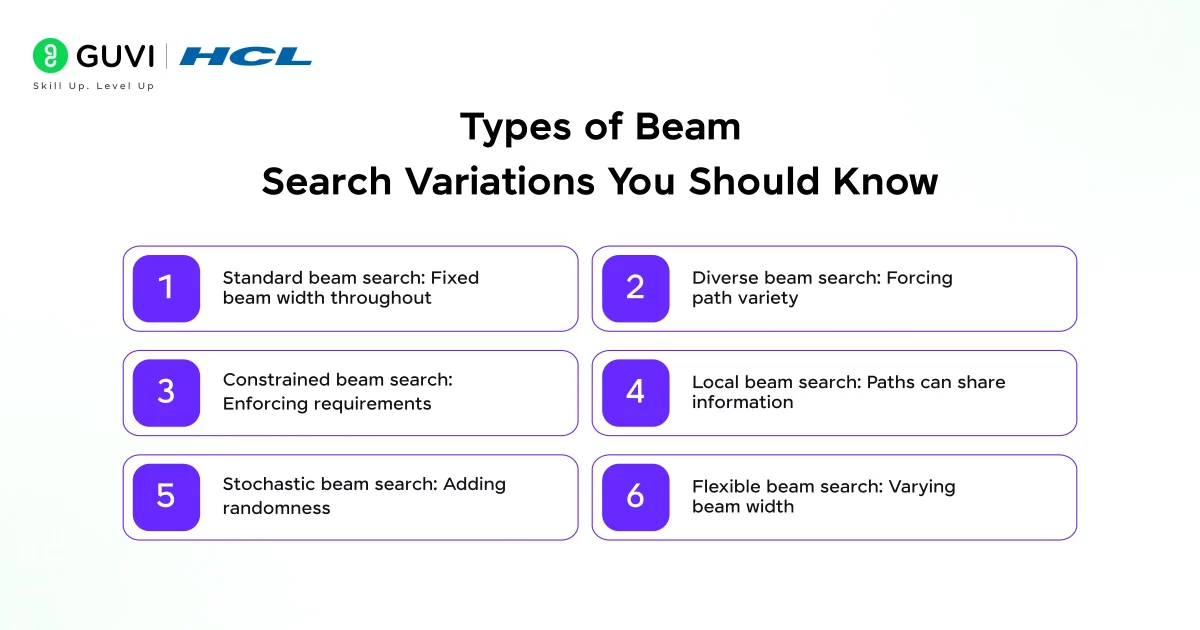
The basic version maintains a constant beam width k from start to finish. If you set k equals 10, you keep exactly 10 paths at every step. This is simple to implement and reason about. The tradeoff is that early decisions get the same computational budget as later decisions, even though later steps might benefit more from exploring alternatives.
- Diverse beam search: Forcing path variety
Standard beam search can get stuck exploring very similar paths. Diverse beam search adds a penalty for similarity, ensuring the k paths are meaningfully different from each other. This helps when you need to cover different types of solutions. It costs more computation to measure and enforce diversity but produces more varied results.
- Constrained beam search: Enforcing requirements
Some problems have hard constraints that valid solutions must satisfy. Constrained beam search only keeps paths that meet these requirements. If you need output containing specific keywords, paths without those keywords get discarded regardless of score. This guarantees your solution meets requirements but might find no solution if constraints are too strict.
- Local beam search: Paths can share information
Standard beam search treats the k paths independently. Local beam search allows paths to influence each other. At each step, the algorithm considers all successors of all k paths together, not separately per path. This creates better exploration but changes the algorithm’s behavior in subtle ways that can help or hurt depending on the problem.
- Stochastic beam search: Adding randomness
Instead of always keeping the top k paths, stochastic beam search samples paths proportionally to their scores. Higher-scored paths are more likely to be kept, but lower-scored paths have a chance. This adds exploration and can help avoid local optima. The randomness means running the algorithm twice might produce different results.
- Flexible beam search: Varying beam width
The beam width does not have to stay constant. Flexible beam search might start with a wide beam for exploration, then narrow it as you get closer to a solution. Or it might widen the beam when paths are very similar and narrow it when paths diverge. This adapts resource allocation to where it provides the most benefit.
Want to strengthen your algorithm fundamentals? Download HCL GUVI’s free DSA eBook and master the data structures and search algorithms powering modern AI systems today.
Beam Search in Action: Real-World Applications

- Machine translation: Generating natural language text
When translating from English to French, the AI model generates one word at a time. Each word choice affects what words come next. Beam search keeps multiple translation hypotheses active. If beam width is 5, the system maintains 5 different partial translations. As more words are generated, better translations score higher and poor translations get pruned. The final result is much better than the greedy one-word-at-a-time translation.
- Speech recognition: Converting audio to text
Audio gets processed in small time windows. At each window, the system hypothesizes what phonemes or words are being spoken. Beam search tracks multiple interpretations of what has been said so far. Ambiguous sounds keep alternatives alive until later context makes the correct interpretation clear. This is why modern speech systems handle accents and background noise well.
- Image captioning: Describing visual content
An AI system analyzing an image generates a descriptive sentence one word at a time. After generating “a dog is,” many next words are possible: “running,” “sitting,” “sleeping,” etc. Beam search explores multiple caption possibilities. Paths that produce coherent, accurate descriptions score higher. Poor descriptions get pruned. This produces better captions than committing to each word greedily.
How to Implement Beam Search: Step-by-Step Guide

Here is exactly how to implement beam search for your specific problem.
Step 1: Define your state representation
Decide how to represent each partial solution. In text generation, a state is a sequence of words. In pathfinding, a state is a location and path taken. Your state must contain everything needed to continue building the solution and to score how good the partial solution is so far.
Step 2: Create your scoring function
This function evaluates how promising a partial solution is. It should estimate the quality of the complete solution you will get if you continue from this state. For translation, this might be the log probability of the word sequence. For pathfinding, estimated total cost to reach the goal. The better your scoring function, the better your results.
Step 3: Set your beam width parameter
Choose k based on your accuracy versus speed requirements. Larger k explores more possibilities and finds better solutions but uses more memory and computation. Start with k equals 3 or 5 for testing. Increase if results are poor. Decrease if the algorithm is too slow. This is your main performance tuning knob.
Step 4: Initialize the beam with the start state
Create a list containing only the initial state. Score this state. This is your active beam. You also need a list for completed solutions if your problem has terminal states that can finish at different times. Set a maximum length or iteration count to prevent infinite loops.
Step 5: Generate successors for all states in the beam
For each of the k states in your current beam, generate every possible next state. Apply all valid actions or transitions. In text generation, this means considering every word in your vocabulary. In pathfinding, this means considering every connected location. You now have k times n candidates, where n is the branching factor.
Step 6: Score all successor states
Evaluate every generated successor using your scoring function. This is the most computationally expensive step because you might be scoring thousands of candidates. The scoring function should be fast. If scoring is too slow, consider using a simpler approximation or reducing beam width.
Step 7: Sort candidates and keep top k
Rank all successor states by score from best to worst. Keep only the top k states. Discard everything else. These k states become your new beam for the next iteration. If any states are terminal conditions, move them to your completed solutions list but still count them in your beam width.
Step 8: Check termination conditions and iterate
If all paths in your beam are terminal states, you are done. Return the highest-scoring complete solution. If you hit a maximum iteration count, return the best solution found so far. Otherwise, go back to step 5 with your new beam. Keep iterating until you reach a stopping condition.
Step 9: Handle edge cases and failures
What if all paths reach dead ends? Decide whether to return no solution or backtrack to earlier states. What if your scoring function gives ties? Have a consistent tiebreaker rule. What if beam width is larger than possible successors at some step? That is fine. Just keep all successors. Your beam can be smaller than k temporarily.
Modern machine translation systems such as Google Translate commonly use beam search during decoding to explore multiple possible translations simultaneously before selecting the most likely sentence. Research has shown that increasing the beam width beyond a moderate value often produces only small quality improvements while dramatically increasing computational cost and latency. This trade-off is why choosing an appropriate beam width is a critical optimization decision for real-world AI deployment, balancing translation quality against speed and infrastructure efficiency.
Choosing the Right Beam Width
- Small beam width (k equals 1 to 3)
This is nearly a greedy search. Very fast and low memory. Use when your scoring function is extremely reliable and you need maximum speed. Acceptable when small mistakes in the solution are not costly. Good for problems with relatively clear best choices at each step.
- Medium beam width (k equals 5 to 20)
This balances quality and efficiency. Most production systems use beam widths in this range. Use when you need good solutions without excessive computation. This is the sweet spot for most applications. Test different values in this range to find where quality gains plateau.
- Large beam width (k equals 50 or more)
This approaches exhaustive search in terms of quality but still saves memory compared to breadth-first search. Use when solution quality is critical and you have computational resources available. Be aware that very large beam widths can actually hurt performance in sequence generation due to the length normalization problem.
- Dynamic beam width
Start wide and narrow over time, or narrow when paths are similar and widen when paths diverge. More complex to implement but can provide better resource allocation. Use when you understand your problem structure well enough to know when more exploration helps versus when decisions are relatively clear.
To learn more about Beam search algorithms, do not miss the chance to enroll in this HCL GUVI’s AI and Machine Learning course covering machine learning fundamentals, feature engineering, deep learning, and practical implementation through hands-on projects and expert guidance with certification.
Conclusion
Beam search is a practical algorithm that balances solution quality with computational efficiency. It explores multiple possibilities like breadth-first search but limits memory usage by keeping only the most promising options.
The key parameter is beam width k. Larger k gives better solutions but costs more computation and memory. Smaller k is faster but risks missing good solutions. Most applications use k between 5 and 20.
Beam search works well for sequence generation problems like translation and speech recognition where you build solutions incrementally and can score partial solutions. It does not work well when you need guaranteed optimal solutions or cannot score partial progress.
If you are building AI systems that generate sequences, beam search should be in your toolkit. Start with a small beam width and increase it until quality stops improving significantly.
FAQs
1. What is beam width in beam search?
Beam width is the parameter k that controls how many candidate paths the algorithm keeps at each step. Larger beam width explores more possibilities and finds better solutions but uses more memory and computation. Typical values range from 3 to 20 depending on the problem complexity and resource constraints.
2. Is beam search guaranteed to find the optimal solution?
No. Beam search is a heuristic algorithm that finds approximate solutions. It can prune the path leading to the optimal solution if that path does not rank in the top k at some step. Use exact algorithms like A-star if you need guaranteed optimal solutions.
3. When should I use beam search instead of greedy search?
Use beam search when greedy search produces unacceptable results by making early choices that lead to poor final solutions. Beam search maintains multiple alternatives and can recover when the initially best path turns out badly. The cost is more computation and memory than greedy search.
4. How do I choose the right beam width?
Start with k equals 5. Run your algorithm and measure solution quality. Increase k and check if quality improves significantly. Keep increasing until quality plateaus. Use the smallest k that gives acceptable quality. Balance between accuracy requirements and available computational resources.
5. What types of problems is beam search good for?
Beam search works well for sequence generation problems like machine translation, speech recognition, text generation, and any task where you build solutions incrementally and can score partial solutions. It is less suitable for problems requiring guaranteed optimal solutions or where you cannot evaluate partial progress.
Success Stories

About the Author
Vishalini Devarajan
An Aerospace Engineer turned content writer, I focus on making complex concepts easy to understand through well-structured, reader-friendly blogs. Whether it’s a technical topic or a non-technical one, I love creating content that is clear, engaging, and impactful.
View all posts by Vishalini Devarajan
Connect with me @












Did you enjoy this article?