


Popular Articles
Getting Started with LangChain Prompt Templates in 2026
Best SEO Automation Tools in 2026: 12 Tools That Save 15+ Hours a Week


Get In Touch For Details! Request More Information
Start App Development in 2026: Beginner Roadmap (Beginner-Friendly)
Mar 11, 2026 7 Min Read 1181 Views
(Last Updated)
The mobile and web app industry is experiencing unprecedented growth. With over 6.8 billion smartphone users globally and businesses increasingly relying on digital solutions, the demand for skilled app developers has never been higher.
Every startup, enterprise, and entrepreneur needs apps to reach their customers, creating thousands of job opportunities for developers who know the right path forward.
But here’s the challenge: most beginners start their journey without a clear app development roadmap. They jump between tutorials, learn random technologies, and end up confused about what to focus on. Without a structured app development roadmap, aspiring developers waste months learning outdated tools or irrelevant skills.
Table of contents
- Quick Answer:
- What Is App Development?
- Types of Apps in Modern App Development
- Who Should Follow This App Development Roadmap?
- App Development Roadmap: Your Step-by-Step Guide to Success
- Step 1: Learn Programming Fundamentals
- Step 2: Choose Your App Development Path
- Frontend Technologies Used in App Development
- Step 3: Frontend Technologies Used in App Development
- Backend Development for App Development Projects
- Step 4: Backend Development & APIs
- Databases & Cloud Services in App Development
- Step 5: Database & Cloud Integration
- App Testing, Deployment & Maintenance Process
- Step 6: App Testing, Deployment & Maintenance
- Essential Tools for App Development
- App Development Projects to Build at Every Level
- Common App Development Mistakes to Avoid
- Best Way to Learn App Development
- Frequently Asked Questions
- Is app development hard for beginners?
- Which language is best for app development?
- Android vs iOS – which should I learn first?
- Can I learn app development without a degree?
- What are the 7 stages of app development?
- What are the 5 phases of the app development process?
Quick Answer:
An app development roadmap is a clear, step-by-step plan that guides learners through the skills and technologies needed to build mobile, web, or cross-platform apps.
It helps beginners avoid random learning by focusing on the right programming languages, tools, and projects, making it easier to become job-ready or start building real-world applications.
This comprehensive app development roadmap will guide you through every essential step, from understanding programming basics to building real-world projects that impress employers. Whether you’re aiming to land a high-paying developer job, start freelancing, or build your own startup app, this roadmap will help you reach your goals systematically and efficiently.
What Is App Development?
App development is the process of creating software applications that run on various devices and platforms. It involves planning, designing, coding, testing, and deploying applications that solve specific problems or provide value to users.
Also Explore: Full Stack Developer Roadmap: A Complete Guide
Types of Apps in Modern App Development
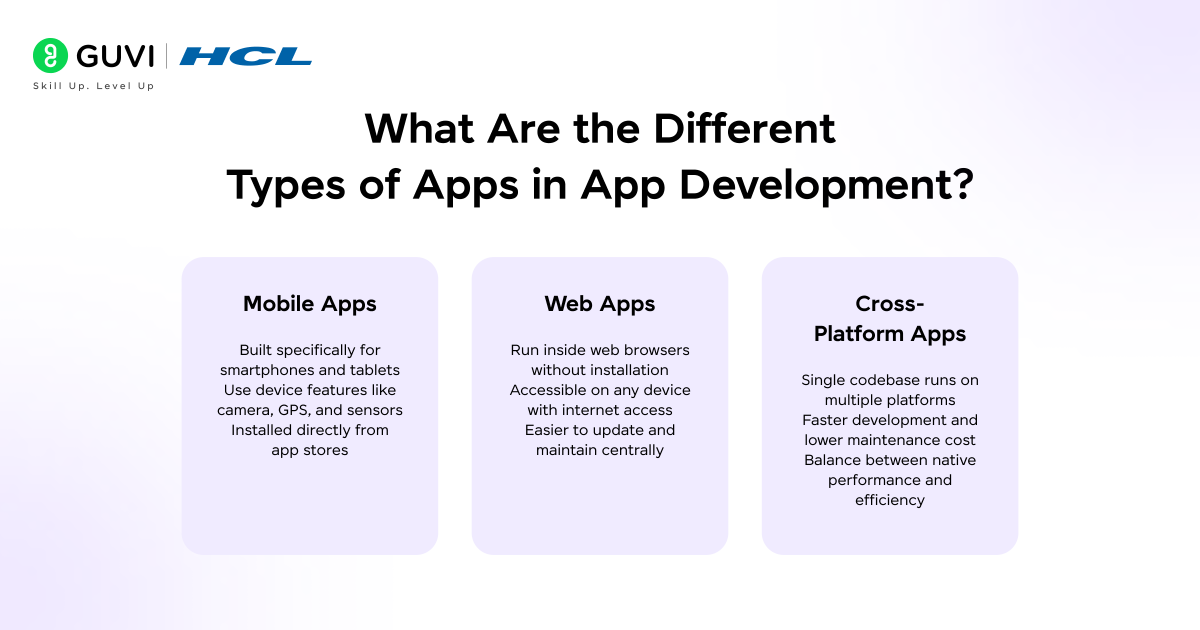
Mobile Apps are applications designed specifically for smartphones and tablets. They’re built to leverage device features like cameras, GPS, and sensors. Examples include Instagram, WhatsApp, and mobile banking apps.
Web Apps run in web browsers and don’t require installation. They’re accessible from any device with a browser and internet connection. Think of Google Docs, Gmail, or online shopping platforms.
Cross-Platform Apps are built once and deployed across multiple platforms, combining the reach of mobile apps with development efficiency. They offer a middle ground between native mobile and web applications.
App Development Platforms Explained (Android, iOS & Web)
Android dominates the global market with over 70% market share, making it an excellent starting point for developers targeting a massive user base. iOS, while having smaller market share, serves users with higher spending power and is essential for reaching premium markets.
Web platforms remain universal, accessible from any device, and continue to be fundamental for businesses establishing their online presence.
Who Should Follow This App Development Roadmap?
This roadmap is designed for anyone serious about building a career in app development, regardless of your current background.
- Beginners with no coding background will find the structured approach especially helpful, starting from absolute basics and building up to advanced concepts systematically. You don’t need any prior programming experience to begin.
- Students and freshers looking to enter the tech industry can use this roadmap to build job-ready skills that companies actively seek. The practical project-based approach helps you create a portfolio that stands out to recruiters.
- Working professionals switching careers will appreciate the clear progression that helps you transition into tech systematically while managing your current job. Many successful developers started their journey as career switchers.
- Entrepreneurs and freelancers can use this roadmap to build their own apps or offer development services. Understanding the complete development process helps you make better technical decisions for your business.

App Development Roadmap: Your Step-by-Step Guide to Success
Step 1: Learn Programming Fundamentals
Before diving into specific technologies, you need a solid foundation in programming concepts. Logic building and problem-solving skills form the backbone of every successful developer’s career.
Start by understanding how computers think. Learn about variables, data types, conditional statements, loops, and functions. These concepts remain consistent across all programming languages, making them invaluable investments in your learning journey.
Recommended Languages to Start With:
JavaScript has become the universal language of app development. It powers web applications, can build mobile apps through frameworks, and even handles backend development. Its versatility makes it an excellent first language.
Java remains crucial for Android development and enterprise applications. Its strict syntax helps beginners develop good coding habits and understand object-oriented programming thoroughly.
Kotlin, the modern alternative to Java for Android, offers cleaner syntax and modern features while maintaining compatibility with existing Java code.
Swift is Apple’s powerful language for iOS development, known for its safety features and performance. If you’re specifically targeting Apple’s ecosystem, Swift is essential.
Data Structures Basics become important as you progress. Understanding arrays, lists, stacks, queues, and basic algorithms helps you write efficient code and prepares you for technical interviews.
Step 2: Choose Your App Development Path
After building fundamental skills, you need to choose a specialization that aligns with your career goals and interests.
Android App Development Roadmap
Android development offers the largest market reach and abundant job opportunities. The ecosystem is beginner-friendly with extensive documentation and community support.
Master Java or Kotlin as your primary language. While Java has been the traditional choice, Kotlin is now Google’s preferred language for Android, offering more concise code and modern features.
Learn Android Studio, the official IDE for Android development. Understanding its tools, emulator, and debugging features is essential for productive development.
Study XML for layout design and explore Jetpack Compose, Android’s modern declarative UI toolkit. Compose simplifies UI development and represents the future of Android interfaces.
Focus on Android’s unique features like Activities, Fragments, Intents, and Services. Understanding the Android lifecycle and navigation patterns is crucial for building robust apps.
Looking for Guided App Development Learning? Explore HCL GUVI IITM Pravartak Certified MERN Full Stack Developer Program with AI Integration. A structured way to build full-stack app development skills with guided projects.
iOS App Development Roadmap
iOS development targets Apple’s premium user base and offers excellent monetization opportunities. The platform is known for its design standards and user experience focus.
Swift is your primary language for iOS development. It’s modern, safe, and designed specifically for Apple’s platforms, offering excellent performance and developer experience.
Master Xcode, Apple’s integrated development environment. Learn its interface builder, simulator, and powerful debugging tools that streamline iOS development.
Study UIKit for traditional iOS development and SwiftUI for modern declarative interfaces. SwiftUI is Apple’s future direction, but UIKit knowledge remains valuable for maintaining existing apps.
Understand iOS-specific patterns like View Controllers, Delegates, and Protocols. Apple’s Human Interface Guidelines should guide your design decisions.
Cross-Platform App Development Roadmap
Cross-platform development lets you write code once and deploy to multiple platforms, maximizing your efficiency and market reach.
- Flutter, backed by Google, uses Dart language and provides beautiful, native-like interfaces. Its hot reload feature speeds up development, and its growing ecosystem makes it increasingly popular.
- React Native, powered by Facebook, leverages JavaScript and React knowledge. It has a mature ecosystem, large community, and is used by major companies like Instagram and Airbnb.
Pros of Cross-Platform Development: Single codebase for multiple platforms, faster development time, reduced development costs, and easier maintenance. You can reach both Android and iOS users with one team.
Cons to Consider: Performance may not match native apps for complex applications, limited access to some platform-specific features, larger app sizes, and dependency on framework updates and community support.
Frontend Technologies Used in App Development
Step 3: Frontend Technologies Used in App Development
Frontend development determines how users interact with your application. A well-designed interface can make or break your app’s success.
- UI/UX Fundamentals should guide every design decision you make. Learn about user research, information architecture, visual hierarchy, and accessibility. Understanding how users think and interact with interfaces helps you build intuitive applications.
- HTML, CSS, and JavaScript remain essential for web apps and hybrid mobile applications. HTML structures your content, CSS styles it beautifully, and JavaScript adds interactivity and dynamic behavior.
Responsive Design Principles ensure your app works seamlessly across different screen sizes and devices. Learn about flexible layouts, media queries, touch interactions, and performance optimization for various network conditions.
Study modern frontend frameworks and libraries. React dominates web development, Vue.js offers simplicity and flexibility, and Angular provides a complete framework for enterprise applications.
Backend Development for App Development Projects
Step 4: Backend Development & APIs
Backend development powers the logic, data processing, and business rules that make apps functional and valuable.
Server-Side Fundamentals include understanding client-server architecture, HTTP protocols, request-response cycles, and how data flows through applications.
Popular Backend Languages:
Node.js lets you use JavaScript for backend development, creating a unified language across your entire application. Its non-blocking architecture makes it perfect for real-time applications.
Python offers simplicity and powerful frameworks like Django and Flask. Its readability makes it excellent for beginners, while its capabilities satisfy advanced needs.
Java provides enterprise-grade stability and scalability. Its Spring framework powers countless production applications worldwide.
REST APIs (Representational State Transfer) allow different parts of your application to communicate. Learn how to design clean API endpoints, handle HTTP methods (GET, POST, PUT, DELETE), and structure JSON responses properly.
Authentication & Authorization protect your users and their data. Implement secure login systems, understand JWT tokens, OAuth protocols, and role-based access control. Security should never be an afterthought.
Databases & Cloud Services in App Development
Step 5: Database & Cloud Integration
Data storage and cloud services transform your app from a simple interface into a powerful, scalable solution.
- SQL vs NoSQL Databases serve different purposes. SQL databases like PostgreSQL and MySQL offer structured data with powerful querying capabilities, perfect for applications with complex relationships. NoSQL databases like MongoDB provide flexibility and scalability for unstructured data and rapid development.
- Firebase is Google’s comprehensive platform that provides real-time databases, authentication, cloud storage, hosting, and analytics. Its ease of use makes it perfect for beginners and rapid prototyping, while its scalability supports production applications.
- MongoDB excels at handling large amounts of unstructured data. Its document-based structure aligns naturally with JSON, making it developer-friendly for modern applications.
- Cloud Platforms like AWS and Google Cloud provide infrastructure for hosting, scaling, and managing your applications. Learn basic services like computer instances, storage, databases, and content delivery networks. Understanding cloud fundamentals is essential for modern app development.
App Testing, Deployment & Maintenance Process
Step 6: App Testing, Deployment & Maintenance
Building an app is just the beginning. Testing, deploying, and maintaining it properly ensures long-term success.
- Debugging & Testing Tools help you catch bugs before users do. Learn unit testing to verify individual components, integration testing to ensure different parts work together, and UI testing to validate user interactions. Tools like Jest, JUnit, and XCTest become your daily companions.
- Publishing Your App requires understanding platform-specific requirements. For Android, navigate the Google Play Console, prepare screenshots and descriptions, and understand the review process. For iOS, work with App Store Connect, meet Apple’s strict guidelines, and prepare for their detailed review process.
- App Performance Optimization keeps users happy and engaged. Monitor loading times, reduce app size, optimize images and assets, and minimize network requests. Performance directly impacts user retention and ratings.
- Updates & Version Control maintain your app over time. Use Git and GitHub for tracking changes, collaborating with teams, and managing different versions. Learn semantic versioning, implement feature flags, and plan updates that don’t break existing functionality.
Essential Tools for App Development
Professional developers rely on specific tools that streamline their workflow and improve code quality.
- Git & GitHub are non-negotiable for modern development. Version control lets you track changes, collaborate with others, experiment safely, and maintain multiple versions of your code. Understanding branching, merging, and pull requests is essential.
- Integrated Development Environments provide everything you need in one place. VS Code offers versatility and extensive extensions for web and cross-platform development. Android Studio is optimized for Android with built-in emulators and debugging tools. Xcode is essential for iOS development with its interface builder and simulation capabilities.
- Postman simplifies API development and testing. You can send requests, examine responses, organize collections, and automate testing. Understanding how to work with APIs is crucial for modern app development.
- Figma bridges the gap between designers and developers. Learn basic design principles, understand how to extract assets and specifications, and collaborate effectively with design teams. Even basic Figma knowledge improves your development workflow.
App Development Projects to Build at Every Level
Building projects transforms theoretical knowledge into practical skills that employers value.
- Beginner Projects establish fundamental concepts. Create a todo list app to practice CRUD operations, build a calculator to understand logic implementation, design a weather app to work with APIs, or develop a simple notes app to learn data persistence.
- Intermediate Projects demonstrate growing capabilities. Build a chat application to explore real-time features, create an e-commerce app to handle complex data relationships, develop a social media feed to master infinite scrolling and media handling, or implement a fitness tracker to work with device sensors.
- Advanced Real-World Apps showcase professional-level skills. Develop a food delivery app with real-time tracking, create a video streaming platform with adaptive quality, build a marketplace with payment integration, or design a task management system with team collaboration features.
- Portfolio & GitHub Importance cannot be overstated. Maintain clean, well-documented code with meaningful commit messages. Write comprehensive README files explaining your projects, their features, and technologies used. A strong GitHub profile serves as your technical resume and demonstrates your growth as a developer.
Common App Development Mistakes to Avoid
Learning from common pitfalls accelerates your progress and saves countless hours of frustration.
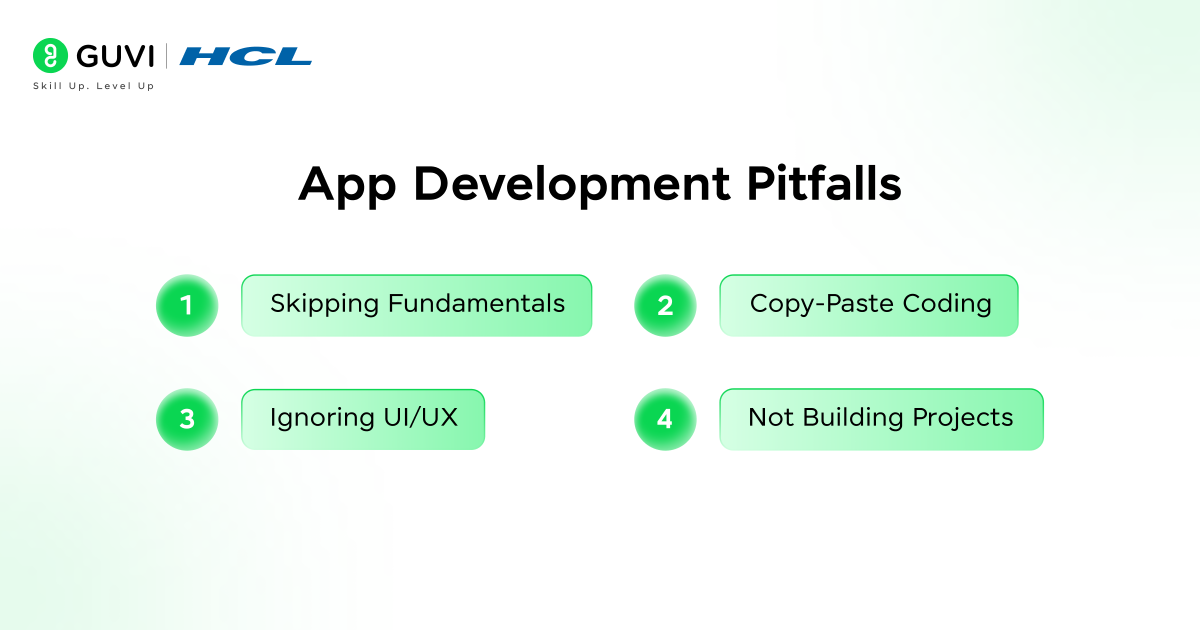
- Skipping Fundamentals seems tempting when you’re eager to build apps immediately. However, weak foundations in programming basics, logic building, and problem-solving will haunt you later. Invest time in understanding core concepts thoroughly before moving to frameworks.
- Copy-Paste Coding without understanding creates fragile knowledge. While referencing documentation and tutorials is normal, blindly copying code prevents real learning. Type every example yourself, experiment with modifications, and understand why code works before moving forward.
- Ignoring UI/UX produces apps that function but fail to engage users. Design isn’t just aesthetics; it’s about creating intuitive, accessible experiences that solve user problems elegantly. Study successful apps, understand design principles, and always consider the user’s perspective.
- Not Building Projects leaves your knowledge theoretical and untested. You can watch hundreds of tutorials, but actual coding experience builds confidence and reveals gaps in understanding. Start building projects early, even simple ones, and gradually increase complexity.
Completing this roadmap opens diverse career paths in the thriving tech industry.
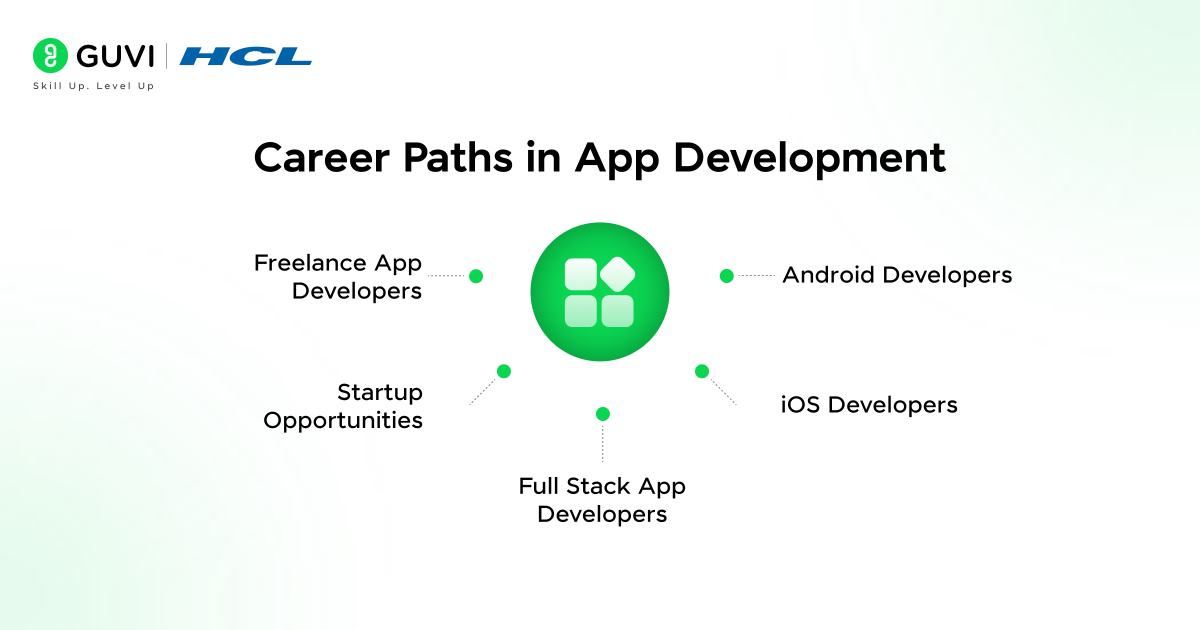
Android Developers remain in high demand globally, with average salaries ranging from ₹6.1 Lakhs – ₹6.8 Lakhs annually depending on experience and location. You’ll build apps for the world’s most popular mobile platform, working on everything from consumer apps to enterprise solutions.
iOS Developers command premium salaries, often ranging from ₹7.4 Lakhs – ₹8.1 Lakhs, reflecting Apple’s affluent user base and emphasis on quality. You’ll create apps for iPhone, iPad, Apple Watch, and other Apple ecosystem devices.
| Goal | Best Choice |
| Faster job entry | Android |
| Higher pay | iOS |
| One codebase | Flutter / React Native |
| Freelancing | Cross-Platform |
Full Stack App Developers who master both frontend and backend command the highest salaries and greatest flexibility. Your ability to build complete applications independently makes you invaluable to startups and established companies alike.
Freelance App Developers enjoy location independence and diverse project opportunities. Platforms like Upwork, Toptal, and Fiverr connect you with clients worldwide.
Startup Opportunities abound for developers with entrepreneurial spirit. Build your own apps, launch a SaaS product, or join early-stage startups with equity options. Your technical skills reduce dependency on external developers, letting you rapidly prototype and iterate ideas.
Best Way to Learn App Development
Your learning approach significantly impacts your success timeline and depth of understanding.
Self-Learning vs Mentorship both have merits. Self-learning through free resources offers flexibility and customization but can lead to confusion, outdated information, and lack of accountability. Mentorship provides structured guidance, industry insights, immediate doubt resolution, and accountability, though it requires investment.
The importance of a Guided Roadmap cannot be overstated. A well-structured curriculum eliminates decision paralysis, ensures you learn technologies in logical order, covers industry-relevant skills, and prevents time waste on outdated tools.
Real-Time Projects & Placement Support bridge the gap between learning and employment. Working on projects that simulate real-world scenarios, receiving code reviews from experienced developers, and getting guidance on resumes and interviews dramatically improves your job prospects.
Conclusion
You now have a complete app development roadmap that can transform you from a beginner into a job-ready developer. The journey includes mastering programming fundamentals, choosing your specialization path (Android, iOS, or cross-platform), learning frontend and backend development, understanding databases and cloud services, and building real-world projects that showcase your abilities.
Take action today. Don’t spend another week wondering where to start or jumping between random tutorials. Follow this roadmap systematically, build projects consistently, and stay committed to your learning journey.
Frequently Asked Questions
1. Is app development hard for beginners?
It has a learning curve, but it’s manageable with the right roadmap, consistent practice, and hands-on projects.
2. Which language is best for app development?
JavaScript is the most versatile. For Android, choose Kotlin; for iOS, Swift.
3. Android vs iOS – which should I learn first?
Android is beginner-friendly with a larger job market. iOS is great for premium apps and monetization.
4. Can I learn app development without a degree?
Yes. Skills, projects, and a strong portfolio matter more than formal degrees.
5. What are the 7 stages of app development?
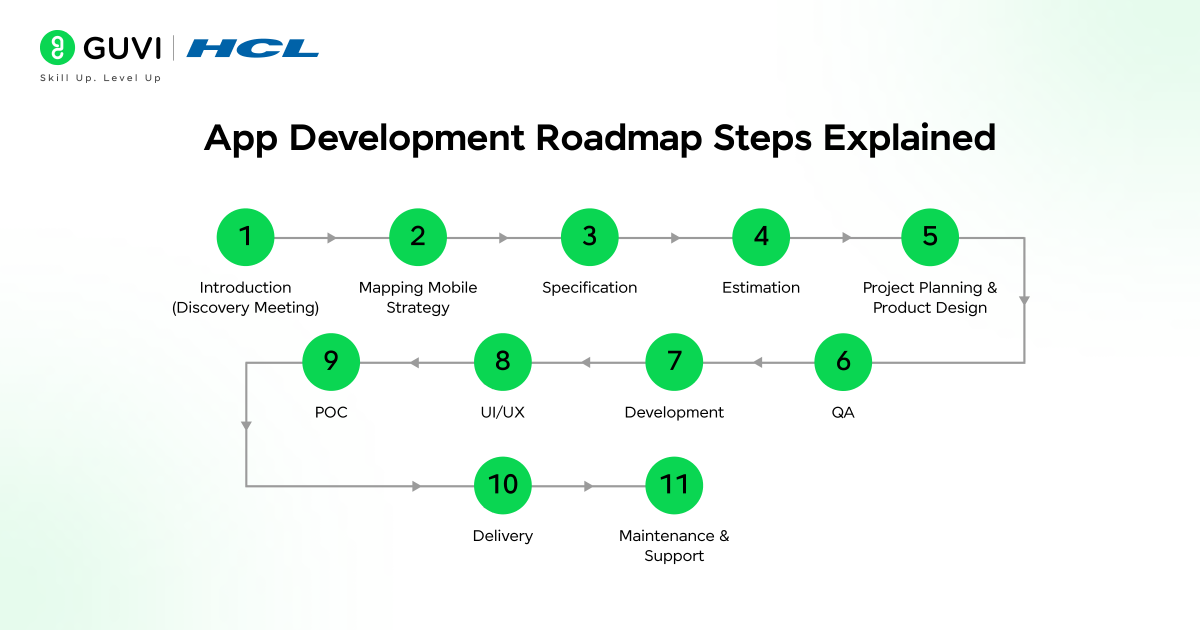
Idea → Planning → Design → Development → Testing → Launch → Maintenance
6. What are the 5 phases of the app development process?
Planning → Design → Development → Testing → Launch
Success Stories

About the Author
Salini Balasubramaniam
A curious, information-savvy writer loves to turn deep insights into authentic and engaging content that connects. With experience in writing for brands and driving audience engagement, I believe that words can make a powerful difference.
View all posts by Salini Balasubramaniam
Connect with me @





Did you enjoy this article?