


Artificial Intelligence and Machine Learning Articles
AI/ML Skills Gap 2026: Why Companies Can't Find Job-Ready Talent
20 AI/ML Interview Questions Recruiters Can Use Without a Tech Background - Best Guide
How Industry-Backed AI/ML Bootcamps Are Changing the AI/ML Hiring Pipeline - Best Guide 2026
From IT Support to AI Engineer: A Realistic Career Switch Guide 2026


Get In Touch For Details! Request More Information
How to Use an AI Form Builder to Create Secure Login and Sign-Up Forms in 2026 (Step-by-Step Guide)
Sep 08, 2026 9 Min Read 928 Views
(Last Updated)
Every app begins with a login page. To create secure login and sign-up forms is one of the most critical things you will do as a builder. It is also where most security mistakes begin. A poorly built login or sign-up form can expose your users to stolen credentials, brute-force attacks, and data breaches. Building these forms the traditional way is slow and error-prone. AI form builders make it faster, but speed without security thinking still produces vulnerable forms.
This guide explains what makes a login or sign-up form genuinely secure, reviews the best AI form builders, and teaches you exactly how to create secure login and sign-up forms, reviews the best AI form builders available in 2026, and walks you through a step-by-step process to create secure login and sign-up forms that protect your users from the moment they register.
Quick Answer
To create secure login and sign-up forms, you need HTTPS encryption, hashed password storage, input validation, CSRF protection, rate limiting, and email verification. AI form builders like Jotform, Typeform, Formstack, Tally, Feathery, and MakeForms handle design and logic automatically. For full-stack apps with built-in authentication backends, builders like Lovable generate the security layer along with the UI.
Table of contents
- What Is an AI Form Builder?
- Why Login and Sign-up Form Security Matters
- What Makes a Login or Sign-up Form Secure
- HTTPS Encryption
- Password Hashing
- Input Validation and Sanitisation
- CSRF Protection
- Rate Limiting and Brute-Force Protection
- Email Verification
- Secure Session Management
- Top AI Form Builders for Creating Secure Login and Sign-up Forms
- Jotform
- Typeform
- Google Forms (with Gemini AI)
- Tally
- Formstack
- Feathery
- MakeForms
- AI App Builders for Full-Stack Authentication
- How to Create Secure Login and Sign-up Forms: Step-by-Step
- Step 1: Choose the Right Builder for Your Needs
- Step 2: Describe Your Form to the AI
- Step 3: Verify HTTPS is Active
- Step 4: Enable and Test Input Validation
- Step 5: Connect to a Secure Authentication Backend
- Step 6: Add Rate Limiting
- Step 7: Enable Email Verification for Sign-ups
- Step 8: Configure CSRF Protection
- Step 9: Test the Complete Flow
- Quick Comparison: Which Builder to Choose
- Tips for Secure Forms
- 💡 Did You Know?
- Conclusion
- FAQs
- Can an AI form builder create a fully secure login system?
- What is the most important security feature for a login form?
- Do I need to code to create secure login and sign-up forms?
- Which AI form builder is best for HIPAA-compliant sign-up forms?
- How do I prevent bots from submitting my sign-up forms?
- How do I choose the best AI course for my career goals?
- What should I look for before enrolling in an AI & ML course?
What Is an AI Form Builder?
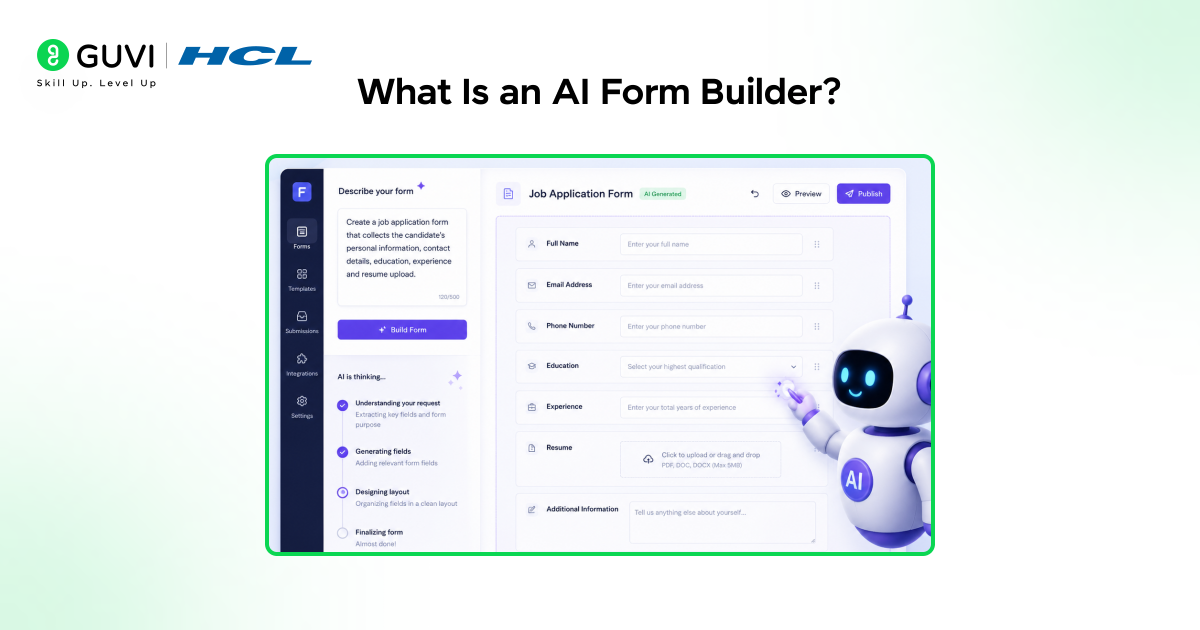
An AI form builder is a tool that creates online forms automatically using artificial intelligence. Instead of manually adding fields and logic, you describe what you want, and the AI generates a structured form with recommended inputs and workflows.
Modern AI form builders can:
- Generate forms from text prompts
- Suggest input fields automatically
- Add conditional logic
- Create multi-step workflows
- Connect forms to databases and apps
These tools significantly reduce development time because you start with an AI-generated draft instead of building from scratch.
Do check out HCL GUVI’s AI & ML course, which helps you learn Artificial Intelligence and Machine Learning through hands-on projects and practical concepts. It’s a great option for beginners who want to build strong AI skills and understand real-world applications.
Why Login and Sign-up Form Security Matters
A login form is not just two input fields. It is the gateway to every user’s data, account, and trust in your product. When that gateway is poorly built, the consequences are real.
- 43% of data breaches involve web application vulnerabilities, with login forms being a primary target (OWASP)
- Modern GPUs can test over 180 billion password guesses per second against weak hashing algorithms
- Login forms face three major attack categories in 2026:
| Attack Type | What It Does | What Stops It |
| Brute force | Systematically tries every password combination | Rate limiting, account lockout |
| Credential stuffing | Uses stolen passwords from other breaches | Strong hashing, MFA |
| CSRF (Cross-Site Request Forgery) | Tricks the browser into sending unauthorised requests | CSRF tokens, SameSite cookies |
| XSS (Cross-Site Scripting) | Injects malicious scripts via form fields | Input validation, Content Security Policy |
| SQL injection | Manipulates database queries through input fields | Parameterised queries, input sanitisation |
Understanding these attacks is what separates someone who can create secure login and sign-up forms from someone who just builds them. It is about knowing what to ask for and what to look for when you choose an AI form builder to create secure login and sign-up forms.
Thought to ponder: A login form collects a username and a password. On the surface it looks simple. But under the surface it must encrypt the data in transit, hash the password before storage, verify the session after login, and protect every step from interception. How many of those steps are handled automatically by the tool you are using today?
With a modern AI form builder, most of these steps are handled for you. The key is knowing which builders handle which parts, so you can fill any gaps for the specific application you are building.
What Makes a Login or Sign-up Form Secure
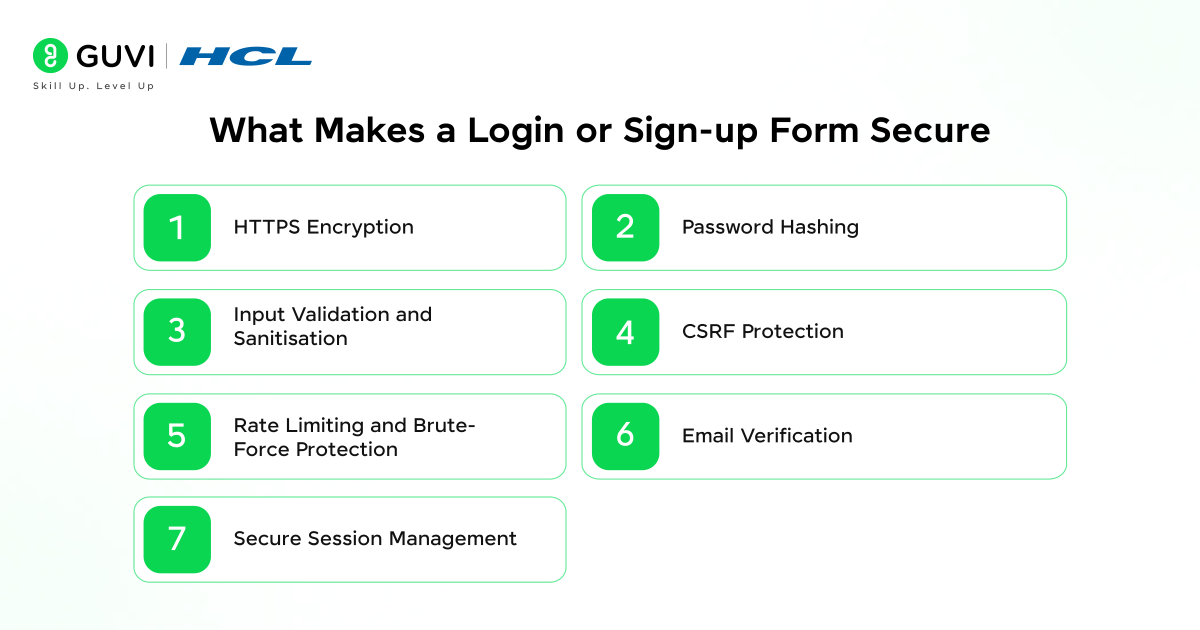
Before you create secure login and sign-up forms, understand the security layers that every form dealing with user credentials must have.
1. HTTPS Encryption
Every time you create secure login and sign-up forms, serving them over HTTPS is non-negotiable. Without it, credentials travel in plaintext and can be intercepted by anyone on the network. In 2026 there is no excuse for a login page without HTTPS.
- What it does: Encrypts all data transmitted between the user’s browser and your server
- How to enable it: Most form builders and hosting platforms enable HTTPS automatically. Verify the padlock icon is present when testing your forms.
- What to avoid: Never host login forms on HTTP-only pages or mixed-content pages where scripts load over HTTP
2. Password Hashing
When you create secure login and sign-up forms, passwords must never be stored as plain text or reversible encryption in your database. If your database is ever breached, hashed passwords are computationally infeasible to reverse.
- Bcrypt: The most widely used hashing algorithm. OWASP recommends a work factor of 12 to 14 in 2026.
- Argon2id: OWASP’s gold standard for new applications in 2026. Winner of the Password Hashing Competition, it is memory-hard and resistant to GPU-based attacks.
- Never use: MD5, SHA-1, or plain SHA-256 for passwords. These are fast algorithms that modern hardware cracks in seconds.
- What AI form builders do: Builders that connect to authentication backends (like Supabase, Firebase, Auth0) handle hashing automatically. Pure form builders do not handle password storage at all.
3. Input Validation and Sanitisation
When you create secure login and sign-up forms, every field must validate and sanitise user input. Unvalidated inputs are the entry point for XSS and SQL injection attacks.
- Client-side validation: Check email format, password strength, and field length before submission. This improves user experience but can be bypassed.
- Server-side validation: Always re-validate on the server. Client-side validation alone is never sufficient.
- Sanitisation: Strip or encode any HTML or script characters from input before it reaches the database
4. CSRF Protection
CSRF attacks exploit forms. When you create secure login and sign-up forms, CSRF protection must be included. A hidden CSRF token in every form submission prevents this.
- How it works: The server generates a unique, unpredictable token per session. The form includes this token as a hidden field. The server validates the token before processing the submission.
- SameSite cookies: Set session cookies to SameSite=Strict or SameSite=Lax to block cross-site requests from carrying session credentials
- Modern frameworks: Most current web frameworks include built-in CSRF protection. Verify this when choosing your backend.
5. Rate Limiting and Brute-Force Protection
Without rate limiting, the forms you create invite attacks. Create secure login and sign-up forms with rate limiting always enabled. A rate limiter restricts the number of requests from a single IP address within a time window.
- Example rule: Allow 5 login attempts per 10 minutes from one IP. After 15 failed attempts, drop to 1 attempt per 10 minutes.
- Account lockout: After repeated failures, temporarily lock the account and notify the real user by email
- CAPTCHA: Add CAPTCHA after multiple failed attempts to block automated bots. Use it as a response to suspicious behaviour, not on every login attempt.
6. Email Verification
When you create secure login and sign-up forms with sign-up capability, email verification is essential. This prevents fake registrations and stops attackers from creating accounts using other people’s email addresses.
- How it works: After sign-up, send a time-limited verification link to the provided email. Access to protected routes is blocked until the link is clicked.
- Expiry: Verification links should expire after 24 to 48 hours
7. Secure Session Management
After users complete the forms you create, secure login and sign-up flows require tokens handled correctly or they become the attack target.
- JWT tokens: Use short expiry times (15 to 60 minutes) for access tokens. Use longer-lived refresh tokens to keep users logged in.
- httpOnly cookies: Store tokens in httpOnly cookies so JavaScript on the page cannot read them. This blocks XSS-based token theft.
- Token invalidation: Ensure logout properly invalidates the session on the server side, not just on the client.
Top AI Form Builders for Creating Secure Login and Sign-up Forms
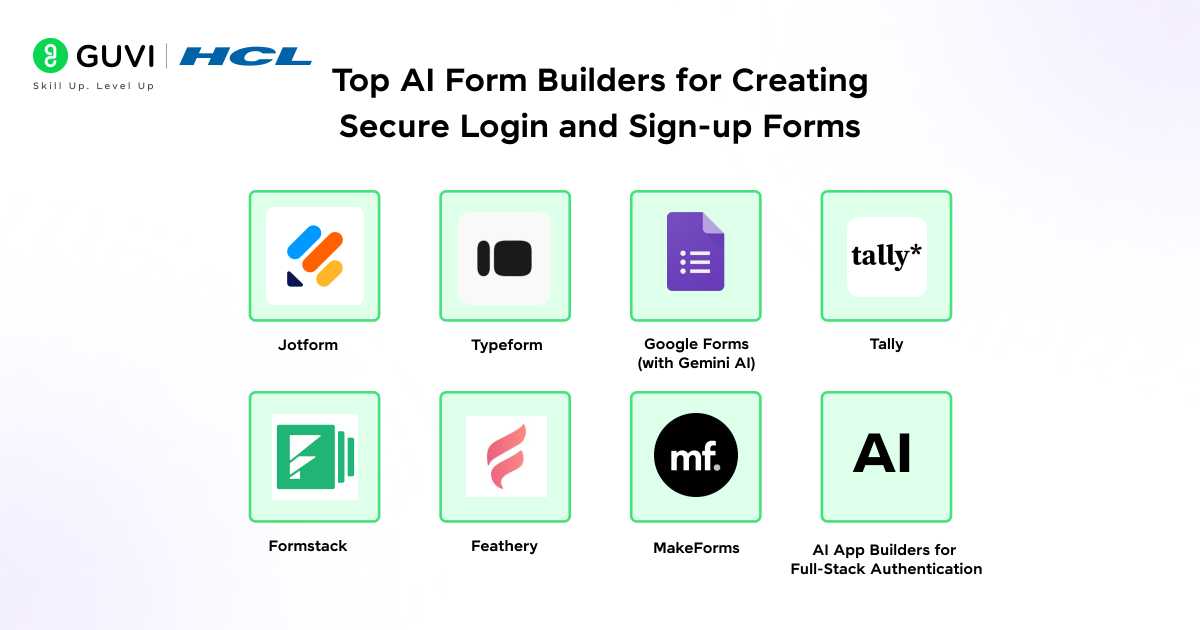
AI form builders that let you create secure login and sign-up forms fall into two categories: form-focused tools that handle data collection, and full-stack app builders that generate entire authentication systems. Here is an overview of the leading options in 2026.
1. Jotform
Jotform is the most capable tool to create secure login and sign-up form UIs in 2026. It combines AI-powered form generation, conditional logic, and workflow automation, making it the top choice when teams want to create secure login and sign-up forms at scale, and an extensive integration library.
- Free plan: Yes
- Paid plans: From $34/month
- AI features: Describe your form in plain language and Jotform generates a complete draft. AI Form Copilot continues assisting during edits.
- Security features: HTTPS on all forms, SSL encryption, GDPR and HIPAA compliance options, password protection for forms
- Best for: Businesses needing powerful form logic, workflow automation, and compliance
- Authentication: Jotform collects form data. To create secure login and sign-up forms with full authentication, connect it to an auth backend. For actual login and sign-up with user authentication, it connects to external backends via integrations.
- Platform Link : Jotform
2. Typeform
Typeform lets you create secure login and sign-up forms with a conversational, one-question-at-a-time interface. It is strong for marketing and feedback forms where engagement matters more than form complexity.
- Free plan: Yes (limited)
- Paid plans: From $29/month
- AI features: AI assists with question generation but requires more guidance than competitors
- Security features: HTTPS, GDPR compliance, hidden fields, response validation
- Best for: Customer-facing sign-up flows where design and experience are the priority
- Limitation: Complex conditional logic and integrations are less flexible than Jotform
- Platform Link : Typeform
3. Google Forms (with Gemini AI)
Google Forms, the world’s most-used form builder, lets you create secure login and sign-up forms with Gemini AI assistance and now includes Gemini AI for form generation from natural language prompts.
- Free plan: Yes, completely free with a Google account
- AI features: Gemini integration lets Google Workspace users generate forms from prompts and auto-suggest question types
- Security features: Google account authentication, HTTPS, response collection into Google Sheets
- Best for: Internal surveys, education, and lightweight data collection where design is not critical
- Limitation: Limited conditional logic, no payment collection, no custom branding
- Platform Link : Google form
4. Tally
Tally uses a document-style editor with AI assistance, letting you create secure login and sign-up forms with minimal setup. Forms are fast to create and easy to deploy, with a generous free plan that includes unlimited forms.
- Free plan: Yes (unlimited forms)
- Paid plans: From $29/month
- AI features: AI generates form structure from a description. Clean, focused output.
- Security features: HTTPS, spam protection, Cloudflare infrastructure
- Best for: Startups and small teams that want a simple, fast form builder with no setup friction
- Platform Link : Tally
5. Formstack
Formstack helps enterprise teams create secure login and sign-up forms that need structured workflows, compliance, and secure data handling alongside AI-powered form creation.
- Free plan: No
- Paid plans: From $83/month
- AI features: AI-assisted form creation alongside document generation and workflow automation
- Security features: HIPAA compliance, SOC 2 Type II, field encryption, audit logs, advanced access controls
- Best for: Healthcare, finance, and enterprise organisations with strict compliance requirements
- Platform Link : Formstack
6. Feathery
Feathery helps teams create secure login and sign-up forms with complex multi-step flows, onboarding flows, and guided application experiences. AI helps create the initial structure for branching logic.
- Free plan: Yes (limited)
- Paid plans: From $49/month
- AI features: Generates form structures with detailed conditional logic
- Security features: HTTPS, SOC 2 compliance, role-based access
- Best for: SaaS onboarding, loan applications, insurance forms, and any multi-step user journey
- Platform Link : Feathery
7. MakeForms
MakeForms is an AI-native tool that helps professional businesses create secure login and sign-up forms with compliance needs. It combines AI generation with OTP verification and smart conditional logic.
- Free plan: Trial available
- Paid plans: From $24/month
- AI features: Strong AI generation from prompts with multi-step form support
- Security features: GDPR, HIPAA, TCPA compliance, OTP verification, SSL
- Best for: Lead capture, compliance-heavy industries, and teams wanting AI generation with security built in
- Platform Link : Makeforms
8. AI App Builders for Full-Stack Authentication
If you need to create secure login and sign-up forms that include the complete authentication backend (password storage, JWT sessions, user database), these tools go beyond form builders:
| Tool | What It Generates | Auth Backend |
| Lovable | Full React app with auth UI and backend | Supabase (bcrypt, JWT, RLS) |
| Bolt.new | Frontend + Bolt Cloud backend | Bolt Cloud auth system |
| v0 by Vercel | React UI components, Next.js apps | Frontend only, needs separate backend |
These builders are relevant when you are building a web application with real user accounts, not just collecting data through a form.

Do check out HCL GUVI’s AI & ML Email Course, a free 5-day structured program that helps you quickly understand core AI and Machine Learning concepts through simple, practical lessons and real-world use cases. It’s a great starting point for beginners who want a fast, clear introduction to AI without overwhelming theory.
How to Create Secure Login and Sign-up Forms: Step-by-Step
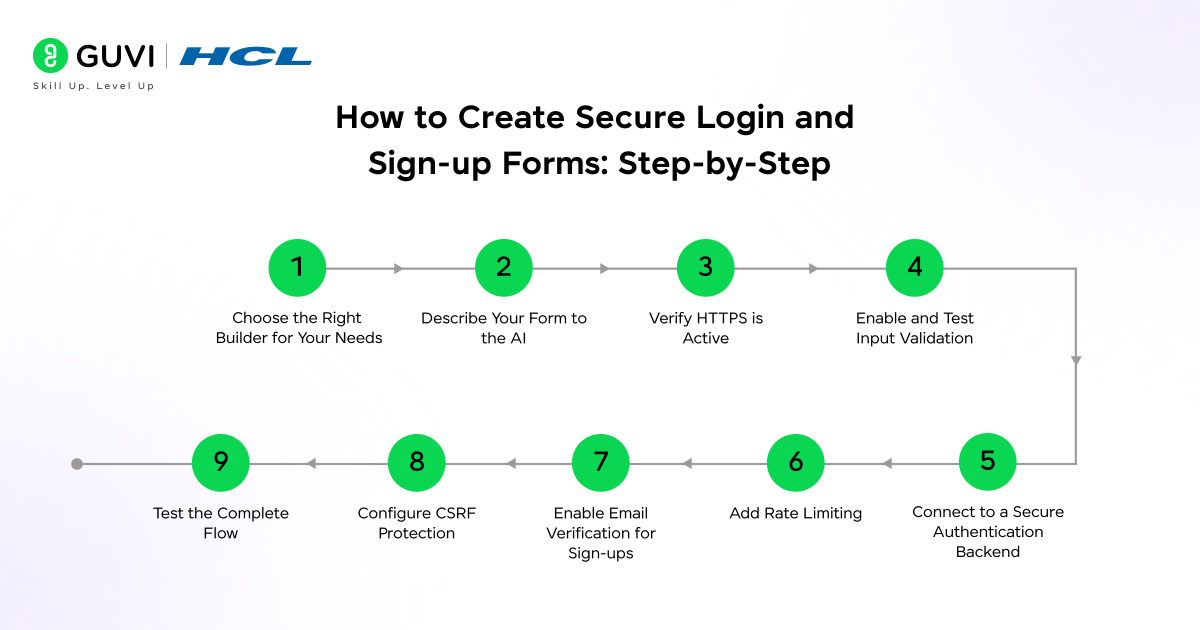
Follow this process every time you create secure login and sign-up forms regardless of which AI form builder you choose.
Step 1: Choose the Right Builder for Your Needs
Before you create secure login and sign-up forms, decide exactly what you need:
- Data collection only (newsletter sign-up, waitlist, contact): Any form builder works. Focus on HTTPS and input validation.
- Form connected to your own backend: Use Jotform, Tally, or Feathery and connect via webhook or API to your authentication system.
- Full user authentication (login, sign-up, sessions, protected routes): Use a full-stack app builder like Lovable or Bolt, or a dedicated auth service like Auth0 or Firebase Authentication.
Step 2: Describe Your Form to the AI
Open your chosen AI form builder and write a clear prompt to create secure login and sign-up forms. Be specific about what the form needs. Here is a good prompt to create secure login and sign-up forms:
“Create a sign-up form with fields for full name, email address, and password. Add a confirm password field. Include password strength requirements: minimum 8 characters, at least one uppercase letter, one number. Add terms and conditions checkbox before submission.”
To create secure login and sign-up forms on the login side:
“Create a login form with email and password fields. Add a ‘forgot password’ link below the password field and a ‘remember me’ checkbox. Show clear error messages for invalid credentials without revealing which field is wrong.”
The AI generates the form structure. To create secure login and sign-up forms properly, review the output carefully before publishing.
Step 3: Verify HTTPS is Active
Before you publish the forms you create, secure login and sign-up pages require HTTPS verification:
- Check that the URL begins with https:// and shows a padlock in the browser
- If embedding on your own website, ensure the hosting platform has an SSL certificate installed
- Never publish login forms on HTTP pages or pages with mixed content warnings
Step 4: Enable and Test Input Validation
When you create secure login and sign-up forms, use the builder’s validation settings to add rules to every field:
- Email field: Use email format validation. Reject anything that is not a valid email address.
- Password field: Set minimum length (8+ characters), require a mix of characters, and add a strength indicator
- All fields: Enable required field validation so the form cannot be submitted with empty inputs
- Test every validation rule manually: try submitting with an empty email, a weak password, and invalid characters
Step 5: Connect to a Secure Authentication Backend
A form builder handles the UI. To create secure login and sign-up forms properly, the backend security also matters. depends on your backend. Options in 2026:
- Auth0: Dedicated authentication service. Handles OAuth, MFA, brute-force protection, and session management as a managed service.
- Firebase Authentication: Google’s backend authentication. Free tier handles email and password, Google, GitHub, and more.
- Supabase: Open-source backend with PostgreSQL, bcrypt password hashing, JWT sessions, and Row Level Security. Free tier available.
- Clerk: Developer-focused auth service with a polished UI and pre-built components. From $25/month.
- Custom backend: If you are building your own, use bcrypt or Argon2id for password hashing, implement JWT with short expiry, and store tokens in httpOnly cookies.
Step 6: Add Rate Limiting
This step is essential to create secure login and sign-up forms that resist automated attacks. Implementation depends on your backend:
- Cloud services (Cloudflare, Vercel, AWS): Enable rate limiting at the edge. Most offer free tiers for basic limits.
- Auth services (Auth0, Firebase): Rate limiting and brute-force protection are built in and enabled by default.
- Custom backends: Add a rate limiting library (such as express-rate-limit for Node.js) to the login endpoint. Set a limit of 5 attempts per 10 minutes per IP address.
Step 7: Enable Email Verification for Sign-ups
To create secure login and sign-up forms with email verification, configure your authentication backend immediately after registration:
- The email should contain a time-limited link (expire after 24 to 48 hours)
- Protected routes should redirect to a “please verify your email” page until the user confirms
- Test this by signing up with a real email and confirming the verification email arrives and works
Step 8: Configure CSRF Protection
To create secure login and sign-up forms with CSRF protection, most modern frameworks handle this automatically. Verify:
- Check that your backend framework has CSRF middleware enabled
- Confirm that session cookies have SameSite=Strict or SameSite=Lax set
- If using an auth service like Auth0 or Firebase, CSRF protection is included by default
Step 9: Test the Complete Flow
Before publishing the forms you create, secure login and sign-up flows must be tested thoroughly:
- Happy path: Sign up with valid data, verify email, log in, and access the protected area
- Error paths: Submit with empty fields, a weak password, an already-used email, and wrong login credentials
- Security tests: Try submitting the same credentials 10 times in quick succession to confirm rate limiting activates. Try entering script tags in name fields to confirm XSS protection is working.
- Session tests: Log out and confirm you cannot access protected pages afterwards
Quick Comparison: Which Builder to Choose
| Use Case | Best Tool | Why |
| Newsletter or waitlist sign-up | Tally or Google Forms | Free, fast, no backend needed |
| Marketing landing page lead capture | Jotform or MakeForms | AI generation, compliance, CRM integrations |
| Complex onboarding or application flow | Feathery | Multi-step branching logic, advanced conditional rules |
| Healthcare or finance forms | Formstack | HIPAA compliance, SOC 2, audit logs |
| Full-stack web app with user accounts | Lovable or Bolt.new | Generates auth UI and connects backend automatically |
| Enterprise with custom compliance needs | Formstack Enterprise or Jotform Enterprise | Dedicated compliance and support |
Tips for Secure Forms
- Never display which field failed on login: Show “Incorrect email or password” as a single message rather than “Email not found” or “Wrong password.” Specific errors help attackers confirm valid email addresses.
- Do not log passwords: Ensure your logging system never captures plaintext credentials, even in error logs or debug output.
- Use placeholder text carefully: Password field placeholders like “Enter your password” are fine. Never use placeholder text that hints at the format of expected credentials.
- Add honeypot fields: Include a hidden field that real users never fill. Bots fill every field automatically. If this hidden field is submitted, flag it as spam and reject the submission silently.
- Test on mobile: Login and sign-up forms often break on small screens. Test every form on a mobile device before publishing.
- Monitor failed attempts: Set up alerts for unusual spikes in failed login attempts. This is often the first signal of a brute-force attack targeting the forms you create. Secure login and sign-up monitoring is part of ongoing maintenance.
💡 Did You Know?
- The CSRF attack is more than 20 years old and still affects poorly built forms. Every time developers create secure login and sign-up forms, CSRF protection must be included. Despite being more than 20 years old, CSRF vulnerabilities still appear regularly in modern web applications. The defence is straightforward: include an unpredictable, session-tied token in every form submission.
- Jotform is used by over 25 million users worldwide and remains the highest-rated AI form builder in 2026 across multiple independent comparisons for its combination of AI generation, workflow automation, and integration library.
Conclusion
Learning to create secure login and sign-up forms is not about becoming a security expert. It is about making the right decisions at each step: choosing HTTPS, connecting to a backend that hashes passwords correctly, validating every input, limiting failed attempts, verifying emails, and testing every failure path before you publish.
AI form builders make it faster to create secure login and sign-up forms. The security decisions remain yours. Match your tool to your actual use case: a simple form builder for data collection, a full-stack app builder for user accounts and authentication, and a dedicated auth service when security compliance is non-negotiable.
Start by identifying exactly what your forms need to do. Create secure login and sign-up forms by matching the tool to the task. Then choose the tool that handles that job with the security layer already in place.
FAQs
1. Can an AI form builder create a fully secure login system?
Form builders handle the UI. To create secure login and sign-up forms, the backend is equally important. Security depends on the backend they connect to. Full-stack app builders like Lovable or Bolt generate both the form and a secure auth backend. For pure form builders, you need to connect a backend like Auth0, Supabase, or Firebase separately.
2. What is the most important security feature for a login form?
HTTPS is the minimum requirement without which all other security fails. After that, password hashing with bcrypt or Argon2id and rate limiting are the most critical layers to create secure login and sign-up forms that resist real attacks.
3. Do I need to code to create secure login and sign-up forms?
No. AI form builders let you create secure login and sign-up forms without writing code. Authentication services like Auth0, Firebase, and Supabase handle the security backend without deep coding. Full-stack app builders like Lovable generate everything including the backend from a plain English description.
4. Which AI form builder is best for HIPAA-compliant sign-up forms?
To create secure login and sign-up forms under HIPAA requirements, Formstack is the strongest option with SOC 2 Type II certification and field-level encryption. Jotform also offers a HIPAA-compliant plan. Always verify compliance certifications directly with the vendor before collecting any health information.
5. How do I prevent bots from submitting my sign-up forms?
To create secure login and sign-up forms that block bots, add rate limiting to limit submissions per IP, include a honeypot hidden field that bots fill but humans ignore, add CAPTCHA after suspicious behaviour, and enable email verification so bot-created accounts are never activated.
How do I choose the best AI course for my career goals?
Choose an AI course based on your career goals, curriculum, hands-on projects, mentor support, industry tools, and placement assistance. A structured AI & ML Programme can help you build practical skills and a strong portfolio.
What should I look for before enrolling in an AI & ML course?
Look for a structured curriculum, practical projects, experienced mentors, updated AI tools, certification value, and career support. Compare programmes carefully before enrolling in an AI & ML Programme.
Success Stories

About the Author
Jebasta
I translate the language of data into stories that anyone can understand. As a writer with a data science background, I simplify analytics, AI, and decision-making so beginners and enthusiasts can confidently explore the world of data.
View all posts by Jebasta
Connect with me @











Did you enjoy this article?