


Artificial Intelligence and Machine Learning Articles
How Generative AI in Business is Changing Operations
Claude + Obsidian: AI-Powered Note-Taking Setup


Get In Touch For Details! Request More Information
AI in Software Testing: An In-Depth Guide
Sep 09, 2025 5 Min Read 2964 Views
(Last Updated)
A single bug can slip past testing and break an entire release. AI in software testing reduces that risk by predicting where failures are most likely and checking them before the product reaches users. Modern testing tools powered by AI create targeted test cases and detect unusual system behavior. They also cut down on repetitive manual checks with utmost precision.
This blog explains the main steps of applying AI in software testing, along with the benefits and challenges that come with it. Let’s unravel more:
Table of contents
- What is AI in Software Testing?
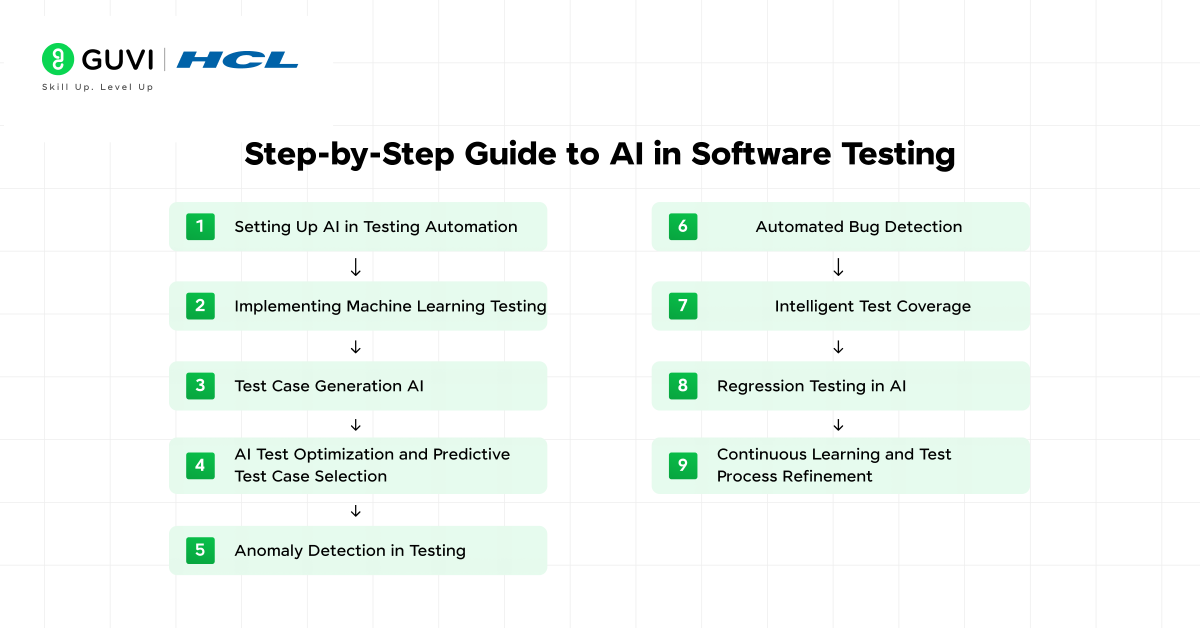
- Step-by-Step Guide to AI in Software Testing
- Step 1: Setting Up AI in Testing Automation
- Step 2: Implementing Machine Learning Testing
- Step 3: Test Case Generation AI
- Step 4: AI Test Optimization and Predictive Test Case Selection
- Step 5: Anomaly Detection in Testing
- Step 6: Automated Bug Detection
- Step 7: Intelligent Test Coverage
- Step 8: Regression Testing in AI
- Step 9: Continuous Learning and Test Process Refinement
- What Are AI Software Testing Tools?
- Testim
- Applitools
- Functionize
- Mabl
- Katalon TestOps
- Challenges of AI in Software Testing
- The Bottom Line
- FAQs
What is AI in Software Testing?
AI in software testing is the use of artificial intelligence and machine learning to improve how software is tested. It involves AI software testing tools that can learn from past results. These tools help predict where defects are likely to occur. The ultimate goal is to make testing faster and more focused on the areas that matter most.
Step-by-Step Guide to AI in Software Testing
Step 1: Setting Up AI in Testing Automation
Once the right tool is in place, the next focus is on setting up AI in automation testing. This setup allows the system to run tests automatically without constant human input. AI can schedule runs and monitor results. It can adjust focus based on risk patterns found in previous tests.
A solid setup for AI in automation testing involves:
- Configuring automated workflows that run on each code update
- Linking the tool to version control so it can track changes
- Enabling features for intelligent test coverage and AI test optimization
Step 2: Implementing Machine Learning Testing
Machine learning testing allows the system to learn from past results and improve future test cycles. The model analyzes past failures and successes to predict which parts of the application need more attention. This reduces wasted effort on areas with low risk and focuses resources where defects are most likely.
To implement machine learning testing, you can:
- Train models with historical defect and test data
- Use the trained model to predict high-risk areas in new builds
- Integrate predictions into AI test optimization for better planning
Machine learning testing is most effective when supported by accurate data from previous releases. The more complete the training data, the better the model can guide predictive test case selection.
Step 3: Test Case Generation AI
Test case generation AI creates new test scenarios without requiring manual scripting for each one. This helps teams cover more application paths and reduce the risk of missing defects. The AI reviews requirements and code changes. It also analyzes past defect data to design test cases that match current project needs.
A strong test case generation AI process involves:
- Analysing functional requirements and recent code updates
- Generating new cases that target untested or high-risk areas
- Linking the generated cases to automated bug detection workflows
Also, Read: Manual Testing Vs Automation Testing! [DETAILED]
Step 4: AI Test Optimization and Predictive Test Case Selection
AI test optimization helps reduce the time spent running unnecessary tests. Predictive test case selection uses past execution results to identify which cases will provide the most valuable insights for the current build. This means fewer wasted resources and faster feedback on critical areas.
To apply AI test optimization effectively, you should:
- Analyse historical test results to find patterns of high defect detection
- Prioritize test cases that have a high chance of finding issues
- Remove or delay low-value cases until needed

Step 5: Anomaly Detection in Testing
Anomaly detection in testing focuses on finding irregular behaviours that traditional tests might miss. These anomalies can signal performance issues and security vulnerabilities. They can also detect functional bugs that appear under specific conditions.
An effective anomaly detection process can include:
- Monitoring system behaviour during automated test runs
- Comparing current performance metrics to established baselines
- Flagging any deviations for further investigation
Step 6: Automated Bug Detection
Automated bug detection uses AI to identify defects earlier in the development cycle. The system scans outputs and behaviour patterns to spot errors without waiting for manual review. This speeds up resolution and reduces the number of issues that reach production.
To get the best results from automated bug detection, you can:
- Integrate detection features into your continuous integration pipeline
- Set clear rules for identifying and flagging potential defects
- Use results to refine test case generation AI for future runs
Automated bug detection becomes stronger over time when combined with machine learning testing, as the model learns which patterns signal genuine issues.
Step 7: Intelligent Test Coverage
Intelligent test coverage uses AI to decide which parts of the software need more testing focus. The system identifies areas that have the highest chance of containing defects or have been affected by recent code changes. It executes this step instead of running every possible case.
A strong, intelligent test coverage process can involve:
- Mapping coverage data to current application changes
- Filling gaps with targeted new cases from test case generation AI
- Linking coverage decisions to regression testing for continuous improvement
This approach guarantees that the most critical areas are tested without wasting time on unaffected parts of the code.
Step 8: Regression Testing in AI
Regression testing in AI concentrates and works on checking the parts of the application affected by recent changes. This saves time compared to running the full suite after every update. The system analyzes code modifications and past defect data to decide which cases to run first.
To apply regression testing effectively, you should:
- Identify modules linked to the latest changes in the codebase
- Prioritize related test cases for faster validation
- Reuse successful results from earlier runs when no risk is detected
Regression testing in AI works best when paired with intelligent test coverage. Why? Because this combination keeps testing both fast and relevant.
Step 9: Continuous Learning and Test Process Refinement
AI-driven testing improves when it learns from each cycle. Continuous learning allows the system to refine test case selection. It helps improve predictions and adapt to new risks. This turns AI into a self-improving process that grows more accurate over time.
An effective refinement process can include:
- Feeding real-world defect data back into machine learning testing models
- Updating anomaly detection in testing to match current performance trends
- Adjusting predictive test case selection to match recent outcomes
This final step connects all earlier processes, ensuring that AI in software testing tools remains accurate and relevant for future releases.
Go beyond reading about AI in software testing, learn to implement it. Our Intel®-certified AI/ML course will equip you with the skills to integrate AI in software testing with unmatched precision. Join 80,000+ professionals transforming testing speed, accuracy, and coverage with AI-driven tools and best practices. In 2025 and beyond, this is the fastest route from understanding AI testing to leading AI testing.
What Are AI Software Testing Tools?
AI software testing tools are advanced platforms that use artificial intelligence and machine learning to improve the speed and efficiency of software testing. These tools can autonomously create and maintain test cases, unlike traditional testing methods. They can also adapt to application changes and predict potential defects before they impact production.
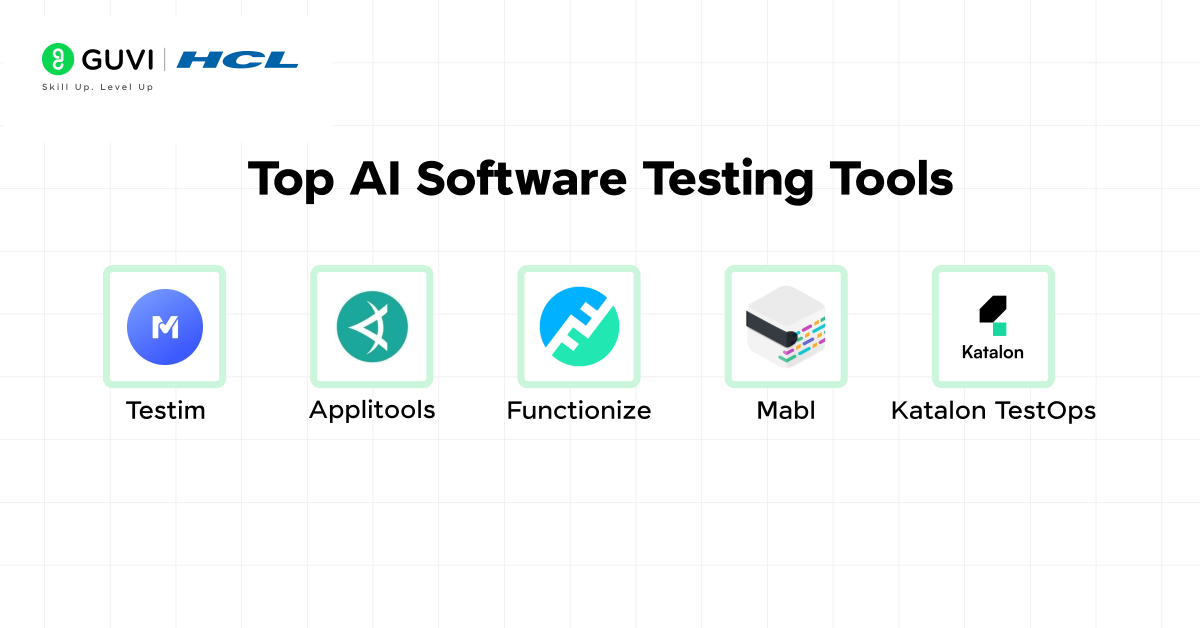
Here are the top AI software testing tools along with their top features and main use cases:
1. Testim
Definition: Testim is an AI-powered test automation platform designed to speed up test creation and maintenance. It uses machine learning to make test cases self-healing and adaptive to application changes.
Top Features:
- Self-healing tests that adapt to UI and code changes.
- Fast test creation with a Chrome extension.
- Powerful integrations with CI/CD pipelines.
- Parallel execution for faster test runs.
- Visual step-by-step test editor for non-technical users.
Use Cases:
- Automating regression tests for web apps.
- Reducing test maintenance time with adaptive locators.
- Validating user workflows across browsers.
- Running parallel tests to shorten release cycles.
2. Applitools
Definition: Applitools is a visual AI testing platform focused on detecting UI and layout issues across browsers and devices.
Top Features:
- AI-powered visual comparison to spot layout bugs.
- Cross-browser and cross-device testing with baseline comparisons.
- Integration with Selenium, Cypress, Playwright, and more.
- Visual grid for parallel visual testing.
- Accessibility testing built into the platform.
Use Cases:
- Catching visual regressions before production.
- Maintaining consistent UI branding across platforms.
- Testing responsive design layouts automatically.
- Ensuring accessibility compliance.
3. Functionize
Definition: Functionize is an AI-driven cloud-based testing platform that automates functional and visual testing without heavy scripting.
Top Features:
- NLP-powered test creation with plain English commands.
- Adaptive test execution powered by machine learning.
- Cloud-based execution across multiple environments.
- Test case auto-maintenance with AI healing.
- Built-in performance testing tools.
Use Cases:
- Functional UI and API testing without coding.
- End-to-end testing in multi-environment pipelines.
- Migrating manual test cases to automated ones quickly.
- Continuous performance monitoring in production.
4. Mabl
Definition: Mabl is an intelligent, low-code test automation platform optimized for CI/CD and continuous testing.
Top Features:
- Auto-healing tests that adapt to app changes.
- Cross-browser testing in the cloud.
- API testing is integrated with functional tests.
- In-depth analytics and reporting dashboards.
- Visual regression detection.
Use Cases:
- Continuous testing in agile teams.
- Automating smoke and regression testing.
- Testing both API and UI in one workflow.
- Validating releases directly in CI/CD pipelines.
5. Katalon TestOps
Definition: Katalon TestOps is a test management and analytics platform that leverages AI to level up test planning and reporting.
Top Features:
- AI-driven test analytics and failure insights.
- Centralized test case management.
- Seamless integration with Katalon Studio and other tools.
- Predictive test scheduling based on risk analysis.
- Test flakiness detection.
Use Cases:
- Managing large-scale automated test suites.
- Identifying flaky tests for maintenance.
- Tracking test coverage across projects.
- Prioritizing high-risk test cases.
Challenges of AI in Software Testing
- Challenge: High setup cost for AI software testing tools that include licensing, infrastructure, and training.
Quick Solution: Start with a pilot project using a smaller set of AI features. Prove value before scaling to full implementation.
- Challenge: Large data requirements for machine learning testing models to work effectively.
Quick Solution: Begin with the data you have and expand gradually. Use synthetic data generation to fill specific gaps.
- Challenge: Complex decision interpretation in outputs from test case generation AI or predictive test case selection.
Quick Solution: Pair AI outputs with visual dashboards or human review to make results easier to understand and act upon.
- Challenge: Bias risk in predictive models due to skewed historical data.
Quick Solution: Regularly review and retrain models with fresh and diverse data to reduce bias impact.
- Challenge: Integration difficulty with existing testing infrastructure.
Quick Solution: Adopt AI software testing tools that offer API-based integration or plugins for your current environment.
The Bottom Line
AI in software testing is changing how teams approach quality assurance. It replaces slow and repetitive manual checks with intelligent systems that learn from each test cycle. Processes like predictive test case selection and intelligent test coverage make it possible to focus on high-risk areas without wasting time on irrelevant tests. AI in software testing improves speed and reliability when supported with accurate data and well-planned integration.
FAQs
Q1: Can AI in software testing help with performance testing?
Yes. AI software testing tools can monitor performance metrics during test runs and flag unusual slowdowns or resource spikes for deeper investigation.
Q2: How does AI support testing in continuous delivery pipelines?
AI in automation testing can run targeted test suites after each code commit so issues are detected early without slowing down the release cycle.
Q3: Can AI testing tools work across multiple programming languages?
Many AI software testing tools are designed to integrate with multi-language projects. They can adapt their analysis to the syntax and structure of each language.
Q4: Does AI in software testing require cloud infrastructure?
Not always. AI testing solutions can run on local servers, cloud platforms, or hybrid setups, depending on the team’s needs and resources.
Q5: How does AI testing handle new features with no historical data?
AI can use synthetic data generation and rule-based logic to create test cases for new features until enough real-world usage data becomes available.
Success Stories

About the Author
Vaishali
I'm a seasoned writer with four years of experience across technical, non-technical, and just about every genre or niche you can imagine. Adaptable and curious, I enjoy exploring new topics and making information engaging and easy to understand. Fueled by a steady stream of tea, I approach each project with creativity, reliability, and genuine enthusiasm for storytelling.
View all posts by Vaishali
Connect with me @










Did you enjoy this article?