


Mechanical CAD Articles
Who Is a Mechanical CAD Designer? A Complete Beginner's Guide
How to Prepare for Mechanical Engineering Technical Interview Questions: A Practical Guide
CAD Designer Resume Examples & Tips to Land Your Dream Job
CAD vs CAM: Key Differences & Why It Matters in Design and Manufacturing

Get In Touch For Details! Request More Information
CAD Designer Career in India: Salary, Job Roles & Growth Path
Jul 20, 2026 6 Min Read 10743 Views
(Last Updated)
Picture a metro rail bridge, a smartphone casing, or a hospital’s HVAC layout — before any of these get built, someone designs them digitally, down to the last millimeter. That someone is a CAD designer, using software such as AutoCAD, SolidWorks, CATIA, or Revit to turn rough sketches into precise 2D drawings and 3D models that engineers and manufacturers can use to build.
In India, this role sits at the intersection of engineering and design across sectors such as automotive, construction, and aerospace — drafting parts, revising building plans, and catching design flaws before they become costly mistakes. As India’s manufacturing and infrastructure sectors grow, so does the demand for skilled CAD designers.
Table of contents
- TL;DR Summary
- Educational Qualifications Needed to Become a CAD Designer
- Key Responsibilities of a CAD Designer
- CAD Designer Salary in India by Role, Software & Sector (2026)
- AutoCAD vs SolidWorks vs CATIA vs Revit: Which CAD Software Should You Learn?
- CAD Designer Career Growth: From Junior Designer to Consultant
- Top Cities Hiring CAD Designers in India: Pune, Bangalore & Chennai
- Must-Have Skills to Grow in the CAD Designer Career Path
- How to Start Your CAD Designer Journey Today
- Learn the Basics
- Get Certified with Job-Focused Training
- Apply Your Skills on Projects
- Build a Strong Portfolio
- Start Gaining Work Experience
- Conclusion
- FAQs
- Is CAD a good career path?
- Are CAD designers in demand?
- Is CAD a stressful job?
- Is CAD an IT skill?
- What are the highest-paid CAD jobs?
TL;DR Summary
- CAD Designer Career in India covers everything from entry qualifications and daily responsibilities to real 2026 salary data by role, software, and sector.
- A comparison of AutoCAD, SolidWorks, CATIA, and Revit helps readers pick the right CAD software based on their target industry.
- The blog maps out a clear CAD designer career growth path — from Junior Designer to Senior, Lead, and Consultant roles.
- It identifies Pune, Bangalore, and Chennai as India’s top hiring cities for CAD designers, with real companies and salary ranges for each.
- A step-by-step action plan (learning basics, certification, portfolio building, and gaining experience) shows exactly how to start a CAD designer career today.
Educational Qualifications Needed to Become a CAD Designer
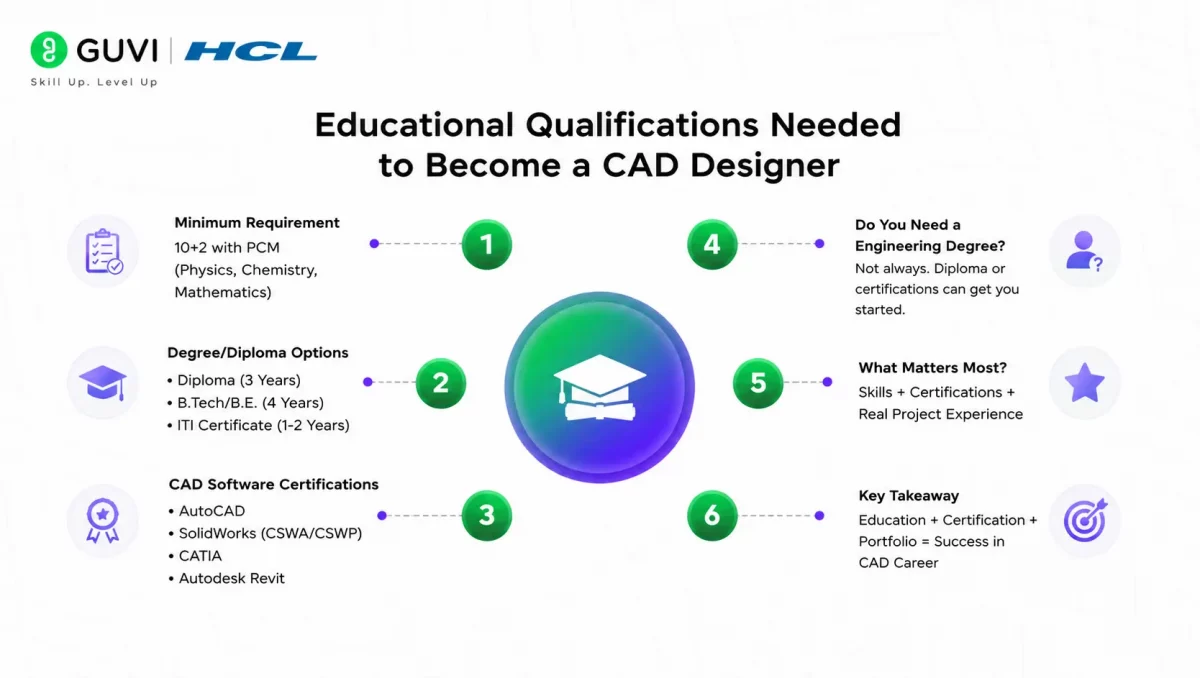
A CAD designer career doesn’t demand one fixed path — but certain qualifications make entry and growth much easier. Here’s what actually matters:
Minimum Educational Requirement
- 10+2 with Physics, Chemistry, and Mathematics (PCM) is the standard baseline for most CAD roles and diploma programs.
Degree/Diploma Options
| Qualification | Duration | Best For |
|---|---|---|
| Diploma in Mechanical/Civil/Electrical Engineering | 3 years | Fastest entry into drafting roles |
| B.Tech/B.E. (Mechanical, Civil, Electrical, Automobile) | 4 years | Higher-level design and engineering roles |
| ITI Certificate (Draughtsman – Civil/Mechanical) | 1-2 years | Entry-level drafting jobs |
CAD Software Certifications
A degree alone rarely gets you hired — employers want proof of software proficiency. Industry-recognized certifications include:
- Autodesk Certified Professional (AutoCAD)
- SolidWorks Certified Associate/Professional (CSWA/CSWP)
- CATIA Certification (Dassault Systèmes)
- Autodesk Revit Certification (for architecture/BIM roles)
Do You Need an Engineering Degree?
Not always. Many successful CAD designers enter the field through diploma courses or short-term certification programs, especially for junior drafting and 2D design roles. However, a formal engineering degree opens doors to senior design, product development, and consultant-level positions faster.
Key Takeaway:
For a CAD designer career, the practical formula is: relevant technical education (diploma or degree) + hands-on software certification + portfolio of real project work. Employers in India increasingly prioritize skill demonstration over the qualification alone.
Also Read: How to Become a CAD Designer in India
Level up your design game with HCL GUVI’s Advanced CAD & Automotive Design Course. Master AutoCAD, CATIA, SolidWorks, ANSYS Workbench, and SolidWorks Automation through live classes, hands-on projects, real industry case studies, and 1:1 mentor support. Build job-ready skills, earn an Autodesk-certified credential, and connect with 1000+ hiring partners. Ready to design the future? Enroll now!
Key Responsibilities of a CAD Designer
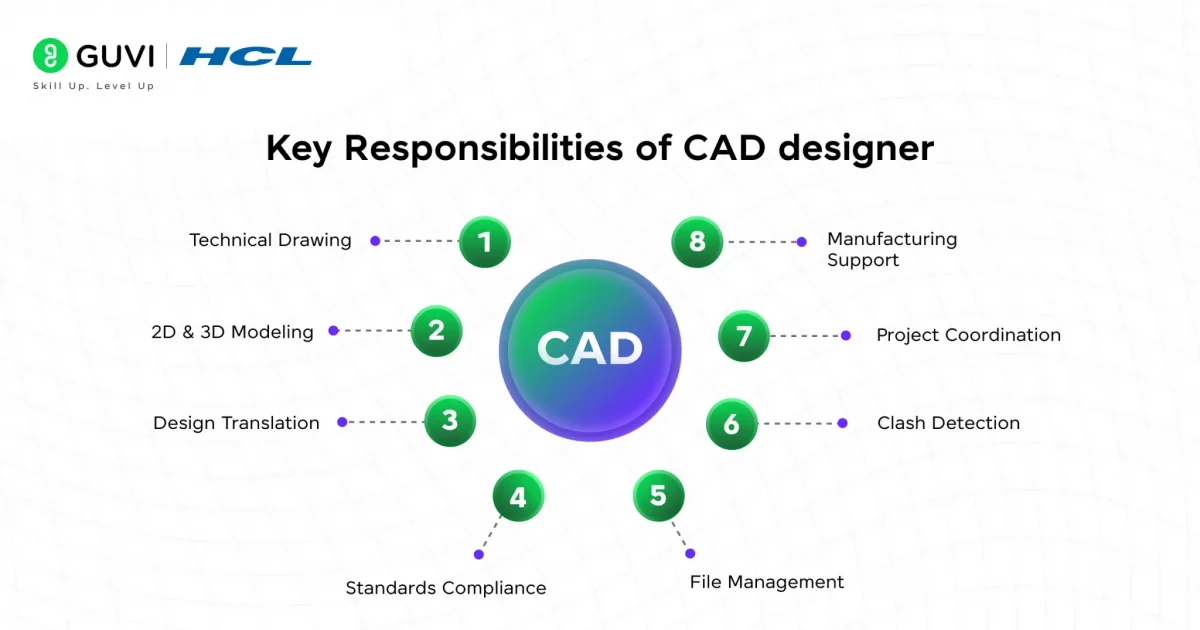
A CAD designer’s day-to-day work covers everything from drafting to final production support. Here’s what the role actually involves:
- Technical Drawing — Creating precise, to-scale drawings that show exact dimensions and specifications for a product or structure.
- 2D & 3D Modeling — Building flat diagrams (2D) and realistic digital models (3D) using software like AutoCAD or SolidWorks.
- Design Translation — Converting rough sketches or client ideas into detailed, build-ready technical designs.
- Standards Compliance — Ensuring every design complies with industry rules and safety codes before approval.
- File Management — Organizing, saving, and version-controlling design files so teams always work with the latest, correct version.
- Clash Detection — Checking designs for overlaps or conflicts (like pipes crossing walls) before construction begins.
- Project Coordination — Working closely with engineers, architects, and other teams to keep the design aligned with project goals.
- Manufacturing Support — Assisting the production team by clarifying designs and resolving issues during the build process.
Also Read: CAD Designer Roles and Responsibilities
CAD Designer Salary in India by Role, Software & Sector (2026)
CAD designer salaries in India for 2026 range from around ₹2.4L for freshers to ₹18L+ per year for senior specialists, depending on experience, software expertise, and industry. Here’s how pay actually breaks down by role, tool, and sector:
| CAD Role | Software | Sector | Avg Salary (Annual) | Experience Needed |
|---|---|---|---|---|
| Junior CAD Draftsman | AutoCAD | Construction / Civil | ₹2.4L – ₹3.5L | 0–1 years |
| CAD Designer (Mechanical) | SolidWorks | Manufacturing / Product Design | ₹3.5L – ₹5.5L | 1–3 years |
| BIM/CAD Designer | Revit | Architecture / Infrastructure | ₹4L – ₹7L | 2–4 years |
| Senior CAD Design Engineer | CATIA | Aerospace / Automotive OEM | ₹7L – ₹12L | 5–8 years |
| CAD/CAM Specialist | SolidWorks + ANSYS | EV / Automotive R&D | ₹8L – ₹14L | 5–9 years |
| CAD Consultant / Lead | CATIA / NX / Revit | Defence / Large Infrastructure | ₹12L – ₹18L+ | 10+ years |
AutoCAD vs SolidWorks vs CATIA vs Revit: Which CAD Software Should You Learn?
If you’re just starting out, the software you pick can shape a big part of your CAD designer career. Each tool is built for a different kind of work, so the “best” one really depends on which industry you want to end up in, not which one is more popular.
| Software | Best For | Learning Curve | Industry Demand |
|---|---|---|---|
| AutoCAD | 2D drafting, basic 3D layouts | Easy | Very High |
| SolidWorks | 3D mechanical design, product modeling | Moderate | High |
| CATIA | Complex 3D assemblies, aerospace-grade design | Steep | Moderate (specialized) |
| Revit | Building Information Modeling (BIM), architecture | Moderate | High (construction) |
Here’s a simple way to think about it: if you want to get hired fast, start with AutoCAD — it’s the most commonly requested skill in entry-level listings. If you’re aiming at product manufacturing or automotive, SolidWorks gives you a stronger long-term CAD designer career than AutoCAD alone.
Anyone eyeing aerospace or high-precision automotive OEM roles will eventually need CATIA, though it’s rarely the first tool people learn. And if construction or architecture is the goal, Revit is nearly mandatory now, since most infrastructure projects rely on BIM workflows.
Most professionals don’t stick to just one tool for their entire working life. A common pattern in a CAD designer career is starting with AutoCAD, then picking up SolidWorks or Revit once you know which sector you want to specialize in.
CAD Designer Career Growth: From Junior Designer to Consultant
Growth in this field isn’t sudden — it happens in fairly predictable stages, and each one asks for a slightly different skill set on top of what you already know.
You typically start as a Junior CAD Designer, spending your first year or two mostly drafting under supervision — converting sketches into drawings, fixing revisions, and learning how your team’s workflow actually operates. It’s repetitive work on paper, but this is where the fundamentals get locked in.
Around the 3–5 year mark, you move into a Senior CAD Designer role. Here, you’re handling full projects independently, mentoring juniors, and often specializing in one software or industry — this is usually the point where a CAD designer career starts paying noticeably better.
After that comes the Lead Designer stage, roughly 6–9 years in. You’re now coordinating across teams, reviewing other people’s designs, and making calls on design standards rather than just following them.
The final stage many aim for is Consultant or Design Manager, typically 10+ years in. At this point, you’re less hands-on with the software and more focused on strategy — advising clients, leading large projects, or even running your own freelance practice.

What’s worth knowing is that this progression isn’t strictly linear for everyone. Some professionals jump straight into consulting after gaining deep specialization in one niche (like CATIA for aerospace), skipping the traditional ladder entirely. Either way, the trajectory of a CAD designer career depends less on years spent and more on how deliberately you build expertise at each stage.
Top Cities Hiring CAD Designers in India: Pune, Bangalore & Chennai
The city you work in ends up shaping your CAD designer career almost as much as the software you learn — different cities specialize in different industries, and that changes which tools and roles are actually in demand there. Here’s what the current hiring landscape looks like across the three biggest hubs:
| City | Key Industries | Top Hiring Companies | Avg Salary Range |
|---|---|---|---|
| Pune | Automotive, Industrial Equipment, EV | Tata Motors, L&T, Cummins, Bosch, Pitchnhire Emerson, KSB, Vertiv | ₹3.5L – ₹9L |
| Bangalore | Automotive, Aerospace, Industrial Design | Tata Motors, Mahindra, Bosch, Siemens, Cummins, Pitchnhire, GEA Group | ₹4L – ₹10L |
| Chennai | Manufacturing, HVAC, Energy, MEP | Hitachi Energy, Babcock Power, KBR, Lennox International, Haworth, L&T Technology Services, Glassdoor | ₹3L – ₹8L |
Must-Have Skills to Grow in the CAD Designer Career Path
To find your path in a crowded and competitive job market, CAD designers need more than just software knowledge. A balanced mix of technical expertise and interpersonal skills is what truly shapes a successful CAD designer career.
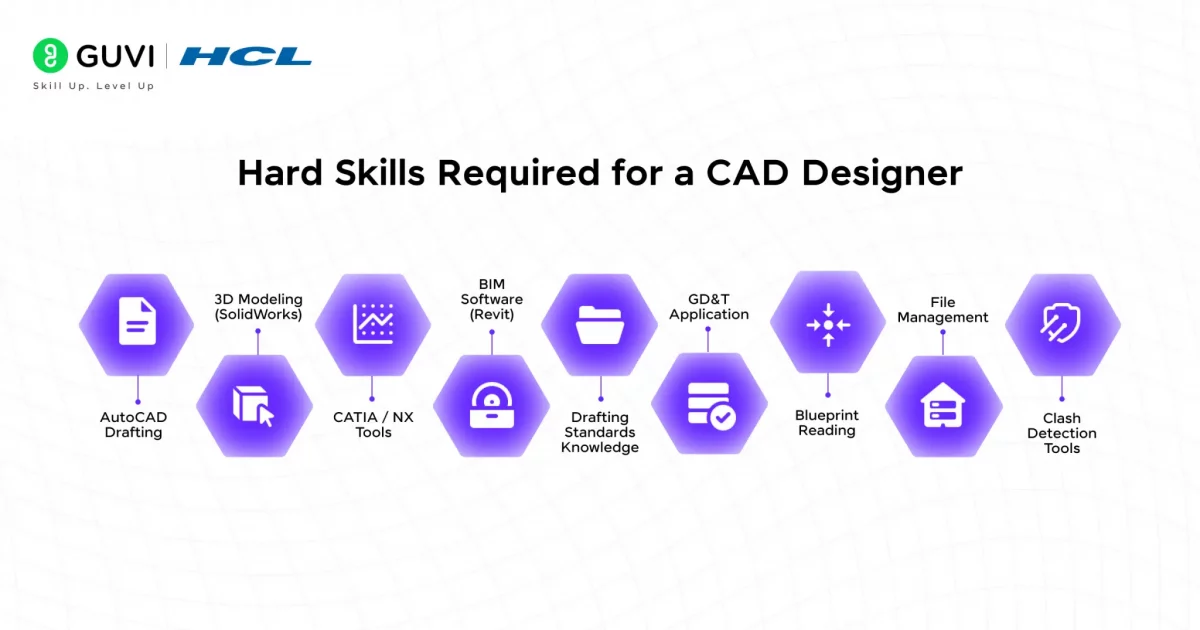
Hard skills:
These are the core tools and competencies you need to become industry-ready and move beyond just academic knowledge:
- AutoCAD – 2D drafting, annotation, dimensioning, layout creation
- SolidWorks – 3D modeling, assemblies, motion simulation
- CATIA / Siemens NX – Surface modeling, sheet metal, advanced assemblies (used in aerospace/automotive)
- Revit Architecture / AutoCAD Civil 3D – BIM tools used in civil and architectural design
- Drafting Standards – Knowledge of ISO, ASME, or BIS standards
- Geometric Dimensioning & Tolerancing (GD&T) – Essential for manufacturing-ready designs
- Technical Drawing Interpretation – Reading and generating blueprints
- File Management – Exporting, converting, and organizing formats (.DWG, .DXF, .STEP, etc.)
- Simulation & Clash Detection Tools – Especially useful in BIM and mechanical design
- Basic CAM Understanding – Knowing how designs transition into manufacturing adds depth to your profile
Soft skills
Often underestimated, soft skills are what set you apart in real project environments. These traits ensure smoother teamwork, project execution, and long-term career growth:
- Attention to Detail – Precision is everything in CAD. Even minor mistakes can cost time and money
- Problem-Solving – Ability to spot design inefficiencies or clashes and correct them independently
- Communication – Explaining technical details to engineers, clients, or vendors in simple language
- Collaboration – Working with cross-functional teams including architects, engineers, and technicians
- Time Management – Balancing multiple revisions, deadlines, and project phases efficiently
- Adaptability – Learning new tools or workflows as technologies and client needs evolve
- Analytical Thinking – Understanding how each design impacts real-world production or usability
- Version Control & Organization – Keeping drawings updated, named, and structured for easy access
How to Start Your CAD Designer Journey Today
Starting your CAD designer career doesn’t have to feel overwhelming. With the right approach and tools, you can build a strong foundation that leads to real job opportunities, especially in high-demand sectors like mechanical and civil design.
Here’s a step-by-step path to get started:
Learn the Basics
Begin by understanding 2D drafting, 3D modeling, and how geometry, scale, and measurements are applied in design software. Grasping these fundamentals sets the tone for everything that follows.
Get Certified with Job-Focused Training
To work professionally, just knowing software isn’t enough. You need guided, practical learning. HCL GUVI’s CAD Zen Classes are designed to bridge this gap with hands-on training and placement support:
These programs teach tools like AutoCAD, SolidWorks, CATIA, and Revit through real-world projects.
Apply Your Skills on Projects
Practice with real or mock design briefs. Build mechanical components, create building layouts, or draft detailed models. The more practical exposure you gain, the more confident and hire-ready you become.
Build a Strong Portfolio
Document your work—show your 2D plans, 3D models, and completed assignments in an organized, visual portfolio. A well-crafted portfolio helps recruiters quickly evaluate your capability.
Start Gaining Work Experience
Look for internships, freelance gigs, or junior CAD roles. On-the-job experience is the fastest way to refine your skills and grow into higher-level positions.
Conclusion
Becoming a successful CAD designer is a work in progress. The demand is high, but so is the competition. What sets you apart is a strong foundation in design principles, hands-on software expertise, and the ability to think and build like a professional. When you understand how design translates to real-world functionality across industries like manufacturing, construction, and product development, your skills begin to stand out where it matters most.
Learn, build, and keep refining your skills. With the right training, real-world practice, and a solid portfolio, your CAD designer career can move from entry-level to expert faster than you think.
FAQs
1. Is CAD a good career path?
Yes, CAD is a solid career path with applications in architecture, engineering, manufacturing, and construction. It offers long-term growth, creative satisfaction, and steady demand across global industries.
2. Are CAD designers in demand?
CAD designers are in high demand, especially in industries like automotive, civil infrastructure, aerospace, and electronics, where 2D drafting, 3D modeling, and BIM workflows are essential for modern project execution.
3. Is CAD a stressful job?
CAD jobs are typically low- to moderate-stress. Pressure can arise from tight deadlines, design revisions, or project coordination, but clear briefs and experience usually reduce day-to-day stress levels.
4. Is CAD an IT skill?
CAD is not strictly an IT skill, but it overlaps with tech. It falls under design and engineering technology, involving software proficiency, digital modeling, and technical problem-solving, not traditional IT tasks.
5. What are the highest-paid CAD jobs?
Senior CAD Designers, BIM Managers, CAD Engineers in aerospace, and Product Design Specialists earn the highest salaries. Roles requiring both design and engineering expertise tend to offer the best compensation.
Success Stories









Did you enjoy this article?