


Artificial Intelligence and Machine Learning Articles
Using Claude to Analyze Legal Depositions and Testimonies
Claude for Building a Personal Wikipedia or Knowledge Base


Get In Touch For Details! Request More Information

How to Use Claude’s Computer API Safely
Aug 20, 2026 4 Min Read 28 Views
(Last Updated)
Claude’s Computer Use API allows AI to interact with graphical user interfaces (GUIs), enabling tasks such as navigating applications, completing workflows, and automating repetitive actions. While this capability unlocks powerful AI automation, it also introduces new security considerations. This guide explains how to use the Claude Computer Use API safely, covering Anthropic Computer Use, Computer Use API tutorials, and essential API security practices for responsible implementation.
Table of contents
- TL;DR
- Direct Answer
- Why Computer Use API Security Matters
- Understanding Anthropic Computer Use
- GUI Interaction
- Workflow Automation
- Human Supervision
- Computer Use API Tutorial: Safe Implementation Steps
- Step 1: Limit Permissions
- Step 2: Use Isolated Environments
- Step 3: Protect API Credentials
- Step 4: Monitor AI Activity
- API Security Best Practices
- Authenticate Every Request
- Validate User Inputs
- Apply Rate Limits
- Review Sensitive Actions
- Benefits of Safe AI Automation
- Feature Comparison: Claude Computer Use API vs Traditional Automation
- Which Organizations Should Use Claude's Computer Use API?
- Software Development Teams
- Enterprise IT Departments
- Customer Support Operations
- Business Process Automation Teams
- Research and Operations Teams
- Tasks You Can Automate with Claude Computer Use API
- Desktop Automation
- Business Operations
- Software Operations
- What AI Should Not Replace
- Best Practices
- Conclusion
- FAQs
- What is the Claude Computer Use API?
- What is Anthropic Computer Use?
- Why is API security important for the Computer Use API?
- What tasks can the Computer Use API automate?
- Should AI have unrestricted access to business systems?
- Can small businesses use the Claude Computer Use API?
- What is the safest way to deploy the Computer Use API?
TL;DR
- Claude’s Computer Use API enables AI to interact with computer interfaces.
- Security controls are essential when deploying AI automation.
- API security protects sensitive systems and user data.
- Human oversight reduces the risks of unintended actions.
- Safe implementation improves reliability and trust.
Data Point: According to IBM’s Cost of a Data Breach Report, organizations with extensive security, AI, and automation identified and contained breaches more than 100 days faster on average than those without these capabilities, highlighting the importance of secure AI implementation.
Direct Answer
| The Claude Computer Use API enables AI to interact with software interfaces and automate computer-based workflows. Safe implementation requires strong API security, permission controls, human oversight, environment isolation, and continuous monitoring. By following security best practices, organizations can deploy AI automation responsibly while reducing operational risks and protecting sensitive systems and data. |
Why Computer Use API Security Matters
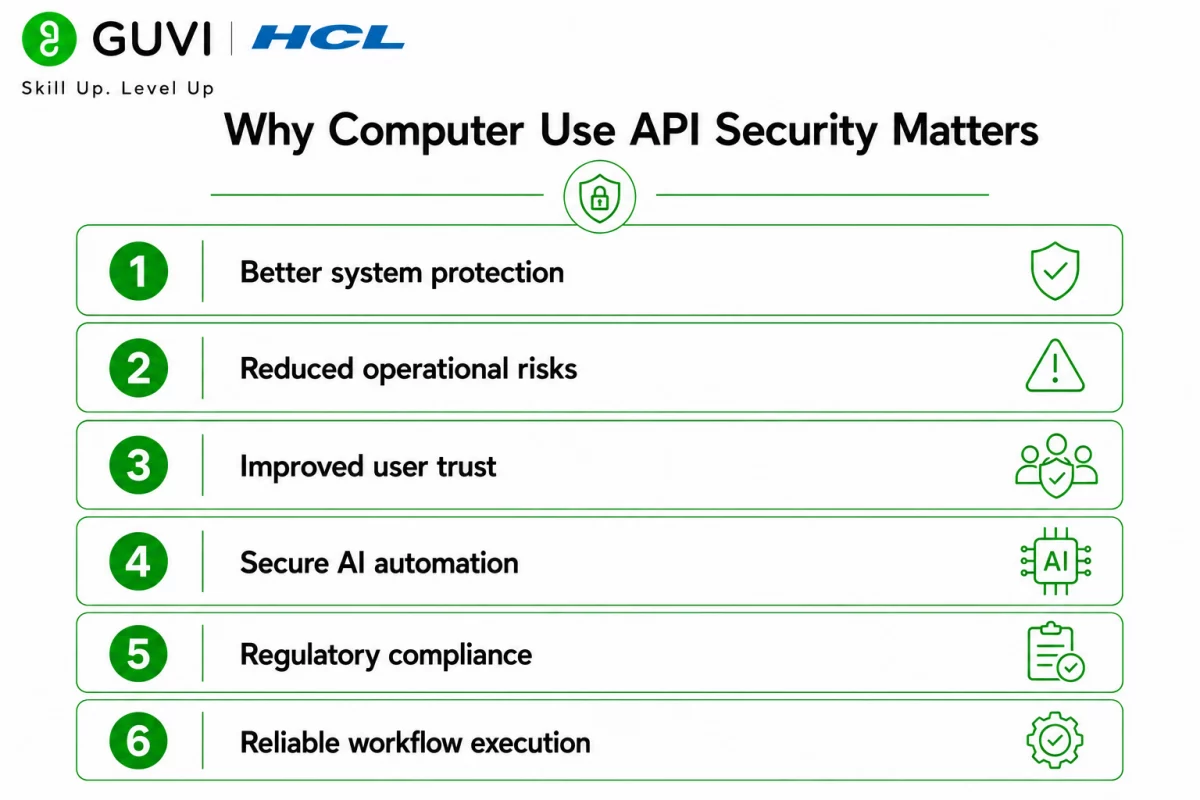
The Computer Use API can perform actions such as clicking buttons, entering text, navigating applications, and completing workflows. Because it interacts directly with software interfaces, organizations must implement safeguards that prevent misuse and unintended behaviour.
Benefits of secure implementation include:
- Better system protection
- Reduced operational risks
- Improved user trust
- Secure AI automation
- Regulatory compliance
- Reliable workflow execution
Understanding Anthropic Computer Use
The Anthropic Computer Use capability enables Claude to perform tasks by interacting with graphical user interfaces similarly to a human user.
GUI Interaction
Claude can navigate applications, interact with menus, click interface elements, and complete predefined workflows.
Workflow Automation
The API helps automate repetitive desktop tasks such as form filling, document processing, and application navigation.
Human Supervision
Sensitive actions should remain under human review to ensure important decisions are validated before execution.
Computer Use API Tutorial: Safe Implementation Steps
Following a structured deployment process helps minimize security risks while maximizing automation benefits.
Step 1: Limit Permissions
Grant the API access only to the applications and resources necessary for the intended workflow.
Step 2: Use Isolated Environments
Run automation inside testing environments, virtual machines, or sandboxed systems before deploying to production.
Step 3: Protect API Credentials
Store API keys securely using environment variables or secret management tools, and never expose them in client-side code.
Step 4: Monitor AI Activity
Log API actions, review execution history, and monitor for unexpected behaviour to maintain accountability.
API Security Best Practices
Strong API security is essential when deploying AI-powered automation.
Authenticate Every Request
Use secure authentication methods to verify requests and prevent unauthorized access.

Validate User Inputs
Check prompts and inputs before execution to reduce the risk of unintended or harmful actions.
Apply Rate Limits
Limit request frequency to protect infrastructure from excessive or abusive API usage.
Review Sensitive Actions
Require human approval before allowing AI to perform high-impact operations such as financial transactions, account changes, or administrative actions.
Benefits of Safe AI Automation
Secure implementation makes AI automation more reliable and sustainable.
- Reduced manual work
- Faster workflow execution
- Improved operational efficiency
- Better compliance
- Enhanced system reliability
- Greater user confidence
- Lower security risks
Feature Comparison: Claude Computer Use API vs Traditional Automation
| Feature | Claude Computer Use API | Traditional Automation |
| GUI Interaction | Excellent | Limited |
| Natural Language Instructions | Excellent | Not Supported |
| Multi-Step Workflow Automation | Excellent | Moderate |
| Adaptability to UI Changes | High | Limited |
| AI Decision Support | Excellent | Not Available |
| API Security Controls | Strong (with implementation) | Varies |
| Deployment Flexibility | Excellent | Moderate |
Which Organizations Should Use Claude’s Computer Use API?
The Claude Computer Use API is suitable for organizations that want to automate repetitive desktop workflows while maintaining strong security controls and human oversight.
Software Development Teams
Development teams can automate software testing, browser-based workflows, internal tools, and repetitive operational tasks to improve productivity.
Enterprise IT Departments
IT teams can streamline internal processes, automate routine administrative workflows, and assist employees with repetitive computer-based operations.
Customer Support Operations
Support teams can automate repetitive desktop actions such as updating CRM systems, processing support requests, and navigating multiple business applications.
Business Process Automation Teams
Organizations implementing AI automation can reduce manual work by automating document handling, form processing, reporting, and cross-application workflows.
Research and Operations Teams
Research teams can automate repetitive data collection, dashboard navigation, and information gathering while maintaining human supervision over sensitive decisions.
Developers interested in building secure AI-powered applications, APIs, and intelligent automation systems can strengthen their practical expertise through HCL GUVI’s Artificial Intelligence and Machine Learning Course.
Unlike traditional APIs that interact only with backend services, the Claude Computer Use API can work with graphical user interfaces by interpreting what appears on the screen and performing actions such as clicking buttons, entering text, and navigating applications. This makes it useful for automating tasks in software that may not provide dedicated APIs.
Tasks You Can Automate with Claude Computer Use API
The Computer Use API supports a wide variety of AI automation workflows across business operations.
Desktop Automation
- Form filling
- Data entry
- Application navigation
- File management
- Report generation
Business Operations
- CRM updates
- Internal workflow automation
- Document processing
- Spreadsheet updates
- Administrative tasks
Software Operations
- Browser automation
- QA testing support
- Dashboard navigation
- Repetitive validation tasks
- Cross-application workflows
The HCL GUVI’s Artificial Intelligence eBook introduces the fundamentals of generative AI, prompt engineering, machine learning, and intelligent automation. It helps learners understand how AI-powered APIs, automation workflows, and secure deployment practices can be applied responsibly in modern software development.
What AI Should Not Replace
AI should not replace:
- Security-critical decisions
- Financial approvals
- Legal and regulatory reviews
- System administration without oversight
- Sensitive customer interactions
- Final quality assurance
- Ethical decision-making
- Human accountability
Maintaining human supervision helps ensure automation remains secure, accurate, and aligned with organizational policies.
Warning: The Computer Use API can interact directly with applications and system interfaces. Always apply the principle of least privilege, isolate automation environments where possible, protect API credentials, validate user inputs, and monitor AI activity. Sensitive actions should require explicit human approval before execution to reduce operational and security risks.
Best Practices
- Grant only the minimum permissions required.
- Store API keys securely using secret management tools.
- Test workflows in sandbox or staging environments first.
- Log and audit AI actions for accountability.
- Validate prompts and user inputs before execution.
- Require human approval for high-impact tasks.
- Regularly review and update security controls as applications evolve.
Conclusion
The Claude Computer Use API enables organizations to build powerful AI automation workflows by allowing AI to interact with software interfaces. By combining strong API security, permission controls, isolated environments, and human oversight, businesses can deploy Anthropic Computer Use capabilities responsibly, improving productivity while protecting sensitive systems, users, and organizational data.
FAQs
1. What is the Claude Computer Use API?
The Claude Computer Use API enables Claude to interact with graphical user interfaces, allowing it to perform tasks such as clicking, typing, navigating applications, and completing workflows.
2. What is Anthropic Computer Use?
Anthropic Computer Use is a capability that allows Claude to operate software interfaces similarly to a human user, enabling automation of GUI-based tasks.
3. Why is API security important for the Computer Use API?
Strong API security helps protect systems, applications, and sensitive data by preventing unauthorized access, limiting permissions, and monitoring AI activity.
4. What tasks can the Computer Use API automate?
It can automate desktop navigation, form completion, document processing, browser workflows, software testing support, CRM updates, and other repetitive computer-based tasks.
5. Should AI have unrestricted access to business systems?
No. AI should operate with limited permissions, clear boundaries, continuous monitoring, and human oversight—especially for sensitive or high-impact actions.
6. Can small businesses use the Claude Computer Use API?
Yes. Small businesses can automate routine administrative and operational tasks, improving efficiency without building complex automation systems from scratch.
7. What is the safest way to deploy the Computer Use API?
Use isolated environments for testing, secure API credentials, apply least-privilege access, monitor activity, validate inputs, and require human approval for sensitive operations.
Success Stories

About the Author
HCL GUVI
This article was selected and published as part of the HCL GUVI AI Blogathon 2026, an initiative designed to encourage students, AI enthusiasts, and aspiring tech writers to simplify complex AI concepts through impactful technical content. The contest recognized high-quality, original, and insightful AI-focused blogs, with selected authors receiving publication opportunities on the HCL GUVI blog platform along with official author credits and recognition.
View all posts by HCL GUVI
Connect with me @










Did you enjoy this article?