


Artificial Intelligence and Machine Learning Articles
Finance Manager to Data Analytics: Career Growth, Salary and Seniority
How to Evaluate LLM Outputs in Production Deployments
AI/ML Skills Gap 2026: Why Companies Can't Find Job-Ready Talent
20 AI/ML Interview Questions Recruiters Can Use Without a Tech Background - Best Guide


Get In Touch For Details! Request More Information

Top 6 Background Agents that Developers Must Know
Apr 30, 2026 6 Min Read 1935 Views
(Last Updated)
AI coding help evolved from autocomplete hints to background agents that work while you sleep. They write PRs, run tests, and update Jira autonomously with no context-switching needed.
These agents connect to Slack/Jira/GitHub, clone repos to secure cloud environments, execute tasks, test, and submit PRs. Unlike copilots that suggest, agents complete and deliver.
In this article, we break down the best background agents available to developers in 2026, explain what separates genuinely useful agents from glorified chatbots, and help you figure out which agent belongs in your workflow.
Quick TL;DR –
1. Background agents autonomously write PRs, run tests, update Jira while you sleep
2. Top tools: Cursor (general dev), Copilot (GitHub), Devin (autonomy), Claude Code (CLI), Builder (Figma→PR), Codex (multi-surface)
3. Production-ready = GitHub integration + Slack/Jira triggers + cloud execution + human review gates
4. Match your workflow: General backlog → Cursor; GitHub-only → Copilot; Frontend → Builder.io
Table of contents
- What Should Developers Expect from a Good Background Agent?
- Seamless Trigger Mechanisms
- Long-Running Task Execution
- Robust Security Controls
- The Best Background Agents for Developers in 2026
- 1. Cursor's Advanced Background Agent
- 2. GitHub Copilot Coding Agent
- Devin's Full Autonomy
- 4. Claude Code's Terminal-First Approach
- Ideal for Complex Migrations
- 5. Builder.io's Frontend Design Bridge
- Perfect for Component-Driven Frontend
- Codex Multi-Surface Coverage
- Pro Tip: Choosing Your Background Agent
- Match Agent to Your Workflow Needs
- Final Thoughts
- FAQs
- What is a background agent?
- How do they differ from AI coding assistants?
- Which agent is best for general dev teams?
- What's the production proof that they work?
- How do I pick the right agent?
What Should Developers Expect from a Good Background Agent?
Before getting into specific tools, it’s worth establishing what actually separates a production-ready background agent from a demo that only works in ideal conditions.
The first thing to look for is deep repository and toolchain integration.
- An agent needs to connect directly to GitHub or GitLab
- Understand your repo structure
- Recognize your monorepo layout
- Capable of opening pull requests that pass CI
If it can’t do that last part reliably, it’s still just a chatbot with extra steps useful for drafting, not for delivering. Real integration means the agent knows your conventions, follows your patterns, and doesn’t introduce noise into your pipeline.
Seamless Trigger Mechanisms
Trigger mechanisms matter just as much as execution quality.
- The strongest agents plug into the tools developers already live in Slack, Jira, Linear, GitHub issues
- You shouldn’t have to open a separate interface to kick off a task
- Tag a bot in a thread or assign a ticket and walk away
If you can tag a bot in a thread or assign a ticket and walk away, the agent is genuinely saving you mental overhead. If you have to babysit the process, you’ve just added a layer of complexity rather than removing one.
Long-Running Task Execution
Long-running task execution is another non-negotiable.
- Clone your repo into a secure cloud environment
- Keep working after you close your laptop
- Run tests, draft features, post status updates back to Slack or Jira
Anything that requires your machine to stay on, or your terminal session to stay open, is closer to a scripted workflow than a true background agent.
Robust Security Controls
Finally, security controls and review gates must be part of the design.
- No serious background agent should be merging code without human review
- Agent does the work, opens the pull request, runs the tests, waits for human review and merge
- Branch protections stay intact
- Configurable permissions, restricted repo access, auditable activity logs
Any agent that circumvents this process does not belong anywhere near a production codebase. Similarly, because these agents have access to real code and sometimes secrets, you need configurable permissions, restricted repo access, and auditable activity logs.
The Best Background Agents for Developers in 2026
1. Cursor’s Advanced Background Agent

Cursor has evolved well beyond its roots as an AI-enhanced IDE. Its background agent capability runs cloud-based sessions that clone your repository, create branches, make multi-file code changes, run tests, and open pull requests all triggered from Slack, Linear, GitHub issues, or directly inside the Cursor editor.
What makes Cursor particularly effective for general development work is how naturally it integrates into existing developer habits. It understands your codebase, picks up on your coding patterns, and behaves like a junior engineer who has already read the documentation.
- Strengths in Day-to-Day Tasks
Where Cursor genuinely excels is in the day-to-day backlog reduction work that slows most teams down: bug fixes, small-to-medium feature builds, repetitive refactors, and incremental UI changes where visual preview isn’t critical. It doesn’t require you to change your stack or onboard a new workflow if your team already uses GitHub and Slack, Cursor slots in without friction.
The one notable limitation is that Cursor doesn’t provide visual previews and has no Figma integration, which means frontend work still requires manual verification of the visual output after the agent completes its changes.
- Best Choice for General-Purpose Use
For teams that want a reliable, general-purpose background coding agent that integrates with the tools they already use, Cursor remains the strongest broad-coverage choice available today.
2. GitHub Copilot Coding Agent
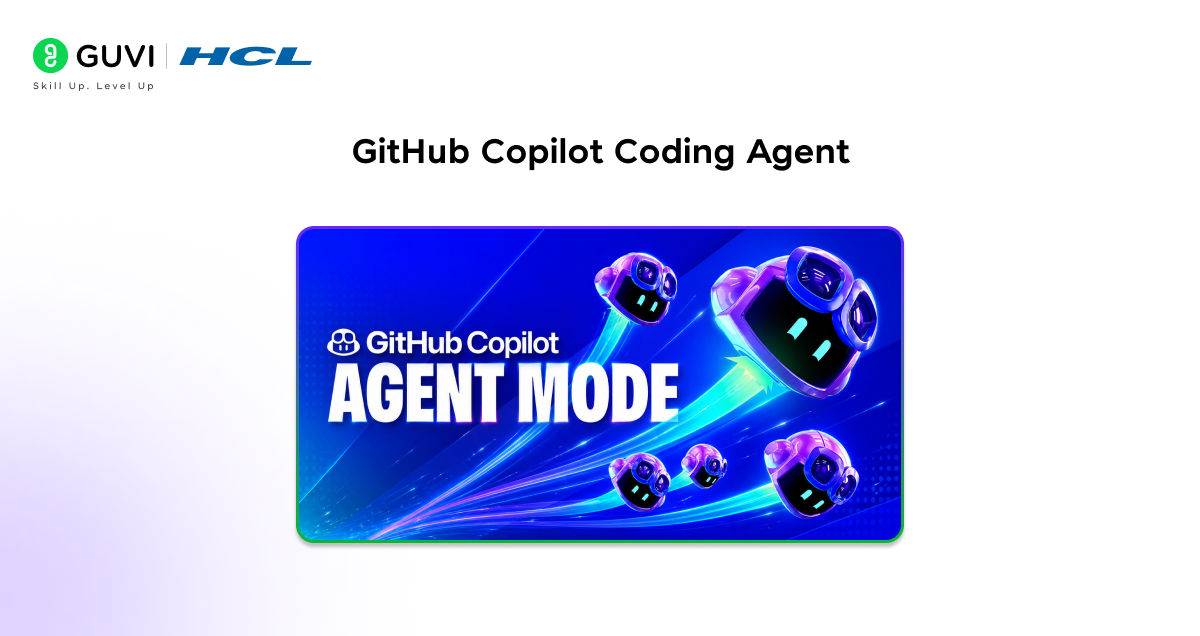
- Copilot’s Evolution to Background Agent
GitHub Copilot has made a dramatic transformation from a smart autocomplete tool into a full background coding agent. Through the Copilot Coding Agent and Agent HQ, developers can now assign a GitHub issue directly to the agent, watch it build a plan, write the code, open a pull request, and pass automated review steps all within the GitHub ecosystem they already know.
- Native GitHub Ecosystem Integration
The defining advantage here is native integration. Your repositories, branches, issues, CI/CD pipelines, and code review processes are already in one place. The Copilot agent extends that existing workflow with minimal configuration overhead, and it integrates cleanly with CodeQL and other security tooling, which matters a great deal for enterprise teams with compliance requirements.
The governance story is also strong audit logs, role-based access controls, and SAML SSO all come standard at the enterprise tier.
Conservative Scope and Tradeoffs
- The tradeoff is that Copilot is intentionally conservative and tightly scoped to the GitHub ecosystem. It doesn’t integrate with design tools, has limited connections to external platforms like Figma or Jira, and isn’t optimized for UI-heavy feature development.
- For teams that genuinely live inside GitHub and want safe, predictable, native background automation without pulling in additional tools, Copilot Coding Agent is the clearest path forward.
3. Devin’s Full Autonomy
Devin, built by Cognition, occupies a different category from most agents on this list. It’s a fully autonomous AI software engineer that operates inside its own cloud sandbox, complete with browser access, a terminal, and a code editor.
When you hand Devin a task, it researches the problem, plans its approach, writes the code, debugs failures, runs tests, and iterates often for long stretches without needing human input. That level of autonomy is genuinely unlike anything else in the market right now.
Shining Use Cases
The use cases where Devin shines tend to be the ones that other agents struggle with:
- Greenfield projects where there’s no existing architecture to follow
- Complex backend logic that requires deep reasoning across many files
- Infrastructure and configuration work
- Tasks that combine external research with implementation
If a task requires looking something up, reading documentation, and then building something based on what it found, Devin can handle that entire chain without stopping to ask for help.
Key Limitations
The honest limitations are worth acknowledging. Devin is not visually aware and has no understanding of design systems or frontend conventions, so UI-heavy features are outside its wheelhouse.
It also works best on well-defined tasks, give it ambiguous requirements or a complex pre-existing architecture, and output quality can degrade. But for the right category of deep engineering challenge, Devin offers a level of autonomous execution that sets it apart.

4. Claude Code’s Terminal-First Approach

Claude Code takes a distinctly different approach from most agents on this list. Rather than living in a browser or a visual IDE, it operates directly in the terminal, giving developers a command-line agent that can run background shells, manage build systems, coordinate subagents, execute dev servers, and handle complex multi-file operations across long-running sessions.
It’s built on Anthropic’s Opus and Sonnet models, which carry some of the strongest reasoning benchmarks in the space; Claude Sonnet 4.5 scored 77.2% on SWE-bench Verified, a substantial lead over competing models.
Spotify’s Success Story
Spotify’s engineering team chose Claude Code as the backbone of their “Honk” background agent system after testing several other approaches:
- Their homegrown agentic loop on top of LLM APIs had hit limitations
- Required rigid file-by-file instructions
- Couldn’t handle complex multi-step edits
When they switched to Claude Code, they were able to use more natural, task-oriented prompts and benefit from its built-in ability to manage to-do lists and spawn subagents. As of late 2025, Claude Code had powered the majority of the background agent pull requests merged into Spotify’s production codebase, across approximately 50 large-scale migrations.
Spotify’s “Honk” system didn’t just generate 1,500+ PRs, it reduced their migration timeline from 6 months to 6 weeks by running 200+ agents in parallel across their monorepo.
Ideal for Complex Migrations
Claude Code is also the best background agent for large codebase migrations, complex refactors, and analysis-heavy tasks that require keeping many files and dependencies in scope simultaneously.
Its Model Context Protocol (MCP) support allows integration with tools like JIRA, GitHub, Sentry, and databases without requiring workflow changes.
The CLI-first design does mean a steeper onboarding curve for teams accustomed to visual IDEs, and the token-based pricing model requires careful budget planning at scale. But for CLI-driven engineering teams tackling difficult, reasoning-intensive tasks, it’s hard to argue with the results.
5. Builder.io’s Frontend Design Bridge
Builder.io occupies a unique space in the background agent landscape because it’s the only tool that bridges frontend development, design systems, Figma integration, and real repository-level execution in a single workflow.
If you have a UI-heavy ticket, a Jira trigger or a Slack mention of the Builder bot kicks off a process that reads the associated Figma frame, uses your actual design system components, generates production-aligned code, and submits a pull request all without you in the loop. A built-in visual preview layer lets design and product teams verify output before it even reaches code review.
2026 Background Capabilities Expansion
The 2026 update to Builder expanded its background capabilities significantly:
- Slack triggers allow developers to tag the Builder bot in a thread and walk away
- Jira ticket assignment automatically initiates branch creation, code generation, and PR submission pipeline
- GitHub integration, Figma sync, and Chrome MCP for browser-based testing all woven into the same workflow
This makes Builder genuinely unique: it’s the only agent that can take a frontend ticket from design to pull request in the background, with visual output that doesn’t require manual verification.
Perfect for Component-Driven Frontend
For teams building component-driven frontend or full-stack applications, especially where design-to-code consistency matters, Builder’s combination of capabilities is hard to replicate with any other single tool. It’s less suited for backend-heavy projects with minimal UI work, where something like Claude Code or Devin would be a better fit.
6. Codex Multi-Surface Coverage

OpenAI’s Codex offering has matured into a multi-surface coding agent with coverage across:
- CLI
- IDE extension for VS Code
- Desktop app
- Cloud-based agent within ChatGPT
Cloud task execution happens inside sandboxed environments preloaded with your repository, and multiple tasks can run in parallel, handling independent workstreams simultaneously. The underlying model members of the GPT-5 family optimized specifically for software engineering perform strongly on SWE-Bench benchmarks.
Breadth of Access and Pricing
The biggest practical advantage Codex has is breadth of access. Teams can move work between terminal, IDE, web interface, and desktop app without losing context. It’s included in ChatGPT plans starting at $20/month no separate subscription needed, with skills extending to CI/CD monitoring, documentation, and issue triage.
Async Execution Model
- Cloud tasks run 1-30 minutes asynchronously
- Perfect for fire-and-check workflows
- Feels slow for rapid iteration on complex work
- Natural fit for OpenAI ecosystem teams
Pro Tip: Choosing Your Background Agent
Match Agent to Your Workflow Needs
The decision comes down to where your highest-value work lives. For backlog tickets, bug fixes, and incremental refactors, start with Cursor it covers broad developer workflows with clean GitHub/Slack/Linear integration.
GitHub-centric teams need a Copilot Coding Agent for native governance, audit trails, and CI/CD. Frontend teams with design-to-code pain should pick Builder.io the only agent handling Figma-to-PR end-to-end.
Ready to Deploy Background Agents?
Join HCL GUVI’s Artificial Intelligence and Machine Learning Course – hands-on training with Cursor, Copilot, Devin. Build 15+ agent projects, master GitHub/Slack triggers, get 1:1 expert sessions + 1000+ partner placements. Start shipping autonomous PRs today.
Final Thoughts
Background agents are here now, writing PRs, running tests, and closing tickets in production. Spotify merged 1,500+ agent PRs, Cursor integrates GitHub, Builder handles Figma-to-PR, and Devin runs autonomous sandboxes.
They’re not replacing developers, they’re automating mechanical tasks like updates, dependency bumps, and boilerplate refactors. This frees humans for judgment, architecture, and contextual work.
Choose the agent that fits your workflow and toolchain. Start small, measure results, and invest in surrounding infrastructure (tests, linters, verification) for real value.
FAQs
1. What is a background agent?
AI that autonomously handles dev tasks (PRs, tests, tickets) via Slack/Jira/GitHub triggers while you work elsewhere.
2. How do they differ from AI coding assistants?
Copilots suggest code → you write. Agents clone repos, execute work, test, and deliver review-ready PRs.
3. Which agent is best for general dev teams?
Cursor – seamless GitHub/Slack integration for bug fixes, features, refactors across most codebases.
4. What’s the production proof that they work?
Spotify’s “Honk” (Claude Code) merged 1,500+ agent PRs by late 2025 across 50+ large migrations.
5. How do I pick the right agent?
– GitHub-only → Copilot
– Frontend/UI → Builder.io
– Complex backend → Devin
– CLI/migrations → Claude Code
Success Stories

About the Author
Lukesh S
A professional content writer who has experience in freelancing and now working as a Technical Content Writer at HCL GUVI having sound knowledge in Blog Writing and Creative Writing!
View all posts by Lukesh S
Connect with me @


















Did you enjoy this article?