


Artificial Intelligence and Machine Learning Articles
AI/ML Skills Gap 2026: Why Companies Can't Find Job-Ready Talent
20 AI/ML Interview Questions Recruiters Can Use Without a Tech Background - Best Guide
How Industry-Backed AI/ML Bootcamps Are Changing the AI/ML Hiring Pipeline - Best Guide 2026
From IT Support to AI Engineer: A Realistic Career Switch Guide 2026


Get In Touch For Details! Request More Information
What is OpenRouter API
Mar 27, 2026 4 Min Read 2315 Views
(Last Updated)
Imagine building an AI application and realizing you need to choose from multiple AI models, each with different APIs, pricing structures, and usage limits. For beginners and even experienced developers, managing these differences can slow down development and make AI integration feel unnecessarily complex. This is where the openrouter api makes things easier.
In this blog, you’ll learn what the openrouter api is, how it works, why developers use it, and its key features in simple terms. The guide is designed for beginners who want to understand how openrouter api helps connect applications to multiple AI models through a single, unified interface without dealing with multiple integrations.
Quick Answer
OpenRouter API lets you use many AI models through one single API instead of connecting to each model separately. It makes building AI apps easier by managing model access and routing for you. This helps beginners and developers save time and reduce complexity while working with AI.
Table of contents
- What is OpenRouter API
- How OpenRouter API Works
- Components of OpenRouter API
- Unified API Interface
- Model Routing System
- Provider Integrations
- Usage Tracking & Billing
- Fallback & Reliability Layer
- Developer Dashboard
- Why OpenRouter API Is Used
- Key Features Of OpenRouter API
- 💡 Did You Know?
- Conclusion
- FAQs
- Is OpenRouter API beginner-friendly?
- Can I switch AI models using OpenRouter API?
- Does OpenRouter API help reduce AI costs?
- Is OpenRouter API reliable for production use?
- Do I need advanced AI knowledge to use the OpenRouter API?
What is OpenRouter API
OpenRouter API is a platform that connects your application to many AI models using just one API. Instead of integrating each model separately, developers can send requests through OpenRouter, which routes them to the appropriate AI model automatically.
For example, if you are building a chatbot, you can start with a low-cost model for testing and later switch to a more powerful model for production without changing your application code. OpenRouter API handles all the routing and model management behind the scenes, making development faster and easier.
How OpenRouter API Works
OpenRouter API works as a middle layer between your application and multiple AI models. When your app sends a request, OpenRouter determines which model should handle it based on your preferences, such as cost, speed, or model capabilities. It then forwards the request, receives the response, and sends it back to your app seamlessly.
For example, if your app needs a simple text response, OpenRouter can route the request to a low-cost model. If it requires advanced reasoning, it can switch to a more powerful model automatically. This process happens in milliseconds, so your app experiences smooth and fast AI responses.
Here’s a step-by-step explanation of how it works:
Step 1: Application Sends Request
Your application sends a request to the Unified API Interface of OpenRouter API. This is a single endpoint, meaning you don’t need to manage separate APIs for each AI model. The request can include the task type, prompt, or other instructions for the AI.
Step 2: Request Received By Model Routing System
Once the request reaches OpenRouter, the Model Routing System decides which AI model will handle it. You can configure rules to select a model based on cost, performance, or availability, or let OpenRouter automatically pick the best one.
Step 3: Integration With AI Providers
OpenRouter then communicates with the chosen AI model via its Provider Integration. This allows your request to be processed without your app needing to know the details of the provider’s API. Multiple providers are supported, so you can experiment and choose the model that suits your needs.
Step 4: Processing And Response
The AI model processes the request and generates a response. OpenRouter ensures this happens efficiently, using its internal mechanisms to optimize latency and reliability. If a model fails or is unavailable, the Fallback & Reliability Layer automatically routes the request to another available model to prevent downtime.
Step 5: Response Sent Back To Application
Once the AI model generates the output, OpenRouter API forwards the response back to your application. This entire process happens in milliseconds, giving a smooth and seamless experience to users.
Step 6: Usage Tracking And Monitoring
While this happens, the Usage Tracking & Billing component records the request and resource usage. Developers can monitor activity, analyze performance, and control costs through the Developer Dashboard, which provides visual insights and usage reports.
If you want to build a strong foundation in AI concepts that go beyond tools like OpenRouter API, HCL GUVI’s Artificial Intelligence and Machine Learning course is a great option. This program helps you understand core AI and ML concepts, model building, and real-world applications through structured learning. It is well suited for beginners who want to move into AI-driven development with confidence.
Components of OpenRouter API
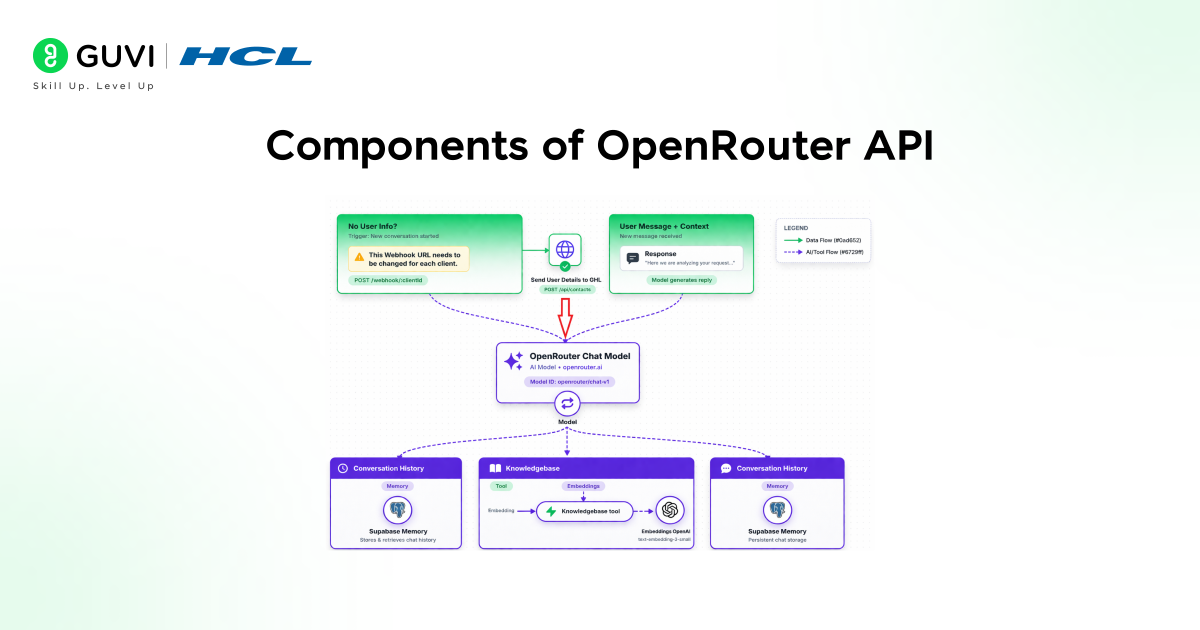
OpenRouter API is built with several key components that work together to simplify access to multiple AI models. Each component focuses on a specific task, like routing requests, tracking usage, or providing developer-friendly tools. Understanding these components helps beginners see how OpenRouter API manages AI model integration efficiently.
1. Unified API Interface
The Unified API Interface is the single endpoint your application interacts with, instead of calling different AI model APIs separately. This makes it easy for developers to connect their applications to multiple models without learning each provider’s API.
Key Features:
- Single API for all connected models
- Simplifies development and reduces integration effort
- Beginner-friendly interface
2. Model Routing System
The Model Routing System decides which AI model should handle each request. You can set rules to choose a model based on cost, performance, or other criteria, or let OpenRouter API make the selection automatically.

Key Features:
- Routes requests to the most appropriate model
- Supports manual or automated selection
- Optimizes cost and performance
3. Provider Integrations
OpenRouter API integrates models from multiple AI providers, giving developers access to a variety of language models without managing each one individually. This provides flexibility for testing and production.
Key Features:
- Supports multiple AI providers and models
- Enables comparison of model performance
- Reduces dependency on a single provider
4. Usage Tracking & Billing
This component monitors how much each AI model is used and provides detailed usage reports. It helps developers control costs, track spending, and avoid unexpected bills when using OpenRouter API.
Key Features:
- Tracks usage for every request
- Provides clear billing and cost insights
- Helps manage AI budgets efficiently
5. Fallback & Reliability Layer
The Fallback and Reliability Layer ensures that if one AI model is unavailable, OpenRouter API automatically routes the request to another available model. This improves reliability and ensures your applications stay operational.
Key Features:
- Automatic failover to another model
- Ensures high availability of AI services
- Improves user experience in production apps
6. Developer Dashboard
The Developer Dashboard provides a visual interface to monitor requests, usage, and costs. It makes managing multiple AI models simple, even for beginners, without requiring command-line expertise.
Key Features:
- Visualizes API requests and model usage
- Monitors spending and performance
- Beginner-friendly management interface
Why OpenRouter API Is Used
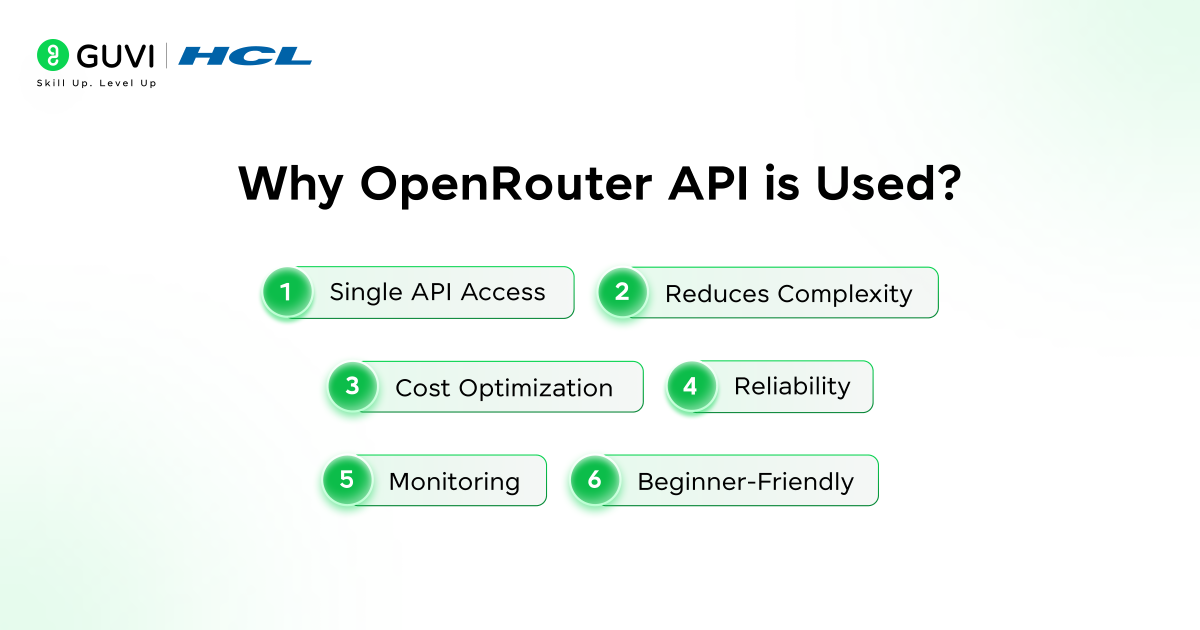
OpenRouter API is used because it solves one of the biggest challenges in AI development: managing multiple AI models with different APIs, pricing, and performance levels. Instead of integrating each model separately, developers can use OpenRouter API to access all of them through a single, unified interface. This saves time, reduces complexity, and makes AI development more accessible for beginners.
Another reason OpenRouter API is popular is its flexibility and cost-efficiency. Developers can route simple tasks to low-cost models and more complex tasks to advanced models, all automatically. It also provides reliability with fallback options, usage tracking, and easy monitoring, making it suitable for both experimentation and production environments.
Key Reasons Why OpenRouter API Is Used:
- Single API Access: Provides a single API for multiple AI models, simplifying integration
- Reduces Complexity: Reduces development time and technical complexity
- Cost Optimization: Optimizes cost by routing tasks to appropriate models
- Reliability: Ensures reliability with fallback and automatic failover
- Monitoring: Offers monitoring and usage tracking for better control
- Beginner-Friendly: Supports beginners and professionals with a simple, unified interface
Key Features Of OpenRouter API
OpenRouter API comes with several powerful features that make AI integration faster, easier, and more flexible. These features allow developers to manage multiple AI models efficiently while reducing complexity and cost.
- Unified API Interface: Lets developers access multiple AI models through a single endpoint
- Automatic Model Routing: Routes requests to the best AI model based on rules or performance
- Multi-Provider Support: Integrates models from different AI providers for flexibility
- Usage Tracking & Billing: Monitors requests and provides cost insights
- Fallback & Reliability: Automatically switches to another model if one fails
Developer Dashboard: Visual interface to monitor requests, usage, and spending
💡 Did You Know?
- OpenRouter API allows testing multiple AI models with the same prompt to compare results.
- OpenRouter processes requests in milliseconds, giving near-instant responses to applications.
- The platform provides visual dashboards, making it easier for beginners to track usage and performance.
Conclusion
OpenRouter API simplifies AI development by providing a single interface to access multiple AI models, removing the need to manage separate APIs. Its flexibility, reliability, and cost optimization make it suitable for both beginners and experienced developers building AI-powered applications.
By using OpenRouter API, developers can focus on creating features and improving user experience, while the platform handles model selection, routing, and monitoring in the background. This makes building, testing, and scaling AI applications faster, easier, and more efficient.
FAQs
1. Is OpenRouter API beginner-friendly?
Yes, OpenRouter API is designed to be simple and beginner-friendly, with a single API interface and a visual dashboard for monitoring usage.
2. Can I switch AI models using OpenRouter API?
Yes, you can switch between multiple AI models easily without changing your application code.
3. Does OpenRouter API help reduce AI costs?
Yes, it allows routing simpler tasks to cheaper models and optimizes usage to save costs.
4. Is OpenRouter API reliable for production use?
Yes, it includes a fallback layer that automatically routes requests to another model if one fails, ensuring reliability.
5. Do I need advanced AI knowledge to use the OpenRouter API?
No, basic API knowledge is enough to start using OpenRouter API effectively.
Success Stories

About the Author
Jebasta
I translate the language of data into stories that anyone can understand. As a writer with a data science background, I simplify analytics, AI, and decision-making so beginners and enthusiasts can confidently explore the world of data.
View all posts by Jebasta
Connect with me @










Did you enjoy this article?