


DevOps Articles
My DevOps Interview Experience at MAANG: From Rejection to Success [2026]
What is Ansible in DevOps? A Complete Practical Guide
Azure DevOps Lifecycle: 7 Stages from Planning to Deployment

Get In Touch For Details! Request More Information
Have you ever heard someone say, “It works on my system, but not on the server”? This is one of the most common problems in software development, where an application behaves differently in different environments. Docker in DevOps was created to solve exactly this issue by making applications run the same way everywhere.
This blog is for beginners and DevOps learners who want to clearly understand Docker in DevOps without confusion. You will learn what Docker is, why it is important in DevOps workflows, how it works in simple terms, and how it is used in real-world deployment and automation.
Quick Answer
Docker in DevOps is a platform that packages an application along with its dependencies into a container so it runs the same everywhere. This removes environment-related issues and makes development, testing, and deployment consistent across systems. As a result, teams can release software faster, more reliably, and with fewer errors.
Table of contents
- What Is Docker In DevOps
- Why Docker Is Used In DevOps
- How Docker Works In DevOps
- Writing A Dockerfile
- Building A Docker Image
- Storing The Docker Image
- Creating A Docker Container
- Running The Application Inside The Container
- Stopping Or Recreating Containers
- How It Is Used In Real-World Deployment And Automation
- 💡 Did You Know?
- Conclusion
- FAQs
- When should a team choose docker over traditional deployment methods?
- What problems does docker solve that developers usually notice too late?
- Is docker still useful if you are not working with microservices?
- How does docker impact application performance in production?
- What skills should be learned alongside docker to be industry-ready?
What Is Docker In DevOps
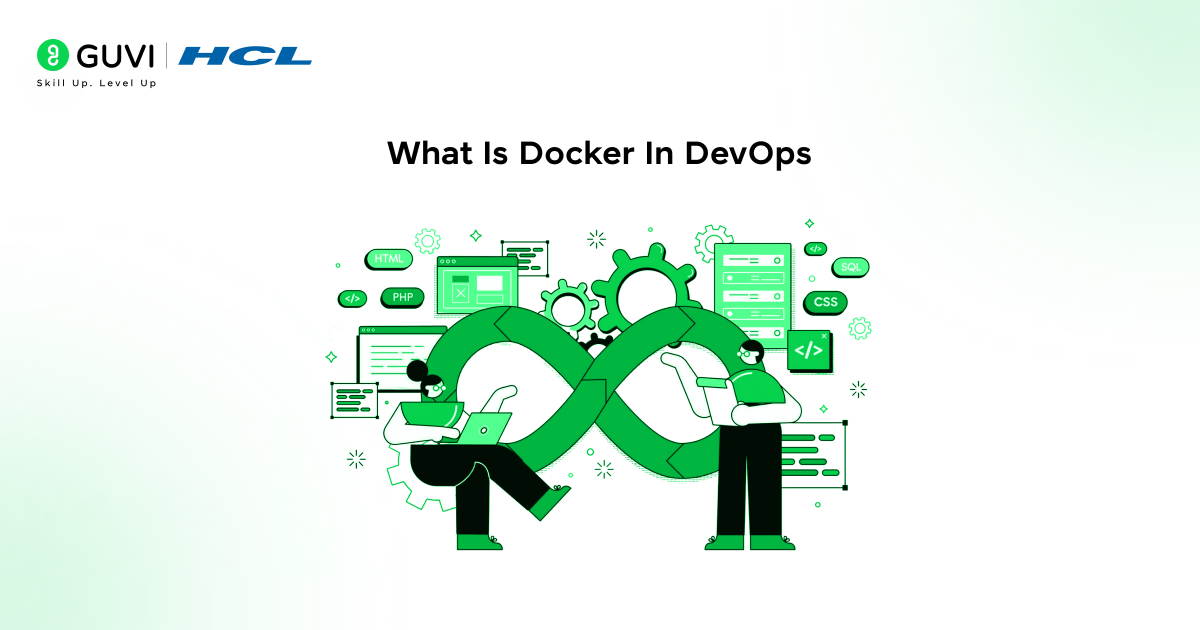
Docker in DevOps is a containerization platform that allows applications to be packaged along with their required libraries, dependencies, and configuration into a single container. This container includes everything the application needs to run, regardless of the system or environment.
In simple terms, Docker in DevOps bundles an application and its setup together so it can run consistently on any machine. The same Docker container can be moved across systems without changing the application configuration.
Example: A Python application that depends on a specific Python version and libraries can be packaged using Docker in DevOps. When the container is run on another system, the application runs with the same environment without reinstalling anything.
Why Docker Is Used In DevOps
Docker is widely used in DevOps because it helps teams manage applications more easily across different environments. By using containers, DevOps teams can reduce errors, speed up deployment, and ensure applications behave consistently from development to production.
Key Reasons
- Environment Consistency – Docker in DevOps ensures the application runs the same way on every system, avoiding environment mismatch issues.
- Faster Deployment – Containers are lightweight and start quickly, making application releases faster.
- Simplified Application Setup – All dependencies are packaged together, so no repeated manual installations are needed.
- Better Team Collaboration – Developers and operations teams work with the same Docker containers, reducing confusion.
- Supports CI/CD Pipelines – Docker integrates smoothly with automation tools used in continuous integration and deployment.
Do check out HCL GUVI’s DevOps eBook, which explains core DevOps concepts including Docker, containerization, and automation in a beginner-friendly way. The eBook breaks down practical ideas into simple explanations, helping you understand how DevOps tools fit together in real workflows.
How Docker Works In DevOps
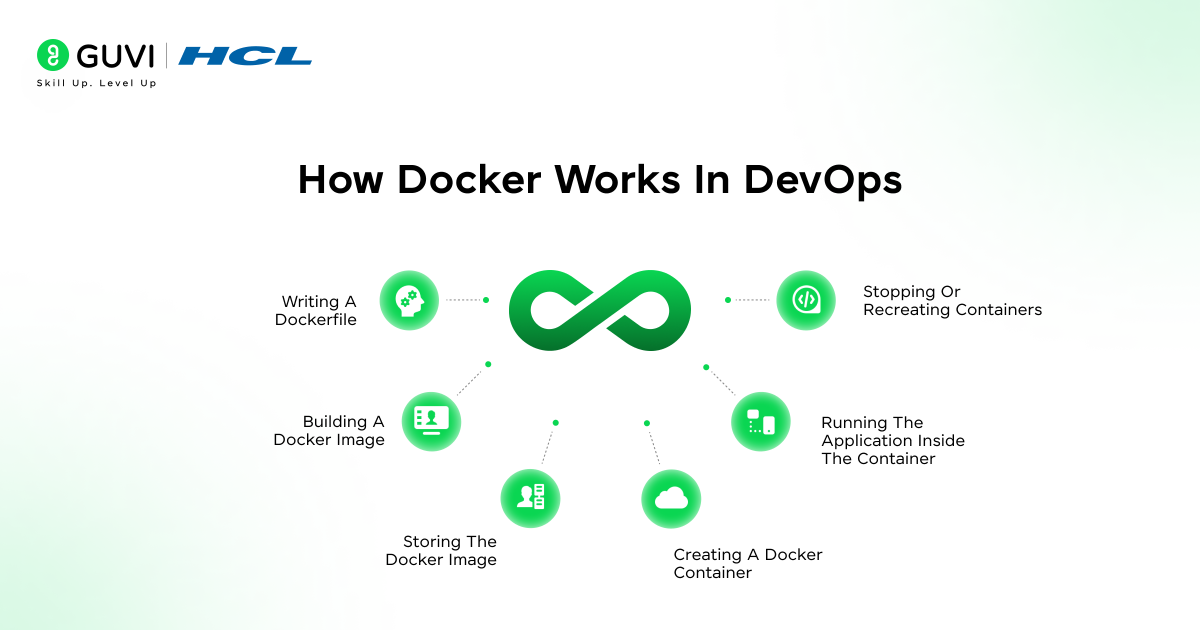
Docker in DevOps works by following a clear step-by-step process that takes an application from source code to a running container. Each step builds on the previous one, which makes Docker easy to understand even for beginners in DevOps.

1. Writing A Dockerfile
The process starts with creating a Dockerfile. A Dockerfile is a simple text file that contains instructions on how the application should be set up. It defines the base software, required libraries, dependencies, environment settings, and the command to run the application. This file acts as the blueprint for building the application container.
Key Points
- Defines the base image, dependencies, and commands
- Written as a plain text file named Dockerfile
- Uses predefined Docker instructions
Common Keywords / Instructions
- FROM – Specifies the base image on which the application will run
- RUN – Executes commands to install dependencies during image creation
- COPY – Copies files from the local system into the image
- CMD – Defines the default command to run when the container starts
- ENTRYPOINT – Sets the main executable for the container
2. Building A Docker Image
Once the Dockerfile is ready, Docker uses it to build a Docker image. A Docker image is a packaged version of the application that includes the code and everything needed to run it. This image is read-only and serves as a reusable template that ensures the application setup remains consistent.
Key Points
- Converts Dockerfile instructions into an image
- Image remains unchanged once built
- Same image can be reused multiple times
Common Command
docker build -t image_name .
Builds a Docker image from the Dockerfile in the current directory
3. Storing The Docker Image
After the image is created, it is usually stored in a Docker registry. A registry is a place where Docker images are saved and shared. This allows DevOps teams to pull the same image on different systems without rebuilding it again, ensuring consistency across environments.
Key Points
- Images are stored centrally
- Enables sharing across teams and servers
- Supports versioning of images
Common Keywords / Platforms
- Docker Hub – Public registry for sharing Docker images
- Private Registry – Secure storage for internal Docker images
- Image tags – Used to manage different versions of an image
Common Command
docker push image_name
Uploads the Docker image to a registry
4. Creating A Docker Container
A Docker container is created by running a Docker image. The container is the live, running instance of the application. It operates in an isolated environment, which means it does not interfere with other applications running on the same system.
Key Points
- Container is created from an image
- Runs in isolation
- Multiple containers can use the same image
Common Command
docker run image_name
Creates and starts a container from the specified image
5. Running The Application Inside The Container
When the container starts, the application runs using the exact setup defined in the image. Since the container includes all dependencies and configurations, the application behaves the same way regardless of where it is deployed. This step is where Docker ensures consistency and reliability.
Key Points
- Application runs exactly as defined
- No dependency mismatch issues
- Same behavior across environments
Common Keywords
- Container logs – Used to view application output and errors
- Port mapping – Connects container ports to host system ports
- Environment variables – Pass configuration values to the application
6. Stopping Or Recreating Containers
Containers can be stopped, removed, or recreated whenever needed. If an update is required, a new image is built and a new container is launched. This makes application updates clean, fast, and repeatable in DevOps environments.
Key Points
- Containers are temporary and replaceable
- Updates are handled by rebuilding images
- Old containers can be safely removed
Common Commands
docker stop container_id
docker rm container_id
- docker stop – Stops a running container safely
- docker rm – Removes a stopped container from the system
How It Is Used In Real-World Deployment And Automation
Docker is used in real-world DevOps workflows to deploy web applications, automate CI/CD pipelines, manage microservices, scale cloud-based systems, and perform fast rollbacks during failures. Companies rely on Docker in DevOps to ensure consistent releases across environments, reduce deployment errors, and automate application delivery from development to production.
1. Consistent Application Deployment
Docker bundles the application, libraries, and dependencies into a single container. This makes sure the application behaves the same across development, testing, and production environments, eliminating environment-related deployment failures.
2. Automated CI/CD Pipelines
Docker is integrated into CI/CD pipelines to automate building, testing, and deploying applications. Every code change generates a new container image, making releases faster, repeatable, and less dependent on manual steps.
3. Scalable Production Environments
Docker in DevOps allows applications to scale easily by running multiple containers of the same service. Based on user traffic or load, containers can be started or stopped automatically, ensuring high availability and better performance.
4. Zero-Downtime Application Updates
Docker enables rolling updates where new containers replace old ones gradually. If something goes wrong, teams can instantly roll back to a previous container version without stopping the entire application.
5. Deployment Automation And Monitoring
Docker in DevOps simplifies automation by standardizing how applications are started, stopped, and monitored. Containers make it easier to track logs, resource usage, and health checks, helping DevOps teams maintain stable systems.
Do check out HCL GUVI’s DevOps Course, which focuses on teaching Docker as it is actually used in real DevOps environments. The course covers containerization, automation, and deployment practices that align with modern DevOps workflows. It is suitable for learners who want practical, industry-relevant DevOps skills.
💡 Did You Know?
- Docker was originally created to solve the “works on my machine” problem, where applications behaved differently across systems.
- Docker played a major role in making microservices architecture practical and scalable in real-world systems.
- Before Docker, deployments often took hours or days, but with Docker-based CI/CD pipelines, teams now deploy updates multiple times a day.
Conclusion
Docker helps developers and DevOps teams package applications with all required dependencies, making them run the same way across development, testing, and production environments. This consistency reduces common deployment issues and makes application delivery faster and more reliable.
For beginners learning DevOps, Docker is a foundational tool that introduces containerization, automation, and modern deployment practices. Understanding Docker makes it easier to work with cloud platforms, CI/CD pipelines, and scalable real-world applications.
FAQs
1. When should a team choose docker over traditional deployment methods?
This question helps readers understand decision-making in real projects rather than just knowing what Docker is.
2. What problems does docker solve that developers usually notice too late?
This focuses on real pain points like environment mismatch, scaling issues, and deployment failures.
3. Is docker still useful if you are not working with microservices?
Many beginners assume Docker is only for microservices, so this clears a common confusion.
4. How does docker impact application performance in production?
Performance is a genuine concern for developers, and this question adds practical value.
5. What skills should be learned alongside docker to be industry-ready?
This pushes readers to think beyond Docker and connects learning to real job expectations.
Success Stories

About the Author
Jebasta
I translate the language of data into stories that anyone can understand. As a writer with a data science background, I simplify analytics, AI, and decision-making so beginners and enthusiasts can confidently explore the world of data.
View all posts by Jebasta
Connect with me @











Did you enjoy this article?