


DevOps Articles
My DevOps Interview Experience at MAANG: From Rejection to Success [2026]
What is Ansible in DevOps? A Complete Practical Guide
Azure DevOps Lifecycle: 7 Stages from Planning to Deployment


Get In Touch For Details! Request More Information
What is a DevOps Pipeline? A Complete Practical Guide
Mar 02, 2026 5 Min Read 427 Views
(Last Updated)
Have you ever wondered why some teams can push changes to production multiple times a day while others struggle with risky, once-a-month releases? The difference usually isn’t talent or tools.
It’s how well their DevOps pipeline is designed and integrated into the overall DevOps lifecycle. A pipeline is what turns planning into code, code into reliable builds, and builds into safe deployments. When done right, it becomes the silent system that keeps teams moving fast without losing control.
A DevOps pipeline is an automated workflow that moves code from development to production through stages like build, test, and deployment, ensuring software is delivered faster, consistently, and with fewer errors. That is what we are going to see in-depth in this article!
Table of contents
- Why DevOps Pipeline Matters?
- What Exactly is a DevOps Pipeline?
- DevOps Pipeline vs Manual Workflow
- How a DevOps Pipeline Fits into the DevOps Lifecycle?
- Planning to Code: Where Pipelines Begin
- Code to Build: Enforcing Consistency
- Build to Test: Shifting Quality Left
- Release and Deploy: From Readiness to Reality
- Operate and Monitor: Closing the Loop
- Common Tools Used in DevOps Pipelines
- Version Control Tools
- CI/CD Orchestration Tools
- Build and Dependency Management Tools
- Containerization and Image Management
- Monitoring and Observability Tools
- Designing an Effective DevOps Pipeline
- Start with Clear Objectives
- Keep the Pipeline Fast and Focused
- Design for Failure, Not Perfection
- Use Pipeline as Code
- Add Security and Quality Gradually
- Continuously Improve the Pipeline
- Common Mistakes Teams Make with Pipelines
- Overengineering the Pipeline Too Early
- Ignoring Pipeline Performance
- Treating Pipelines as an Operations-Only Responsibility
- Weak or Unreliable Automated Tests
- Skipping Monitoring and Feedback
- Conclusion
- FAQs
- What is a DevOps pipeline?
- What is the difference between CI/CD and a DevOps pipeline?
- Why is a pipeline important in DevOps?
- What are the main stages of a DevOps pipeline?
- Is a DevOps pipeline only for large teams?
Why DevOps Pipeline Matters?
DevOps exists to remove friction between development and operations. Without a pipeline, that friction comes back in familiar forms:
- Manual builds that work on one machine but fail elsewhere
- Last-minute testing that catches issues too late
- Risky deployments done under pressure
- Rollbacks that take hours instead of minutes
A pipeline solves this by enforcing discipline through automation.
When you have a pipeline:
- Every code change follows the same path
- Every build is reproducible
- Every deployment is predictable
What this really means is trust. You trust the process instead of relying on heroics.
What Exactly is a DevOps Pipeline?
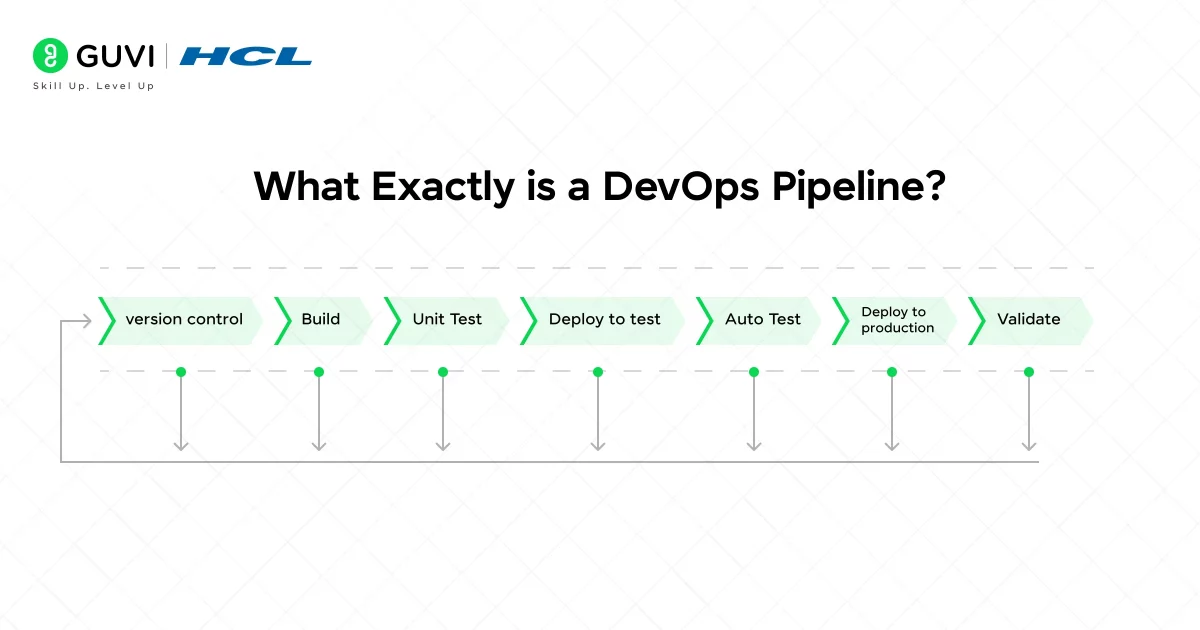
A DevOps pipeline is an automated workflow that takes source code through multiple stages such as build, test, and deployment until it reaches production.
Each stage has:
- A clear purpose
- Automated checks
- Defined success or failure criteria
If a stage fails, the pipeline stops. That’s not a drawback. That’s the whole point.
DevOps Pipeline vs Manual Workflow
Here’s a quick comparison to make it concrete:
| Manual Workflow | DevOps Pipeline |
| Steps vary by person | Steps are standardized |
| Errors found late | Errors found early |
| Deployments are risky | Deployments are routine |
| Hard to scale | Designed to scale |
The pipeline is not just automation. It’s automation with intent.
If you are in the beginning stage where you are learning DevOps, then this blog is for you – Best Ways to Learn DevOps
How a DevOps Pipeline Fits into the DevOps Lifecycle?
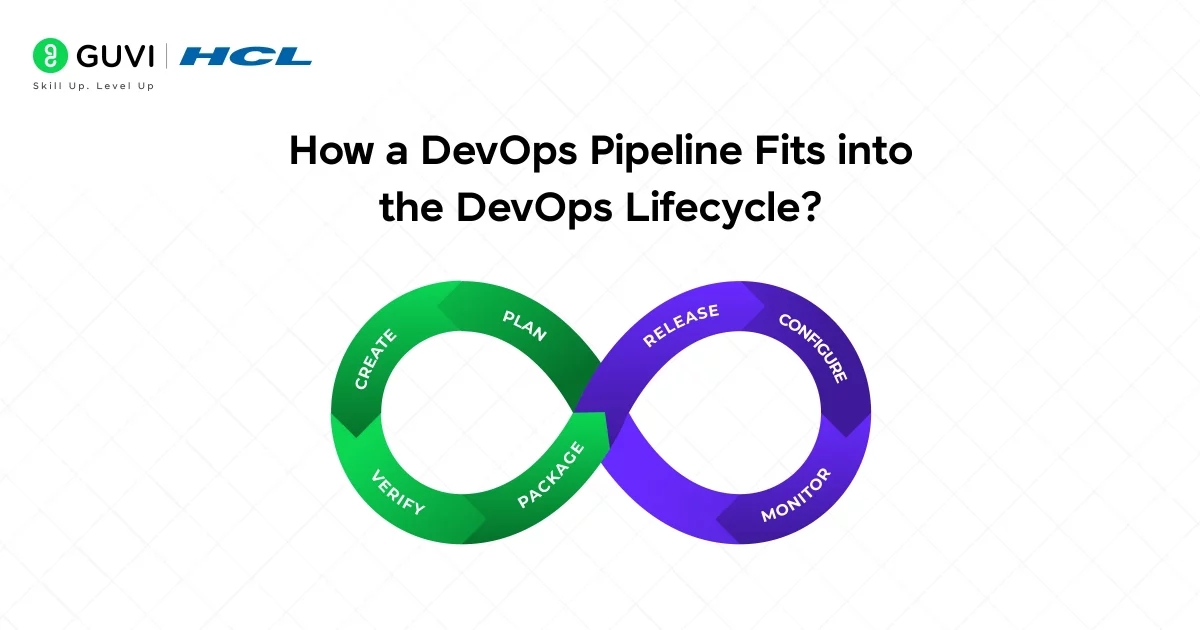
To really understand pipelines, you need to stop thinking of DevOps as a set of tools and start thinking of it as a continuous lifecycle. A DevOps pipeline is the mechanism that connects each phase of this lifecycle and ensures that nothing happens in isolation.
At a high level, the DevOps lifecycle includes planning, coding, building, testing, releasing, deploying, operating, and monitoring. Without a pipeline, these phases often become disconnected handoffs. With a pipeline, they become a single, flowing system.

1. Planning to Code: Where Pipelines Begin
The lifecycle starts with planning and development, even though the pipeline doesn’t execute yet.
- Product requirements are finalized
- Tasks are created and assigned
- Developers begin writing code
Once a developer pushes code to the repository, the pipeline comes alive. This is the first major integration point between human decisions and automated execution.
What this means for you:
- Every code change becomes traceable
- No code enters the system silently
- Collaboration improves because changes are visible immediately
2. Code to Build: Enforcing Consistency
As soon as the code is committed, the pipeline triggers the build stage.
Here’s what happens at this point:
- Dependencies are resolved
- Code is compiled or packaged
- Artifacts are generated in a repeatable way
This stage ensures that what works on your local machine also works in a controlled environment. It removes the “it worked for me” problem entirely.
In the DevOps lifecycle, this is where standardization replaces individual habits.
3. Build to Test: Shifting Quality Left
Testing used to be a late-stage activity. Pipelines changed that.
In a modern DevOps lifecycle:
- Unit tests validate logic early
- Integration tests validate interactions
- Automated checks catch regressions instantly
By embedding testing into the pipeline, quality becomes a continuous activity, not a final checkpoint. This allows teams to detect problems when they are cheapest and easiest to fix.
4. Release and Deploy: From Readiness to Reality
Once code passes all automated checks, the pipeline moves it closer to production.
Depending on your setup:
- Releases may require approvals
- Deployments may be automatic or staged
- Rollbacks may be preconfigured
This is where the pipeline connects development with operations. The lifecycle stops being linear and starts behaving like a loop, where feedback is immediate.
5. Operate and Monitor: Closing the Loop
The final stages of the DevOps lifecycle are operation and monitoring. Pipelines integrate with monitoring tools to:
- Track application health
- Measure performance
- Detect failures or anomalies
This data flows back into planning and development. That feedback loop is what makes DevOps sustainable over time.
In short, the pipeline doesn’t just support the lifecycle. It enforces it.
Common Tools Used in DevOps Pipelines
DevOps pipelines are built using a combination of tools, each serving a specific purpose. While tools evolve, their roles remain largely the same.
The important thing to remember is this: tools enable pipelines, but pipelines define behavior.
1. Version Control Tools
Version control is the foundation of any pipeline.
Commonly used tools:
- GitHub
- GitLab
- Bitbucket
These tools:
- Store source code
- Track changes
- Trigger pipelines automatically
Without strong version control, automation simply isn’t reliable.
2. CI/CD Orchestration Tools
These CI/CD tools define and manage the pipeline itself.
Popular options include:
- Jenkins
- GitHub Actions
- GitLab CI/CD
Their responsibilities include:
- Running pipeline stages
- Managing dependencies between steps
- Reporting pipeline status
Think of these tools as the conductor of the pipeline orchestra.
3. Build and Dependency Management Tools
Build tools transform source code into executable artifacts.
Examples include:
- Maven and Gradle for Java
- npm and Yarn for JavaScript
- Pip for Python
They ensure that:
- Builds are repeatable
- Dependencies are consistent
- Artifacts are versioned correctly
4. Containerization and Image Management
Modern pipelines often rely on containers.
Key tools:
- Docker
- Kubernetes
Containers allow pipelines to:
- Package applications with their dependencies
- Run consistently across environments
- Scale deployments efficiently
5. Monitoring and Observability Tools
Pipelines don’t end at deployment. Monitoring tools provide feedback.
Common capabilities include:
- Logging
- Metrics collection
- Alerting
This visibility is critical for maintaining system reliability and improving future pipeline iterations.
If you want to read more about how Pipeline works effectively in DevOps and makes life easier, consider reading HCL GUVI’s Free DevOps eBook for Beginners: A Step-by-Step Guide, which covers the basic fundamentals of DevOps like version control, CI/CD, containerization, orchestration, and many more.
Designing an Effective DevOps Pipeline
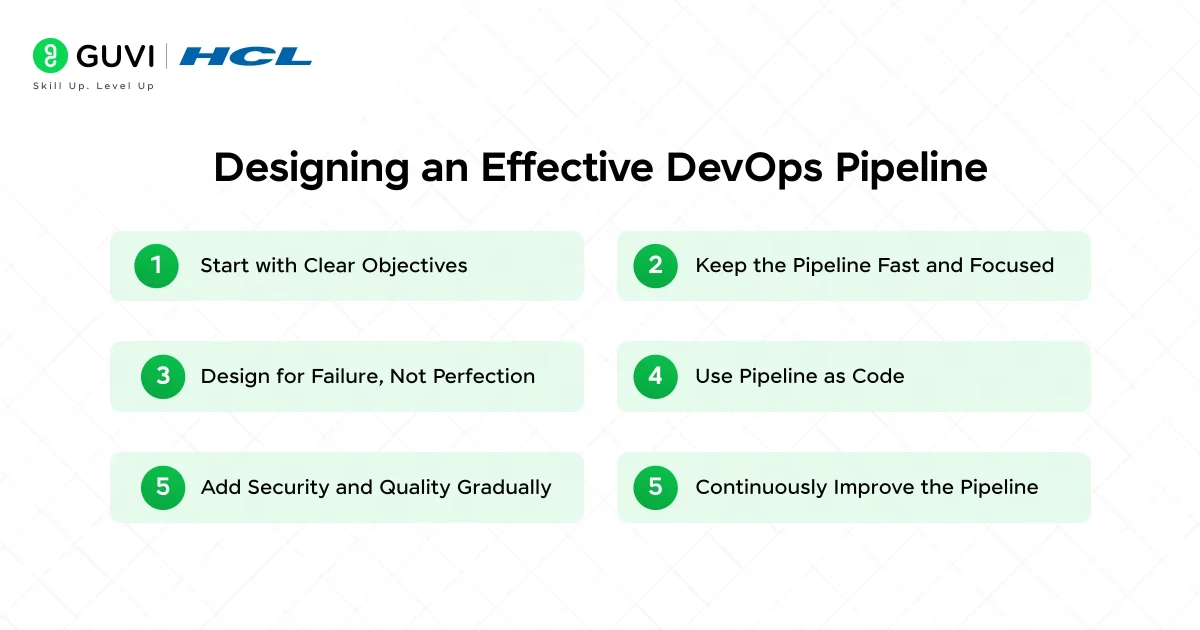
Designing a DevOps pipeline is an engineering task, not a checkbox exercise. A poorly designed pipeline can slow teams down just as much as no pipeline at all.
The goal is balance: speed, safety, and simplicity.
1. Start with Clear Objectives
Before choosing tools or writing configurations, ask:
- What problems are we solving?
- How fast do we need feedback?
- What level of risk is acceptable?
Your answers determine pipeline complexity.
2. Keep the Pipeline Fast and Focused
Speed matters because slow pipelines discourage usage.
Best practices include:
- Parallelizing independent tests
- Caching dependencies
- Avoiding redundant steps
If developers bypass the pipeline to save time, the pipeline has failed its purpose.
3. Design for Failure, Not Perfection
Failures are not exceptions. They are signals.
An effective pipeline:
- Fails early
- Fails clearly
- Provides actionable error messages
You should know what broke and why within minutes, not hours.
4. Use Pipeline as Code
Defining pipelines in code offers several advantages:
- Version control
- Peer reviews
- Traceability
- Easier rollback of pipeline changes
This approach treats the pipeline as a first-class citizen, not an afterthought.
5. Add Security and Quality Gradually
Security checks, code quality gates, and compliance rules are essential, but timing matters.
A smart approach:
- Start with basic checks
- Add deeper scans as the pipeline stabilizes
- Avoid overwhelming teams early
Security works best when it’s integrated, not imposed.
6. Continuously Improve the Pipeline
A pipeline is never finished.
Regular improvements should focus on:
- Reducing execution time
- Improving test reliability
- Simplifying maintenance
The best pipelines evolve alongside the teams that use them.
Common Mistakes Teams Make with Pipelines
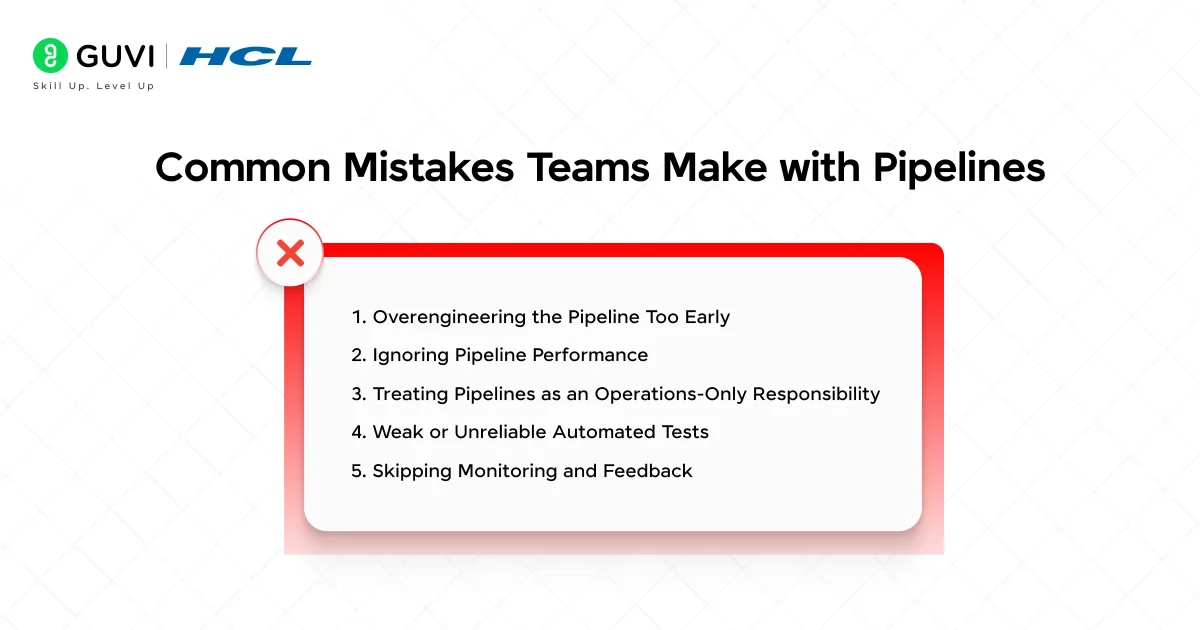
DevOps pipelines are meant to simplify software delivery, but when designed poorly, they can become a source of frustration instead of efficiency. Many teams adopt pipelines quickly without fully understanding how they should evolve with the product and the team. The result is automation that looks impressive but doesn’t actually help.
Here are some of the most common mistakes teams make and why they matter.
1. Overengineering the Pipeline Too Early
One of the biggest mistakes is building a highly complex pipeline at the very beginning.
- Adding too many stages before they are needed
- Introducing advanced security scans without baseline stability
- Creating heavy approval workflows for small changes
In early stages, complexity slows teams down. A pipeline should grow as the product and risk profile grow, not before.
2. Ignoring Pipeline Performance
A slow pipeline discourages usage, no matter how well it is designed.
Teams often make mistakes like:
- Running all tests sequentially instead of in parallel
- Rebuilding dependencies on every run
- Triggering full pipelines for small documentation changes
When feedback takes too long, developers delay commits or bypass the pipeline, which defeats its purpose.
3. Treating Pipelines as an Operations-Only Responsibility
Pipelines are sometimes owned entirely by operations or DevOps teams, while developers treat them as someone else’s problem.
This leads to:
- Pipelines that don’t reflect real development workflows
- Poorly written tests that slow everyone down
- Delayed fixes when pipelines break
Effective pipelines require shared ownership. Developers should feel responsible for pipeline health just as much as they do for application code.
4. Weak or Unreliable Automated Tests
Automation is only as good as the tests it runs.
Common issues include:
- Flaky tests that fail randomly
- Tests that don’t reflect real-world usage
- Too much reliance on manual testing after pipeline success
These problems create false confidence and increase the risk of production issues.
5. Skipping Monitoring and Feedback
Many teams stop caring about the pipeline once deployment succeeds.
This is a mistake because:
- Failures often appear after release, not during deployment
- Performance issues may go unnoticed
- Teams miss valuable feedback for future improvements
A pipeline should connect directly to monitoring and alerting systems so learning continues even after release.
If you are serious about mastering DevOps and want to make a career out of it, consider enrolling in HCL GUVI’s DevOps & Cloud Engineering Course that lets you start from scratch with Mentor guidance and helps you build an enriched Portfolio that resonates with recruiters.
Conclusion
In conclusion, a DevOps pipeline is more than an automated workflow. It is the practical expression of the DevOps mindset. By fitting seamlessly into the DevOps lifecycle, using the right set of tools, and being designed with speed, clarity, and feedback in mind, a pipeline brings predictability to software delivery.
When you invest time in designing and evolving your pipeline, you reduce manual effort, catch issues earlier, and create a development process that scales with both your product and your team. In the long run, a well-built pipeline doesn’t just ship code faster. It builds confidence in every release.
FAQs
1. What is a DevOps pipeline?
A DevOps pipeline is an automated sequence of steps that moves code from development to production. It typically includes build, test, and deployment stages. The goal is to deliver software faster and more reliably.
2. What is the difference between CI/CD and a DevOps pipeline?
CI/CD refers to specific practices like continuous integration and delivery or deployment. A DevOps pipeline is the broader workflow that implements these practices end to end. CI/CD is a core part of the pipeline, not the whole thing.
3. Why is a pipeline important in DevOps?
A pipeline reduces manual work and human error by automating repetitive tasks. It helps teams catch issues early and release updates consistently. This leads to faster delivery and higher software quality.
4. What are the main stages of a DevOps pipeline?
The main stages usually include source code management, build, testing, release, deployment, and monitoring. Some pipelines also include security and quality checks. The exact stages depend on team needs and maturity.
5. Is a DevOps pipeline only for large teams?
No, pipelines are useful for teams of any size. Small teams benefit from faster feedback and fewer mistakes. Large teams rely on pipelines for consistency and scalability across multiple projects.
Success Stories

About the Author
Lukesh S
A professional content writer who has experience in freelancing and now working as a Technical Content Writer at HCL GUVI having sound knowledge in Blog Writing and Creative Writing!
View all posts by Lukesh S
Connect with me @















Did you enjoy this article?