


Artificial Intelligence and Machine Learning Articles
RAG vs LLM: Key Technical Differences Explained
Secure Architecture for LLM Agents: Least Privilege, Sandboxing & Agent Safety
How I Switched from Web Developer to ML Engineer (A Web Developer's Real Story)
How to Build Your First ML Powered Web App (Even If You're Not a Data Scientist)


Get In Touch For Details! Request More Information

What Are AI Artifacts? A Complete Beginner’s Guide
Nov 17, 2025 6 Min Read 2250 Views
(Last Updated)
Have you ever wondered what really happens behind the scenes when an AI model creates something: a prediction, an image, or even a sentence? Every one of those actions leaves traces, like digital footprints.
These traces are called AI artifacts, and they tell the story of how an AI system learns, decides, and sometimes even makes mistakes. Whether you’re building AI tools for education, content creation, or analytics, understanding these artifacts isn’t just technical trivia, it’s the key to building systems that are transparent, fair, and easy to trust.
In this article, let’s unpack what they are, why they matter, and how you can manage them wisely. So, without further ado, let us get started!
Table of contents
- What are AI Artifacts?
- Why this matters
- Why We Need to Talk About AI Artifacts
- Transparency and Trust
- Quality Control
- Accountability and Ethics
- Smarter Reuse and Deployment
- Better Collaboration
- Types of AI Artifacts
- Data Artifacts
- Model Artifacts
- Behavioral Artifacts
- Interface Artifacts
- Ethical and Social Artifacts
- How AI Artifacts Fit Into the Workflow
- Phase 1: Data Collection & Preprocessing
- Phase 2: Model Training
- Phase 3: Evaluation & Testing
- Phase 4: Deployment
- Phase 5: Maintenance & Continuous Learning
- Best Practices for Managing AI Artifacts
- Challenges & Pitfalls You Should Know
- Conclusion
- FAQs
- What exactly is an “AI artifact”?
- Why should I care about AI artifacts in my project?
- What types of AI artifacts are there?
- How do AI artifacts fit into the development workflow?
- What are the best practices for managing AI artifacts?
What are AI Artifacts?
In software engineering and machine learning, an artifact is commonly defined as any by-product or output of a process.
Think of it like this: whenever you build, train, or use an AI system, it produces certain things. Some are obvious, like a trained model file, a report, or an image generated by an AI. Others are hidden, like logs, data patterns, or even weird model behaviors. All of these are AI artifacts.
To put it another way, an AI artifact is any tangible or digital outcome that comes out of an AI process, whether you meant to create it or not.
Here are a few quick examples to make it concrete:
- When you train a model, the weights and checkpoints it saves are artifacts.
- The dataset you used and how it was cleaned or labeled is another artifact.
- The outputs generated by AI, like essays, code, or images, are all artifacts too.
- Even the bias or error patterns your AI develops count as artifacts, because they’re products of the system’s training and data.
You can think of these as the footprints of your AI. Wherever it goes, it leaves behind evidence, and those traces can tell you a lot about how it works, what it learned, and where it might go wrong.
Why this matters
Because AI artifacts are the “stuff” your system is made of and produces, they form the foundation for understanding, debugging, improving, and even trusting your AI. Without paying attention to them, you’re essentially flying blind.
Why We Need to Talk About AI Artifacts

Here’s the thing: AI artifacts aren’t just technical leftovers, they’re the story of your system. Every time an AI model makes a decision, it does so based on artifacts that were shaped by the data, the training, and the people behind it.
So why talk about them? Because they reveal what’s really happening inside your AI. Let’s break it down:
1. Transparency and Trust
If you’ve ever wondered, “Why did the AI say that?”, the answer is hidden in its artifacts. Understanding them helps you trace back decisions, check how data was used, and build systems that people can actually trust.
2. Quality Control
Good artifacts mean good AI. Bad artifacts like biased data, messy logs, or poor documentation lead to weak, unreliable models. When you keep tabs on your artifacts, you’re basically giving your AI regular health checkups.
3. Accountability and Ethics
Here’s a tough truth: AI systems can unintentionally learn and reproduce harmful biases. These biases show up as artifacts in the data, in the model’s responses, or in how it behaves with certain users. Talking about artifacts helps us see and fix those issues before they cause real damage.

4. Smarter Reuse and Deployment
When you document and manage your artifacts properly, you can reuse models, datasets, and even learning pipelines across projects. It’s like keeping a tidy toolkit, you know where everything is, and you don’t waste time rebuilding from scratch.
5. Better Collaboration
In a team setting, especially in ed-tech, multiple people touch the AI lifecycle: data engineers, content creators, and product folks. Artifacts act as the shared language between them. They make it easier to understand what’s been built, what’s running, and what’s breaking.
If something goes wrong, artifacts are your breadcrumbs back to the cause. If something goes right, artifacts are your proof of what worked.
Types of AI Artifacts
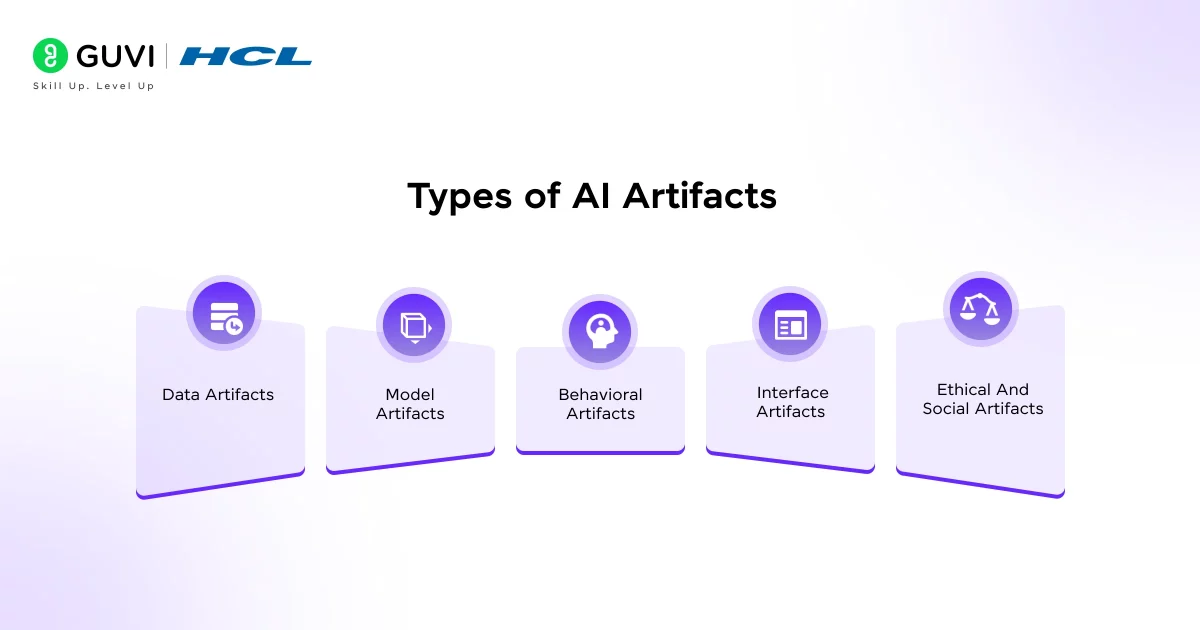
Now that you know what AI artifacts are, let’s talk about the different kinds you’ll run into. The truth is, AI doesn’t leave just one type of trace, it creates a whole ecosystem of outputs, files, and even behaviours. Some are easy to spot. Others quietly sit in the background until something breaks.
Let’s go through them one by one.
1. Data Artifacts
Data artifacts are all the things related to the information your AI consumes or produces, including the datasets you collect, the cleaned versions you store, and the patterns the model finds while learning.
Examples:
- Raw and processed datasets
- Feature extraction files
- Data cleaning logs
- Metadata about where the data came from
Why they matter: Data artifacts are the foundation of everything else. If your data is biased, incomplete, or mislabeled, your AI will carry those flaws forward, no matter how sophisticated your model is.
Here’s a simple rule: garbage in, garbage out becomes garbage everywhere.
2. Model Artifacts
Once you feed data into your AI system and train it, the results of that training, the brain of your AI, are your model artifacts.
These are the files that hold the learned parameters, weights, and configurations that define how your AI behaves.
Examples:
- Model weights (.h5, .pt, .ckpt files, etc.)
- Checkpoints during training
- Config files with hyperparameters
- Logs showing how performance changed over time
Why they matter: Model artifacts are your golden assets. They’re what you deploy, share, and reuse. But they’re also fragile, a single change in the data or code can make an old artifact unreliable. That’s why tracking versions (and documenting how each was created) is essential.
3. Behavioral Artifacts
Here’s where things get interesting. Not every artifact is something you can open in a folder. Some show up in how your AI acts.
Behavioral artifacts are the unexpected patterns, quirks, or habits your AI develops once it starts interacting with real-world data.
Examples:
- A chatbot that favors certain topics or tones
- A vision model that keeps misclassifying certain objects
- A recommender system that over-promotes specific content types
Why they matter: These artifacts can reveal deeper issues, bias, overfitting, or unintended correlations in your data. They’re like symptoms. If you track them early, you can fix the root cause before it turns into a trust problem.
4. Interface Artifacts
When an AI interacts with humans, like a tutor bot or recommendation dashboard, the interface becomes an artifact too. These are the visible elements that show how your AI communicates its reasoning or presents its output.
Examples:
- Confidence scores or “Why this answer?” panels
- Visual highlights showing what the AI paid attention to
- Personalized learning recommendations
Why they matter: Interface artifacts shape how users understand and trust your system. A confusing or opaque interface can make even a well-trained AI feel unreliable.
5. Ethical and Social Artifacts
This is the invisible category, but arguably the most important one. Whenever you deploy an AI system, it doesn’t just affect code; it affects people. Ethical or social artifacts are the ripple effects of AI in real-world settings.
Examples:
- Biased outcomes that disadvantage certain groups
- Privacy leaks from poorly handled data
- Cultural or educational biases in content generation
Why they matter: You can’t “see” these artifacts in your logs, but they show up in user experience and societal impact. Being aware of them and designing processes to detect them is part of building responsible AI.
How AI Artifacts Fit Into the Workflow

So how do these artifacts show up as you build or use an AI system? Think of your AI workflow as a story, and artifacts are the checkpoints that mark what happens at each stage.
Phase 1: Data Collection & Preprocessing
Data Collection & Preprocessing is where everything starts. You’re gathering data, cleaning it, labeling it, and preparing it for training.
Artifacts created:
- Raw and cleaned datasets
- Data transformation scripts
- Quality and bias reports
Tip: Keep detailed notes about where your data came from and how you cleaned it. Those records become valuable artifacts for audits and debugging.
Phase 2: Model Training
Here, your AI learns. It tests hypotheses, adjusts weights, and saves progress along the way.
Artifacts created:
- Model weights and checkpoint files
- Training logs and graphs
- Hyperparameter configurations
Tip: Store multiple checkpoints with clear naming conventions. That way, if a new model version performs worse, you can quickly roll back.
Phase 3: Evaluation & Testing
This is where you test how well the AI actually performs.
Artifacts created:
- Test reports and accuracy metrics
- Confusion matrices and error analyses
- Bias and fairness evaluation results
Tip: Don’t just save results, save why those results happened. A log showing which data slices caused most errors is an incredibly useful artifact.
Phase 4: Deployment
Once your model goes live, it continues producing artifacts.
Artifacts created:
- Inference logs
- User interaction data
- Monitoring dashboards
Tip: Treat production logs as living artifacts. They tell you how your AI behaves in the wild — and can warn you about drift or performance issues before they escalate.
Phase 5: Maintenance & Continuous Learning
Even after deployment, the story doesn’t end. You keep collecting new data, fine-tuning the model, and iterating.
Artifacts created:
- Version histories
- Retraining reports
- User feedback summaries
Tip: Use a central repository or artifact tracker. You’ll save yourself endless hours later when you need to explain or reproduce a result.
Best Practices for Managing AI Artifacts
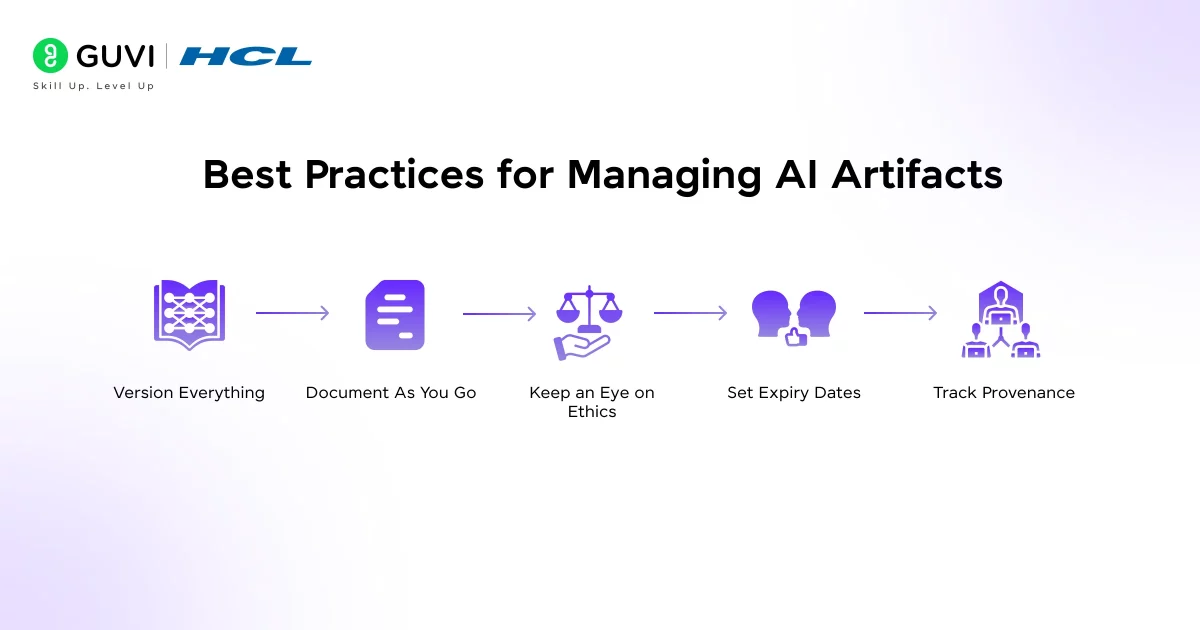
Managing the AI artifacts well is the difference between a messy, untraceable AI project and one that’s robust, transparent, and trustworthy. Here’s how to do it right:
- Version Everything: Every dataset, model file, and script should have a version number. You wouldn’t run software without version control; the same logic applies here.
- Document As You Go: Don’t wait until the end to write documentation. Capture details like data sources, preprocessing steps, and training configurations in real time. Even simple notes like “Removed outliers in dataset v1.2” can save hours later.
- Keep an Eye on Ethics: Remember, not all artifacts are technical. Biases and unfair patterns are artifacts too; they just live in your outcomes and user experiences. Build in checks for bias and fairness at every stage.
- Set Expiry Dates: Artifacts can go stale. A model trained on last year’s student data might not perform well on this year’s trends. Set review or expiration dates so you don’t accidentally deploy outdated systems.
- Track Provenance: Every artifact should have a clear origin: what data created it, who built it, and what code was used. That transparency makes your work explainable and compliant with AI ethics and data laws.
Challenges & Pitfalls You Should Know
No system is perfect. When dealing with AI artifacts, these are risks you should anticipate.
- Hallucinations and unexpected artifacts: Sometimes an AI model generates an output that looks plausible but is false. These are behavioural artifacts.
- Data leakage and contamination: If your datasets bleed information into each other, your artifacts (trained models) may be overfit or invalid.
- Drift and outdated artifacts: A model trained on data from 2023 might produce irrelevant results in 2025 if conditions change.
- Hidden bias: Artifacts (data or behaviour) may embed bias that you don’t spot until deployment.
Did you know that some artifacts of AI are not “what it produced” but how it behaved? For instance, a language model that consistently misinterprets a certain demographic is showing a behavioural artifact.
If you’re serious about mastering machine learning and want to apply it in real-world scenarios, don’t miss the chance to enroll in GUVI’s Intel & IITM Pravartak Certified Artificial Intelligence & Machine Learning course. Endorsed with Intel certification, this course adds a globally recognized credential to your resume, a powerful edge that sets you apart in the competitive AI job market.
Conclusion
In conclusion, every AI system is a collection of artifacts from the data that feeds it to the models that power it, and even the subtle behaviors it develops over time.
These artifacts aren’t just byproducts; they’re the fingerprints of your AI’s entire journey. Learning to track, interpret, and manage them isn’t only good engineering, it’s what separates responsible AI practice from guesswork. So the next time your AI spits out a result, take a closer look at the artifacts behind it.
FAQs
1. What exactly is an “AI artifact”?
An AI artifact is any output or by-product of an AI system, this could include model files, datasets, logs, patterns of behavior, or generated content.
2. Why should I care about AI artifacts in my project?
3. What types of AI artifacts are there?
4. How do AI artifacts fit into the development workflow?
They appear at each stage: collection/pre-processing (data artifacts), training (model artifacts/logs), deployment (inference logs/interactions), and maintenance (drift reports, feedback). Keeping track of them supports a full lifecycle approach.
5. What are the best practices for managing AI artifacts?
Key practices include version-controlling artifacts (models, datasets), documenting provenance, tracking metadata, monitoring for bias or drift, organizing for reuse, and cleaning up outdated or deprecated artifacts.
Success Stories

About the Author
Lukesh S
A professional content writer who has experience in freelancing and now working as a Technical Content Writer at GUVI. Google Certified Digital Marketer. Have a sound knowledge of SQL, Data Structures and Cloud Computing.
View all posts by Lukesh S
Connect with me @












Did you enjoy this article?