


Web Development Articles
AI vs Human Taste: Striking the Right Balance When Generating Web Visuals
Best Web Design Courses Online with Certificate in 2025
Free HTML Course with Certificate
How to Add Background Image in HTML: A Simple Step-by-Step Guide!


Get In Touch For Details! Request More Information

How to Use Laravel with React for Building Modern Web Applications
Nov 06, 2025 5 Min Read 494 Views
(Last Updated)
Laravel with React is one of the most effective ways to design and develop modern, advanced web applications. In the current age of technological advancements, business stakeholders and end customers are not only considering the design standards of web apps.
Still, they prioritize speed, scalability, reliability, and security, as these factors are essential for ensuring a seamless user experience (UX). For this reason, selecting the right combination of technology becomes a crucial factor in determining project success. This is where developers typically use Laravel in conjunction with React.
When these two technologies are integrated, they bring the best of both worlds: a robust backend system with Laravel and a front-end part that is highly responsive and enables a smooth navigational flow.
In this blog, we will extend our discussion on ‘How to use Laravel with React”. So, without any further ado, let’s get started.
Table of contents
- Why Prefer Laravel With React?
- Setting Up the Development Environment
- PHP & Composer (for Laravel)
- Node.js & npm/yarn (for React)
- MySQL or any preferred database
- Installing and Configuring Laravel
- Creating a Simple API in Laravel
- Setting Up React in Laravel with Vite
- Connecting Backend (Laravel) with Frontend (React)
- Authentication and State Management
- Laravel With React: Development Best Practices
- Conclusion
- FAQs
- Can I use Laravel without React for web applications?
- Is React mandatory for building a Laravel project?
- Which database works best with Laravel and React?
Why Prefer Laravel With React?
Laravel: It is a PHP framework that is popular among developers and programmers for its elegant syntax structure, built-in security features, and API development support.
React: It is a JavaScript library for creating visually appealing user interfaces and a seamless navigation system, while maintaining speed and performance.
By combining these two technologies, you get a clear separation of concerns. The Laravel framework is responsible for handling tasks such as authentication, backend business-specific logic, and data management. React, on the other hand, will be solely dedicated to handling every aspect related to user interaction and user experience (UX), such as page layout and structure, responsiveness across various screen devices, color schemes, microinteractions, dynamic behaviour of visual components when events are triggered, and loading indicators.
This specific blend of technologies enables developers to work in parallel while serving the same project objective, as the backend teams concentrate their efforts on building secure and effective APIs. Handling database workflows and creating complex algorithms for managing business operations, while frontend engineers invest their time in creating responsive, dynamic, and interactive user interfaces (UI).
This collaborative approach enables faster project delivery without compromising quality or performance. In addition to all these reasons, using Laravel with React ensures project flexibility by supporting integration with the latest tools and technologies, third-party services, and external frameworks and libraries, without distorting the backend architecture. This method makes the web applications resilient, adaptable, and future-proof in a rapidly evolving digital landscape.
Setting Up the Development Environment
Before you begin the web app development process, don’t forget to install the following:

1. PHP & Composer (for Laravel)
PHP is the programming language used in Laravel. Composer is the most essential tool that facilitates you in installing and managing the necessary packages and additional features that are required to build high-quality web applications.
2. Node.js & npm/yarn (for React)
Node.js is a JavaScript runtime environment that allows your ReactJS code to run outside the browser. NPM and Yarn are package managers that will help you in installing React as well as numerous JS-based frameworks and libraries to enhance the overall product quality and speed.
3. MySQL or any preferred database
Apart from all the features and functionalities integrated into your web applications, there must be a space where all the necessary data and information need to be stored, such as user account details, product details, order histories, messages, etc. For this purpose, you need to use the latest version of MySQL database, i.e, MySQL 8, for enhanced performance, improved security, and advanced features.
Installing and Configuring Laravel
- Install the Laravel application on your computer system and ensure it’s running correctly.
- After that, use the Composer, a command-line tool, which will help you in downloading and setting up the Laravel environment automatically.
- Once installed, you can start a local server on your computer to see your app in action in a web browser.
(Code)
Run the following commands to create and serve a new Laravel app:
{
# Create a new Laravel project
composer create-project laravel/laravel laravel-react-app
# Navigate into the project folder
cd laravel-react-app
# Run server
php artisan serve
(This specific command will start a local development server to allow you to test your web application while building it.)
}
Creating a Simple API in Laravel
APIs (application programming interfaces) are a type of protocol or code script that is written to establish the connection between the front-end and back-end parts of the web application.
Here, in this case, it will allow your React application to request the necessary information from Laravel, which acts as the backend of the entire web app, and gets the data back to React, upon which the data gets reflected on the user interfaces (UI) in an interactive style.
In this example, we will create an API that is responsible for fetching posts from the database. And when the user requests that post through the React app, Laravel will return the information in JSON (JavaScript Object Notation) format.
(Code)
{
routes/api.php
use Illuminate\Http\Request;
use Illuminate\Support\Facades\Route;
use App\Http\Controllers\PostController;
Route::get(‘/posts’, [PostController::class, ‘index’]);
—————————————————-
app/Http/Controllers/PostController.php
namespace App\Http\Controllers;
use App\Models\Post;
class PostController extends Controller
{
public function index()
{
return response()->json(Post::all());
}
}
}
Setting Up React in Laravel with Vite
Setting up React in Laravel with Vite as its default build tool requires three essential steps to be followed:
- Installing the following React packages: react and react-dom
- After that, update the Vite tool’s configuration to enable it to understand the React library’s workflow.
- Once that is done, create a simple React component (prefer a functional component over a class component) and attach it to the Laravel Blade file.
(Code)
{
Laravel (9+) ships with Vite, making React integration simple.
# Install React
npm install react react-dom
———————————
Update vite.config.js:
import { defineConfig } from ‘vite’;
import laravel from ‘laravel-vite-plugin’;
import react from ‘@vitejs/plugin-react’;
export default defineConfig({
plugins: [
laravel({
input: ‘resources/js/app.jsx’,
refresh: true,
}),
react(),
],
});
——————————————————–
Create a React entry file:
resources/js/app.jsx
import React from ‘react’;
import ReactDOM from ‘react-dom/client’;
function App() {
return <h1>Hello from React inside Laravel!</h1>;
}
ReactDOM.createRoot(document.getElementById(‘app’)).render(<App />);
———————————————————–
Include it in Blade:
resources/views/welcome.blade.php
<!DOCTYPE html>
<html>
<head>
@viteReactRefresh
@vite(‘resources/js/app.jsx’)
</head>
<body>
<div id=”app”></div>
</body>
</html>
}
Connecting Backend (Laravel) with Frontend (React)
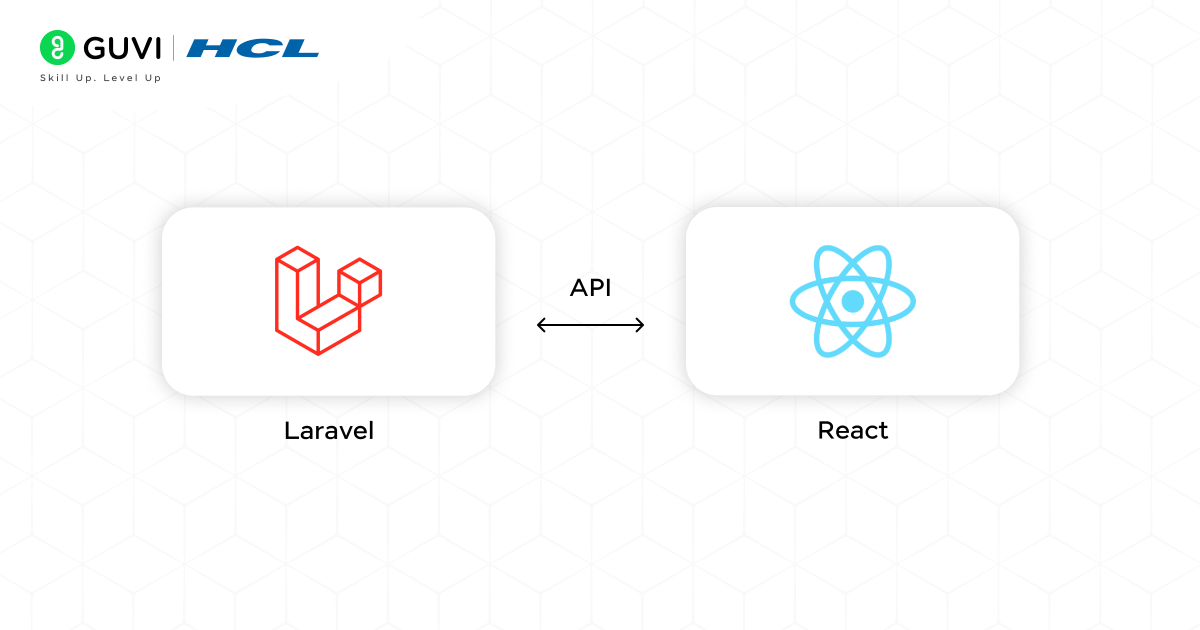
Now, React is capable of consuming Laravel APIs using the axios or fetch methods.
axios: It is a JS library that you need to install before using it by running the command “npm i / install axios”. It is used to send HTTP requests (such as GET, POST, or DELETE) in a structured format.
fetch: It is a built-in JavaScript function used to make HTTP requests without requiring any additional libraries.
(Code)
{
resources/js/components/PostList.jsx
import React, { useEffect, useState } from ‘react’;
import axios from ‘axios’;
function PostList() {
const [posts, setPosts] = useState([ ]);
useEffect(() => {
axios.get(‘/api/posts’)
.then(res => setPosts(res.data))
.catch(err => console.error(err));
}, [ ]);
return (
<div>
<h2>Posts</h2>
<ul>
{posts.map(post => (
<li key={post.id}>{post.title}</li>
))}
</ul>
</div>
);
}
export default PostList;
}
For building a clear understanding, remember this flow of handling APIs and data fetching:
[ Utilize the Laravel APIs for managing backend data. –> After that, fetch the data in React with axios inside the useEffect Hook. –> Finally, keep the API routes clean and well-structured for better maintainability. ]
Authentication and State Management
In the web application, Laravel handles the authentication procedure, while the React library is responsible for managing user sessions.
(Code)
{
Laravel Sanctum for Auth (routes/api.php):
Route::middleware(‘auth:sanctum’)->get(‘/user’, function (Request $request) {
return $request->user();
});
————————
React (fetch logged-in user):
useEffect(() => {
axios.get(‘/api/user’, { withCredentials: true })
.then(res => console.log(res.data))
.catch(err => console.error(err));
}, [ ]);
}
Note:
For better state management, you can use Context API or Redux in React.
Laravel With React: Development Best Practices
- Keep Backend and Frontend Separate – Let Laravel handle APIs and React handle UI.
- Use RESTful APIs – Design clean and consistent API endpoints.
- Validate Data Properly – Always validate user input in Laravel.
- Manage State Efficiently – Utilize the Context API or Redux in React for handling complex states.
- Optimize Assets – Minimize CSS/JS and use caching for better performance.
Several upskilling platforms are offering full-stack development courses. Still, there are very few that prepare you for real job interviews, along with building real-world projects that aid in your portfolio quality. If you are looking for a comprehensive program, consider enrolling in HCL GUVI’s IITM Pravartak Certified MERN Full Stack Development Course to master the in-demand tools, including Git, MongoDB, Express, React, Node.js, and more.
Conclusion
In conclusion, Larevel with React is an excellent technology combination for crafting modern web applications, as it allows developers to build fast, interactive, and obstruction-free features and functionalities that solve real-world issues.
In the project development life cycle, Laravel handles backend operations, including database management, API handling, and authentication. At the same time, React is used to create a dynamic and asynchronous front-end system. We also reviewed different code blocks to understand how these two technologies work together. And finally, we took a glance at the optimization techniques that we should incorporate to build scalable and reliable full-stack web applications.
FAQs
Can I use Laravel without React for web applications?
Yes, you can use Laravel with Blade or other frontend tools, but React enhances interactivity and provides a smoother user experience.
Is React mandatory for building a Laravel project?
No, React isn’t mandatory, but it’s highly effective for creating dynamic single-page applications (SPAs) with Laravel as the backend.
Which database works best with Laravel and React?
MySQL 8 is the best choice because it’s fast, secure, and fully supported, though PostgreSQL or MongoDB can also be used.
Success Stories

























Did you enjoy this article?