


Career Articles
How I Switched from Web Developer to ML Engineer (A Web Developer's Real Story)
PHP Developer Resume: Writing Guide & Key to Landing Your Dream Job
My Frontend Developer Interview at Google: What Really Happens Behind Closed Doors
Future of Electric Vehicle Course: Fast-Track Your EV Career


Get In Touch For Details! Request More Information
How to Make a Resume in 10 Minutes: Fastest Method for Freshers & Students
Feb 25, 2026 4 Min Read 846 Views
(Last Updated)
You have a job application due soon. Or a campus interview tomorrow. You haven’t created your resume yet. Recruiters look at your resume for 6-7 seconds. That’s less time than a short video. You need something quick and professional.
You’re thinking, “I have no experience” or “I don’t know how to start.”
This guide shows you how to make a resume in 10 minutes.
Quick Answer:
Use a fast online resume builder with a simple, ATS-friendly template. Keep your details ready, like education, skills, projects, and career goals. Fill in the sections, let the tool format it, and download as a PDF. Your professional resume will be ready in under 10 minutes.
Table of contents
- Why You Need a Fast Resume Builder
- What You Need Before You Start
- How to Make Your Resume in 10 Minutes
- Step 1: Choose a Simple Template
- Step 2: Add Your Contact Info
- Step 3: Write Your Career Objective
- Step 4: Add Your Education
- Step 5: Show Your Skills & Projects
- Step 6: Download as PDF
- Why Smart Students Use Resume Builders
- Mistakes That Ruin Your Resume
- Tips to Get More Interviews
- Common Questions About Resumes
- Ready to Make Your Resume?
- Frequently Asked Questions
- Can I really make a resume in 10 minutes?
- What is the best resume format for freshers and students?
- 3. Do companies really use ATS to reject resumes?
- Should freshers add projects instead of work experience?
- Is PDF the best file format for resumes?
Why You Need a Fast Resume Builder
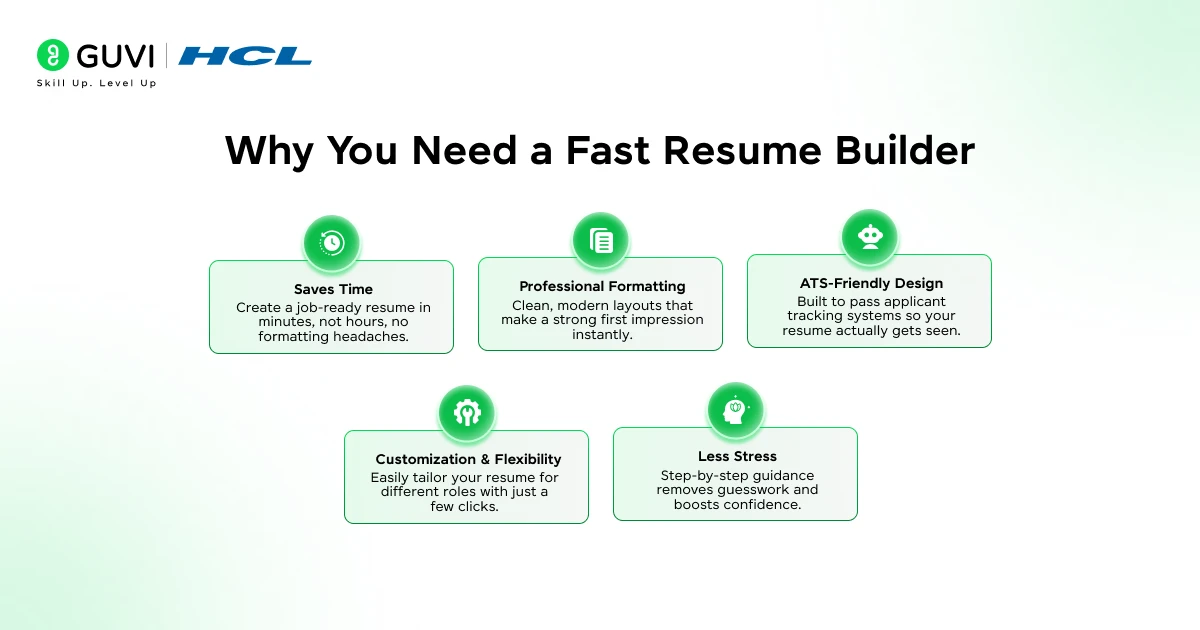
You open Word. You start typing. You fight with the spacing. You Google “what font to use.” Three hours later, your resume still looks bad.
Here’s what happens:
Campus placements move fast. Companies come, interview, and hire in days. Late means you miss out.
Walk-in interviews happen now. You see a job posting, you go. Your resume must be ready.
Internship deadlines close quickly. Everyone applies at the last minute. The people who got selected had their resumes ready.
Stop spending hours on formatting. Use tools that do the work for you. Online resume builders make it easy and fast.
What You Need Before You Start
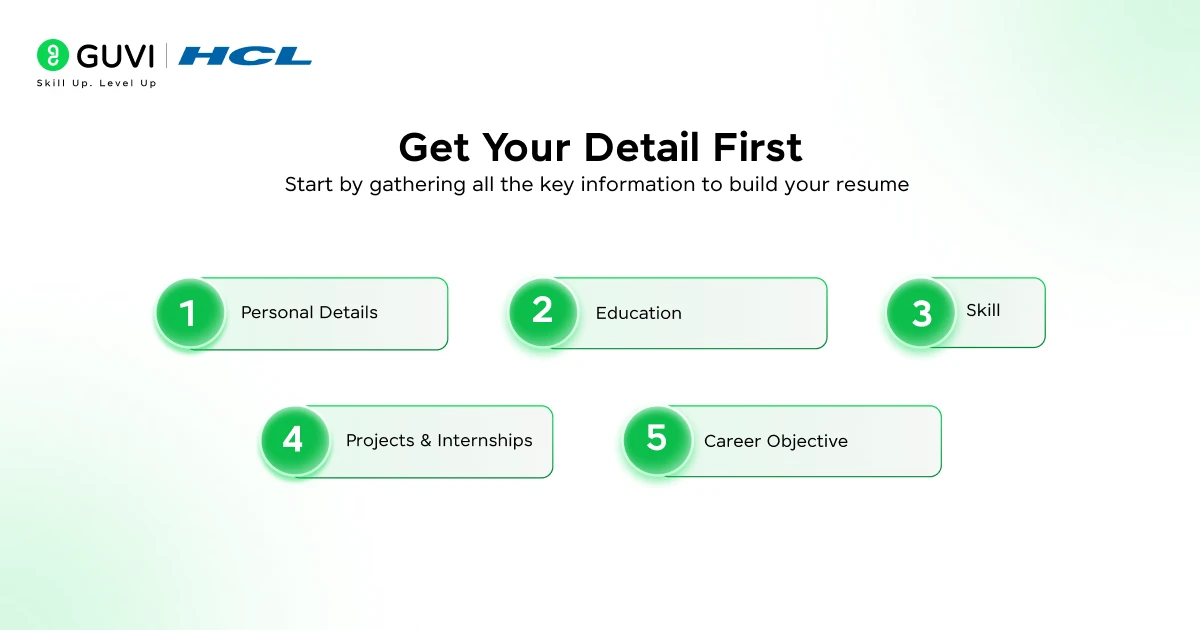
Get these details ready first. This helps you finish in 10 minutes, not 40.
Personal Details: Your full name, phone number, email, LinkedIn profile (optional), and city name.
Education: Your degree, college name, year, and marks or CGPA.
Skills: Technical skills like coding languages or tools. Soft skills like teamwork and communication.
Projects & Internships: 2-3 recent projects or internships with short descriptions of what you did.
Career Objective: One sentence about what job you want.
Pro tip: Take screenshots of your marks and projects on your phone. Filling forms gets much faster.
Recruiters spend only 6–8 seconds scanning a resume before deciding to shortlist or reject it.
A single job posting receives 250+ resumes, but only about 2% of candidates get interview calls.
70–75% of companies use ATS (Applicant Tracking Systems), meaning poorly formatted resumes never reach recruiters.
88% of employers say bad formatting can cause qualified resumes to be rejected by ATS.
79% of recruiters prefer resumes in PDF format because formatting stays consistent.
Here is your go-to tool to make your resume ready in minutes.

How to Make Your Resume in 10 Minutes
Step 1: Choose a Simple Template
Many resumes get rejected before a human sees them. Computer systems called ATS scan resumes first. Fancy designs make the system reject you.
Pick a clean, simple template. No fancy fonts. No graphics. No complicated tables.
Look for one-column layouts with clear section names and normal fonts. HCL GUVI has templates that work with these systems and look professional.
Step 2: Add Your Contact Info
This part is easy, but people make mistakes.
Include a professional email address, such as [email protected], your phone number, and your LinkedIn profile (optional).
Skip your full home address (city is enough), age, photo (unless asked), and multiple phone numbers.
Also Read: How to Build an ATS-friendly Resume that actually gets you Interviews
Keep it simple. Recruiters just need to contact you easily.
Step 3: Write Your Career Objective
Your career objective tells recruiters who you are in 2-3 lines.
Simple formula: Who you are + Your skills + What you want
For Engineering Students: “Computer Science student with Python and web development skills. Looking for a software developer job to build apps and learn more.”
For Other Students: “Business students with good communication skills. Seeking a management trainee role to help companies grow.”
For Internships: “Marketing student who knows social media. Looking for a summer internship to practice digital marketing.”
See the pattern? Copy this and change it for your field.
Step 4: Add Your Education
List your education starting with the most recent.
Format: Degree | College Name | Year | Marks
Example: B.Tech in Computer Science | XYZ University | 2024 | 8.5 CGPA 12th Grade | ABC School | 2020 | 85%
Are your marks above 70%? Include them. Below that? You can skip them.
Step 5: Show Your Skills & Projects
No work experience? Projects and skills matter for students.
Technical Skills: List them clearly. Tech students need programming languages. Business students need Excel, PowerPoint, and similar tools.
Example: Python | Java | React | MySQL
Soft Skills: Be specific: Problem-solving, Teamwork, Time management
Projects: Add 2-3 projects. For each one, write the project name, what you did (one line), and tools you used.
Example: E-Commerce Website | Built an online store with payments | React, Node.js
Some resume tools suggest skills based on your field. This makes it faster.
Step 6: Download as PDF
Always save your resume as a PDF. PDFs look the same on all computers. Word files can look different or broken.
Modern resume builders let you download with one click. Save it with a clear name like “YourName_Resume.pdf”, and you’re done.
Some tools let you share it directly with companies. Use whatever works fastest.
Why Smart Students Use Resume Builders
Making a resume in Word takes time because you need to fix spacing and alignment, choose fonts and colors, save it as a PDF, and make sure it looks good.
Resume builders do all this automatically. Tools like HCL GUVI Resume Builder are made for students and freshers with ready-made templates that pass ATS, sections designed for students, auto-formatting as you type, and no design skills needed.
Think of it like using a calculator instead of doing math by hand. Both work, but one is much faster.
Mistakes That Ruin Your Resume
Bad formatting: Fancy templates with graphics look cool, but ATS systems reject them. Use simple layouts
Too much information: Don’t write everything. Keep it to 1 page.
Spelling mistakes: Nothing looks worse than typos. Check your resume twice.
Lying about skills: Don’t say you know Excel when you can’t use it. Be honest.
Messy layout: Use templates that handle spacing and fonts for you.
Tips to Get More Interviews
Making a resume is step one. Getting calls is the goal.
Use words from the job posting. They want “Python” and “teamwork”? Put those words in your resume.
Use numbers. “Led a team of 5 students” sounds better than “worked in a team.”
Change it for each job. Don’t send the same resume everywhere. Adjust it slightly for each application.
Read it out loud. Something sounds weird? Fix it.
Ask someone to check it. A friend or teacher can catch mistakes you miss.
Common Questions About Resumes
Can I really make a resume in 10 minutes? Yes, when you have your information ready and use a good tool.
Which format is best for freshers? Simple format with these sections: Contact Info, Objective, Education, Skills, Projects. Keep it clean.
How many pages should it be? One page only. Recruiters don’t read long resumes for entry-level jobs.
Can I use this for internships? Yes. Internships need clean resumes that show your projects and skills.
Should I add my photo? Only when they ask for it. Most companies don’t need photos.
Ready to Make Your Resume?
Job hunting is hard. Your resume shouldn’t make it harder.
You can have a professional resume in 10 minutes with the right tool. No stress, no confusion, no complicated formatting.
Companies are hiring now. They’re reviewing resumes and calling people for interviews. They won’t wait for you to learn Word formatting.
Make your resume in 10 minutes with HCL GUVI Resume Builder and start applying today.
Your future self will thank you.
Frequently Asked Questions
1. Can I really make a resume in 10 minutes?
Yes. If you have your basic details ready and use an online resume builder like HCL GUVI Resume Builder, you can create an ATS-friendly resume in about 10 minutes
2. What is the best resume format for freshers and students?
The best format is a simple, one-page, ATS-friendly resume with these sections:
Contact Information, Career Objective, Education, Skills, and Projects.
3. Do companies really use ATS to reject resumes?
Yes. Around 70–75% of companies use Applicant Tracking Systems (ATS) to screen resumes, and poorly formatted resumes may be rejected before a recruiter sees them.
4. Should freshers add projects instead of work experience?
Absolutely. For freshers and students, projects, internships, and skills are more important than full-time work experience and help recruiters assess your practical ability.
5. Is PDF the best file format for resumes?
Yes. Most recruiters prefer resumes in PDF format because it keeps formatting consistent across devices and is ATS-friendly.
Success Stories

About the Author
Salini Balasubramaniam
A curious, information-savvy writer loves to turn deep insights into authentic and engaging content that connects. With experience in writing for brands and driving audience engagement, I believe that words can make a powerful difference.
View all posts by Salini Balasubramaniam
Connect with me @











Did you enjoy this article?