


Artificial Intelligence and Machine Learning Articles
Using Claude to Write LinkedIn Posts That Get Engagement
Claude for Social Media: Creating a Month of Content Fast


Get In Touch For Details! Request More Information
Claude + Typeform: AI-Powered Survey Analysis
Aug 07, 2026 3 Min Read 86 Views
(Last Updated)
Collecting customer feedback, employee surveys, market research, and registration forms is essential for making informed business decisions. By combining Claude + Typeform, businesses can automatically analyze survey responses, summarize feedback, identify trends, and generate actionable insights using generative Artificial Intelligence. Instead of manually reviewing hundreds of responses, teams can quickly understand customer opinions and improve decision-making.
Table of contents
- TL;DR
- Direct Answer Box
- Why Integrate Claude with Typeform?
- How to Automate Typeform with Claude
- Step 1: Build a Well-Structured Typeform Survey
- Step 2: Connect Claude to Your Workflow
- Step 3: Summarize Survey Responses
- Step 4: Identify Trends and Patterns
- Step 5: Generate Reports and Insights
- Step 6: Share Insights Across Teams
- Step 7: Automate Repetitive Survey Analysis
- Step 8: Continuously Improve Your Surveys
- Claude Typeform Tasks You Can Automate
- Tasks Claude Should Not Replace
- Best Practices for Using Claude with Typeform
- Conclusion
- FAQs
- Can Claude work with Typeform?
- How can Claude help me with Typeform?
- Is Claude useful for survey analysis?
- Can Claude generate reports from Typeform responses?
- Can Typeform surveys be automated?
- Can Claude automate every survey-related task?
- What are the best practices for using Claude with Typeform?
TL;DR
- Claude can connect to Typeform to analyze survey responses, summarize feedback, and generate actionable business insights.
- Use Claude to identify trends, categorize responses, create reports, and automate repetitive survey analysis tasks.
- Automate your survey analysis workflow with Claude to reduce manual effort and make faster data-driven decisions.
- Learn how generative Artificial Intelligence helps businesses transform survey data into meaningful insights.
- Structure your Typeform surveys and write clear prompts to maximize Claude and Typeform automation.
📚Data Point: Typeform enables businesses to create conversational forms and surveys that improve response rates while collecting valuable customer, employee, and market research data. Combined with Artificial Intelligence, survey insights can be analyzed faster and more effectively.
Source: https://www.typeform.com/
Direct Answer Box
| Claude and Typeform help businesses automate survey analysis by summarizing responses, identifying trends, generating reports, and extracting actionable insights from customer and employee feedback. By combining Claude with Typeform, organizations can understand survey results more quickly, reduce manual analysis, improve decision-making, and streamline feedback management. |
Why Integrate Claude with Typeform?
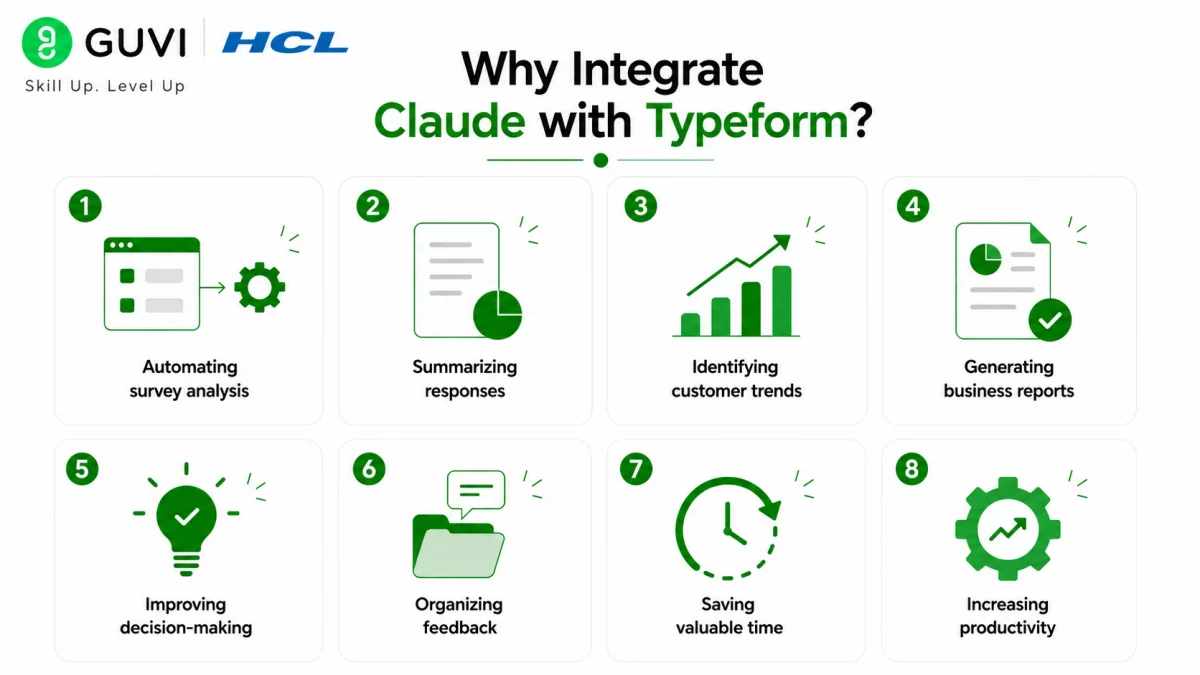
Businesses regularly collect customer feedback, employee opinions, event registrations, product reviews, and market research through surveys. Reviewing every response manually takes time and often delays decision-making. Integrating Claude with Typeform helps automate survey analysis, summarize responses, identify common themes, generate reports, and transform feedback into valuable business insights.
Some key benefits include:
- Automating survey analysis
- Summarizing responses
- Identifying customer trends
- Generating business reports
- Improving decision-making
- Organizing feedback
- Saving valuable time
- Increasing productivity
How to Automate Typeform with Claude
Step 1: Build a Well-Structured Typeform Survey
Create your Typeform survey using clear questions, logical sections, and descriptive answer choices. Whether you’re collecting customer feedback, employee satisfaction surveys, event registrations, or market research, organizing your survey properly allows Claude to analyze responses more accurately and generate meaningful insights.
Step 2: Connect Claude to Your Workflow
Once your Typeform account is connected to Claude through a supported automation tool or application integration, Claude can begin analyzing survey responses, summarizing feedback, identifying trends, and answering questions based on the collected data.
Step 3: Summarize Survey Responses
Instead of manually reviewing hundreds or thousands of survey submissions, let Claude generate concise summaries highlighting the most important feedback, recurring opinions, and key takeaways. This helps teams understand results much faster.
Step 4: Identify Trends and Patterns
Use Claude to analyze survey responses and detect recurring themes, customer preferences, employee concerns, and emerging trends. Identifying these patterns helps businesses make better decisions based on real feedback rather than assumptions.
Step 5: Generate Reports and Insights
Your team may spend hours preparing survey reports for stakeholders. Claude can generate professional summaries, executive reports, and actionable insights using Typeform responses, making reporting faster and more consistent.
Step 6: Share Insights Across Teams
Marketing, customer support, HR, and product teams often rely on survey data. Claude can summarize findings, answer questions about responses, and generate documentation that makes survey results easier for everyone to understand.

Step 7: Automate Repetitive Survey Analysis
Tasks such as categorizing responses, highlighting customer sentiment, organizing feedback, creating summaries, and documenting survey findings can all be automated with Claude, allowing employees to focus on strategic work instead of repetitive analysis.
Step 8: Continuously Improve Your Surveys
As your business grows, regularly review your survey structure and Claude-powered workflows to improve response quality and reporting accuracy. Professionals who want to understand how Artificial Intelligence and data analysis work together can strengthen their skills through HCL GUVI’s Data Science Course.
Typeform is widely used for customer feedback, employee engagement, lead generation, market research, and event registrations. When combined with generative Artificial Intelligence tools like Claude, businesses can automatically analyze survey responses, uncover trends, generate reports, and transform large volumes of feedback into actionable insights within minutes.
Claude Typeform Tasks You Can Automate
Claude supports teams throughout their survey analysis and feedback management workflows.
It can help with:
- Summarizing survey responses
- Identifying customer trends
- Categorizing feedback
- Generating survey reports
- Analyzing customer sentiment
- Organizing survey data
- Prioritizing common issues
- Creating executive summaries
- Supporting market research
- Improving employee feedback analysis
- Answering questions about survey results
- Streamlining decision-making
The HCL GUVI’s Artificial Intelligence eBook is an excellent starting point for learning practical Artificial Intelligence concepts, prompt engineering techniques, and real-world business applications. It helps professionals understand how generative Artificial Intelligence can improve survey analysis, automate feedback processing, and support data-driven business decisions.
Tasks Claude Should Not Replace
Claude is an excellent survey analysis assistant; however, certain responsibilities should remain with your employees.
Claude should not replace:
- Final business decision-making
- Strategic planning
- Customer relationship management
- Policy creation
- Compliance reviews
- Human interpretation of sensitive feedback
- Final report validation
- Handling confidential survey data
While Claude can assist with analyzing survey responses and generating insights, your employees should make the final business decisions. Use Claude to organize information, summarize feedback, and improve efficiency, but rely on human judgment for critical business responsibilities.
⚠️ Warning: Claude can summarize survey responses, identify trends, and generate recommendations based on Typeform data. However, it may occasionally misunderstand the survey context or produce incomplete or inaccurate insights. Always review Artificial Intelligence-generated analysis, validate important findings, and verify survey results before making business decisions.
Best Practices for Using Claude with Typeform
Here are some best practices to maximize your results when using Claude with Typeform:
- Create well-structured surveys.
- Write clear and specific questions.
- Use clear prompts.
- Keep survey responses organized.
- Review Artificial Intelligence-generated insights.
- Protect sensitive respondent information.
- Test your automation workflows regularly.
- Remember that Claude is your survey analysis assistant, not your replacement.
Conclusion
Combining Claude with Typeform allows businesses to automate survey analysis by summarizing responses, identifying trends, generating reports, and uncovering actionable insights. While generative Artificial Intelligence can significantly reduce the time spent analyzing survey data, interpreting feedback, and making strategic business decisions still requires human judgment. When used responsibly, Claude becomes a valuable assistant that helps teams transform survey responses into meaningful business insights more efficiently.
FAQs
1. Can Claude work with Typeform?
Yes. Claude can help analyze Typeform survey responses by summarizing feedback, identifying trends, generating reports, and supporting survey analysis through compatible integrations and automation tools.
2. How can Claude help me with Typeform?
Claude reduces manual work by analyzing survey responses, summarizing feedback, identifying recurring themes, generating insights, and creating reports from Typeform data.
3. Is Claude useful for survey analysis?
Yes. Claude helps businesses organize survey responses, detect patterns, summarize large datasets, generate insights, and improve decision-making based on collected feedback.
4. Can Claude generate reports from Typeform responses?
Yes. Claude can generate executive summaries, survey reports, customer feedback summaries, and actionable insights using information collected through Typeform.
5. Can Typeform surveys be automated?
Yes. Typeform supports workflow automation through compatible integrations. When connected with Claude, businesses can automate survey analysis, reporting, and feedback summarization.
6. Can Claude automate every survey-related task?
No. Claude can automate many analysis, documentation, and reporting tasks, but interpreting sensitive feedback, strategic planning, and final business decisions should always remain under human supervision.
7. What are the best practices for using Claude with Typeform?
Build well-structured surveys, ask clear questions, write effective prompts, review Artificial Intelligence-generated insights, protect sensitive respondent data, test automation workflows regularly, and use Claude as a collaborative assistant rather than a replacement for human expertise.
Success Stories

About the Author
Vishalini Devarajan
An Aerospace Engineer turned content writer, I focus on making complex concepts easy to understand through well-structured, reader-friendly blogs. Whether it’s a technical topic or a non-technical one, I love creating content that is clear, engaging, and impactful.
View all posts by Vishalini Devarajan
Connect with me @










Did you enjoy this article?