


Python Articles
Freelancing as a Python Developer: Getting Your First Client
Common Python Mistakes Beginners Make And How to Fix Them
Python Best Practices: Writing Clean, Maintainable Code Like a Pro
How to Build a Python Developer Portfolio That Gets You Hired


Get In Touch For Details! Request More Information

What Is a Module in Python? A Complete Beginner-Friendly Guide
Mar 12, 2026 7 Min Read 1809 Views
(Last Updated)
Have you ever wondered how large Python applications stay organized without turning into a single, unmanageable file? As projects grow, writing everything in one script quickly leads to confusion, errors, and duplicated logic. Python solves this problem through modules, which allow code to be structured, reused, and scaled in a controlled way while keeping each part focused and readable.
Continue through this guide to understand how Python modules work, the different types available, and how they help build clean, maintainable, and production-ready applications.
Quick Answer: Python modules are reusable files that organize code into logical units, enable clean imports, and prevent naming conflicts. They support scalable architecture through packages, follow a defined search path via sys.path, and power Python’s vast ecosystem, widely used across platforms, industries, and production-grade applications.
- Python has 200,000+ third-party packages on PyPI, covering domains like data science, AI/ML, DevOps, and scientific computing.
- Around 57–58% of developers use Python, with a significant share relying on it as their primary programming language for daily development work.
- Python is officially supported on all major operating systems, including Windows, macOS, and Linux, and is widely used in cloud, enterprise, and academic environments.
Table of contents
- What Is a Module in Python?
- Types of Modules in Python
- Built-In Modules
- User-Defined Modules
- Third-Party Modules
- Extension Modules
- Package-Based Modules
- How Python Finds Modules?
- Module Search Path Concept
- Role of sys.path
- Current Directory vs Installed Locations
- 5 Essential Python Modules Every Beginner Should Know
- Math Module
- os Module
- datetime Module
- JSON Module
- The __name__ Variable in Modules
- Packages vs Modules
- Packages vs Modules: Key Differences at a Glance
- Purpose and Benefits of Modules in Python
- How to Use a Module in Python?
- Real-World Use Cases of Python Modules
- Best Practices for Working With Modules
- Common Mistakes Beginners Make With Modules
- Conclusion
- FAQs
- Why does importing a module sometimes execute code automatically?
- How can module naming affect import behavior in Python projects?
- When should a project move from single modules to packages?
What Is a Module in Python?
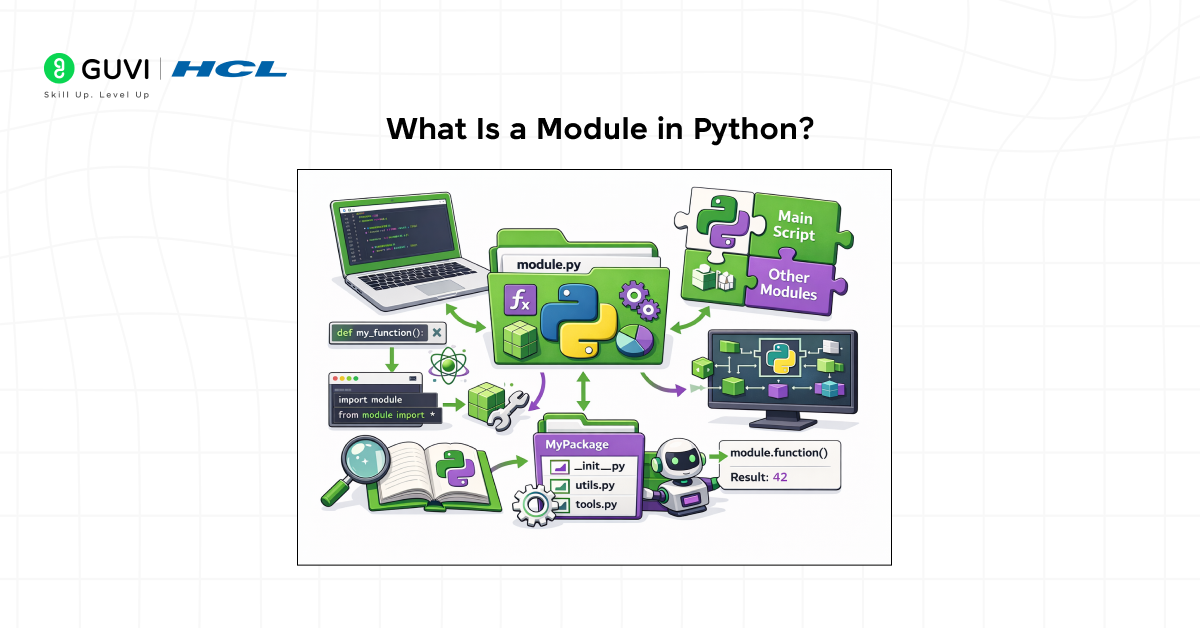
A module in Python is a self-contained file that defines variables, functions, classes, and executable statements which can be reused across multiple programs. Each module forms its own namespace, which prevents naming conflicts and allows related logic to be grouped in a structured manner. When a module is imported, Python executes its top-level code once and makes its defined members available to other files. This design supports code reuse, logical separation, and maintainability, which becomes essential as applications grow in size and complexity.
Types of Modules in Python
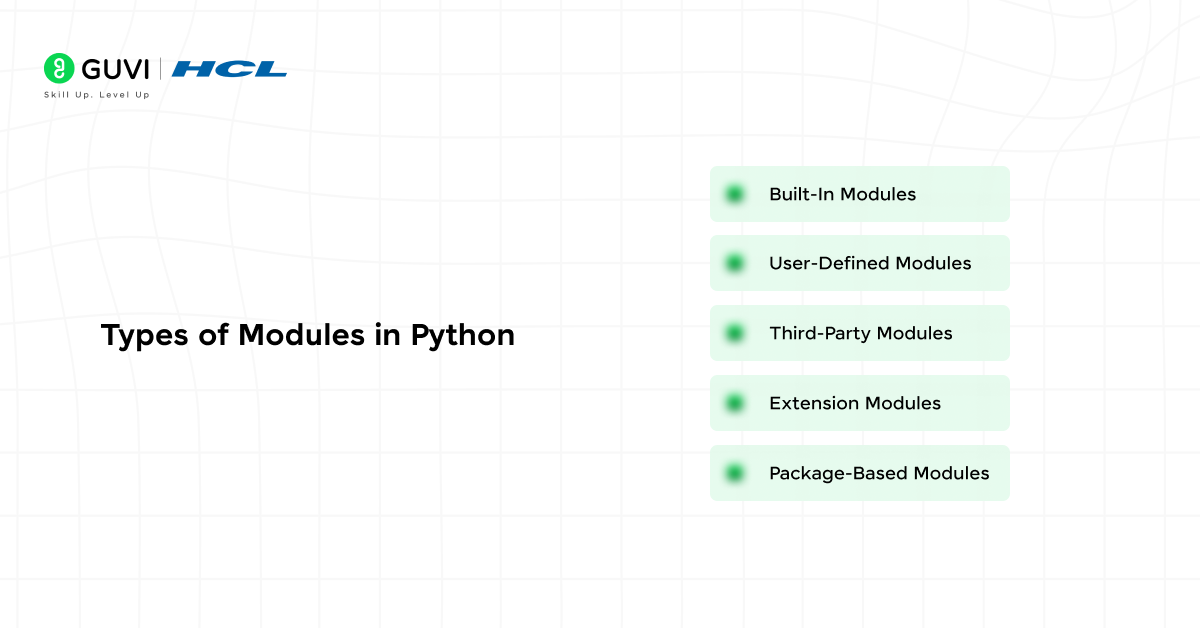
1. Built-In Modules
Built-in modules are part of Python’s standard library and are available immediately after installation. They provide core functionality such as mathematical operations, file handling, system interaction, and date and time processing. These modules are written in optimized C or Python and are designed for performance, reliability, and cross-platform consistency.
2. User-Defined Modules
User-defined modules are custom Python files created by developers to organize application logic. Any .py file can act as a module when it contains reusable code such as functions, classes, or constants. These modules help break large programs into manageable components and promote code reuse across projects.
3. Third-Party Modules
Third-party modules are external libraries developed by the Python community and distributed through package repositories. They extend Python’s capabilities in areas such as web development, data analysis, machine learning, and automation. These modules are installed separately and integrated into projects to accelerate development and solve complex problems.
4. Extension Modules
Extension modules are written in low-level languages such as C or C++ and compiled for use with Python. They are typically used when performance-critical tasks or system-level interactions are required. Many core Python features and high-performance libraries rely on extension modules to achieve speed and efficiency.
5. Package-Based Modules
Package-based modules are modules organized within directory structures. They allow grouping related modules under a common namespace, which supports scalable project architecture. This structure is commonly used in large applications and frameworks to manage complex codebases cleanly.
How Python Finds Modules?
Module Search Path Concept
When an import statement is executed, Python follows a well-defined search order to locate the requested module. It checks a sequence of directories rather than scanning the entire system. This ordered list of locations is known as the module search path, and the first matching module found is the one that gets loaded.
Role of sys.path
The module search path is stored in the sys.path list. This list is initialized when the interpreter starts and contains directory paths that Python searches during imports. It typically includes the script’s directory, standard library locations, and site-packages directories where third-party libraries are installed. Developers can inspect or temporarily modify sys.path at runtime, although persistent changes should be avoided in favor of proper package installation.
Current Directory vs Installed Locations
Python prioritizes the directory of the executing script before checking installed library locations. This means a local file with the same name as a standard or third-party module can override the intended import. Understanding this precedence is important to avoid accidental shadowing and unexpected import behavior in projects.
5 Essential Python Modules Every Beginner Should Know
1. Math Module
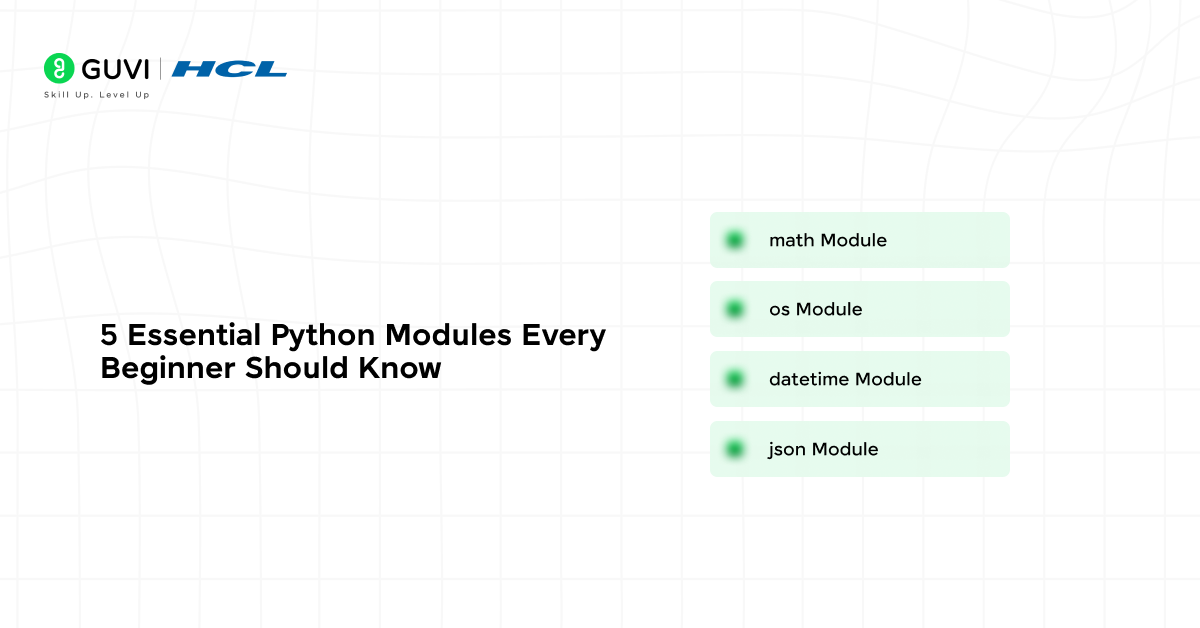
The math module provides mathematical functions and constants used in numerical computation. It supports operations such as square roots, trigonometric calculations, logarithms, and precise constants like pi and e. This module is widely used in scientific computing, finance-related logic, and algorithm development, where numerical accuracy is required.
2. os Module
The os module enables Python programs to interact with the operating system. It allows access to files and directories, environment variables, path handling, and system-level operations. This module is essential for scripts that manage files, handle environment-based configuration, or perform deployment-related tasks.
3. datetime Module
The datetime module provides tools for working with dates and times in a structured manner. It supports timestamp creation, date arithmetic, formatting, and time difference calculations. This module is frequently used in logging systems, reporting workflows, scheduling logic, and audit trails.
4. JSON Module
The json module handles data serialization and deserialization between Python objects and JSON format. It is a core component in API communication, configuration management, and data exchange between services. This module is essential for building applications that interact with web services or external systems.
The __name__ Variable in Modules
- Meaning of __name__
The special __name__ variable identifies how a Python file is being used. Its value is set automatically by the interpreter and reflects whether the file is acting as the main program or as an imported module.
- Difference Between Running and Importing a Module
When a Python file is executed directly, the interpreter assigns the value “__main__” to its __name__ variable. When the same file is imported from another module, __name__ is set to the module’s actual name. This distinction allows code to behave differently depending on how it is invoked.
- Using if __name__ == “__main__”
The if __name__ == “__main__” guard is used to control which code runs only when the file is executed as a script. This pattern prevents test code, setup logic, or execution routines from running during imports, which is essential for creating reusable and well-behaved modules.
Want to strengthen your understanding of Python beyond modules and imports? Explore HCL GUVI’s Python Hub to build solid foundations in core Python concepts, code organization practices, and real-world programming patterns that help you write clean, scalable Python applications.
Packages vs Modules
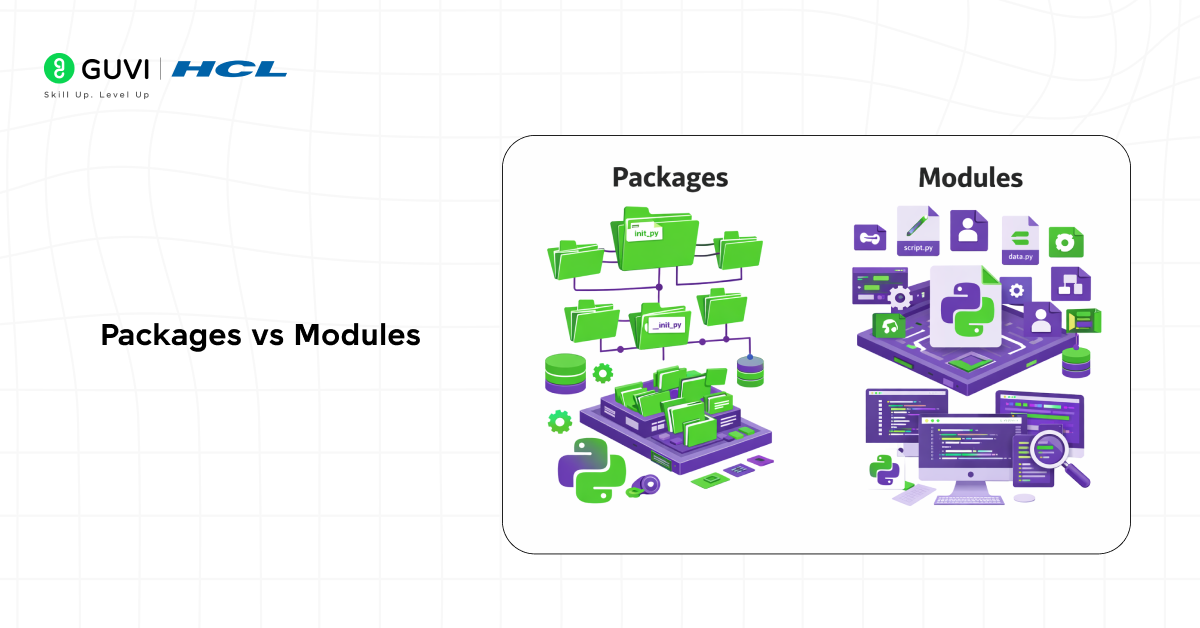
A module is a single Python file that contains reusable code such as functions, classes, constants, or executable logic, and it represents the smallest unit of code reuse in Python. A package, in contrast, is a directory that groups multiple related modules under a shared namespace, allowing complex functionality to be organized hierarchically. Packages follow a folder-based structure, which improves readability, discoverability, and maintainability in large applications.
Packages also support subpackages, enabling multi-level organization for large systems. Together, modules and packages form the foundation of scalable Python application architecture, making code easier to extend, test, and collaborate on.
Packages vs Modules: Key Differences at a Glance
| Factor | Module | Package |
| File structure | One .py file | Folder containing modules and subpackages |
| Namespace | Provides a single namespace | Provides a hierarchical namespace |
| Purpose | Encapsulates specific functionality | Organizes related functionality at scale |
| Size and scope | Smallest unit of reuse | Larger structural unit for applications |
| Reusability | Reused by importing the file | Reused by importing the package or its modules |
| Import style | import module or from module import name | import package.module or from package import module |
| Scalability | Suitable for small features or utilities | Designed for large, modular codebases |
| Typical use case | Utility functions, helpers, single-purpose logic | Frameworks, libraries, layered applications |
| Example | math.py, utils.py | mypackage/, django/, numpy/ |
Purpose and Benefits of Modules in Python
- Code Organization and Maintainability
Modules allow Python programs to be split into logical, manageable files instead of a single large script. Grouping related functions, classes, and variables into modules improves readability, simplifies navigation, and makes long-term maintenance easier as applications grow in size and complexity.
- Reusability Across Projects
A module can be written once and reused across multiple programs without rewriting the same logic. This encourages reuse of tested, stable code and reduces duplication, which lowers the chance of bugs and inconsistencies across projects.
- Namespace Isolation and Conflict Avoidance
Modules create their own namespaces, which prevents naming conflicts between variables, functions, or classes defined in different parts of a program. This isolation is especially important in large applications and when integrating third-party libraries.
- Improved Collaboration and Team Development
Modules enable multiple developers to work on different parts of the same application independently. Each developer can own specific modules, making collaboration more efficient and reducing merge conflicts in shared codebases.

- Cleaner Imports and Dependency Management
Modules make dependencies explicit through import statements. This clarity helps developers understand which parts of the code rely on external functionality and simplifies dependency tracking, refactoring, and code reviews.
How to Use a Module in Python?
- Importing a Module Using import
The import statement loads an entire module and makes it available under its module name. Access to functions, variables, or classes defined inside the module is done using dot notation, which preserves the module namespace and avoids naming collisions. This approach is preferred for clarity in larger codebases.
import math

result = math.sqrt(16)- Importing Specific Members Using from … import
The from module import name syntax allows direct access to specific attributes inside a module without using the module prefix. This reduces verbosity but increases the risk of name conflicts if not used carefully. It is best suited when importing a small, well-known set of functions.
from math import sqrt

result = sqrt(16)- Using Aliases With as
Aliasing assigns an alternative name to a module or imported member. This is useful for shortening long module names, improving readability, or resolving naming conflicts between modules with overlapping identifiers.
import numpy as np

data = np.array([1, 2, 3])- Executing Module Code on Import
When a module is imported, Python executes all top-level statements in that module exactly once. This behavior allows initialization logic such as constant definitions or configuration loading. Care must be taken to avoid placing unintended executable code at the top level.
# example_module.py

print("Module loaded")- Controlling Execution With if __name__ == “__main__”
The special __name__ variable distinguishes whether a module is being run directly or imported. Code placed inside this conditional executes only when the file is run as a script, which prevents accidental execution during imports.
if __name__ == "__main__":

main()- Accessing Module Documentation and Attributes
Modules expose metadata such as documentation strings and available attributes. The help() function and the dir()function are commonly used to inspect module contents and understand available functionality.
import math

help(math)

dir(math)- Reloading a Module During Development
During interactive development, changes to a module file are not automatically reflected after import. The importlib.reload() function allows reloading a module without restarting the interpreter, which is useful during testing and debugging.
import importlib

import mymodule

importlib.reload(mymodule)- Using Modules Across Multiple Files
Modules enable code sharing across files within a project. Once a module is imported, its members can be reused consistently, which promotes modular design and reduces duplication. This approach is fundamental for scalable Python web development and team-based development.
Real-World Use Cases of Python Modules
- Utility Modules in Projects
Utility modules centralize commonly used helper functions such as date formatting, string normalization, validation logic, and file operations. Placing these helpers in a dedicated utility module avoids duplication across files and ensures consistent behavior throughout the application. This pattern is common in large codebases where the same operations are required in multiple workflows.
- Configuration Handling
Modules are frequently used to manage configuration settings such as environment variables, database credentials, API keys, and feature flags. A configuration module provides a single source of truth for runtime settings and allows environment-specific values to be loaded cleanly. This separation simplifies deployment, testing, and environment switching without modifying core application logic.
- Shared Business Logic
Business rules and domain-specific computations are often implemented as shared modules. These modules encapsulate calculations, validation rules, and decision logic that must remain consistent across services, background jobs, and user-facing components. Centralizing business logic in modules reduces errors caused by inconsistent implementations and simplifies future changes.
- API and Service Layers
In backend and service-oriented applications, modules are used to separate API routing, request handling, and service logic. API modules focus on input validation and response formatting, while service modules handle core processing and data interaction. This separation improves testability, readability, and scalability in web services and microservice architectures.
- Automation and Scripting Workflows
In automation tasks, modules help organize scripts that perform file operations, system checks, report generation, or scheduled jobs. Breaking automation logic into modules allows scripts to remain short, readable, and easy to maintain while supporting reuse across multiple automation frameworks.
Best Practices for Working With Modules
- Keep Modules Small and Focused: Design each module around a single responsibility or closely related set of tasks. Smaller, well-defined modules are easier to understand, test, and reuse, and they reduce the risk of tightly coupled code.
- Avoid Circular Imports: Structure dependencies so that modules do not circularly rely on each other. Shared logic should be extracted into a separate module that both components can import without creating dependency loops.
- Use Clear and Descriptive Naming Conventions: Choose module names that clearly reflect their purpose and avoid names that shadow built-in modules or third-party libraries. Consistent and meaningful naming improves readability and reduces confusion during imports.
- Group Related Functionality Logically: Organize related modules into packages with a clear directory structure. Grouping similar functionality helps maintain a scalable architecture and makes it easier to locate and extend code as projects grow.
Once you understand how Python modules help organize and scale code, the next step is learning how to apply them confidently in real programs. Enroll in HCL GUVI’s Python Zero to Hero course to build strong fundamentals through structured, beginner-friendly lessons, practise modular coding hands-on, and progress from simple scripts to well-structured Python applications.
Common Mistakes Beginners Make With Modules
- Incorrect Import Paths: Beginners practicing Python often place modules in the wrong directory or assume Python will locate them automatically. When a module sits outside the active project structure or is missing from the Python search path, import attempts fail with a ModuleNotFoundError, which commonly causes confusion during early development.
- Circular Imports: Creating two modules that import each other directly leads to partial initialization and runtime errors. This usually happens when related logic is tightly coupled instead of being refactored into a shared module.
- Executing Code at Import Time: Placing executable statements at the top level of a module causes them to run every time the module is imported. This can lead to unexpected behavior, performance issues, or duplicate side effects during application startup.
- Poor Module Naming: Naming modules with generic or conflicting names, such as utils.py or names that shadow built-in modules, leads to confusion and import conflicts. Clear, descriptive module names improve maintainability and avoid unexpected behavior.
Conclusion
Python modules form the backbone of clean, scalable, and maintainable Python applications. By separating logic into reusable files, developers gain better organization, safer namespaces, and easier collaboration. Understanding how modules are created, imported, discovered, and structured with packages enables reliable code reuse and smoother growth as projects evolve from small scripts into large, production-ready systems.
FAQs
1. Why does importing a module sometimes execute code automatically?
Python executes all top-level statements in a module the first time it is imported. This is why initialization logic should be guarded using if __name__ == “__main__” to avoid unintended execution.
2. How can module naming affect import behavior in Python projects?
If a module name matches a built-in or installed library, Python may import the wrong file due to search path precedence. Clear, unique naming prevents shadowing and hard-to-debug import issues.
3. When should a project move from single modules to packages?
Once related modules grow in number or responsibility, packages provide better structure through namespaces, clearer imports, and scalable organization for larger applications.
Success Stories

About the Author
Vaishali
I'm a seasoned writer with four years of experience across technical, non-technical, and just about every genre or niche you can imagine. Adaptable and curious, I enjoy exploring new topics and making information engaging and easy to understand. Fueled by a steady stream of tea, I approach each project with creativity, reliability, and genuine enthusiasm for storytelling.
View all posts by Vaishali
Connect with me @














Did you enjoy this article?