


Artificial Intelligence and Machine Learning Articles
How to Use Claude for Architecture Decision Records (ADRs)
Claude for DevOps: CI/CD Pipeline Documentation


Get In Touch For Details! Request More Information
Claude for Git: Commit Messages and PR Descriptions
Aug 12, 2026 4 Min Read 47 Views
(Last Updated)
Most developers treat commit messages and PR descriptions as an afterthought, writing “fix bug” or “update code” under deadline pressure and moving on, creating a version history that is useless for debugging, auditing, or onboarding. Claude for Git workflows change this by making the documentation as fast as the commit itself, removing the friction that causes developers to default to unhelpful messages even when they know better.
Table of contents
- Quick TL;DR
- Why Commit Messages and PR Descriptions Matter More Than Most Developers Think
- Writing Commit Messages with Claude
- Standard Commit Message Generation
- Generating Commit Messages from Git Diff Output
- Writing Pull Request Descriptions with Claude
- Standard PR Description
- Generating PR Descriptions from Multiple Commits
- Writing Release Notes from Merged PRs
- Creating Commit Message Templates for Your Team
- Conclusion
- FAQs
- What is Claude used for in Git workflows?
- Can Claude read a git diff and write a commit message from it?
- What is the conventional commits format and why should I use it?
- How do I get Claude to write PR descriptions that reduce reviewer questions?
- Can Claude generate release notes from a list of merged PRs?
- What is the most common commit message mistake Claude helps avoid?
Quick TL;DR
Claude for Git workflows help developers write clear, informative commit messages and pull request descriptions from code diffs, branch context, and change summaries without spending ten minutes on documentation for every code change. Claude reads what changed, understands why it matters, and produces commit messages that follow conventional commit standards and PR descriptions that give reviewers everything they need to evaluate the change efficiently.
Why Commit Messages and PR Descriptions Matter More Than Most Developers Think
Poor Git documentation creates compounding costs that most developers only notice during a crisis.
| Poor Git Documentation | Business Cost |
| Vague commit messages | Debugging takes hours instead of minutes when git blame reveals nothing useful |
| Missing PR context | Reviewers ask clarifying questions, adding review cycles and delay |
| No rationale in commits | Future engineers cannot tell if a constraint is intentional or accidental |
| Undescribed side effects | Related system changes get missed during incident investigation |
| No linked tickets | Compliance audits and change management reviews become manual research exercises |
Claude addresses all five by producing commit messages and PR descriptions that include what changed, why it changed, and what reviewers need to know, consistently and in seconds.
Read More: Claude Code Tutorial: Generate, Debug, and Document Code
Writing Commit Messages with Claude
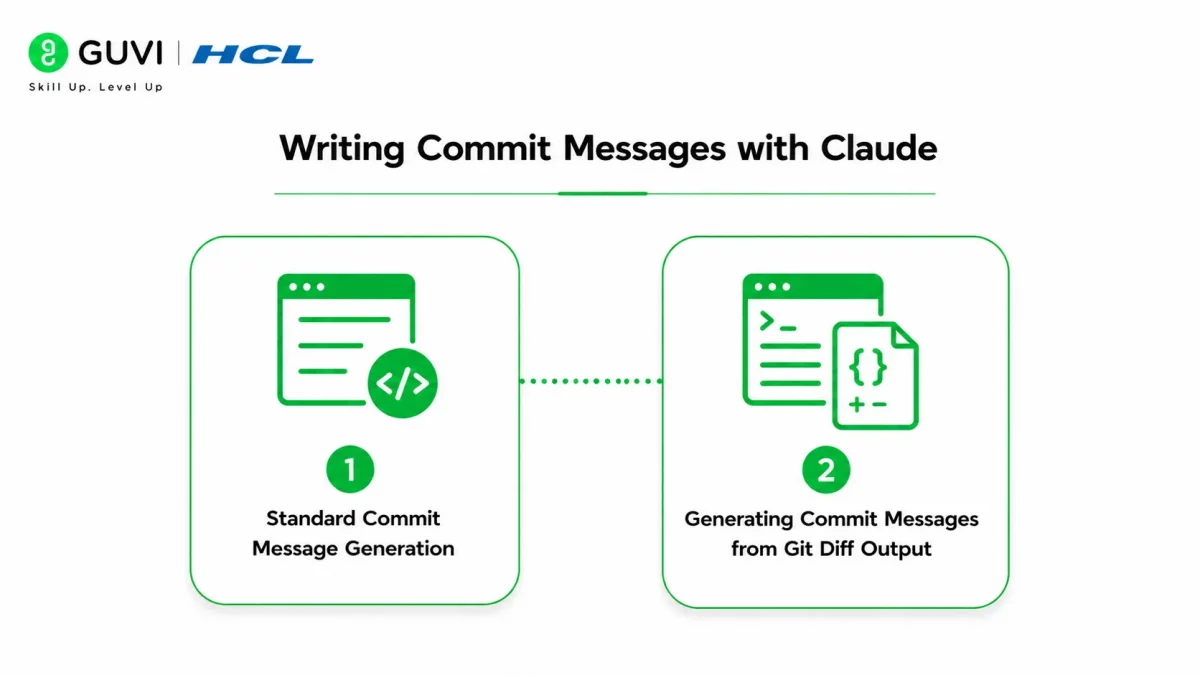
1. Standard Commit Message Generation
Paste your Git diff or a plain description of the change into Claude:
Write a conventional commit message for this code change.

Change summary: [Describe what you changed in rough bullet points]
Why this change was made: [The reason or ticket driving it]
Any side effects or related changes: [Other files or systems affected]

Follow conventional commits format:
type(scope): short summary under 72 characters

Body (if needed):
- What changed and why
- Any breaking changes
- Related ticket or issue reference

Types: feat, fix, docs, style, refactor, test, chore, perf
Keep the subject line imperative tense: "add" not "added" or "adding"
Claude produces a commit message that follows the conventional commits specification with a subject line under 72 characters and a structured body covering the rationale and any notable side effects.
2. Generating Commit Messages from Git Diff Output
For developers who want to pipe diff output directly:
Write a conventional commit message for this git diff.Identify:
1. What type of change this is (feat, fix, refactor, etc.)
2. What scope or component is affected
3. A subject line summarizing the change in imperative tense under 72 characters
4. A body explaining what changed and why, based on the code changes visible
5. Any breaking changes suggested by the diff

Git diff:
[paste output of git diff or git diff --staged]
Claude reads the actual code changes and infers context from variable names, function signatures, and modified logic, often producing a more accurate description than a developer writing from memory about what they changed.
The Conventional Commits specification, published in 2019 and adopted by thousands of open source projects, enables automated changelog generation and semantic versioning directly from commit message structure. Teams using conventional commits can automate their entire release versioning workflow from commit history alone, making message quality a direct input to release automation

Writing Pull Request Descriptions with Claude
PR descriptions are where the most documentation value is lost because they are written under the time pressure of wanting to merge, not wanting to write. Claude produces complete PR descriptions in under two minutes when given the right context.
1. Standard PR Description
Write a pull request description that summarizes these commits
as a coherent feature or change set.

Branch purpose: [What this branch was built to achieve]
Target branch: [Where this is merging into]

Commits on this branch:
[paste output of git log --oneline or list commit messages]

Produce a PR description that:
1. Summarizes the overall change as a unit, not commit by commit
2. Explains the technical approach taken
3. Highlights the most significant individual changes
4. Notes any commits that reviewers should examine carefully
5. Lists testing coverage across the feature
This structured output gives reviewers exactly what they need to understand the change, evaluate the approach, and identify risks without asking clarifying questions, which is the standard every PR description should meet.
2. Generating PR Descriptions from Multiple Commits
For PRs covering multiple commits across a feature branch:
Write release notes for version [version number] from these merged PRs.

Audience: [End users / developers / internal team]
Tone: [Technical / non-technical / mixed]

Merged PRs this release:
[paste list of PR titles, descriptions, or merge commit messages]

Organize release notes as:
- New features (user-facing additions)
- Improvements (enhancements to existing functionality)
- Bug fixes (issues resolved)
- Breaking changes (anything requiring action from users or integrators)
- Internal changes (infrastructure, dependencies, tooling)

Write each item as one sentence from the user's perspective,
not the developer's. Lead with the benefit, not the implementation.
Claude synthesizes multiple commits into a single coherent narrative rather than listing each commit separately, which is what reviewers actually need to evaluate a feature branch efficiently.
Want to build the software development and collaboration skills that professional engineering teams demand? Explore HCL GUVI’s Full Stack Development Course, designed to help you develop the coding and engineering workflow foundations modern development roles require.
Writing Release Notes from Merged PRs
Release notes are the external-facing version of PR descriptions and suffer the same quality problem at larger scale. Claude generates release notes from a batch of merged PR titles and descriptions.
Create a commit message template and contributing guide for a
[type of project: web app / API / data pipeline / mobile app] team.

Team context:
- Team size: [number of engineers]
- Branching strategy: [GitFlow / trunk-based / feature branches]
- Issue tracker: [Jira / GitHub Issues / Linear]
- Review process: [Required approvals, automated checks]

Produce:
1. A .gitmessage template file with sections and instructions
2. A five-rule commit message guide the team can add to CONTRIBUTING.md
3. Three examples of good commit messages for this project type
4. Three examples of bad commit messages with explanations of why
   they are insufficient
The lead with the benefit not the implementation instruction is the most important framing shift for release notes. Users care that login is now faster, not that the session caching layer was refactored.
Repositories with descriptive commit messages and structured PR descriptions attract significantly more external contributors and resolve issues faster than those with sparse documentation. Git history quality is one of the first signals experienced engineers evaluate when deciding whether to contribute to or adopt an open source project.
Creating Commit Message Templates for Your Team
Beyond individual commit messages, Claude can generate a commit message template and contributing guide that standardizes documentation quality across an entire team.
Create a commit message template and contributing guide for a
[type of project: web app / API / data pipeline / mobile app] team.

Team context:
- Team size: [number of engineers]
- Branching strategy: [GitFlow / trunk-based / feature branches]
- Issue tracker: [Jira / GitHub Issues / Linear]
- Review process: [Required approvals, automated checks]

Produce:
1. A .gitmessage template file with sections and instructions
2. A five-rule commit message guide the team can add to CONTRIBUTING.md
3. Three examples of good commit messages for this project type
4. Three examples of bad commit messages with explanations of why
   they are insufficient
The good and bad examples section is the highest-value output for team adoption because engineers learn faster from concrete comparisons than from abstract rules.
Conclusion
Claude Git workflows make the documentation standard that every engineering team agrees on in principle actually achievable in practice by removing the time cost that causes developers to default to vague commit messages and minimal PR descriptions under pressure.
Adopt the commit message prompt as your default workflow for any non-trivial change and the PR description prompt for every pull request regardless of size.
FAQs
What is Claude used for in Git workflows?
Writing conventional commit messages, pull request descriptions, multi-commit PR summaries, release notes, and team commit message templates and contributing guides.
Can Claude read a git diff and write a commit message from it?
Yes. Paste the output of git diff or git diff –staged and Claude identifies the change type, affected scope, and produces a conventional commit message with subject line and body.
What is the conventional commits format and why should I use it?
Conventional commits structures messages as type(scope): description, enabling automated changelog generation, semantic versioning, and CI/CD filtering directly from commit history without manual release documentation.
How do I get Claude to write PR descriptions that reduce reviewer questions?
Include what changed, why it changed, how it was implemented, what reviewers should focus on, testing done, and any risks. Claude formats these into a structured PR description that answers the questions reviewers would otherwise ask.
Can Claude generate release notes from a list of merged PRs?
Yes. Paste merged PR titles and descriptions and specify the audience. Claude organizes them into features, improvements, bug fixes, breaking changes, and internal changes written from the user’s perspective.
What is the most common commit message mistake Claude helps avoid?
Describing what the code does rather than why the change was made. Claude consistently includes rationale in the commit body when given the reason for the change, which is the information most valuable for future debugging.
Success Stories

About the Author
HCL GUVI
This article was selected and published as part of the HCL GUVI AI Blogathon 2026, an initiative designed to encourage students, AI enthusiasts, and aspiring tech writers to simplify complex AI concepts through impactful technical content. The contest recognized high-quality, original, and insightful AI-focused blogs, with selected authors receiving publication opportunities on the HCL GUVI blog platform along with official author credits and recognition.
View all posts by HCL GUVI
Connect with me @








Did you enjoy this article?