


Artificial Intelligence and Machine Learning Articles
AI/ML Skills Gap 2026: Why Companies Can't Find Job-Ready Talent
20 AI/ML Interview Questions Recruiters Can Use Without a Tech Background - Best Guide
How Industry-Backed AI/ML Bootcamps Are Changing the AI/ML Hiring Pipeline - Best Guide 2026
From IT Support to AI Engineer: A Realistic Career Switch Guide 2026


Get In Touch For Details! Request More Information

How Vercel built the v0 iOS app
Jul 09, 2026 3 Min Read 940 Views
(Last Updated)
From the very first interaction, the v0 iOS app just feels fast, fluid and effortless to use. What’s rolling underneath the seemingly smooth surface is a meticulously crafted system where every detail, from typing to scrolling, works in unison, and Vercel aims to make every minute action entirely seamless.
In this blog, you will see how this advanced AI tool was developed. So, let’s get started without any further delay.
Table of contents
- Quick TL;DR Summary
- What is the v0 iOS App, and What Does v0 Mean in It?
- v0 iOS App
- v0
- How Vercel Built the v0 iOS App
- Building the v0 Chat System
- Taming the Keyboard
- Keeping the Chat Scrolled to the Bottom
- Designing the Floating Input Box
- Showing Content with Smooth Transitions
- Reusing Code Across Web and Mobile
- Applying Styles and Native Design
- Conclusion
- FAQs
- Is the v0 iOS app doing all the AI processing on the phone?
- How is the chat system different from a normal chat app?
- Why was handling the keyboard important?
- Why keep the chat always scrolled to the bottom?
- How does sharing code between web and mobile help?
- Why focus on UI details like floating input and transitions?
Quick TL;DR Summary
- Understand what the v0 iOS app is and what v0 actually means, along with its key applications in modern UI development.
- Learn exactly how Vercel built the v0 iOS app, including chat system design, keyboard handling, and smooth UI behaviour.
- Explore how web and mobile code are shared, along with styling techniques used to create a fast and native app experience.
What is the v0 iOS App, and What Does v0 Mean in It?
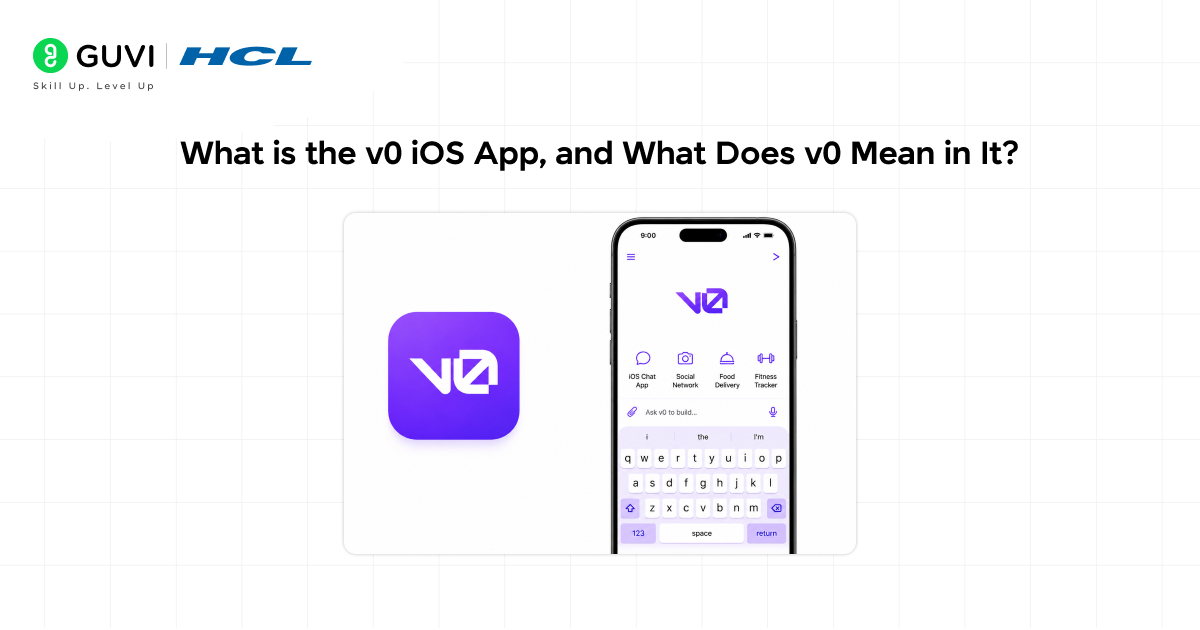
v0 iOS App
v0 iOS app (developed by Vercel) is the mobile version of v0, letting you generate UI (user interface) & app components with simple and direct prompts. You can enter anything you want, and the application will quickly generate an output, enabling product ideation and fast development.
v0
v0 is an AI agent that assists in converting straightforward commands to actual code & complete applications. The user can avoid all the traditional drudgery of development by letting the model generate all the code for the UI, including the logic, and even full-stack setups.
Key Applications of v0
- Explain your idea in your own words
- Turn designs or rough layouts into polished UI
- Link your app with backend data easily
- Launch your app quickly on Vercel’s platform
- Detect and fix code issues with smart suggestions
Also Read: Vercel AI SDK: A Complete Developer Guide to Building AI-Powered Apps
The v0 iOS app was built with React Native and Expo after testing different tech stacks.
If you’re eager to explore full-stack development and gain hands-on experience building real-world software, HCL GUVI’s IITM Pravartak Certified MERN Full Stack Development Course is the perfect opportunity. Learn to work with essential tools such as Git, MongoDB, Express, React, and Node.js under the guidance of industry professionals. Take the next step toward a successful tech career—connect with our experts today to find out more.
How Vercel Built the v0 iOS App
The Vercel-built v0 iOS app can be divided into the following 7 categories:
1. Building the v0 Chat System
The chat system in the v0 iOS app is designed to feel like a natural conversation, where each message generates a UI or code output. It is built to handle streaming responses smoothly so users can see results appear in real time without waiting.
How Vercel Implemented It
Vercel achieved this by structuring the chat as a composable system, where each message and animation is handled separately. This allowed them to control how messages appear, animate, and update without breaking the flow of the conversation.
2. Taming the Keyboard
Keyboard behaviour is a critical part of the chat experience because it can easily break layout on mobile screens. The goal was to make typing feel smooth without hiding important content or causing interface jumps.
How Vercel Implemented It
Vercel solved this by building custom keyboard handling logic using React Native keyboard tools. They carefully managed how the screen shifts when the keyboard opens or closes so the chat always stays visible and stable.
3. Keeping the Chat Scrolled to the Bottom

In a chat-based app, users expect to see the latest response immediately, without having to scroll. The v0 iOS app automatically ensures that new messages appear in the right position.
How Vercel Implemented It
Vercel achieved this by controlling scroll behaviour manually rather than relying solely on default list settings. They used smart scroll updates so the view stays at the latest message while still allowing smooth navigation in older chats.

4. Designing the Floating Input Box
The input box in the v0 iOS app stays floating above the chat, making it easy for users to type at any time without losing context. It also adjusts itself when the keyboard appears, keeping everything aligned properly.
How Vercel Implemented It
Vercel built this by combining absolute positioning with native keyboard-aware components. This ensured the input stays fixed in place while still reacting smoothly to keyboard and layout changes.
5. Showing Content with Smooth Transitions
Messages and generated outputs in the app don’t just appear instantly—they fade and animate in a smooth way. This makes the experience feel more natural and less abrupt.
How Vercel Implemented It
Vercel implemented this using React Native animation systems, where message states are carefully controlled. They used timed transitions to reveal the content gradually, improving readability and flow.
6. Reusing Code Across Web and Mobile
Instead of building everything separately, the v0 iOS app shares part of its logic with the web version. This helps keep behaviour consistent across platforms and reduces repeated work.
How Vercel Implemented It
Vercel achieved this by sharing types, API logic, and backend communication between web and mobile. The UI was kept separate, while the core logic was unified through a shared API.
7. Applying Styles and Native Design
The app looks and feels like a native iOS experience rather than a web view. Every component follows platform design rules to make interactions feel familiar and smooth.
How Vercel Implemented It
Vercel used native styling approaches and avoided heavy web-style UI libraries. They focused on system components, native menus, and platform-specific design patterns to deliver a more authentic UX (user experience).
Start your journey into AI with HCL GUVI’s Intel & IITM Pravartak Certified AI/ML Course, built to make you job-ready in just 4–6 months. With 1:1 doubt support, flexible weekday/weekend batches, and access to 1000+ hiring partners, this course gives you everything needed to move confidently toward a successful AI career.
Conclusion
The process of developing the v0 iOS app is a testament to how you can create high impact with small and insightful decisions. Vercel focused on the very human act of interacting while building this simple, elegant and highly effective product. It’s a clear example of how modern apps are moving toward faster, more natural, and user-focused design.
FAQs
Is the v0 iOS app doing all the AI processing on the phone?
The app sends prompts to servers and displays results, keeping overall performance fast and efficient.
How is the chat system different from a normal chat app?
It focuses on generating UI from prompts, not regular conversation or simple message exchange.
Why was handling the keyboard important?
It prevents layout issues and keeps the chat smooth while typing across different screen sizes.
Why keep the chat always scrolled to the bottom?
It displays the latest output instantly, without extra scrolling, improving speed and the user experience.
How does sharing code between web and mobile help?
It saves time and keeps both platforms consistent, reducing development effort and duplication of work.
Why focus on UI details like floating input and transitions?
They make the app feel faster and easier to use, improving overall interaction and responsiveness.
Success Stories










Did you enjoy this article?