


Artificial Intelligence and Machine Learning Articles
AI/ML Skills Gap 2026: Why Companies Can't Find Job-Ready Talent
20 AI/ML Interview Questions Recruiters Can Use Without a Tech Background - Best Guide
How Industry-Backed AI/ML Bootcamps Are Changing the AI/ML Hiring Pipeline - Best Guide 2026
From IT Support to AI Engineer: A Realistic Career Switch Guide 2026


Get In Touch For Details! Request More Information
How to Build AI Agents with n8n? 10 Steps is All it Takes
Jul 06, 2026 5 Min Read 1242 Views
(Last Updated)
What if you could build a system that doesn’t just follow instructions, but actually decides what to do next on its own? That’s exactly what AI agents bring to the table.
Instead of static workflows, you’re creating dynamic, decision-making systems that can understand context, use tools, and take meaningful actions. With n8n, this becomes surprisingly accessible; you’re not buried in backend complexity, but still powerful enough to design real-world, production-ready agents.
In this article, you’ll learn how to move from simple automation to intelligent orchestration and start building AI agents with n8n that actually get things done.
Quick Answer:
You can build AI agents with n8n by combining its visual workflow builder with AI models, tools, and memory to create systems that understand input, decide actions, and automate tasks. In simple terms, n8n lets you design intelligent agents that go beyond fixed rules and perform dynamic, real-world operations.
Table of contents
- What are AI Agents in n8n?
- Why Use n8n for AI Agents?
- n8n Advantage
- Core Architecture of an n8n AI Agent
- Trigger Layer
- AI Agent (Brain)
- LLM Integration
- Tools Layer
- Memory Layer-
- Prerequisites Before You Start
- Tools You’ll Need
- Step-by-Step: Build Your First AI Agent
- Step 1: Setting Up Your n8n Environment
- Step 2: Defining How the Agent Gets Triggered
- Step 3: Adding the AI Agent Node (The Decision Maker)
- Step 4: Connecting a Language Model (The Brain Power)
- Step 5: Writing the System Prompt (The Behavior Blueprint)
- Step 6: Adding Memory (Context Awareness)
- Step 7: Giving the Agent Tools (Action Capability)
- Step 8: Connecting the Flow (Creating the Loop)
- Step 9: Testing the Agent (Where Reality Hits)
- Step 10: Iterating and Improving (Making It Reliable)
- What This Really Means
- Advanced Enhancements
- Add Conditional Logic
- Implement RAG (Retrieval-Augmented Generation)
- Multi-Agent Systems
- Error Handling Workflows
- Queue-Based Scaling
- Real-World Use Cases
- Customer Support Agent
- Research Agent
- Lead Qualification Agent
- Content Automation Agent
- Best Practices for Building Reliable Agents
- Be Precise with Prompts
- Design Clear Tool Descriptions
- Limit Tool Overload
- Use Memory Wisely
- Test Edge Cases
- Common Mistakes to Avoid
- Future of AI Agents with n8n
- Final Thoughts
- FAQs
- What is n8n and how is it used for AI agents?
- Can I build AI agents in n8n without coding?
- Which AI models can be integrated with n8n?
- What are the key components of an AI agent in n8n?
- Is n8n suitable for production-level AI agents?
What are AI Agents in n8n?
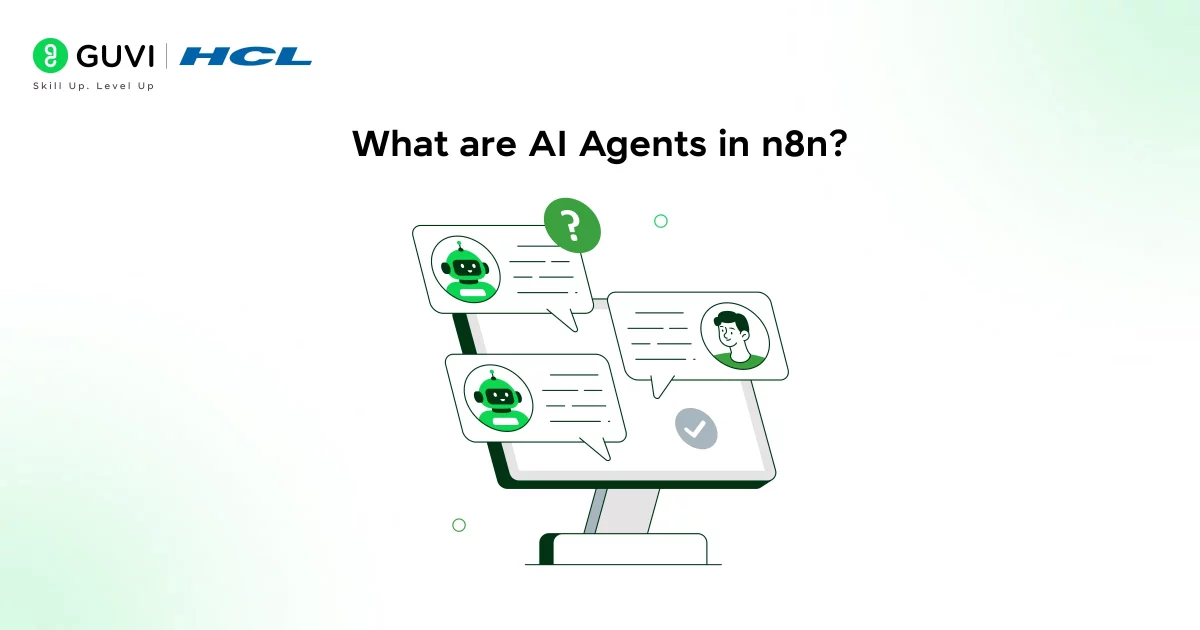
An AI agent in n8n is not just a chatbot. It’s a decision-making workflow that can understand context, choose actions, and interact with tools.
Unlike traditional automation:
- Rule-based automation → “If X happens, do Y.”
- AI agents → “Understand X, decide what to do, then execute.”
n8n agents combine:
- Large Language Models (LLMs)
- Workflow automation
- External tools (APIs, databases, apps)
This allows them to adapt dynamically instead of following fixed rules.
Why Use n8n for AI Agents?
Let’s be practical, why not just code everything from scratch?
Here’s the difference:
n8n Advantage
- Visual workflow builder (faster iteration)
- 400+ integrations
- Built-in AI Agent node
- Flexible (no-code + low-code hybrid)
- Self-hosting capability
Compared to full coding, n8n dramatically reduces complexity and development time by focusing on workflow design instead of infrastructure.
Read More: A Beginner’s Guide to AI Agents, MCPs & GitHub Copilot
Core Architecture of an n8n AI Agent
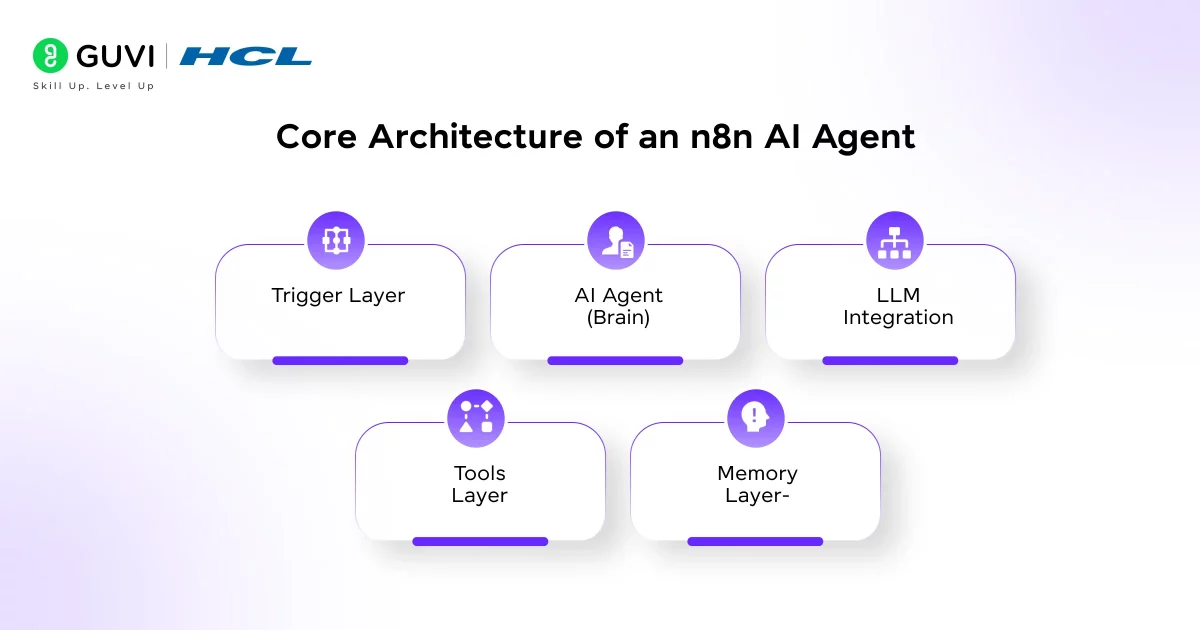
Before you build anything, understand how the pieces fit.
1. Trigger Layer
This starts the workflow:
- Chat input
- Webhook
- Slack message
- API request
2. AI Agent (Brain)
The AI Agent node:
- Interprets user input
- Decides which tools to use
- Coordinates execution
3. LLM Integration
Examples:
- OpenAI (GPT)
- Google Gemini
- Anthropic Claude
This is where reasoning happens.
4. Tools Layer
Tools give your agent power:
- HTTP APIs
- Database queries
- Email sending
- Web scraping
Think of tools as “apps on the agent’s phone.”
5. Memory Layer-
Memory stores context:
- Conversation history
- User preferences
- Task progress
Without memory, your agent resets every time.
Prerequisites Before You Start
You don’t need to be an expert, but you should know:
- APIs and JSON basics
- How LLMs work (prompting, tokens)
- Basic workflow logic (if/else, routing)
Tools You’ll Need
- n8n (cloud or self-hosted)
- API key (OpenAI, Gemini, etc.)
- Optional:
- Database (Postgres, Airtable)
- External APIs (weather, search, etc.)
Step-by-Step: Build Your First AI Agent
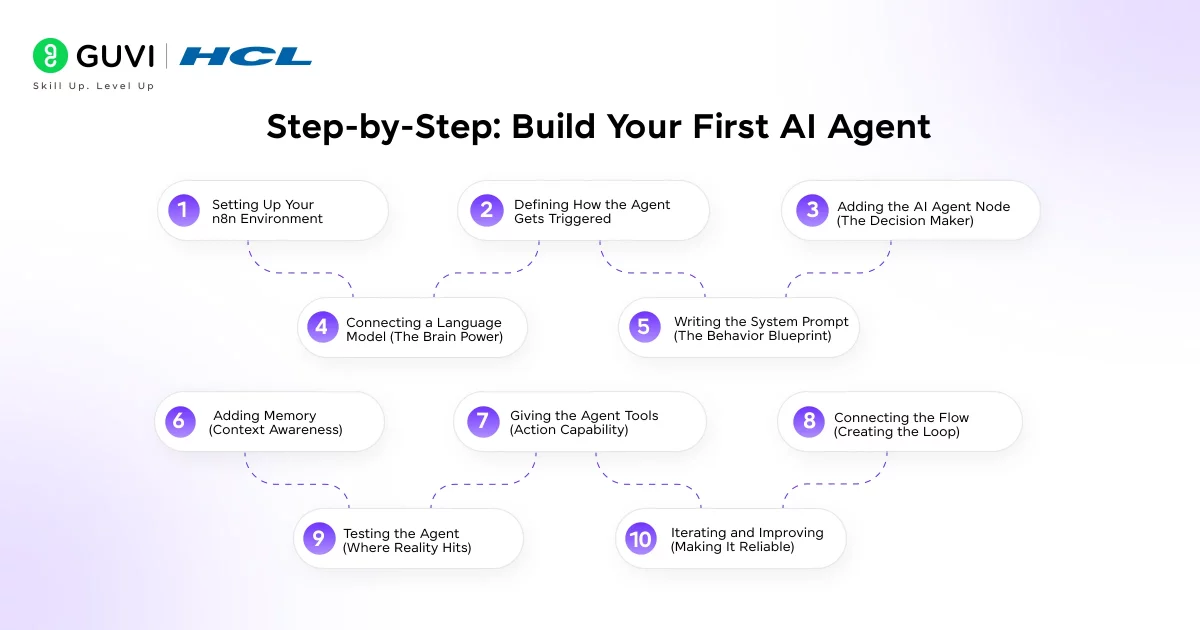
Let’s slow this down and actually understand what’s happening when you build an AI agent in n8n. Most guides rush through steps, but here’s the thing, you’re not just connecting nodes, you’re designing how a system thinks and acts.
Step 1: Setting Up Your n8n Environment
Before anything else, you need a working n8n setup. You can either use n8n Cloud or self-host it locally using Docker. Once you’re inside the dashboard, create a new workflow.
At this point, think of the workflow as your agent’s “brain map.” Every node you add becomes a part of how your agent perceives input, processes it, and responds.
Step 2: Defining How the Agent Gets Triggered
Now you decide how your agent will be activated. This is your entry point.
If you’re building a conversational assistant, a Chat Trigger works best. If you want to integrate it into an app or website, you’ll likely use a Webhook. For internal tools, Slack or Telegram triggers are common.
What this really means is: you’re defining how the outside world talks to your agent.
Step 3: Adding the AI Agent Node (The Decision Maker)
This is where things start getting interesting.
The AI Agent node acts as the orchestrator. It doesn’t just respond—it decides:
- What the user wants
- Whether it needs a tool
- What action to take next
You’ll typically configure it as a Tools Agent, which allows it to interact with external systems. Instead of giving a fixed response, it can choose to fetch data, process it, and then respond.
This is the shift from automation to intelligence.
Step 4: Connecting a Language Model (The Brain Power)
Your agent needs a model to reason with. This is where you connect something like OpenAI, Gemini, or Claude.
Once connected, the model becomes responsible for:
- Understanding user input
- Generating responses
- Deciding when to use tools
But here’s the catch: the model is only as good as the instructions you give it. That’s where prompts come in.
Step 5: Writing the System Prompt (The Behavior Blueprint)
This is one of the most critical parts of the entire setup.
Your system prompt defines how your agent behaves. You’re essentially telling it:
- Who it is
- What it should do
- What it should avoid
For example, instead of saying “help the user,” you define:
- Use tools when real-time data is needed
- Avoid guessing
- Respond clearly and concisely
What this really means is you’re shaping the decision-making style of your agent.
A weak prompt leads to inconsistent behavior. A strong prompt makes your agent reliable.
Step 6: Adding Memory (Context Awareness)
Without memory, your agent behaves like it has amnesia.
Every interaction becomes isolated, which breaks continuity. By adding a memory node, you allow the agent to remember:
- Previous messages
- User preferences
- Ongoing tasks
This is especially important for conversational agents or multi-step workflows. Think of memory as the difference between a one-time response system and a real assistant.
Step 7: Giving the Agent Tools (Action Capability)
Now you move from “thinking” to “doing.”
Tools are what allow your agent to interact with the outside world. In n8n, this usually means adding nodes like:
- HTTP Request (to call APIs)
- Database queries
- Email or messaging services
For example, instead of answering a weather question from memory, your agent can call a weather API and fetch real-time data.
Here’s the key insight:
An AI model alone can generate text.
An AI agent with tools can complete tasks.
Step 8: Connecting the Flow (Creating the Loop)
Once all components are in place, you connect them into a flow.

At a high level, your workflow becomes:
User Input → AI Agent → Model → Tool (if needed) → Response → Memory Update
This loop allows your agent to:
- Understand the request
- Decide what to do
- Execute actions
- Respond intelligently
It’s not linear, it’s dynamic. The agent can choose different paths depending on the input.
Step 9: Testing the Agent (Where Reality Hits)
Now you test.
Start simple:
- Ask direct questions
- Try tool-based queries
- Push edge cases
You’ll quickly notice something: AI agents don’t behave perfectly on the first try. That’s normal.
You’ll refine:
- Prompts
- Tool descriptions
- Workflow structure
Testing is not just validation, it’s how you shape behavior.
Step 10: Iterating and Improving (Making It Reliable)
This is where your agent becomes production-ready.
You improve:
- Prompt clarity
- Tool accuracy
- Error handling
For example:
- What happens if an API fails?
- What if the input is unclear?
- Should the agent ask follow-up questions?
You start designing not just for success cases, but for real-world unpredictability.
What This Really Means
When you step back, building an AI agent in n8n is not about dragging nodes onto a canvas.
You are designing:
- A decision system
- A behavior model
- A task execution engine
Once you understand this, you stop thinking in terms of “workflow steps” and start thinking in terms of capabilities.
Advanced Enhancements
Once your basic agent works, level it up.
1. Add Conditional Logic
Use Switch nodes:
- Route queries differently
- Trigger specific tools
- Customize responses
Example:
- “search” → Web tool
- “email” → Gmail tool
2. Implement RAG (Retrieval-Augmented Generation)
Connect:
- Vector database
- Knowledge base
This allows:
- Domain-specific answers
- Accurate responses from your data
3. Multi-Agent Systems
Instead of one agent:
- Research agent
- Execution agent
- Validation agent
Each handles a specific role.
4. Error Handling Workflows
Create a fallback:
- If API fails → Send alert
- If response fails → Retry logic
5. Queue-Based Scaling
For production:
- Use queues
- Handle multiple requests
- Avoid bottlenecks
Real-World Use Cases
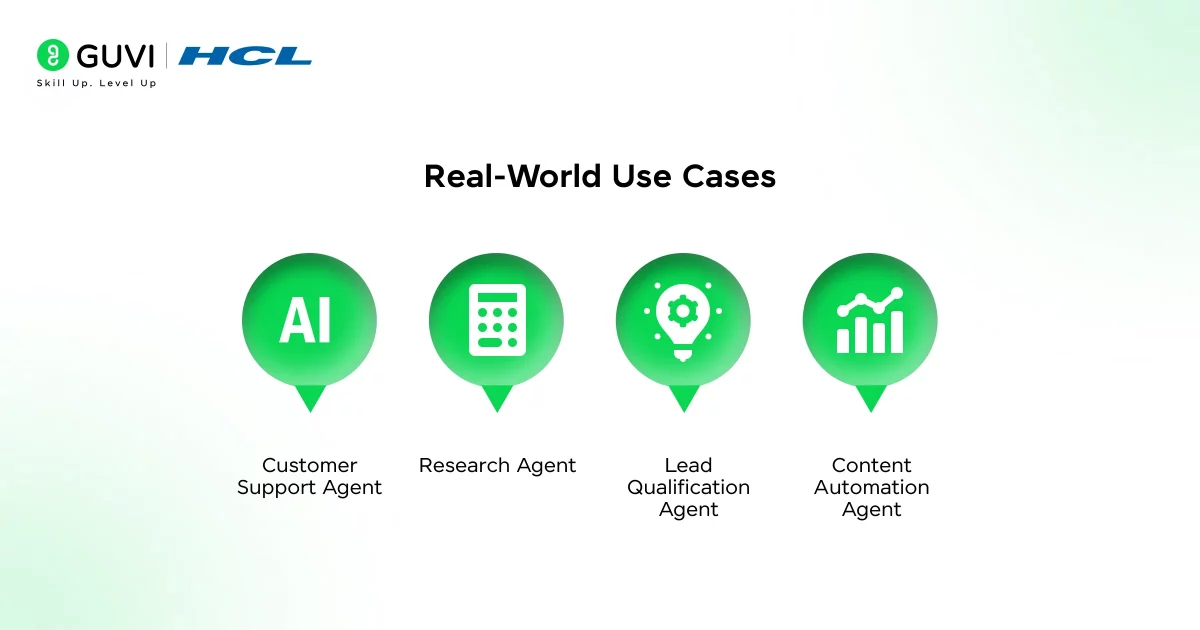
Here’s where this becomes powerful:
1. Customer Support Agent
- Answer queries
- Fetch order details
- Escalate when needed
2. Research Agent
- Scrape web data
- Summarize insights
- Store results
3. Lead Qualification Agent
- Analyze form inputs
- Score leads
- Send follow-ups
4. Content Automation Agent
- Generate drafts
- Post to CMS
- Share on social
Best Practices for Building Reliable Agents
Let’s keep it real—most agents fail because of poor design, not tech.
1. Be Precise with Prompts
Avoid vague instructions.
Bad:
“Help the user”
Good:
“Use tools to fetch real-time data and respond concisely”
2. Design Clear Tool Descriptions
LLMs rely on descriptions to decide:
- When to use a tool
- How to use it
3. Limit Tool Overload
Too many tools = confusion
Start small → expand gradually
4. Use Memory Wisely
- Store only relevant data
- Avoid bloating context
5. Test Edge Cases
Test:
- Missing inputs
- Invalid queries
- API failures
Common Mistakes to Avoid
- Treating agents like chatbots
- Ignoring system prompts
- Overcomplicating workflows
- Not testing tool usage
- Skipping error handling
Future of AI Agents with n8n
Here’s what’s coming:
- Autonomous multi-step workflows
- Deep integrations with enterprise tools
- Voice-based AI agents
- Fully self-improving systems
n8n sits at a sweet spot: fast to build, flexible to scale
If you’re serious about learning AI agents and want to build one, don’t miss the chance to enroll in HCL GUVI’s Intel & IITM Pravartak Certified Artificial Intelligence & Machine Learning course, co-designed by Intel. It covers Python, Machine Learning, Deep Learning, Generative AI, Agentic AI, and MLOps through live online classes, 20+ industry-grade projects, and 1:1 doubt sessions, with placement support from 1000+ hiring partners.
Final Thoughts
At its core, building AI agents with n8n is about shifting your mindset, from writing fixed rules to designing flexible systems that can think, act, and adapt. Once you understand how triggers, models, tools, and memory work together, you start seeing endless possibilities, from automating workflows to creating full-scale intelligent assistants.
The real advantage is how quickly you can go from idea to execution without sacrificing control. If you approach it step by step, test thoughtfully, and refine continuously, you won’t just build AI agents, you’ll build systems that solve real problems at scale.
FAQs
1. What is n8n and how is it used for AI agents?
n8n is a workflow automation tool that lets you connect apps, APIs, and AI models. You can use it to build AI agents that automate tasks and make decisions using LLMs.
2. Can I build AI agents in n8n without coding?
Yes, n8n offers a visual builder, so you can create AI agents with minimal coding. However, basic knowledge of APIs and logic helps you build more advanced workflows.
3. Which AI models can be integrated with n8n?
You can integrate models like OpenAI (GPT), Google Gemini, and Anthropic Claude. These models power the reasoning and decision-making of your AI agent.
4. What are the key components of an AI agent in n8n?
An AI agent typically includes a trigger, an AI model, tools (APIs), memory, and workflow logic. Together, they enable the agent to understand, decide, and act.
5. Is n8n suitable for production-level AI agents?
Yes, n8n supports scaling, error handling, and integrations needed for production. With proper setup, you can deploy reliable AI agents for real-world use cases.
Success Stories

About the Author
Lukesh S
A professional content writer who has experience in freelancing and now working as a Technical Content Writer at HCL GUVI having sound knowledge in Blog Writing and Creative Writing!
View all posts by Lukesh S
Connect with me @









Did you enjoy this article?