


Interview Articles
Technical Interview Questions Commonly Asked in Startups
Technical Interview vs HR Interview: 7 Key Differences
Advanced DNS Interview Questions for Senior Engineers: What to Expect in 2026
How to Handle a Technical Interview When the HR Interviewer Isn’t Technical


Get In Touch For Details! Request More Information

SAP Prescreen Interview for Freshers: Simple Questions and How to Answer Them
Jan 24, 2026 7 Min Read 585 Views
(Last Updated)
SAP (Systems, Applications & Products in Data Processing) is an advanced, robust enterprise-grade software system used by businesses to manage internal workflows and processes, thereby ensuring operational efficiency and productivity. Multiple departments within the organization (such as finance, sales, HR, supply chain, and customer management) can be seamlessly integrated into a unified platform, enhancing collaboration, real-time data exchange, and accessibility.
That’s why most companies are adopting SAP products to improve overall efficiency and stay competitive in the digital world. And individuals who choose to learn and manage SAP software automatically become top picks for many prestigious companies.
But if you are a fresher just starting in SAP, most employers don’t expect you to be a perfectionist; instead, they expect to see how firm your grasp of fundamentals is. In this blog, we are going to walk through the questions that are frequently asked during SAP prescreen interview rounds (for freshers). So, let’s get started.
Quick Answer:
In a SAP pre-screening interview for freshers, you can expect basic questions about SAP modules, your understanding of ERP systems, and why you want to build a career in SAP. They may ask about your academic background, strengths, and any SAP training or projects you’ve done. Simple scenario-based questions and communication checks are also common.
Note:
What is a prescreen interview round?
A prescreen interview is an initial round conducted by recruiters to test your understanding and communication skills before the main interview.
Table of contents
- Best SAP Prescreen Interview Questions for Freshers
- A. Basic SAP Knowledge Questions
- B. ERP Concept Questions
- C. Module Preference Questions
- D. Scenario-Based Questions
- E. HR and Soft Skills Questions
- Conclusion
- FAQs
- What kind of questions do companies really ask in a SAP prescreen interview?
- Will they ask me about all SAP modules?
- What if I don’t know the answer to a SAP question?
Best SAP Prescreen Interview Questions for Freshers
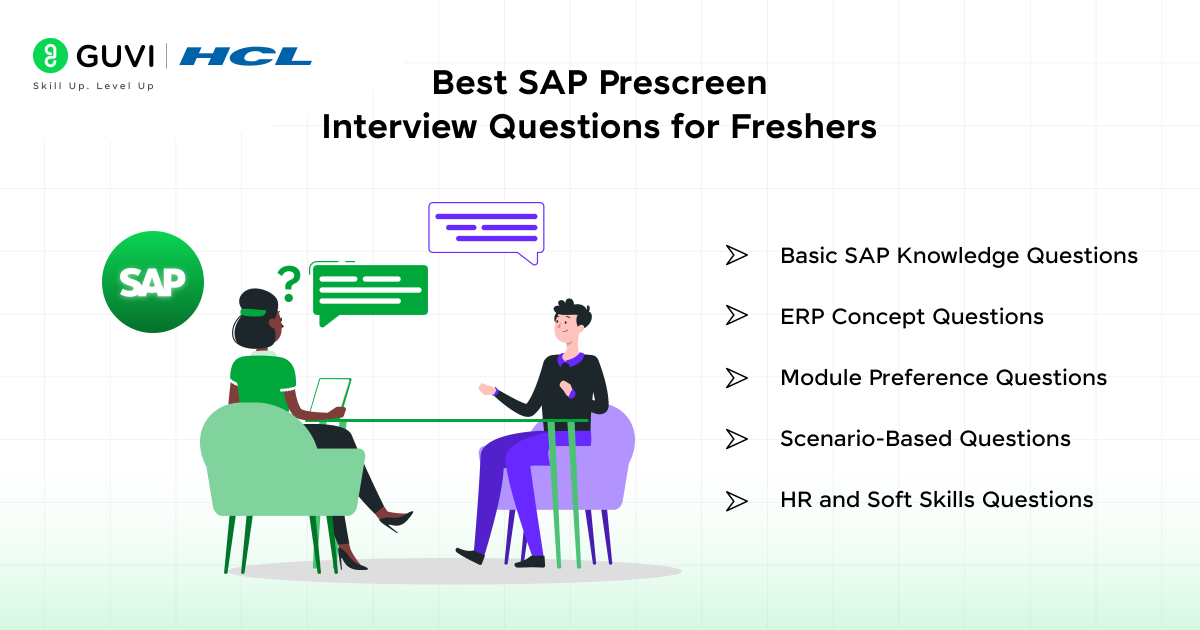
We have listed the best questions for freshers during the pre-screening round. Deeply understanding the explanations for these questions and communicating them clearly to the interviewers will help you move forward in the hiring process.
In this section, we have divided the questions into five (5) categories:
Also Read: How to Get SAP Certification on AWS – Easy Steps
A. Basic SAP Knowledge Questions
1. What is SAP, and why do companies use it?
SAP is a software system for enterprises that aims to assist businesses in managing their essential functions through one unified platform. It integrates processes such as finance, sales, HR, procurement, and supply chain to enable enterprises to operate with precision and reliability.
Firms adopt SAP because it increases productivity, reduces manual labor, and enables real-time decision-making. The integration of all departments enables businesses to easily track data, reduce the risk of errors, and maintain transparent insight into their overall operations.
2. Name the main SAP modules and their purposes.
FI (Financial Accounting):
It is a tool to handle financial transactions, reporting, and compliance. With this, businesses can keep their financial records accurate.
MM (Materials Management):
It is implemented for procurement, inventory, and vendor management. It also ensures an uninterrupted supply of materials in the enterprise.
SD (Sales and Distribution):
It supports the essential order-to-cash process, including sales order management, deliveries, billing, and customer relationships.
HCM (Human Capital Management):
Concentrates on employee data, payroll, recruitment, and HR-related activities. With such a system, companies can manage their workforce effectively.
PP (Production Planning):
It is the mainstay of factory processes, including planning, scheduling, and production tracking. As a result, production operations flow smoothly.
PM (Plant Maintenance):
This module handles the maintenance, inspections, and repairs. It minimises the equipment downtime, ensuring safety.
3. What is the difference between SAP ECC and SAP S/4HANA?
SAP ECC is the previous generation ERP system that is compatible with conventional databases, whereas SAP S/4HANA is the most recent version developed on the efficient HANA in-memory database. S/4HANA is significantly faster, can handle huge volumes of data in real-time, and can simplify business operations by having a less complex system architecture.
S/4HANA provides contemporary analytics, improved user experience via SAP Fiori, and less data duplication; thus, it is a lot more effective for a digital business of today. Besides, it also facilitates the use of advanced technology such as AI, automation, and predictive analytics, with which ECC is only partially compatible.
4. What is master data in SAP, and why is it important?
Master data is the core information of the business, which does not change much over time. Examples of such data are customers, vendors, materials, employees, and company codes. It is the foundation on which all transactions and processes in the SAP system run.
One of the main reasons master data is necessary is that accurate master data ensures uniformity, prevents errors, and enables effective cross-departmental communication. If the master data is incorrect, all transactions linked to it will be affected, causing operational issues, financial errors, and report errors.
5. Explain what a SAP transaction code (T-code) is.
A SAP transaction code, or simply a T-code, is a modified command that permits users to directly reach a particular task or a specific screen without the need to go through various menu levels. Essentially, T-codes are the quickest and most efficient way of working in SAP.
For example, T-codes can be used in SAP to perform the following operations: create purchase orders, check stock levels, post invoices, and generate reports. In brief, T-codes are the best tools in users’ hands to ensure correctness, time-saving, and seamless transitions between various functions.
6. How does SAP help in integrating different business processes?
SAP connects business processes by linking all the modules in such a way that information can be shared without any difficulty between various departments, i.e., finance, sales, HR, and procurement. In other words, any changes made in one module are immediately reflected in the others, thus data replication is lowered, and the precision is enhanced.
Through this integration, enterprises are able to operate in real time, they can make more informed decisions, and they also get rid of the problem of communication gaps between different teams. It results in a single system where all staff members have access to the same accurate data; hence, the organisation’s effectiveness and productivity improve.

B. ERP Concept Questions
1. What is an ERP system, and why is it used in organisations?
An ERP system (Enterprise Resource Planning) is a software that integrates different business processes, e.g., finance, HR, sales, procurement, and inventory, into a single unified platform. With it, companies can handle operations in a precise and consistent manner.
Organisations implement ERP to cut down on manual labour, eliminate the double entry of data, and keep a precise view available to all departments. The result is that the company enjoys a more efficient workflow, higher productivity, and better decisions.
2. Name some popular ERP software apart from SAP.
- Oracle ERP Cloud: Known for strong financial and supply chain features.
- Microsoft Dynamics 365: Offers flexible ERP and CRM capabilities for medium and large businesses.
- NetSuite ERP: A cloud-based ERP widely used by growing companies for finance and operations.
- Infor ERP: Designed for manufacturing, supply chain, and industry-specific needs.
- Odoo ERP: An open-source ERP offering modular business applications.
3. What are the key benefits of using ERP?
Some of the key benefits of using an ERP system are:
- Centralized Data
All departments work with the same accurate data.
- Improved Efficiency
Automated workflows reduce manual tasks and save time.
- Better Decision-Making
Real-time data helps leaders make faster, data-driven decisions.
- Strong Process Integration
Different business functions stay connected and aligned.
- Reduced Errors
Consistent data entry lowers mistakes in transactions and reports.
4. Explain how ERP integrates different business departments.
ERP systems achieve departmental integration by maintaining all the data of a company in one common database accessible to all departments. Thus, when one department changes the data—for example, the sales department recording an order—other departments, like inventory and finance, are automatically updated with the new data by the system modules.
The departments are always on the same page thanks to this instant link, which also reduces the risk of misunderstandings and facilitates the execution of interdepartmental work processes. The system turns the organisation into a single entity with different departments functioning as one unit rather than separate and independent teams.
5. What is the difference between on-premise ERP and cloud ERP?
On-Premise ERP: The system is set up and kept in the company’s own data center. The company enjoys full control and can make changes to the system as per its requirements, but it comes at a higher cost and requires in-house IT support.
Cloud ERP: This system is available online and can be accessed via the internet. It is characterized by a lower initial cost, easier updates, and improved scalability.
6. How does ERP improve efficiency and decision-making in a business?
ERP makes the company more efficient by automating routine tasks, lessening the need for manual data entry, and integrating processes so that employees can work at a faster pace with fewer mistakes. This, in turn, results in improved productivity and a more efficient use of the company’s resources.
Besides that, the system improves the quality of decisions through the availability of up-to-date insights, precise reports, and an overall picture of the company’s performance.
C. Module Preference Questions
1. What are the key functions of the SAP FI module?
The SAP FI (Financial Accounting) module is responsible for handling the organisation’s financial transactions that spread across general ledger accounting, accounts payable, accounts receivable, asset accounting, and financial reporting. The system ensures that the organisation’s financial data is captured correctly and is always available for reporting and compliance purposes.
FI is a great tool for the business as it gives financial insights in real-time, which facilitates the tracking of expenses and revenue. At the same time, it ensures that the company is audit-ready. FI is essentially the core of financial management, and it is instrumental in keeping the company financially sound and viable.
2. Explain the main processes handled in the SAP MM module.
SAP MM (Material Management) is the module that manages procurement as well as the complete inventory management cycle, from the creation of purchase requisitions to the issuing of goods and vendor invoice processing. It is the tool that guarantees the procurement of materials at the right moment, with the right quantity, and at the best price.
Additionally, MM also handles inventory levels, material valuation, and supplier management. The module is essential in ensuring that production and operations are free from material shortages and that the supply chain is continuous.
3. How does SAP SD manage order-to-cash processes?
SAP SD (Sales and Distribution) takes care of the whole order-to-cash cycle, which is basically a series of activities starting with obtaining orders from customers, checking if products are available, processing deliveries, issuing invoices, and finally, handling payments. It facilitates the execution of each step in the sales process with precision and efficiency.
By integration with MM, FI, and other modules, SD guarantees the coordination that is done seamlessly between the different departments. The effects of this are that companies can deliver products on time, keep their customers satisfied, and accurately record sales revenue.
4. What is the purpose of master data in SAP HCM?
Master data in SAP HCM (Human Capital Management) refers to the core employee data that covers areas like personal details, job roles, payroll data, and organisational assignments. This data is the basis for all HR processes within the system.
The reason why it is so vital is that every HR action – like payroll processing, attendance tracking, performance management, and benefits administration – relies on the right master data. In the absence of it, HR operations would be riddled with errors and inconsistencies.
5. Name some common T-codes used in SAP PP and their functions.
- MD01 – Create MRP Run
Used to plan material requirements for production.
- CO01 – Create Production Order
Helps create and schedule new production orders.
- MF50 – Planning Table
Used for planning and adjusting production quantities.
- MB31 – Goods Receipt for Production
Records materials produced and added to inventory.
- CA01 – Create Routing
Defines the steps required to manufacture a product.
6. How do SAP modules integrate or communicate with each other?
SAP modules work together through a single database that they share, thus enabling the information to be exchanged without any problem between the various departments, like finance, sales, procurement, and production. In other words, a sales order created by SD will be a stock check initiated by MM, and a revenue update will be done by FI, all automatically.
Such a connection provides perpetual transparency, lessening of data repetition, and thus all the departments function at the same level with the right data. It acts as one integrated system instead of different branches, which is great for the business to be able to run smoothly.
D. Scenario-Based Questions
1. How would you create a purchase order in SAP MM?
Creating a purchase order in SAP MM requires you to first use the T-code ME21N. You do the selections of the vendor, purchasing organisation, purchasing group, and company code in this screen.
Following the input of these details, you go on to specify the material, quantity, delivery date, and plant where the material is to be delivered.
It is a good practice to check the data after all the fields are filled. If it is all okay, then you save the document and SAP automatically assigns a purchase order number to it.
This purchase order is then available to be given to the vendor for them to carry out the order.
2. If an invoice doesn’t match a purchase order, how would you handle it in SAP?
In case the invoice does not correspond to the purchase order (PO), SAP will place a block on the payment of the invoice due to the fact that there is a mismatch of quantity, price, or delivery details.
The very first thing to do is to check the PO, the goods receipt, and the invoice to find out the exact difference. This can be done with T-codes ME23N (PO), MIGO (GR), and MIRO (Invoice).
Upon locating the discrepancy, you should work with the vendor, purchasing department, or warehouse team to rectify the mistake. If it is necessary, you may change the PO or request the vendor to issue a corrected invoice.
When the discrepancy has been cleared, SAP will either automatically release the invoice for payment, or you can manually release it by MRBR (Maintenance Review Board Report).
3. If a workflow is stuck, how would you troubleshoot it in SAP?
If a workflow is stuck, the very first action to be taken is to see the workflow log via T-code SWI1 or SWI2_FREQ to find out the point at which the workflow stopped. The log indicates the task that is waiting, the user responsible, and any errors or technical issues that may have occurred.
After that, you verify if the user responsible for the action has the necessary authorization and whether the work item is in their inbox. In case it is a technical error, you might require the support of the workflow admin to restart the workflow or rectify configuration issues. The flow will go on as usual once the problem has been solved.
E. HR and Soft Skills Questions
1. Why do you want to build a career in SAP?
I want to build a career in SAP because it’s a field where I can grow continuously while working on real business problems. SAP is used by top companies worldwide, which means there are strong career opportunities, stable roles, and a lot of room to learn new skills. I like that SAP combines both technical and business understanding, and that makes the work more practical and meaningful.
2. How do you handle challenges or tight deadlines?
When I’m facing challenges or tight deadlines, I stay calm and break the work into smaller, manageable parts. I focus on what needs to be done first and keep my work organized so nothing gets missed. If needed, I communicate with my team to avoid delays, but I always try to deliver quality work on time without rushing blindly.
3. How do you approach learning a new tool or process quickly?
When I need to learn a new tool or process, I start by understanding the basics clearly and then quickly move to hands-on practice. I prefer learning by doing, so I take notes, watch short tutorials, and clear my doubts early. This helps me pick things up faster and apply the learning confidently in real situations.
If you’re serious about building your career in SAP software, then enroll in HCL GUVI’s SAP Crash Course for Beginners and start learning the right way.
Conclusion
A SAP prescreen interview for freshers is mostly about checking your basics, confidence, and genuine interest in starting a career in SAP. With a bit of preparation and clarity on key concepts, you can easily handle the simple questions asked. Focus on understanding how SAP works, be clear about your strengths, and present your learning journey confidently. A calm, well-prepared approach is all you need to make a strong first impression.
FAQs
What kind of questions do companies really ask in a SAP prescreen interview?
They usually ask about your SAP module preference, basic ERP understanding, why you chose SAP, and a few simple scenario-based questions to test your clarity.
Will they ask me about all SAP modules?
No. They mainly ask about the module you’ve shown interest in or trained for, along with a few general SAP basics.
What if I don’t know the answer to a SAP question?
It’s okay—interviewers expect freshers to be learners. Just stay calm, admit it honestly, and explain how you plan to improve or where you studied the concept.
Success Stories














Did you enjoy this article?