


Python Articles
Freelancing as a Python Developer: Getting Your First Client
Common Python Mistakes Beginners Make And How to Fix Them
Python Best Practices: Writing Clean, Maintainable Code Like a Pro
How to Build a Python Developer Portfolio That Gets You Hired


Get In Touch For Details! Request More Information
Ever looked at a bunch of numbers and wondered how people magically turn them into clean graphs and charts? That magic in Python usually starts with a library called Matplotlib.
If you’re just getting started with Python or working with data for the first time, installing Matplotlib correctly is your first step. This blog walks you through what Matplotlib is, why it matters, and how to install Matplotlib in Python without confusion.
Quick Answer
Matplotlib in Python can be installed using the pip package manager with a single command: pip install matplotlib. Once installed, it allows you to create graphs, charts, and plots to visualize data easily. A proper setup ensures Matplotlib runs smoothly without dependency errors.
Table of contents
- What Is Matplotlib In Python
- How To Install Matplotlib In Python
- Method 1: Using pip
- Method 2: Using Anaconda
- Method 3: Using a Virtual Environment
- Verifying Matplotlib Installation
- Why Is Matplotlib Important
- 💡 Did You Know?
- Conclusion
- FAQs
- Can I install Matplotlib in Python without administrator rights?
- How do I update Matplotlib to the latest version in Python?
- Is Matplotlib compatible with Python virtual environments?
- Can Matplotlib be used with Jupyter Notebook?
- Are there alternatives to Matplotlib for Python data visualization?
What Is Matplotlib In Python
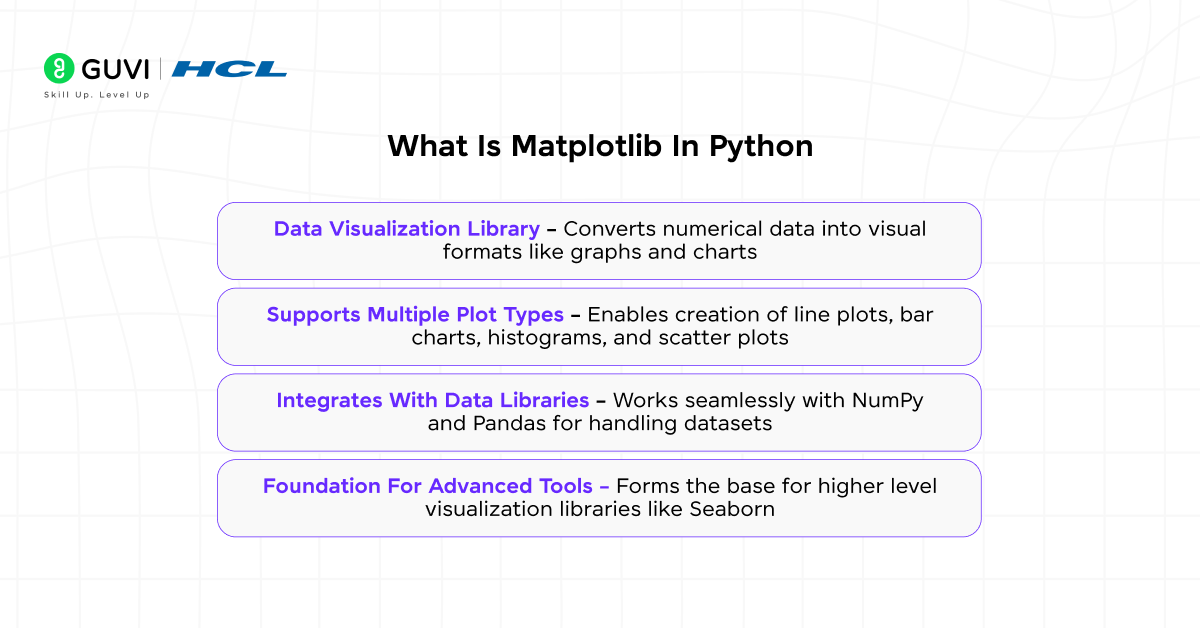
Matplotlib is a Python library used to create visual representations of data such as line charts, bar graphs, histograms, and scatter plots. When you install Matplotlib in Python, you can visually analyze data instead of relying only on raw numbers, which makes insights easier to identify.
It is widely used across data analysis, machine learning, and scientific computing projects. Knowing what Matplotlib is before you install Matplotlib in Python helps you understand why it is considered a core library in the Python ecosystem.
Key Points
- Data Visualization Library – Converts numerical data into visual formats like graphs and charts
- Supports Multiple Plot Types – Enables creation of line plots, bar charts, histograms, and scatter plots
- Integrates With Data Libraries – Works seamlessly with NumPy and Pandas for handling datasets
- Foundation For Advanced Tools – Forms the base for higher-level visualization libraries like Seaborn
Download HCL GUVI’s Python eBook to deepen your knowledge of Python and related libraries like Matplotlib, helping you apply what you learned to real coding projects.
How To Install Matplotlib In Python
Installing Matplotlib in Python is an essential step for anyone working with data visualization, data analysis, or machine learning projects. If you are learning Python or starting a new data project, knowing how to install Matplotlib in Python correctly ensures that you can create charts, graphs, and plots without errors. This section will guide you through the prerequisites and the installation process, covering multiple methods to install Matplotlib in Python efficiently.
Prerequisites
Before you install Matplotlib in Python, make sure your system meets the following requirements. These prerequisites ensure a smooth installation and proper functionality of the library.
- Python is installed
- pip is available and updated
- Compatible Python version
- Using a virtual environment is recommended
Installation Process
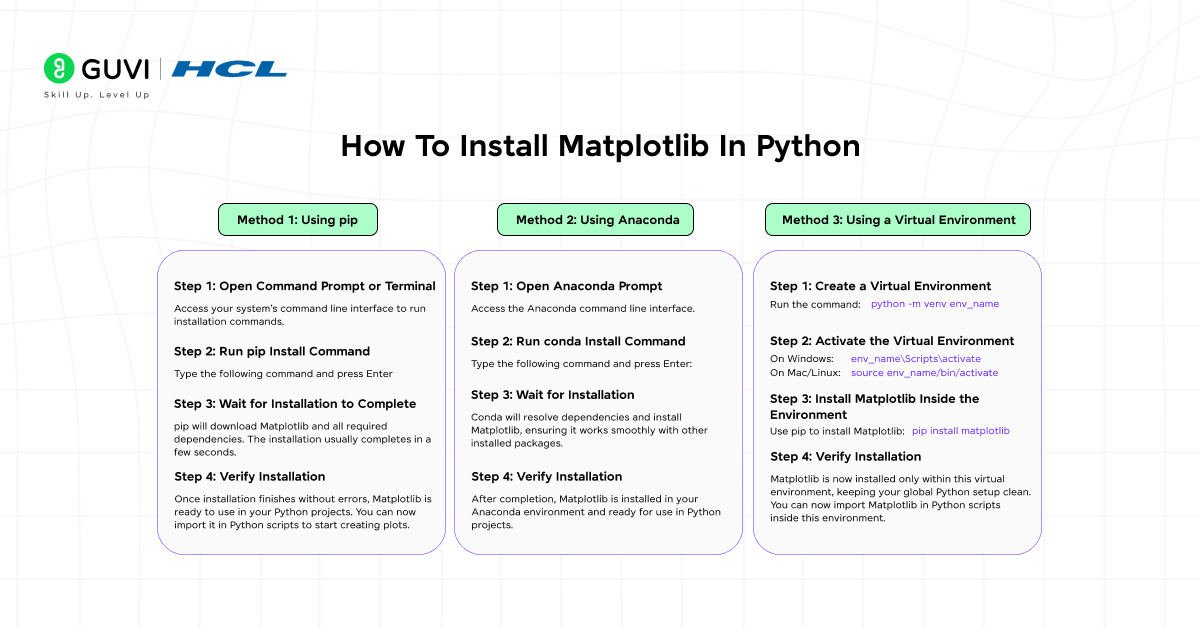
There are several ways to install Matplotlib in Python. Choosing the right method depends on your workflow and system setup. The main installation methods are:
- Using pip – standard for most Python installations
- Using Anaconda – preferred if you use the Anaconda distribution
- Using a virtual environment – recommended to isolate dependencies across projects
Understanding these methods helps you select the approach that best fits your project and ensures a clean, error-free way to install Matplotlib in Python.
Do explore HCL GUVI’s Python Hub if you want to strengthen your understanding of Python concepts beyond installing Matplotlib in Python. It offers structured articles, tutorials, and hands-on resources that help you practice Python libraries and real-world use cases effectively.
Method 1: Using pip
pip is the most common method to install Matplotlib in Python. It is widely used because it automatically installs all required dependencies, making the installation process fast and reliable. Using pip ensures that Matplotlib integrates seamlessly into your Python environment, and it works across Windows, Mac, and Linux systems.
Step 1: Open Command Prompt or Terminal
Access your system’s command line interface to run installation commands.
Step 2: Run pip Install Command
Type the following command and press Enter:
pip install matplotlibStep 3: Wait for Installation to Complete
pip will download Matplotlib and all required dependencies. The installation usually completes in a few seconds.
Step 4: Verify Installation
Once installation finishes without errors, Matplotlib is ready to use in your Python projects. You can now import it in Python scripts to start creating plots.
Method 2: Using Anaconda
Installing Matplotlib in Python using Anaconda is ideal for users who manage multiple Python packages and environments. Conda ensures that all dependencies are compatible, reducing the chance of conflicts. This method is recommended for data scientists and developers working on larger projects within the Anaconda ecosystem.
Step 1: Open Anaconda Prompt
Access the Anaconda command line interface.
Step 2: Run conda Install Command
Type the following command and press Enter:
conda install matplotlibStep 3: Wait for Installation
Conda will resolve dependencies and install Matplotlib, ensuring it works smoothly with other installed packages.
Step 4: Verify Installation
After completion, Matplotlib is installed in your Anaconda environment and ready for use in Python projects.
Method 3: Using a Virtual Environment
Installing Matplotlib in Python inside a virtual environment isolates project dependencies and prevents conflicts. This method is ideal if you are working on multiple projects or experimenting with different library versions.

Step 1: Create a Virtual Environment
Run the command:
python -m venv env_nameStep 2: Activate the Virtual Environment
- On Windows:
env_name\Scripts\activate- On Mac/Linux:
source env_name/bin/activateStep 3: Install Matplotlib Inside the Environment
Use pip to install Matplotlib:
pip install matplotlibStep 4: Verify Installation
Matplotlib is now installed only within this virtual environment, keeping your global Python setup clean. You can now import Matplotlib in Python scripts inside this environment.
Verifying Matplotlib Installation
After installing Matplotlib in Python, it’s important to ensure it works correctly. This section covers quick ways to verify your installation and confirm that your environment is ready for data visualization.
Methods To Verify Matplotlib Installation
- Importing Matplotlib
- Checking the installed version
- Creating a simple plot
Method 1: Import Matplotlib
Step 1: Open Python
Launch Python in your terminal, command prompt, or IDE.
Step 2: Import Matplotlib
import matplotlibStep 3: Check For Errors
No errors mean the installation was successful.
Method 2: Check Version
Step 1: Open Python
Launch Python in your terminal, command prompt, or IDE.
Step 2: Run Version Check
import matplotlib
print(matplotlib.__version__)
Step 3: Verify Output
A version number confirms installation.
Method 3: Create A Simple Plot
Step 1: Open Python
Launch Python in your terminal, command prompt, or IDE.
Step 2: Write Plot Code
import matplotlib.pyplot as plt
plt.plot([1, 2, 3], [4, 5, 6])
plt.show()
Step 3: Check Plot
If a plot appears, Matplotlib is fully functional.
Do try HCL GUVI’s Online IDE to practice code right after you learn how to install Matplotlib in Python, letting you write, test, and visualize plots instantly without any local setup.
Why Is Matplotlib Important
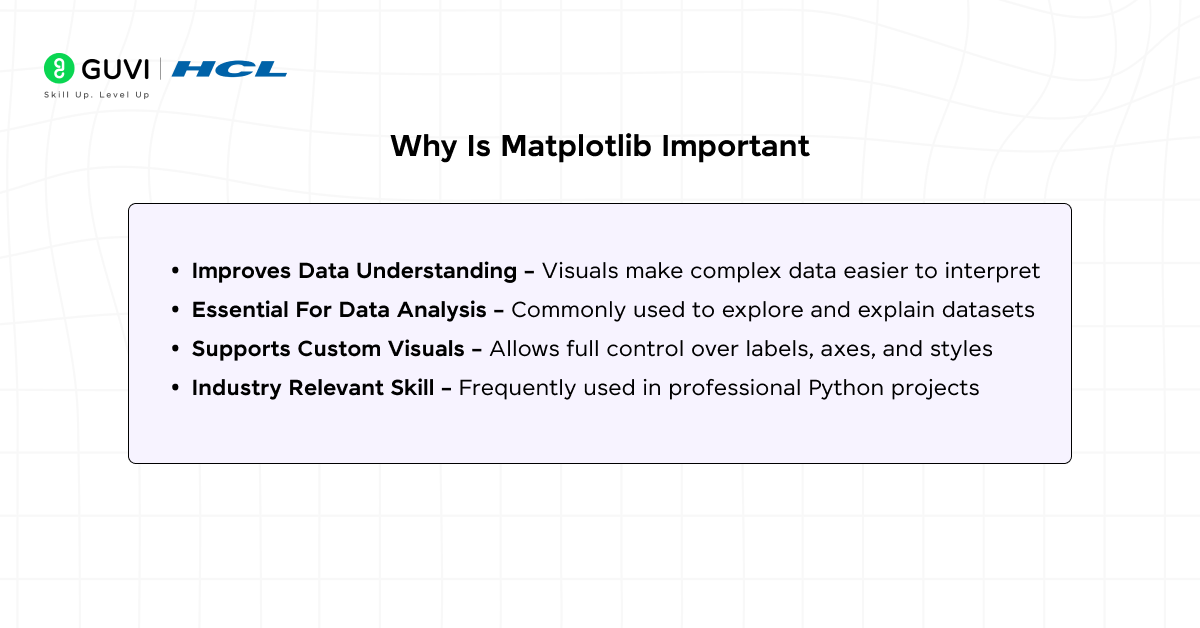
Matplotlib plays a crucial role in Python because it helps users understand data visually rather than through raw numbers. After you install Matplotlib in Python, you can quickly identify trends, patterns, and comparisons that may not be obvious from tables or calculations.
It is especially important in data analysis and machine learning, where visual insights guide better decisions. Learning why Matplotlib matters before you install Matplotlib in Python helps you appreciate its value in real world applications.
Key Points
- Improves Data Understanding – Visuals make complex data easier to interpret
- Essential For Data Analysis – Commonly used to explore and explain datasets
- Supports Custom Visuals – Allows full control over labels, axes, and styles
- Industry Relevant Skill – Frequently used in professional Python projects
Do check out HCL GUVI’s Zen Class Python Course if you want to go beyond just installing Matplotlib in Python and actually use it in real data visualization and Python projects. The course helps you understand Python fundamentals, libraries like Matplotlib, and practical implementation through hands-on learning.
💡 Did You Know?
- Matplotlib is one of the oldest Python visualization libraries, first released in 2003.
- Matplotlib can export plots as interactive web graphics, not just static images.
- Matplotlib supports embedding plots directly into GUIs like Tkinter or PyQt for interactive applications.
Conclusion
Installing Matplotlib in Python is the first step toward creating professional and visually appealing data visualizations. Following the proper prerequisites ensures that your Python environment is ready for a smooth installation without any errors.
Choosing the right installation method, whether pip, Anaconda, or a virtual environment, helps maintain clean dependencies and prevents conflicts. Once installed and verified, Matplotlib in Python allows you to generate charts, graphs, and plots efficiently for any project.
FAQs
1. Can I install Matplotlib in Python without administrator rights?
Yes, using the –user flag with pip allows installation without admin privileges, for example: pip install –user matplotlib.
2. How do I update Matplotlib to the latest version in Python?
Run pip install –upgrade matplotlib to update to the newest version available.
3. Is Matplotlib compatible with Python virtual environments?
Yes, installing Matplotlib inside a virtual environment isolates it from other projects and prevents dependency conflicts.
4. Can Matplotlib be used with Jupyter Notebook?
Yes, Matplotlib integrates seamlessly with Jupyter Notebook to display plots directly within notebooks.
5. Are there alternatives to Matplotlib for Python data visualization?
Yes, libraries like Seaborn, Plotly, and Bokeh offer additional features and interactive plotting options alongside Matplotlib.
Success Stories

About the Author
Jebasta
I translate the language of data into stories that anyone can understand. As a writer with a data science background, I simplify analytics, AI, and decision-making so beginners and enthusiasts can confidently explore the world of data.
View all posts by Jebasta
Connect with me @















Did you enjoy this article?