


DevOps Articles
Claude for IT Help Desks: Reducing Ticket Volume
From Beginner to DevOps Engineer: How HCL GUVI Zen Class Helps You Get There


Get In Touch For Details! Request More Information

Ops in DevOps: The Backbone of Fast and Reliable Delivery
Jul 24, 2026 5 Min Read 1258 Views
(Last Updated)
DevOps is excellent until a production failure occurs. That is when everyone silently looks at the Ops part of DevOps. No buzz, no stage, only the strain to get everything going as users continue clicking.
The difference between a successful release and a fire drill in the middle of the night is ops in DevOps. It is a background process that handles failures, traffic surges, and unplanned issues that do not appear in the demos. Fast releases can be celebrated by teams, but it is Ops that ensures they survive in the real world.
Now, before getting deeper into terms of tools, processes, and responsibilities, let us proceed with this blog and learn the reason why Ops is such a significant role in DevOps.
Topic: What is Ops in DevOps?
Quick Answer:
Ops in DevOps refers to the operations side that keeps applications running smoothly, handles servers, monitors performance, and resolves issues. It ensures reliability and stability while development builds new features.
Table of contents
- What Does Ops Mean in DevOps
- Role of Operations Team in DevOps
- Key Responsibilities of the Operations (Ops) Team in DevOps
- Ops vs Traditional IT Operations
- Collaboration and Working Style
- Release and Deployment Approach
- Use of Automation
- Handling Issues and Failures
- Scalability and Flexibility
- Tools Commonly Used by Ops Teams
- a. Docker
- b. Kubernetes
- c. Jenkins
- d. GitHub Actions
- e. Terraform
- f. Ansible
- g. AWS CloudWatch
- h. Prometheus
- i. Grafana
- j. ELK Stack (Elasticsearch, Logstash, Kibana)
- Benefits of Strong Ops Practices
- Improved System Stability
- Faster Issue Resolution
- Better Scalability and Performance
- Enhanced Security and Reliability
- Smoother Collaboration Across Teams
- Conclusion
- FAQs
- What exactly does Ops in DevOps do?
- How is Ops in DevOps different from traditional IT operations?
- Why is Ops important in DevOps culture?
What Does Ops Mean in DevOps

Ops in DevOps concerns all actions that follow code writing. It is concerned with system maintenance, ensuring applications are available, managing servers, and monitoring performance and troubleshooting when things fail. Whereas development is the creation of additional functionality, Ops is the stability, reliability, and daily operations. No good code can work without Ops once actual users begin using the product.
In layman’s terms, Ops in DevOps focuses on maintaining the application after it has been deployed. It makes the app reliable in terms of being always up, loading quickly, remaining secure, and recovering easily in case of a problem. Ops teams set up systems, monitor errors, handle updates, and prevent failures before users even notice them. Their intention is not to be fast, but to be steady–to have everything working the way it is supposed to always.
For example, consider an online shopping application for a large festival sale. Developers have created new features and discounts, but when thousands of users are visiting the app simultaneously, it slows down or crashes. That is where Ops in DevOps comes in, to scale servers, monitor traffic, address errors within seconds, and ensure that the app remains online so that customers can proceed with their shopping without any interruptions.
Enroll now in HCL GUVI’s Fundamentals of DevOps course and build the essential skills to kickstart your DevOps journey!
Role of Operations Team in DevOps
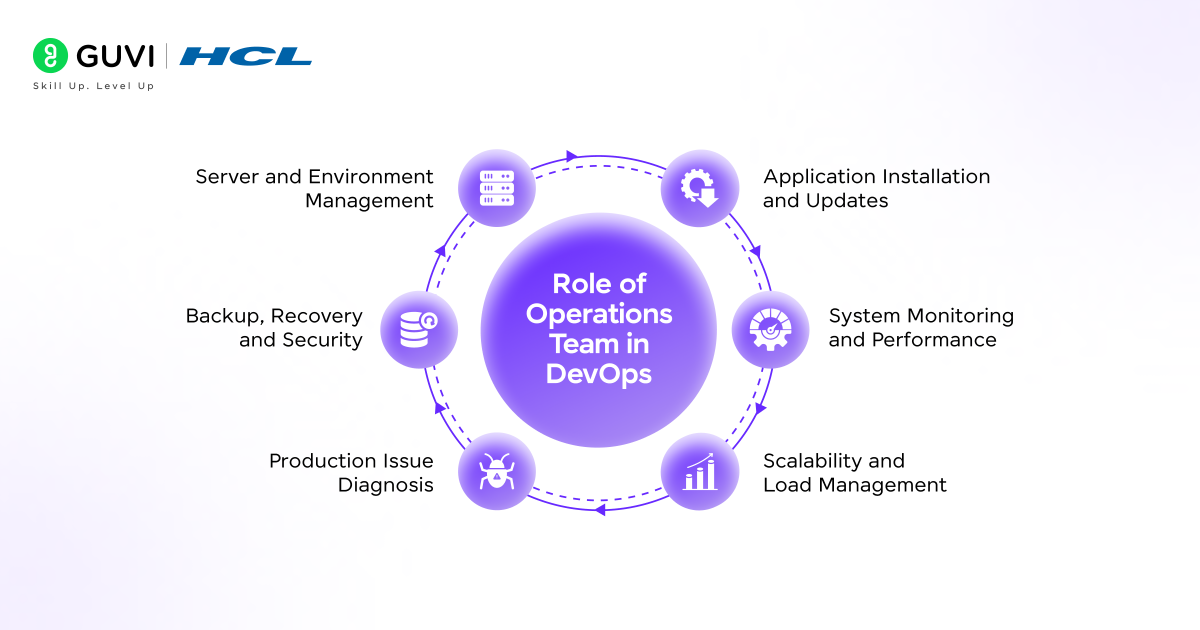
The DevOps Operations team deals with the task of ensuring that applications can perform well in a real-world setting, not just when testing is being done. They are concerned with the post-deployment process, which is intimately related to stability, performance, and reliability.
As features are developed and updated, the Ops team makes sure that they can be used without crashes, delays, and security risks by the end-users. They collaborate with developers so that they can eliminate last-minute complications, as well as resolve issues with a faster solution in the event of a mistake.
Key Responsibilities of the Operations (Ops) Team in DevOps
- Installation and administration of servers, cloud servers, and environments.
- Installing and updating applications without interruption.
- Tracking system availability, performance, and health.
- Diagnosis and problem-solving of production problems.
- Backup control, recovery schedules, and system security.
- Making sure systems are able to cope with traffic and unexpected load.
Also Read: DevOps Engineer Roles, Responsibilities, Skills, and Job Description
Ops vs Traditional IT Operations
The following are the key differences between Ops in DevOps and Traditional IT Operations, highlighting how modern operations practices have evolved to support faster delivery, better collaboration, and more reliable systems compared to older operational models.
1. Collaboration and Working Style
Ops is a collaborative DevOps approach in which the operations teams engage with developers during the development of the prototype. Deployment, monitoring, and stability are responsibilities of both teams, minimizing the communication lapses and accelerating the resolution of the issues.
The traditional IT Operations is based on the Waterfall or Silo-Based Operations model, in which the development and operations teams operate independently. The application is developed and then delivered to the operations, which in most cases results in postponement and miscommunications.
2. Release and Deployment Approach
Ops in DevOps facilitates Continuous Integration and Continuous Deployment (CI/CD), where one can release regularly and in small amounts with little risk. It is useful in making teams release updates very fast, correct bugs at a faster rate, and address user feedback in an efficient manner.
The traditional IT Operations is based on a Scheduled Release Management model consisting of large and periodic deployments. Releases are highly planned and approved, and this leaves them hard to provide timely updates or to accommodate changing needs.
3. Use of Automation
DevOps Ops are based on Infrastructure as Code, automated deployment, and continuous monitoring tools to maintain systems continuously. By automating systems, human errors are minimized, and the workload is reduced, which enhances the reliability of the entire system.
Conventional IT Operations relies on Manual Infrastructure Management, which involves manually controlling servers, configurations, and deployments. This practice results in more effort in the operations, reduced speed in work, and the probability of configuration errors.
4. Handling Issues and Failures
Proactive Monitoring and Modern Incident Response practices employed in Ops in DevOps are used to identify issues in an early stage. Automated notifications and real-time monitoring can assist teams in responding faster and recovering services with the least downtime.
Conventional IT Operations involves a Reactive Ticket-Based Support model, in which problems are addressed by the users ‘ report. It has a slower resolution process, which results in extended downtimes and dissatisfaction among the users.
5. Scalability and Flexibility
In DevOps, Ops is guided by Cloud-Native Architecture and Elastic Scaling principles, whereby systems automatically increase or decrease in size as traffic and demand increase or decrease accordingly. This scalability guarantees a stable performance even when there are sudden traffic spikes.

Conventional IT Operations is based on On-Premises Infrastructure and Static Scaling designs. Scaling is also not very flexible to sudden changes and needs manual planning, hardware upgrades, and long approval cycles.
Tools Commonly Used by Ops Teams
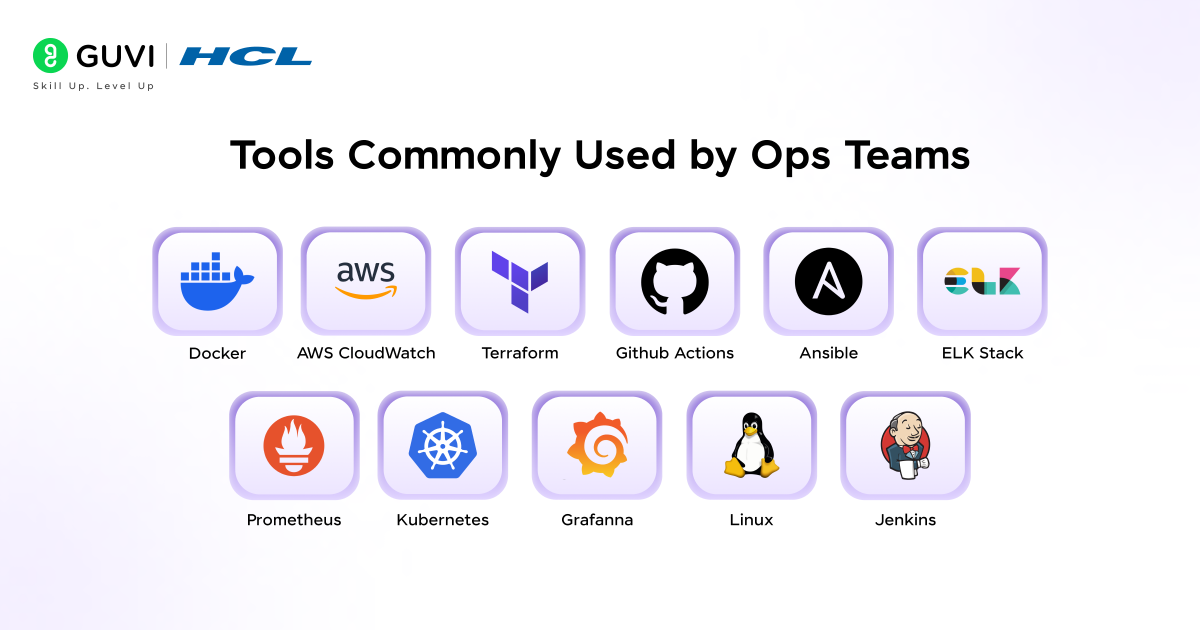
The role of tools in assisting Ops teams in controlling infrastructure, system health, and ensuring that applications are running well is significant. The following are some of the key tools that are typically utilized by Ops teams in a contemporary DevOps setup.
a. Docker
Docker is used to package applications into containers to ensure that they run in a similar manner in both development, testing, and production areas to minimize compatibility problems.
b. Kubernetes
Kubernetes is an open-source application that is used to facilitate and auto-scale the use of containerized applications to assure high availability and efficient utilization of the system resources.
c. Jenkins
Automatic build, test, and deployments. Ops teams would use Jenkins to release updates more quickly and with fewer errors.
d. GitHub Actions
It is devoted to the automation of workflows in GitHub and, therefore, enables teams to run tests, deploy code, and perform tasks related to operations effectively.
e. Terraform
Infrastructure as Code is a tool used to build, change, and maintain code in the cloud, as a simple configuration file.
Also Read: Code to Cloud Using Terraform and AWS
f. Ansible
Ansible is a configuration management and automation tool used to provision servers and install software and updates on a regular basis.
g. AWS CloudWatch
It is utilized with the aim of monitoring the application performance, system metrics, and logs to enable the teams to identify the problems and act promptly.
h. Prometheus
It is applied to gather and archive real-time measures, which simplifies monitoring system operations and detecting possible issues.
i. Grafana
It is a tool to visualize monitoring data to enable Ops teams at a glance to determine the health of the systems.
j. ELK Stack (Elasticsearch, Logstash, Kibana)
ELK Stack is used to centralize logging and log inspection to enable teams to search, analyze, and troubleshoot problems within systems.
Also Read: What to Learn to Become a DevOps Engineer?
Benefits of Strong Ops Practices
1. Improved System Stability
High Ops practices are used in maintaining the stability and reliability of applications. Operations teams ensure the smooth running of the application by identifying little issues and correcting them before they escalate into major ones.
It implies that users may use the app or the site without being interrupted by crashes and delays, a fact that fosters confidence and an enhanced experience.
2. Faster Issue Resolution
Clear Ops processes simplify the process of identifying and resolving problems by a significant margin. Automated systems, monitoring tools, and alerts enable groups to identify issues as they occur and act on them instantly.
In this manner, little glitches do not become big failures, and the users hardly ever find out when something is going wrong.
3. Better Scalability and Performance
The systems also have reduced work to handle the increasing traffic and demand due to the use of Ops practices.
The ability to spin resources up and down when necessary enables the teams to keep the app fast and responsive even at peak times, such as when selling products at a festival or launching a product, without the app slowing down and crashing.
4. Enhanced Security and Reliability
A strong Ops practice is also characterized by regular updates, backups, and security checks.
This keeps the application and user information intact by ensuring the system is well-maintained, and the operations teams minimize the risks of losing data, security breaches, or unexpected failures.
5. Smoother Collaboration Across Teams
In the case of sound Ops practices, teams tend to work together in a smoother way. The developers and operations work together, share duties, communicate effectively, and work together.
This partnership assists in the release of updates at a better rate and with increased reliability, and fewer mistakes are made, which is beneficial to the team and the users.
Take the next step in your career and become a skilled DevOps professional by enrolling in HCL GUVI’s Advanced DevOps Course. Gain hands-on experience with top tools, earn globally recognized certifications, and get personalized placement guidance to kickstart your journey in the booming DevOps industry. Don’t wait—start mastering DevOps today!
Conclusion
Ops in DevOps is just as important as development. During development, Ops ensures everything runs smoothly, maintains security, and operates efficiently. Strong Ops ensures systems are stable and scalable and assists teams in responding swiftly to problems, making the software quicker, safer, and more trustworthy for users. An Ops team is well-managed and drives ideas into real-world experiences without a hitch.
FAQs
What exactly does Ops in DevOps do?
Ops in DevOps keeps applications running smoothly, handles issues, monitors performance, and ensures security and stability.
How is Ops in DevOps different from traditional IT operations?
Ops in DevOps works closely with developers, uses automation, supports frequent updates, and fixes problems quickly, unlike traditional IT operations.
Why is Ops important in DevOps culture?
Ops ensures apps are reliable, scalable, and secure, reduces downtime, and helps teams work together efficiently.
Success Stories





























Did you enjoy this article?